



Key takeaways
Etsy seller requirements are minimal: a government ID, a bank account, and a product idea are enough to get started.
Understanding Etsy’s fee structure (listing fee, transaction fee, payment processing) prevents surprise costs down the road.
Print-on-demand (POD) lets you sell without inventory, and tools like Listybox connect you directly to Printify for seamless fulfillment.
The biggest time-waster for new sellers is manual listing creation. Magic Wand generates SEO-optimized titles, tags, and descriptions in minutes.
Automation features like Zero-Touch Fulfillment and Scheduled Publish turn your shop into a sustainable business.
Maya is a graphic designer with a folder full of original artwork. She’s heard stories of people making a living selling on Etsy and wants to turn her designs into a side income. But when she types “become an Etsy seller” into Google, she’s overwhelmed by a flood of conflicting advice, hidden fees, and confusing policies. She wonders: Is it really worth it? And more importantly, can she actually do it without spending 40 hours a week managing a shop? The answer is yes, but only if you avoid the manual grind that traps most beginners. In this guide, we’ll walk you through exactly what you need to become an Etsy seller in 2026, from the basic requirements to your first sale, and show you how to automate the heavy lifting so you can focus on creativity, not logistics.
What Do You Need to Become an Etsy Seller in 2026?
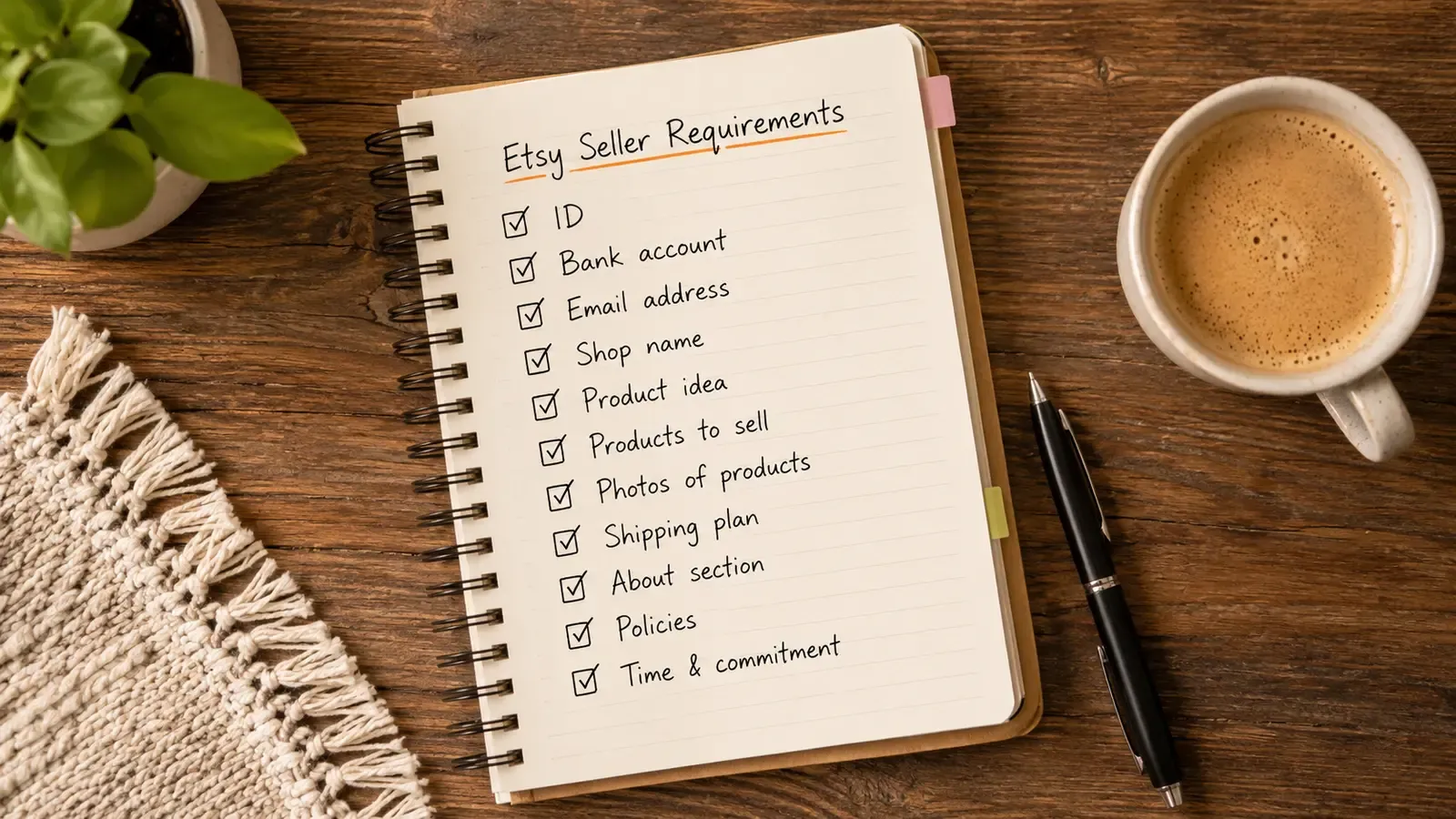
Before you can open your shop, Etsy requires a few things. The good news is the bar is low. According to Etsy’s official policy, you need a government-issued ID (like a passport or driver’s license), a bank account for receiving payments, and a valid credit card for verification. You must also be at least 18 years old. That’s it on the paperwork side. For a deeper dive, check out our detailed guide on Etsy Seller Requirements 2026: What You Really Need to Start a Shop.
Legal and Tax Requirements
Depending on your country, you may need to register a business or collect sales tax. Etsy automatically collects and remits sales tax for many US states, but it’s your responsibility to understand your local obligations. In the EU, you’ll need to comply with VAT regulations. If you’re unsure, consult a tax professional. This isn’t the fun part, but it’s a one-time setup that protects you later.
Setting Up Your Shop
Once verified, you’ll create your shop name, upload a banner and logo, and write a short bio. Etsy doesn’t expect perfection at launch. Many successful shops started with a simple banner made in Canva and a clear description of what they sell. The key is to get your first listings live quickly. You can always refine your branding later.
💡 You don’t need a perfect shop to start - Etsy allows you to update your branding later. Just focus on getting your first listings live.
Shop and Return Policies
It’s tempting to leave policies for later, but Etsy builds part of them into listing creation. Shop policies live in Shop Manager under Settings > Policy settings, with separate tabs for returns and exchanges, cancellations, and privacy. You can’t edit them in the Etsy Seller app, so use a browser.
Return policies are set per listing rather than for the whole shop. If you sell from outside the EU, Etsy requires a return policy each time you create or edit a listing for a physical item, even when the policy says you don’t accept returns. Etsy also notes that listings without a return policy may appear lower in search. Having clear terms in place before your first sale gives you something to point to if a buyer asks for a refund on a custom item.
Try it in your shop.
Every step from design to live listing, on one platform. Start on the free plan.
How Much Does It Cost to Start Selling on Etsy?
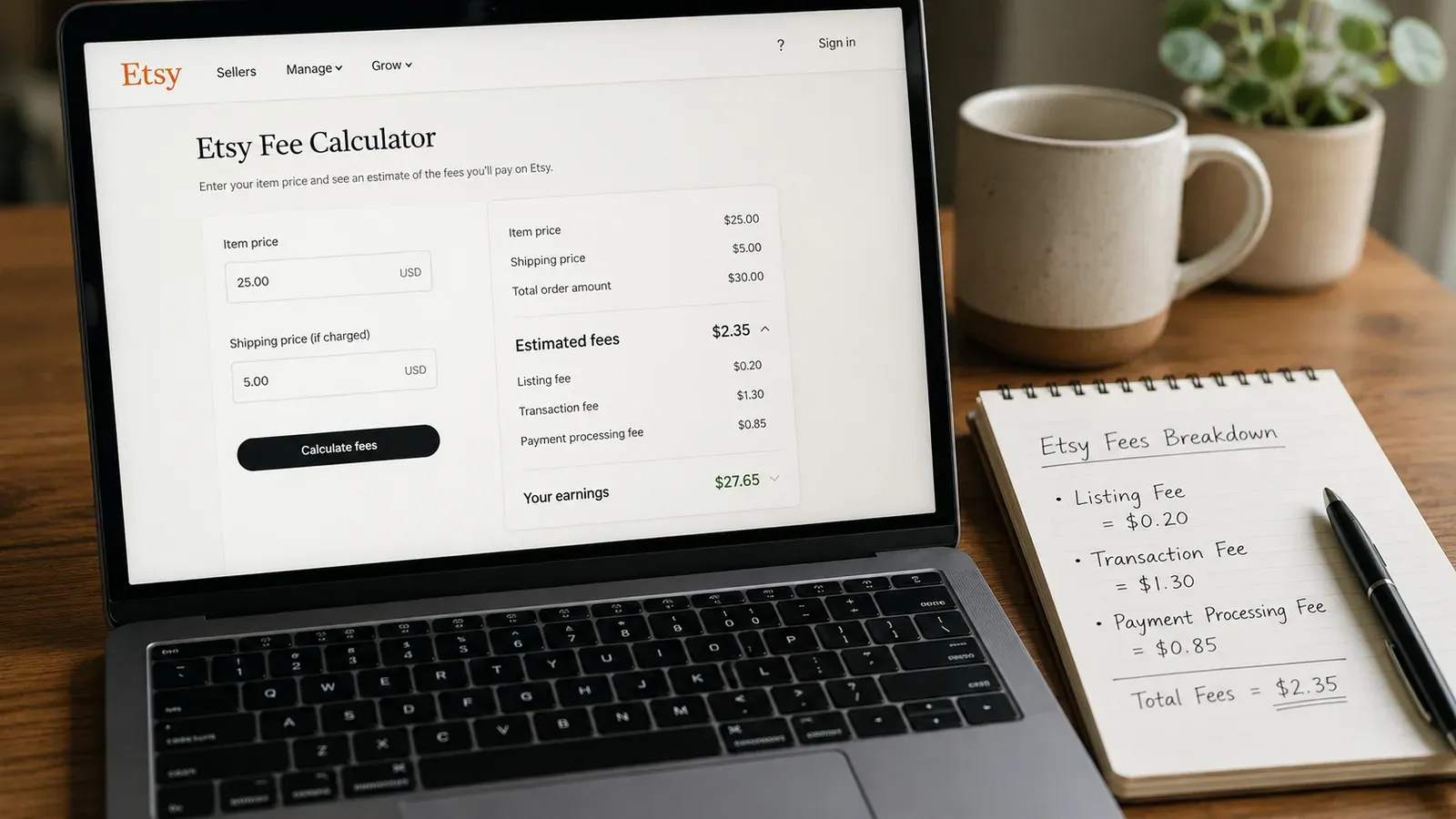
Etsy’s fee structure is transparent but can surprise new sellers. According to Etsy’s official fee page, it costs $0.20 to list an item for four months. When you sell, Etsy takes a 6.5% transaction fee on the item price (including shipping) and a payment processing fee of 3% + $0.25 for US sellers. For a $20 item, that adds up to $2.35 in fees (see our breakdown below). For a full breakdown with real-world examples, read our guide on How Much Does Etsy Take from Sellers? The 2026 Fee Breakdown.
📈 Etsy’s gross merchandise sales reached $13.3 billion in 2024 (Statista), proving there’s a massive buyer base waiting for your products.
Hidden Costs New Sellers Overlook
Beyond the obvious fees, you’ll likely spend on shipping supplies, Etsy ads (optional), and possibly a subscription to a third-party tool. If you’re using print-on-demand (POD), the production cost is subtracted from your revenue. For example, a t-shirt that sells for $25 might cost $12 to produce, leaving you $13 minus Etsy fees. Pricing correctly from the start is critical. Many new sellers underprice and lose money on every sale. Use a profit calculator to model your margins before you list.
The Manual Overload Trap: Why Most New Sellers Burn Out
Maya’s story is common. She opened her shop, uploaded 10 designs, and then spent three hours a day manually researching keywords, writing titles, and tweaking tags. She used free mockup tools that made her products look like everyone else’s. After two weeks of zero sales and 40 hours of work, she was ready to quit. The problem wasn’t her designs; it was the manual grind. Etsy sellers who handle everything by hand quickly discover that 80% of their time goes to repetitive admin tasks, not creating. This is the silent killer of Etsy dreams. You start with passion, but the repetitive tasks turn your creative outlet into a second job.
There’s a smarter way. Instead of building every listing from scratch, you can use a tool that automates the tedious parts. Magic Wand generates SEO-optimized titles, 13 tags, and product descriptions in minutes, not hours, by analyzing what top-selling listings use. You can edit every single word before publishing, so you keep full creative control. Meanwhile, Creation Wizard turns a single design into hundreds of product variations (mugs, hoodies, phone cases) with one click. No more drag-and-drop for each product type. This combination lets you go from a blank screen to a fully optimized, ready-to-publish listing in the time it takes to drink a coffee.
Start free - no credit card required
How to Get Your First Etsy Sale (Without Paying for Ads)
Etsy is a search engine. Buyers type in keywords like “funny cat mug” and scroll through results. Your job is to show up in those results. Etsy’s search algorithm considers several factors: relevance of your title and tags, listing quality (photos, description), and shop activity. For a step-by-step playbook, see our guide on How to Get Your Etsy Listing on the First Page: The 2026 Playbook.
The Power of High-Quality Photos
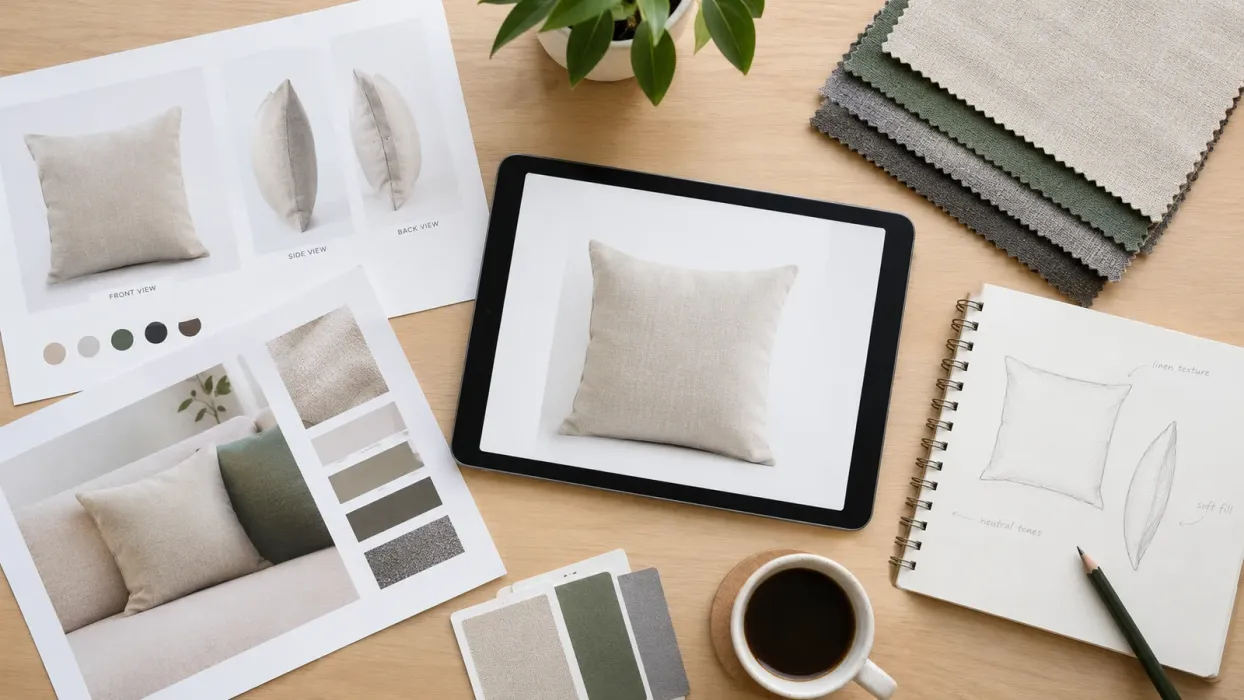
Product photos are the first thing a buyer sees. If you use the same generic mockup as 500 other sellers, you blend in. Etsy research shows that listings with clear, lifestyle images get higher click-through rates. But hiring a photographer or buying premium mockup subscriptions can cost hundreds. Listystyle generates unique, hyper-realistic lifestyle images for your products in minutes, not hours. You can place your design on a model in a cozy living room or a trendy street scene, making your listing stand out in minutes. You’ll find more about the pitfalls of free mockups in our article Free T-Shirt Mockup: The Hidden Costs That Are Silently Killing Your Etsy Sales.
⚠️ Avoid using copyrighted images or generic mockups. Etsy prioritizes original, high-quality photos in search results.
SEO: The 13 Tags and Your Title
Your title should be descriptive and include the most important keywords. Etsy allows 140 characters for titles; use them. Your 13 tags are equally critical. Instead of guessing, Magic Wand analyzes top-performing competitors and suggests keyword combinations that are proven to bring traffic. You can then adjust them to fit your style. The result is a listing that has a real shot at page one from day one, not after months of trial and error.

The Print-on-Demand Advantage: Sell Without Inventory
Many new sellers worry about stocking products. Print-on-demand (POD) eliminates that problem. You create a design, a supplier like Printify prints and ships it only when a customer orders. You never hold inventory. Etsy is friendly to POD as long as you disclose your production partner. For a complete blueprint, read How to Sell Products Without Buying Them.
Listybox integrates directly with Printify, so when you create a listing with Creation Wizard, the product is automatically connected to a print provider. You don’t need to manually set up shipping profiles or SKU numbers. And if you have your own unique products, the Custom Product Hub lets you add them and still use all the automation tools. To stay compliant with Etsy’s policies, check out Etsy Print on Demand Rules: Navigating Policy Changes in 2026.
How to Automate Your Etsy Shop for Sustainable Growth
Once you start making sales, the next bottleneck is fulfillment. Manually entering each order into Printify, updating tracking, and messaging customers can eat up hours. With Zero-Touch Fulfillment, an Etsy order appears in My Orders in Listybox. You pay the production and shipping cost for that order from this screen, and production does not start before payment. Our partner print providers in the US then print the product and ship it straight to your buyer, and the tracking number is written back to your Etsy order.
To keep your shop active in Etsy’s algorithm, you need to publish new listings regularly. Scheduled Publish lets you create a batch of listings in one sitting and then drip-feed them over days or weeks. This keeps your shop appearing fresh and active, which Etsy rewards with better visibility.
Does all of this feel overwhelming? You don’t have to start from scratch. With Listybox Store Setup, our team helps you set up your Etsy store. It is available inside a custom Enterprise+ offer, so plan a demo or write to [email protected].
Maya’s story doesn’t have to end in burnout. She used Listybox to automate her shop and now spends her time designing new artwork instead of fighting with spreadsheets. You can too. Start today, and let the tools handle the busywork while you focus on what you do best: creating.
Frequently asked questions
Put this into practice in your shop.
Every step from design to live listing, on one platform. Start on the free plan.
Related posts


Want to go deeper? Read our in-depth Etsy guides · Browse 100 Etsy niche guides