


Key takeaways
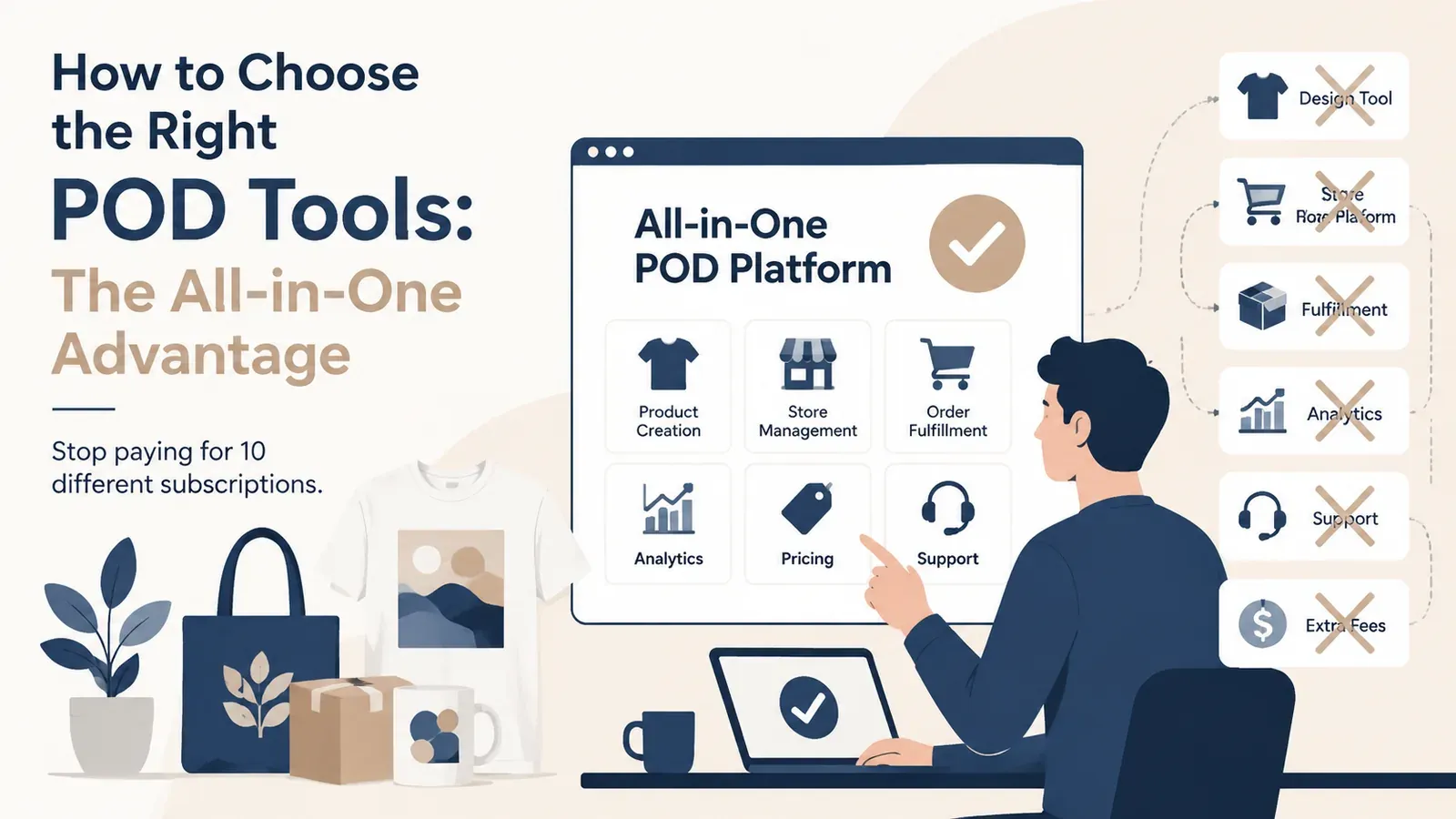
Consolidate Your Stack: Replace 4-5 expensive subscriptions with a single operating system.
Eliminate Context Switching: Stop wasting time copying data between apps; let a unified workflow carry you from design to listing.
Automate SEO: Use integrated AI to write listing copy.
Scale Without Burnout: Use tools like Scheduled Publish to publish your listings on a schedule.
Starting a Print on Demand (POD) business on Etsy often feels like walking into a hardware store without a shopping list. You are bombarded with options: design software, keyword research tools, mockup generators, and multiple fulfillment partners. The natural instinct is to grab one of everything. Before you know it, you have five different tabs open, four monthly subscriptions draining your bank account, and a workflow that feels more like a tangled mess of wires than a business.
The “tech stack trap” is the number one reason new sellers burn out before they even reach their first 100 sales. You spend more time managing logins and copy-pasting data between apps than you do creating products. But there is a smarter way. The most successful sellers don’t just work hard; they choose tools that work together. This guide will walk you through how to choose the right POD tools and why shifting to an all-in-one operating system is the ultimate competitive advantage.
What Tools Do I Really Need for a Print on Demand Business?
To understand the toolscape, we first need to identify the core pillars of a POD business. If you were to build your toolkit manually, you would typically look for distinct software solutions for each stage of the process.
The Fragmented Experience
Design: You need a tool to create your visual assets. (e.g., Canva, Photoshop).
Market Research & SEO: You need data to find what sells and the keywords to rank for it. (e.g., eRank, Marmalead).
For tag checks within Listybox, Tag Health shows competing listing counts and suggests alternatives you can review before applying.
Mockups: You need professional photos to sell the dream. (e.g., Placeit).
Fulfillment: You need a provider to print and ship. (e.g., Printify, Printful).
The problem isn’t that these tools are bad; it’s that they don’t talk to each other. You download a design from Canva, upload it to Printify, download the mockup from Printify, upload it to Placeit, download the finished photo, and then finally upload everything to Etsy while manually typing in keywords you found on eRank.
This manual friction kills your momentum. Every file transfer is a chance for a mistake - uploading the wrong resolution, mixing up color variants, or losing track of files. Start Listybox now - no credit card required to experience a workflow where these steps happen in a single, fluid motion.
Try your first design.
Try your design on a product and prepare its Etsy listing in Listybox.
Is It Better to Use All-in-One Software or Separate Tools?
This is the most critical decision you will make. To illustrate the difference, let’s look at a realistic scenario of a seller named Alex.
Meet Alex: The “App Juggler” Alex is a talented graphic designer who wants to sell his art on t-shirts. He buys a subscription to a design tool, signs up for a free POD account, and pays for an SEO tool.
The Manual Grind: Alex spends his Sunday creating 10 new designs. He opens his design app, exports 10 files. He logs into his POD provider and manually creates products one by one, clicking through color and size options for every single shirt. He then switches to his SEO tool, researches keywords for an hour, and copy-pastes them into a spreadsheet. Finally, he goes to Etsy and creates the listings. It takes him 8 hours to list 10 products. He is exhausted.
The Hidden Trap: A week later, Alex gets a sale! But because his systems aren’t connected, he has to manually check if the order went through to his provider. He realizes he forgot to enable automatic processing for that specific shirt color. Panic sets in.
The Listybox Solution: Now, imagine Alex discovers Listybox. He uploads his 10 designs to My Artworks upload. With the Creation Wizard, he selects 5 different products (t-shirts, mugs, hoodies) and applies all 10 designs at once. In minutes, he has 50 market-ready products. The system automatically syncs them to Etsy.
The Transformation: Alex went from spending an entire Sunday on 10 listings to creating 50 listings in 20 minutes. He no longer juggles apps; he manages an empire from one dashboard. This is the power of an all-in-one ecosystem.
How Can I Reduce My Monthly Subscription Costs?
One of the invisible killers of profitability is “subscription bleed.” You might think $15 here and $10 there isn’t much, but it adds up fast. Let’s look at the math of a typical “fragmented” tool stack versus an integrated one.
The Cost of Fragmentation
Design Tool: ~$15/month
Mockup Generator: ~$15/month
SEO Tool: ~$10/month
Premium POD Subscription (for lower prices): ~$29/month
Total Monthly Cost: ~$69/month (or nearly $830/year)
That is a significant amount of overhead before you even sell a single item.
The All-in-One Advantage
Listybox consolidates these costs. Instead of paying for a separate mockup tool like Placeit, you can use the Listystyle mockup creator to generate professional lifestyle images instantly. Instead of a separate SEO subscription, you have built-in AI tools.
Which Tools Help with Etsy SEO and Listing Automation?
SEO is usually the most dreaded part of the job. Staring at a blank “Title” field in Etsy can be paralyzing. Using external tools helps, but you still have to interpret the data and write the sentences yourself.
The right tool shouldn’t just show you data; it should do the work for you. This is where proprietary AI engines outshine generic tools. With the Magic Wand SEO tool, our system analyzes your product type and visual design to construct SEO-optimized titles, tags, and descriptions that are ready to publish.
Automating Consistency
It’s not just about writing; it’s about strategy. Etsy rewards consistent activity. Manually logging in every day to post one item is tedious. A robust operating system includes tools like the Scheduled Publish feature, allowing you to batch your work on Sunday and let the system “drip feed” your listings throughout the week while you focus on your life.
How Do I Choose the Best Fulfillment Partner?
The final piece of the puzzle is fulfillment. This is where your digital promises become physical realities. If your tool choice forces you into a relationship with unreliable providers, your brand will suffer.
Avoid the Middleman Trap
Many tools act merely as a pass-through layer, adding little value to the actual fulfillment process. You want a “Zero-Touch” approach. This means the system should route your order to production without you re-entering the details by hand.
With Zero-Touch Fulfillment, orders from Etsy appear in My Orders in Listybox. You pay the production and shipping cost for each order from that screen, and production does not start before payment. You follow every order in the Payment Required, Ready for Production, In Production and Shipped tabs, and the tracking number is written back to your Etsy order. Our partner print providers in the US print the products and ship them straight to your buyer.
Choosing the right tools is about choosing the life you want to lead as a business owner. Do you want to be a data entry clerk, copying and pasting between five different tabs? Or do you want to be a strategic director, overseeing a system that works for you?
Start Listybox now - no credit card required and turn your fragmented struggles into a streamlined success story.
Frequently asked questions
Put this into practice in your shop.
Every step from design to live listing, on one platform. Start on the free plan.
Related posts



Want to go deeper? Read our in-depth Etsy guides · Browse 100 Etsy niche guides