
How to Design Stickers That Sell on Etsy (The Automated Way)
Starting a sticker business on Etsy is a dream for many, but the reality of manual design, cutting, and shipping often leads to burnout. This guide reveals how to bypass the tedious "Cricut grind" and build a scalable, automated sticker empire using advanced Print-on-Demand technology. Discover the tools that turn hours of work into minutes of profit.
Bullet Points (TL;DR)
Automate Design Prep: Use AI tools to instantly remove backgrounds and create print-ready transparent files.
Boost Click-Through Rates: Replace boring digital mockups with hyper-realistic lifestyle photos of your stickers in use.
Scale Without Inventory: Leverage the Print-on-Demand model to sell hundreds of designs without buying a cutting machine.
Master Etsy SEO: Utilize intelligent keyword tools to write titles and tags that actually get your stickers found.
Bulk Creation: creating listings one by one is slow; use automation to launch dozens of sticker packs in minutes.
The sticker market on Etsy is massive, vibrant, and undeniably profitable. For many creatives, the phrase "design stickers" sparks joy—visualizing cute characters, witty slogans, and artistic decals. However, the traditional path to selling stickers is paved with expensive equipment, endless cutting accidents, and trips to the post office.
Many aspiring entrepreneurs fall into the "Cricut trap." They spend hundreds on a cutting machine, stack up expensive vinyl inventory, and spend their weekends weeding tiny pieces of paper. What starts as a creative passion quickly becomes a manual labor job. Fortunately, there is a smarter way. By combining strategic Print-on-Demand (POD) methods with powerful automation software, you can focus purely on the fun part—designing—while technology handles the rest.
The Design Dilemma: "I Can't Draw"
Meet Sarah. She is a marketing manager who loves the aesthetic of Etsy sticker shops but has never touched Adobe Illustrator in her life. She wanted to start a side hustle, but the "design" barrier stopped her cold. She assumed she needed to be a digital illustrator to compete.
Her initial goal was modest: launch a shop with 20 sticker designs featuring motivational quotes. She tried using complex design software but gave up after three days of frustration. The learning curve was too steep, and hiring a freelancer for 20 unique designs was outside her budget.
Accessing the Artwork Gallery
Just as she was about to quit, she discovered a different approach. Instead of struggling with pen tools, she utilized the Listybox Artwork Gallery. This feature gave her immediate access to over 100,000 professional, data-driven designs.
She could browse trending categories, select high-quality artwork that resonated with her niche, and reserve them for her shop. Suddenly, Sarah didn't need to be an artist; she just needed to be a curator. She combined these ready-made assets with her own text layouts using the Canva integration, bridging the gap between her ideas and professional execution.
The Transparency Trap: Preparing Files for Print
Once you have a design, the technical reality of stickers hits hard. A common mistake new sellers make is uploading a standard JPEG image. On a screen, it looks fine. But when printed, that beautiful round logo comes out as a sticker inside a white square box. It looks amateur and leads to instant refunds.
To get that professional "die-cut" look—where the sticker is cut specifically around the shape of your design—you must have a transparent background. Manually removing backgrounds in Photoshop is tedious, especially if you have complex edges or hair in the design.
One-Click Background Removal
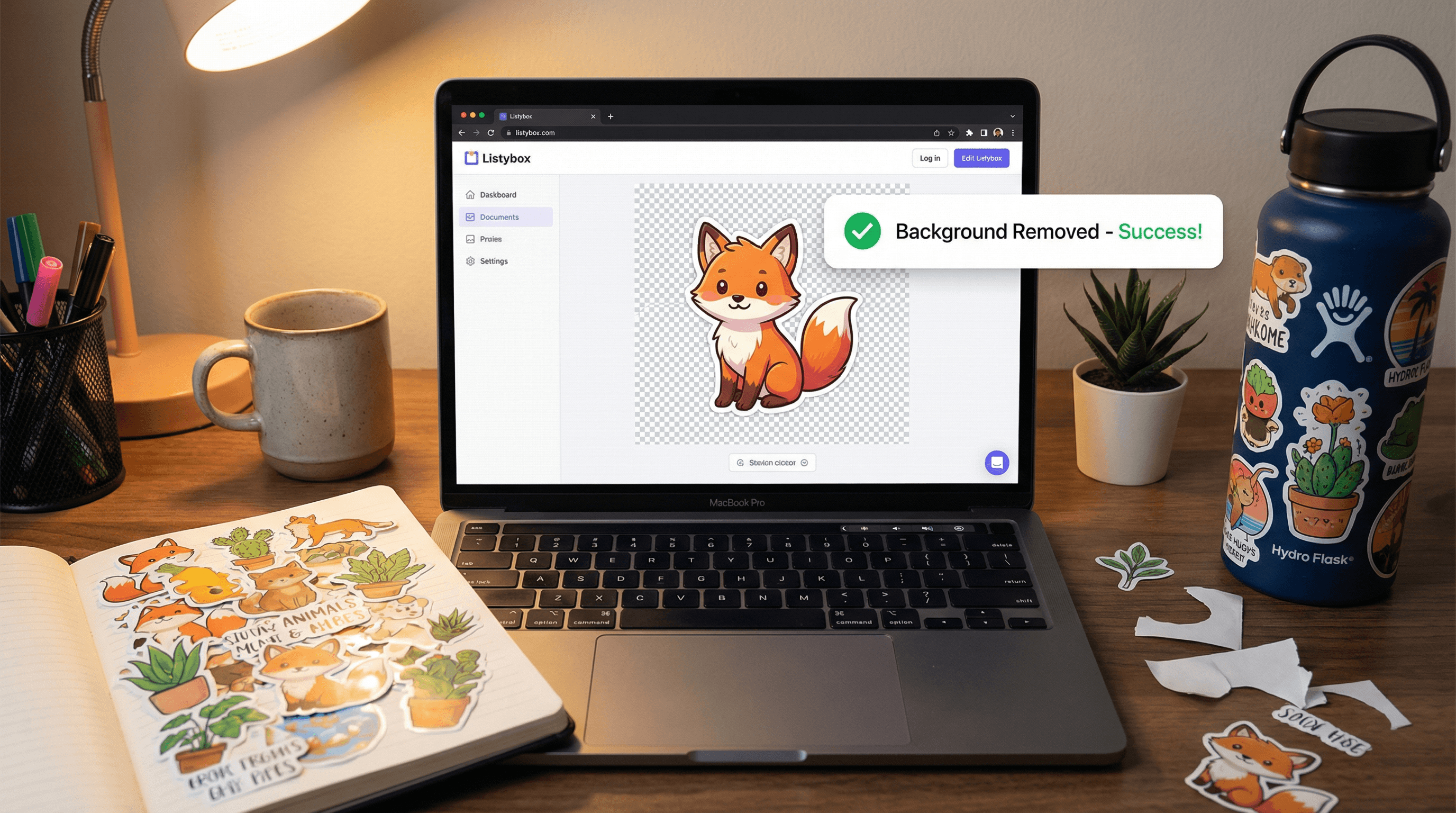
This is where automation saves the day. With the Background Remover tool, you can upload any design, and the AI instantly detects the subject and strips away the background.
Internal data suggests that shops utilizing professional die-cut files see a 30% higher repeat customer rate compared to those selling square-cut stickers. This tool allows you to take any drawing or photo and turn it into a print-ready sticker file in seconds, ensuring your customers get the clean, professional product they expect.
Visuals That Sell: Escaping the Generic Mockup
In the crowded sticker niche, your main image is everything. Most POD platforms provide the same generic mockup: a flat image of the sticker on a plain white background. When a customer scrolls through Etsy, these all look identical. They feel digital and lack "soul."
To stand out, you need to show your sticker in the real world. You want the customer to visualize that sticker on their laptop, their hydro-flask, or their journal.
Creating Lifestyle Scenarios
You no longer need to conduct a professional photoshoot for every $4 item. The ListyStyle mockup creator solves this instantly. It analyzes your design and places it realistically onto high-quality lifestyle scenes.
Imagine taking your "Best Mom" sticker design and, with one click, generating images of it sticking to a coffee mug on a cozy wooden table, or a laptop in a bright office. These "lifestyle" images dramatically increase the perceived value of your product. It transforms a digital file into a tangible object that the customer desires.
The SEO Struggle: Getting Found in the Crowd
Now that Sarah has her designs and her files ready, she faces the biggest hurdle: visibility. "Stickers" is a highly competitive keyword on Etsy. If she just titles her product "Cute Cat Sticker," she will be buried on page 500.
She needs specific, long-tail keywords that buyers are actually searching for. Traditionally, this means hours of research using tools like eRank or Marmalead, trying to guess the right tags.
Automated Optimization
Instead of guessing, smart sellers use the Magic Wand SEO tool. This AI engine analyzes top-performing listings in your niche to generate optimized titles, tags, and descriptions.
It doesn't just write generic text; it adheres to Etsy's specific algorithm requirements. It finds the "hidden" keywords—perhaps "hydro flask decal" or "laptop aesthetic vinyl"—that drive high-intent traffic. By automating this, Sarah saved roughly 10 hours of work per week, allowing her to focus on adding more designs rather than wrestling with spreadsheets. For more on this, read our Etsy AI SEO guide.
Scaling Up: The Bulk Listing Engine
The manual way of listing products is a slow death for a business. Creating a new listing on Etsy takes about 15-20 minutes if you are doing it properly (writing text, uploading photos, setting prices). If Sarah wants to launch 50 new stickers, that is over 12 hours of boring data entry.
The Power of Creation Wizard
Scaling requires speed. The Creation Wizard allows sellers to combine multiple designs with sticker products in a single batch process. Sarah can select her 20 new designs, choose the "Kiss-Cut Sticker" product, and the system generates 20 fully fleshed-out listings—complete with mockups, SEO titles, and pricing—in minutes.
She can then use the Scheduled Publish feature to drip-feed these products into her shop daily. This keeps her shop active in the eyes of the Etsy algorithm without her needing to log in every day. This transformation took Sarah from a stressed "wanapreneur" to a strategic business owner.
Start Your Sticker Business the Right Way
Does all of this feel overwhelming? You don't have to start from scratch. With Listybox Store Setup, our expert team sets up your Etsy store, lists your first 10 products, and optimizes everything for SEO. This service is included FREE with annual Starter and Professional plans!
The difference between a hobby and a business is systems. Don't let the manual grind kill your creativity. Use the tools designed to handle the heavy lifting so you can focus on the art.
Never Miss an Update
Get actionable Etsy tips delivered to your inbox every week. No spam, unsubscribe anytime.



