


Key takeaways
Ecommerce without inventory eliminates storage, upfront stock costs, and shipping hassles - but only if you automate the repetitive work.
Print on demand (POD) beats dropshipping for creatives because you control the design, branding, and customer experience.
Manual listing creation, SEO research, and mockup sourcing consume hours each week for a typical Etsy seller with 100 products.
Listybox Magic Wand writes SEO-optimized titles, tags, and descriptions in one click, cutting listing time from 30 minutes to under 2 minutes.
Scheduled Publish keeps your store active daily without manual uploading.
Ava had been illustrating for years - custom pet portraits, whimsical botanicals, the kind of art that made people stop scrolling. She dreamed of selling her designs on physical products without renting a storage unit or dealing with shipping boxes. Ecommerce without inventory sounded like the perfect path. She opened an Etsy store, connected a print-on-demand supplier, and uploaded her first few designs. The first sale came within a week. She was hooked.
Then the reality hit. That one sale required three hours of work: researching keywords, writing a listing title that actually got found, editing mockup images so they didn’t look like every other t-shirt on Etsy, and manually pushing the order to her supplier. When she tried to scale to 50 products, she found herself working until 2 a.m. every night - just to keep her no-inventory business running. The dream of passive income had turned into an unpaid second job.
Ava’s story isn’t unique. Thousands of Etsy sellers start with the same hope: build an ecommerce business without inventory, work from anywhere, and spend your time creating. But the gap between that vision and the daily grind is where most sellers get stuck. The good news? That gap can be closed - not by working harder, but by using the right automation tools that handle the repetitive parts while you focus on creating.
What Is Ecommerce Without Inventory?
Ecommerce without inventory is exactly what it sounds like: selling physical products online without ever buying, storing, or shipping the items yourself. Instead of stocking a garage with boxes, you partner with a supplier who produces and ships each item only after a customer places an order. You create the design, list the product, and when a sale happens, the supplier handles the rest.
This model has exploded in the last three years. According to Statista, the global print on demand market alone is projected to reach $39.4 billion by 2030, driven by platforms like Etsy that make it easy for individuals to open a storefront in minutes. The appeal is obvious: zero upfront inventory cost, no risk of unsold stock, and the freedom to test dozens of product ideas without financial commitment.
But “ecommerce without inventory” isn’t a single business model. It’s an umbrella term that covers two very different approaches: dropshipping and print on demand. Understanding the difference is the first step to choosing a path that won’t burn you out.
Try your first design.
Try your design on a product and prepare its Etsy listing in Listybox.
The Two Main Models: Dropshipping vs. Print on Demand
When people hear “sell online without inventory,” they often think of dropshipping first. You list a product - say, a kitchen gadget - from a supplier like AliExpress, mark up the price, and when someone buys, the supplier ships it directly to the customer. You never touch the product. The barrier to entry is almost zero.
Print on demand (POD) works similarly, but with a critical difference: the product is customized with your design. A customer orders a t-shirt with your illustration, a mug with your quote, or a tote bag with your pattern. The supplier prints your design on demand and ships it. You’re not reselling generic products; you’re selling your creativity on physical goods.
For the full workflow, see our guide to selling products without buying them. The short version: dropshipping often leads to race-to-the-bottom pricing, quality control nightmares, and angry customers when shipping takes 30 days. POD gives you control over your brand, your designs, and your margins - especially when you use suppliers with US-based fulfillment centers.
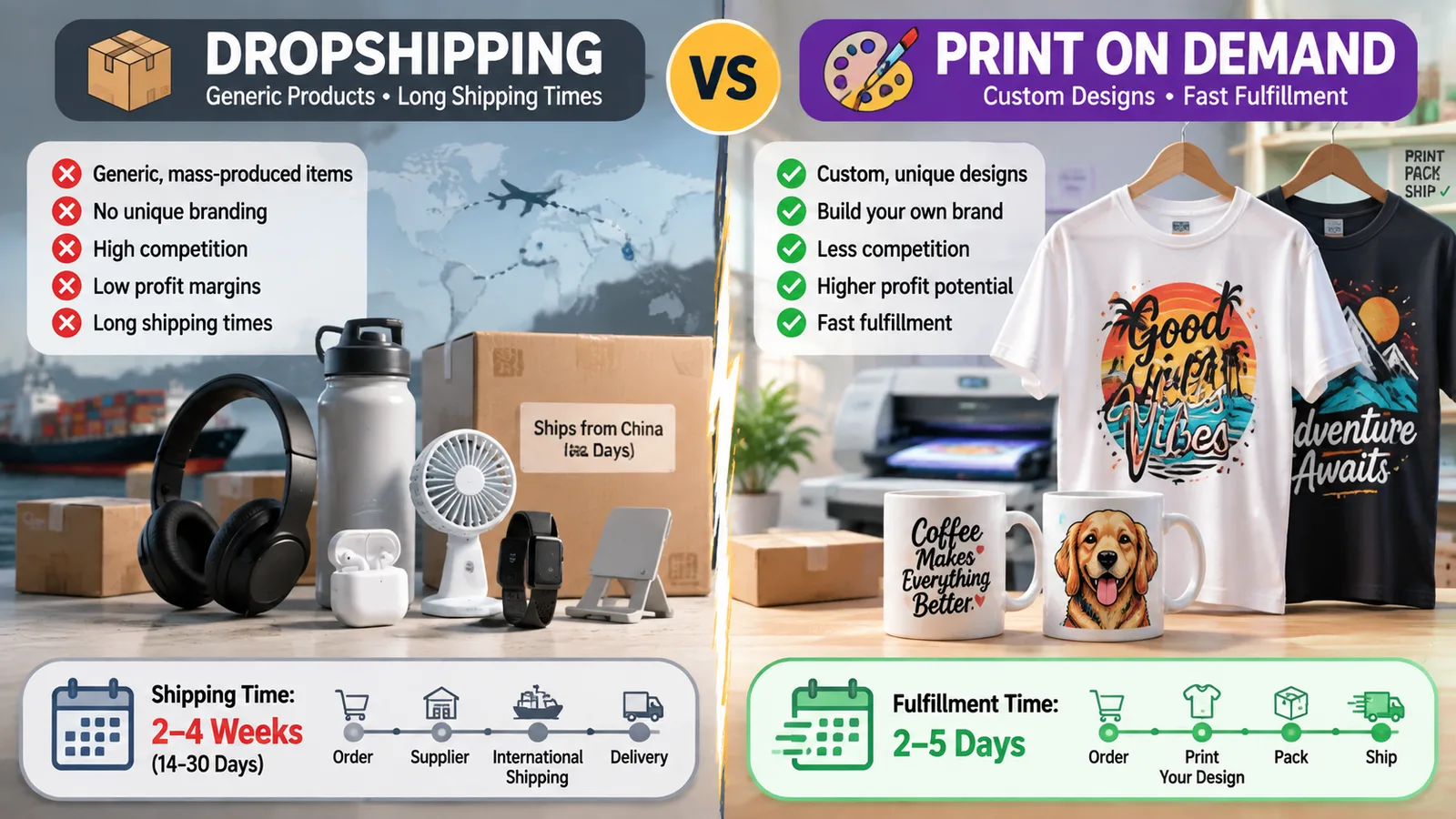
📈 Print on demand stores on Etsy have a higher repeat customer rate than dropshipping stores.
Why Print on Demand Is the Smarter Choice for Creatives in 2026
If you’re an artist, illustrator, graphic designer, or just someone with a good eye for trends, POD aligns with your strengths. You don’t need to source products, negotiate with manufacturers, or worry about whether a gadget will break after two uses. You focus on what you do best: creating designs that resonate with a specific audience.
Etsy is the natural home for this model. The marketplace was built for handmade and unique items, and POD fits perfectly when the design is original. Buyers come to Etsy looking for something personal - a funny gift for a dog mom, a motivational poster for a home gym, a matching family Christmas shirt. They’re not comparison-shopping for the cheapest widget. They’re buying a feeling.
This is where Ava’s story turned around. She realized that her pet portrait designs weren’t just art - they were emotional purchases. By niching down to “custom breed-specific dog mom gifts,” she stopped competing with 10,000 generic t-shirt listings and started attracting buyers who searched exactly for what she offered.
But niching down is only half the battle. The other half is execution: getting those listings in front of buyers and making them look professional enough to click.
The Hidden Grind: What Running a No-Inventory Store Really Looks Like
Here’s the part most “how to start an ecommerce business without inventory” guides skip. The model eliminates inventory, yes, but it creates a new set of repetitive tasks that multiply with every product you add.
The Listing Creation Treadmill
Ava’s typical workflow for a single new product looked like this: open a keyword research tool, spend 20 minutes hunting for long-tail phrases with decent search volume and low competition, craft a title that incorporated those keywords naturally, write a 300-word description that balanced SEO with persuasive copy, manually enter 13 tags, upload mockup images to Canva to tweak them, then finally publish. Per product: 35-45 minutes. For 10 products: a full workday. For 100 products: a second full-time job.
Most sellers hit a wall around 50-70 listings. That’s when the manual work becomes unsustainable. They either stop growing or start cutting corners - using duplicate titles, skipping keyword research, reusing the same mockup across products. And Etsy’s algorithm notices. Listings with thin content or duplicate metadata get pushed down in search results. The store that looked promising at 20 products starts to flatline at 70.
The SEO Black Hole
Etsy SEO isn’t just about stuffing keywords. It’s about understanding buyer intent, matching your listing’s language to what people actually type into the search bar, and continuously updating tags as trends shift. A “funny nurse gift” in May might need to become a “nurse graduation gift” in June. If you’re managing 100+ listings, keeping all of them optimized is impossible without help.
Sellers who manually update SEO for more than 50 listings spend hours each week on keyword research alone. That’s a full workday lost to something that could be automated.
The Mockup Trap
Etsy is a visual platform. Your listing thumbnail is the single biggest factor in whether a buyer clicks. But most POD sellers use the same free mockups that come with their supplier’s platform. The result? Dozens of stores selling the same design on the same t-shirt mockup with the same flat-lay background. Buyers scroll past because it looks like every other listing.
Creating unique, high-quality product images traditionally meant either hiring a photographer (expensive) or spending hours in Photoshop (time-consuming). For Ava, this was the bottleneck that kept her store looking amateur despite her professional illustrations.
For a deeper dive into why free mockups hurt more than they help, read our guide on Free T Shirt Mockup: The Hidden Costs That Are Quietly Killing Your Etsy Sales.
⚠️ Using the same mockup as 500 other sellers doesn’t just look unprofessional - it signals to Etsy’s duplicate content detection that your listing may be low-effort, which can suppress your search ranking.
The Order Fulfillment Whack-a-Mole
Every time Ava made a sale, the “cha-ching” was followed by a 10-minute process: copy the customer’s address, log into her POD supplier’s dashboard, manually place the order, double-check the design placement, then wait. If the supplier sent a tracking number, she had to copy it back to Etsy and mark the order as shipped. One order was manageable. Ten orders a day? That’s nearly two hours of data entry.
This is the dirty secret of ecommerce without inventory: the inventory might be gone, but the operational busywork remains. Unless you automate it.
How to Start Your Ecommerce Without Inventory Business on Etsy
Despite the grind, the model works. You just need to set it up in a way that doesn’t chain you to your laptop. Here’s a step-by-step framework that Ava used to rebuild her store - this time with automation baked in from day one.
Step 1: Niche Down Before You Design
Don’t start with “I’ll sell t-shirts.” Start with “I’ll sell t-shirts for people who [specific interest, identity, or problem].” Ava chose “custom breed-specific dog mom gifts.” Other examples: “funny accounting-themed mugs for CPAs,” “cottagecore aesthetic tote bags for book lovers,” “retro gym motivation tanks for powerlifters.”
A narrow niche does three things: it makes keyword research easier, it attracts buyers who are ready to purchase, and it reduces competition. Instead of fighting for “funny t-shirt,” you rank for “corgi mom christmas shirt” - a phrase with lower volume but much higher conversion intent.
For a data-driven approach to finding niches that actually sell, see our guide on The Data-Driven Guide to POD Niche Selection: Finding Winners Without the Guesswork.
Step 2: Build a Design Library That Works Across Products
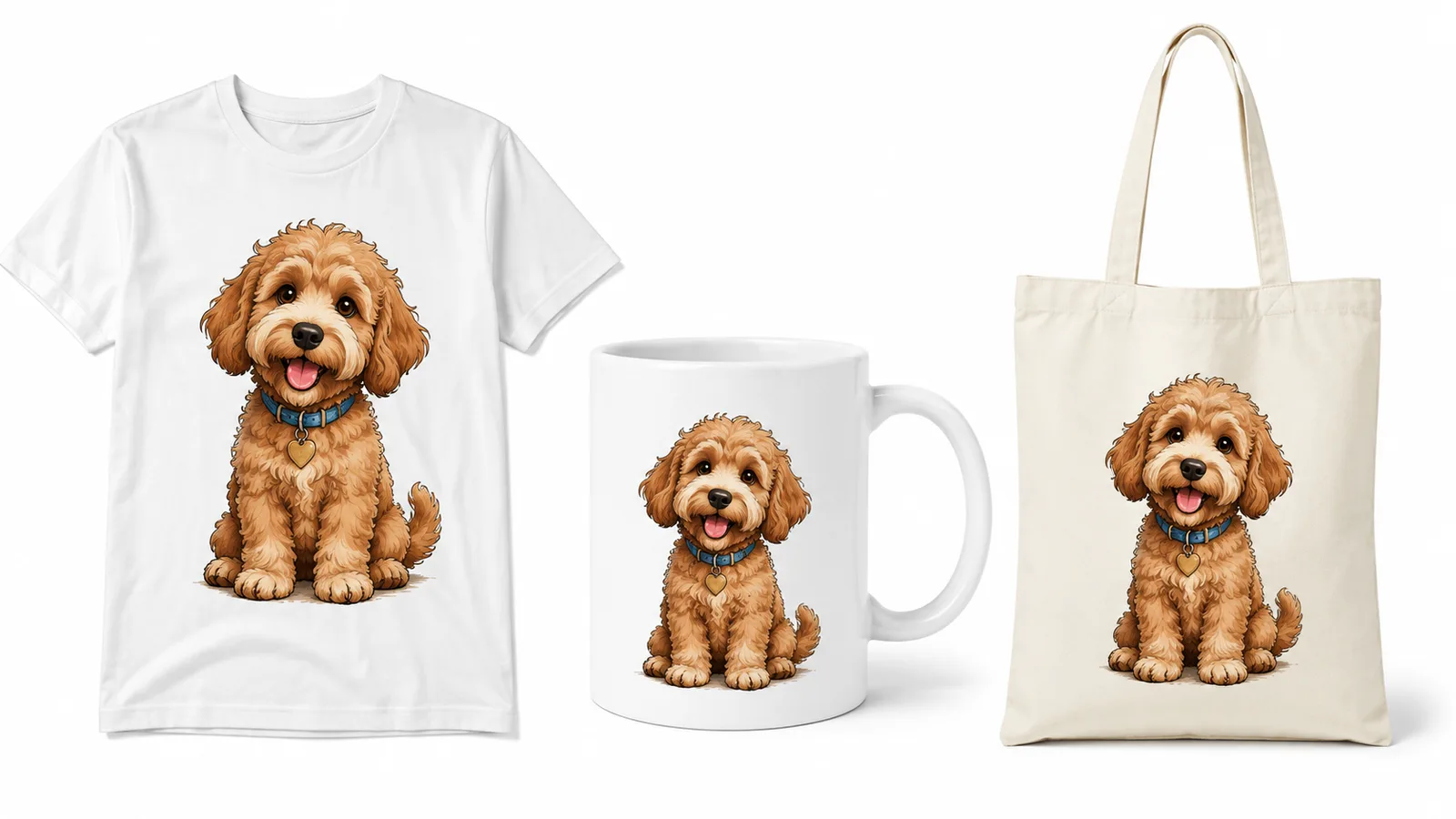
You don’t need 100 unique designs to start. You need 10-15 strong designs that can be placed on multiple products. A single “Bookworm Vibes” design can go on a t-shirt, a tote bag, a mug, a phone case, and a journal. That’s five listings from one design.
With Listybox’s Creation Wizard, Ava turned one design into 50 product variations in under five minutes. She selected her design from My Artworks, chose 10 products from the catalog, and the Creation Wizard automatically generated every combination - mockups, variants, and all. What used to take her an entire weekend now happened while she made coffee.
Step 3: Create Listings Without the Headache
This is where most sellers lose steam. Writing 13 tags, a keyword-optimized title, and a compelling description for every product is mentally draining. Magic Wand handles this in one click. It analyzes your product type, your design, and the current best-selling listings on Etsy, then generates SEO-ready titles, tags, and descriptions that are actually relevant - not generic filler.
Ava tested it on her “Golden Retriever Mom” tote bag listing. The Magic Wand pulled in long-tail keywords she hadn’t considered, like “retriever gift for dog owner” and “golden retriever mom tote bag personalized.” The listing ranked on page one for three of those terms within two weeks. She didn’t spend a minute on keyword research.
Step 4: Make Your Products Look Premium
Generic mockups kill click-through rates. Listystyle generates hundreds of unique lifestyle images for each product, placing your design in realistic settings. Instead of a flat t-shirt on a white background, you get a photo of a woman wearing the shirt at a sunny park, or a mug sitting on a cozy desk with a notebook beside it. Each image is different, so your store never looks like a template.
For Ava, this was the difference between blending in and standing out. Her “Corgi Mom Fall Vibes” sweatshirt listing went from 12 clicks a week to 87 clicks a week after she replaced the generic mockup with a Listystyle lifestyle shot.
For more on creating scroll-stopping product photos, read Etsy Product Photography: The Complete Guide to Images That Sell (Without the Studio).
Step 5: Set Your Publishing Schedule
Etsy’s algorithm rewards shops that add new listings consistently - not in one big dump. But manually publishing one product every day is a logistical nightmare. Scheduled Publish lets you create 50 listings in one sitting, then drip them out automatically. Set it to publish one listing every 8 hours, and your store keeps publishing on that schedule for weeks.
Ava batch-creates 30 listings on a Sunday afternoon, sets them to publish one per day, and then spends her week designing new art and engaging with customers. Her store’s traffic graph shows a steady upward slope instead of the spikes and crashes she used to see when she published in bursts.
Scaling Without Burning Out: Automating Your Inventory-Free Empire
Once your store is up and running, the next challenge is growth without the grind. More products should mean more revenue, not more late nights.
Handle Order Fulfillment From My Orders
Zero-Touch Fulfillment connects your Etsy store to your POD supplier. When an order comes in on Etsy, it appears in My Orders in Listybox. You pay the production and shipping cost for that order from this screen, and production does not start before payment. Once the order ships, the tracking number is written back to your Etsy order. You don’t copy-paste addresses. You don’t log into a supplier dashboard.
This was the final piece for Ava. Instead of 90 minutes a day on fulfillment, she now pays for each order in My Orders and gets back to her new collections - or takes a day off.
Group Product Types With Combo Listings
If a design sells well on a t-shirt, it will probably sell on a hoodie, a sweatshirt, and a tank top. But creating separate listings for each product type splits your sales momentum. Combo Listing combines multiple product types into one listing with a variation dropdown. When a buyer selects “Hoodie” from the menu, the product images automatically switch to show the hoodie mockup.
Ava combined her best-selling “Dog Mom” t-shirt with a hoodie and crewneck variant, and within three weeks, it hit the Bestseller badge - something that had taken her six months of scattered sales across separate listings.
Keep Your Entire Catalog Fresh With Bulk Editing
Seasons change, trends shift, and sometimes you discover a trademarked phrase slipped into your tags. Manually editing 200 listings is a weekend-killer. Bulk Edit lets you add, remove, or replace text across hundreds of listings in one action. When Ava needed to swap “Christmas 2025” tags for “Christmas 2026” across her entire holiday collection, it took 30 seconds instead of four hours.
💡 Practical tip: At the start of each quarter, do a 30-minute audit of your top 20 listings. Use Bulk Edit to refresh tags with seasonal keywords, update any outdated references, and ensure all listings point to your current best-selling designs.
The Numbers: How Automation Transforms a No-Inventory Business
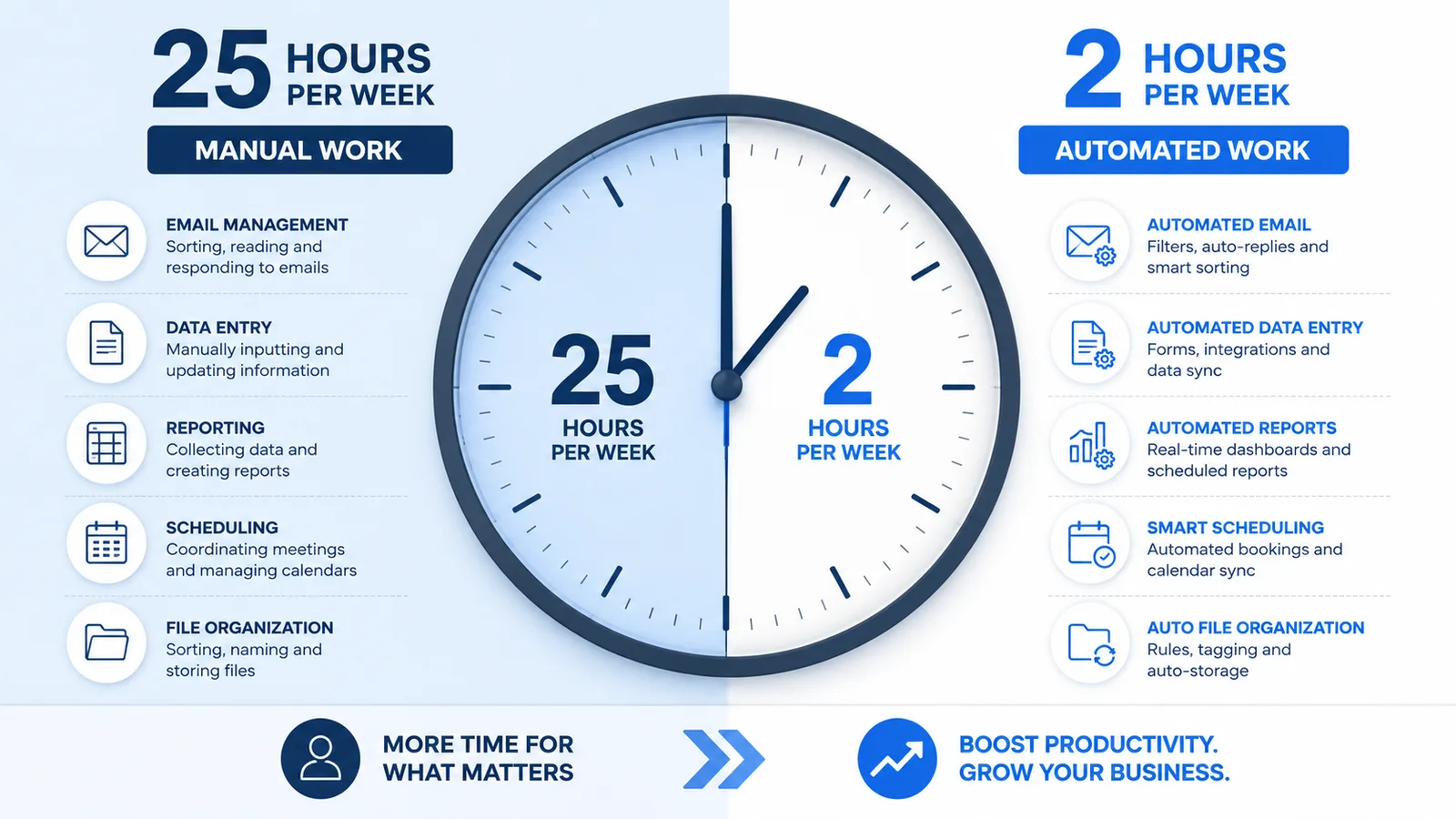
Let’s put some illustrative numbers behind this. Here’s what the shift from manual to automated looks like for a store with 100 products:
Listing creation time: 45 minutes per product manually vs. 2 minutes with Magic Wand + Creation Wizard
Weekly SEO maintenance: 8 hours manually vs. 30 minutes with Magic Wand and Bulk Edit
Mockup generation: 5 hours per 10 products manually (editing, sourcing) vs. 5 minutes with Listystyle
Daily order fulfillment: 90 minutes for 10 orders manually vs. paying for each order in My Orders with Zero-Touch Fulfillment
Publishing consistency: Sporadic bursts manually vs. daily drip with Scheduled Publish
The result is time you can put into designing new products, marketing, or simply living your life.
Your Turn: Build Your Inventory-Free Store
Ecommerce without inventory is not a myth. It’s a proven model that thousands of Etsy sellers use to earn full-time income. But the version that works long-term is the one that doesn’t require you to be the engine. You are the creative director, not the assembly line.
Ava now runs a six-figure Etsy store with over 300 products. She designs new collections when inspiration strikes, checks her dashboard a few times a week, and spends most of her time doing what she loves: illustrating.
You can build the same. Start with a niche you care about, create 10 designs, and use the tools that eliminate the busywork. The goal isn’t just to sell without inventory - it’s to sell without losing your sanity.
Start building your inventory-free store today - no credit card required
Frequently asked questions
Put this into practice in your shop.
Every step from design to live listing, on one platform. Start on the free plan.
Related posts



Want to go deeper? Read our in-depth Etsy guides · Browse 100 Etsy niche guides