
Etsy Email Marketing: How to Build Your List with Brevo & Automate the Rest
Relying solely on Etsy's algorithm is a dangerous game that puts your business at risk. This guide reveals how to build an owned asset—your email list—using Brevo, while automating the manual grind of your shop with Listybox. Discover the strategy that turns one-time buyers into loyal, repeat customers without adding hours to your workday.
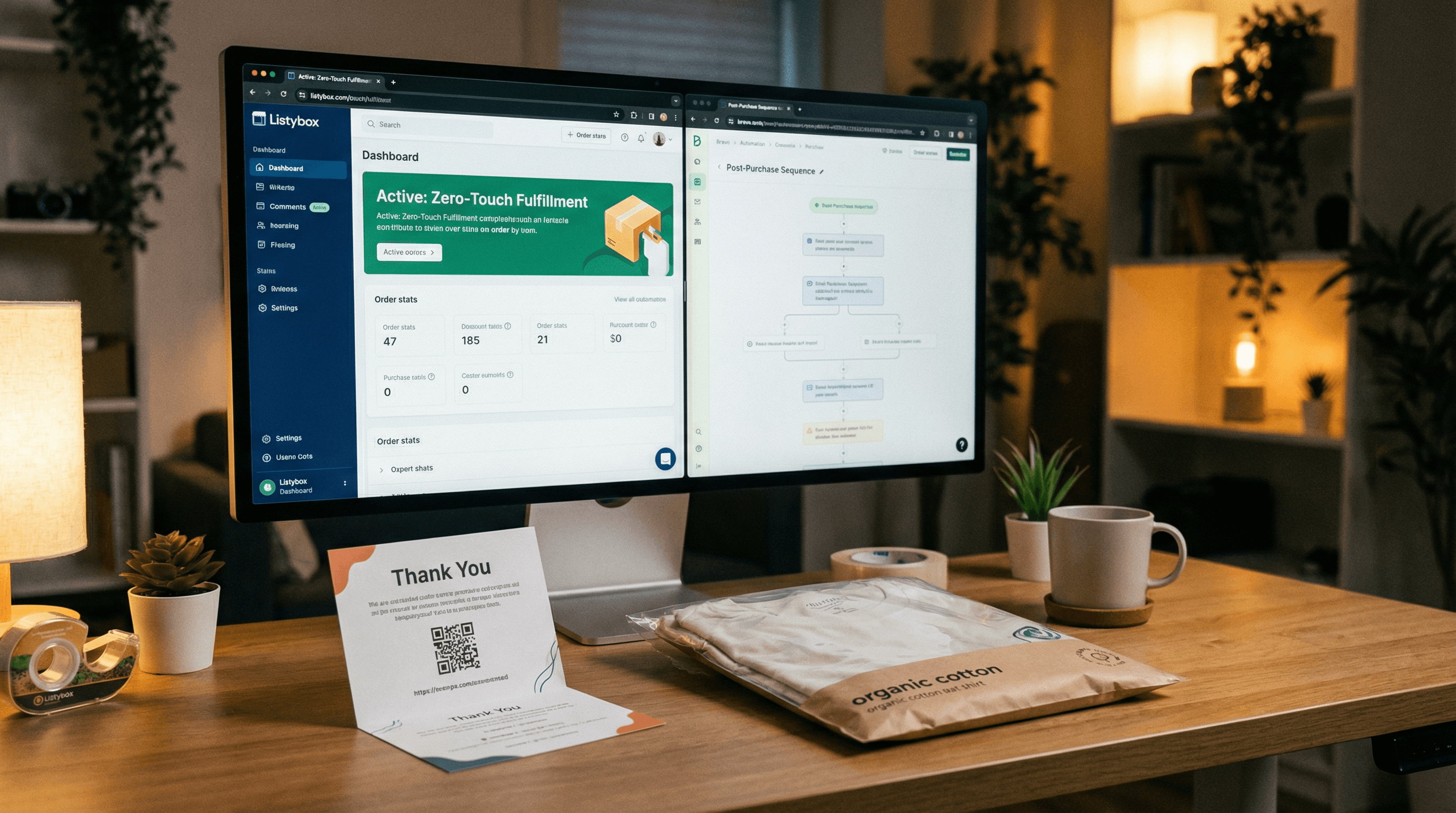
Bullet Points (TL;DR)
Own Your Audience: Stop renting your business from Etsy; build an email list to safeguard against algorithm changes.
Automate to Scale: Use Listybox Zero-Touch Fulfillment to handle operations so you can focus on marketing.
Professional Visuals: Create stunning email graphics and mockups instantly with ListyStyle.
Brevo Integration: Leverage Brevo's powerful automation to nurture leads without manual effort.
Legal Compliance: Learn the safe, "opt-in" strategies to collect emails without getting banned by Etsy.
Imagine waking up tomorrow to find your Etsy views have dropped by 60% overnight. No warning, no explanation—just a tweak in the algorithm that rendered your best-selling listings invisible. For thousands of Etsy sellers, this isn't a nightmare; it's a reality they face every quarter. When you rely solely on Etsy for your traffic, you are building your business on rented land.
The most successful brands on Etsy don't just wait for customers to find them; they build an asset they own: an email list. By capturing your customers' contact information, you gain the power to drive traffic on command, launch new products with a bang, and turn one-time buyers into loyal fans. But how do you do this legally, and more importantly, where do you find the time when you're already drowning in manual order fulfillment?
This guide explores the definitive strategy for Etsy email marketing using Brevo, and how to use automation to free up the time necessary to execute it.
Email marketing is just one piece of the puzzle. See our full Etsy marketing guide for every channel that drives sales.
The "Rented Land" Trap: Why You Need an Email List Etsy is a crowded marketplace. With millions of sellers competing for attention, relying strictly on SEO and Etsy Ads is a fragile strategy. An email list gives you direct access to your customers, bypassing the algorithm entirely. It allows you to increase your Customer Lifetime Value (CLV) and stabilize your income during slow months.
However, the manual grind of running a Print-on-Demand (POD) shop often prevents sellers from becoming marketers. If you are spending hours manually fulfilling orders or writing listing descriptions, you have zero mental bandwidth left for email strategy. This is where the synergy between a marketing tool like Brevo and an operation tool like Listybox becomes essential.
Can I Send Marketing Emails to Etsy Customers? The short answer is: No, not directly.
Etsy's privacy policy is crystal clear. You cannot take a customer's email address from an order and add it to your newsletter without their explicit consent. Doing so is considered spam and can lead to your shop being suspended.
The Right Way: The Opt-In Strategy To build your list legally, you must invite customers to join voluntarily.
In-Package Inserts: Include a physical thank-you card in your package with a QR code that leads to a landing page.
Listing Images: Use one of your product slots to showcase a "Join our VIP Club" offer, though you cannot make the link clickable.
Shop Announcement: Place a shortened URL in your shop announcement offering a discount code in exchange for signup.
Creating these visual assets can be time-consuming if you aren't a designer. This is where Listybox's ListyStyle feature shines. Instead of struggling with Photoshop, you can generate professional lifestyle images and mockups in seconds, which can then be used to create compelling "Sign Up" graphics for your listings or email headers. A professional look increases trust and conversion rates.
Why Brevo is the Secret Weapon for Etsy Sellers Brevo (formerly Sendinblue) has emerged as a favorite for Etsy sellers for a few key reasons: it's affordable, it has powerful automation features, and it integrates well with e-commerce workflows.
Setting Up the "Welcome Sequence"
The moment a customer signs up for your list, they should receive an automated email containing their discount code. Brevo allows you to set this up once and let it run forever.
1. The Delivery: Send the promised coupon code immediately. 2. The Story: Follow up 2 days later with your brand story. Who are you? Why do you design? 3. The Showcase: Show off your best-sellers.
This automation is powerful, but it requires setup time. Our internal data suggests that sellers who automate their daily shop operations save an average of 12 hours per week—time that is reinvested into setting up these revenue-generating email flows.
The Marketer's Paradox: Finding Time for Strategy Here is the brutal truth: You cannot be a great marketer if you are stuck being a warehouse manager.
Meet Sarah: From Overwhelmed to Optimized Let's look at a realistic scenario. Sarah runs a POD shop with 50 designs.
The Goal: She wants to launch a monthly newsletter to drive repeat sales.
The Grind: Every day, she spends 2 hours manually copying order details to her print provider and another 2 hours creating new listings. By the time she's done, she's exhausted. Her Brevo account sits empty.
The Hidden Trap: During the holiday rush, she gets 20 orders in a day. The manual data entry leads to a typo in a customer's address. The package is lost. She spends 3 days fighting fires with customer service. Marketing is abandoned completely.
The Listybox Solution: Sarah discovers Zero-Touch Fulfillment. Now, when an order comes in, Listybox automatically routes it to the best manufacturer, updates the tracking on Etsy, and closes the order. She literally doesn't touch it.
The Transformation: With those 4 hours back every day, Sarah finally sets up her Brevo workflow. She creates a "New Collection" email campaign using visuals from Listybox's Custom Product Hub. Her email list grows to 500 subscribers, generating an extra $1,000/month in repeat revenue, all while Listybox handles the fulfillment in the background.
Creating Content That Converts Your email list needs content. You can't just say "Buy this." You need to show *why*.
Trend Alerts: Use Listybox's Trend Compass to spot viral trends before they peak. Create a design based on that trend and email your list: "Just dropped: The design everyone is talking about!"
Behind the Scenes: People buy from people. Share your journey.
Exclusive Launches: Give your subscribers 24-hour early access to new designs.
Integrating Brevo into Your Workflow While there isn't a direct "one-click" button inside Etsy to connect Brevo, you can use integration tools (like Zapier) or simply export your consented email list CSV. The key is consistency.
To ensure your shop always has fresh products to email about, use the Scheduled Publish feature. You can batch-create 100 listings on a Sunday using the Magic Wand AI, schedule them to drop daily, and then schedule your Brevo emails to match those drops. This creates a synchronized marketing machine that runs on autopilot.
Conclusion: Own Your Success Email marketing is the difference between a hobbyist and a business owner. Brevo provides the platform to talk to your customers, but Listybox provides the freedom to find them.
Don't let manual tasks kill your business potential. Automate the grunt work, reclaim your time, and start building an audience that nobody can take away from you.
Start your free trial - no credit card required and see how much time you can save for marketing today.
Never Miss an Update
Get actionable Etsy tips delivered to your inbox every week. No spam, unsubscribe anytime.



