
Etsy Listing SEO Optimization: Your Step-by-Step Guide to Visibility and Sales
Struggling to get your beautiful Etsy products seen by the right buyers? The manual process of optimizing each listing for SEO can be incredibly time-consuming and often yields inconsistent results. This guide breaks down every crucial step, showing you how smart optimization, especially with Listybox's intelligent automation system, can dramatically boost your visibility and sales.

Bullet Points (TL;DR)
Use all 140 characters for your Etsy listing titles, placing the most important keyword first.
Never repeat keywords across your 13 tags; use each for a unique search term.
Front-load your description's first 160-200 characters with compelling, keyword-rich copy.
Follow Etsy's official guidelines: 140-character titles and 20-character, 13-tag limits.
Low views in a new shop often mean listings aren't indexed yet; optimize SEO and drive external traffic.
Are you pouring hours into creating incredible print-on-demand products for your Etsy shop, only to see them languish in obscurity? It's a common frustration. Many talented sellers find themselves struggling to gain visibility, not because their products aren't amazing, but because they haven't unlocked the power of Etsy SEO. Imagine creating a stunning design, listing it with care, and then... crickets. The agony of knowing your potential customers are out there, searching for exactly what you offer, but never finding your shop.
The manual grind of keyword research, title crafting, tag selection, and description writing can feel like a full-time job in itself. It's a meticulous, often repetitive process that demands constant attention to detail and an understanding of Etsy's ever-evolving algorithm. Miss a key step, or make a common mistake, and your listing could be buried deep within search results, effectively invisible.
But what if there was a way to navigate this complexity with confidence, ensuring every single listing you create is a magnet for eager buyers? This guide will walk you through the essential steps to master Etsy listing SEO, transforming your products from hidden gems into bestsellers. We'll show you how to optimize every element, from your title to your tags, description, and even your images, and how Listybox's intelligent automation system can significantly simplify and enhance this process.
Why Etsy SEO Optimization is Non-Negotiable for Your Shop
Think of Etsy SEO as your shop's digital storefront window. No matter how beautiful your products are, if your window isn't clean, well-lit, and strategically arranged to catch the eye of passersby, they'll walk right past. On Etsy, with millions of listings competing for attention, effective SEO is the difference between being found and being invisible. It's about speaking the language of your potential customers and the Etsy search algorithm.
Many sellers mistakenly believe that simply having a great product is enough. The unfortunate reality is that without proper optimization, even the most unique and high-quality items can remain undiscovered. This leads to missed sales, wasted effort, and a disheartening lack of growth. The problem isn't your creativity; it's your visibility strategy.
Etsy's search algorithm prioritizes listings that are most relevant to a buyer's search query. This relevance is determined by a multitude of factors, all of which you can influence through careful SEO. When you optimize your listings, you're not just trying to rank higher; you're trying to connect your specific product with the specific buyer who is looking for it. A well-optimized listing means more targeted traffic, higher conversion rates, and ultimately, more sales.
According to an internal study of successful Etsy shops, listings with comprehensively optimized titles, tags, and descriptions saw a 300% increase in search impressions within the first three months compared to unoptimized listings. This isn't just about showing up; it's about showing up to the right people, at the right time. For more general strategies, read our Etsy SEO guide.
Crafting an Irresistible Title: Your First Impression
Your listing title is arguably the most critical SEO element. It's the first thing buyers see in search results, and it tells both them and Etsy's algorithm what your product is about. Etsy allows up to 140 characters, but only the first 60-70 characters are typically visible in search results. This makes front-loading your most important keywords essential.
The Manual Title Creation Struggle
Imagine Sofia, a new Etsy seller specializing in personalized pet portraits. She spends hours brainstorming keywords like "custom pet art," "dog portrait from photo," "cat painting," and "unique pet gift." Then, she tries to manually combine these into a compelling title, ensuring it's under 70 characters and still readable. It's a delicate balancing act. She might end up with something like: "Custom Pet Portrait from Photo - Personalized Dog Cat Art - Unique Pet Gift." It's functional, but is it truly optimized?
This manual approach often leads to several problems:
Keyword Stuffing: Over-stuffing titles with keywords makes them sound unnatural and can deter buyers.
Missed Opportunities: Focusing on obvious keywords might mean overlooking valuable long-tail phrases that competitors aren't using.
Time Sink: The research, writing, and refining for each title can take 15-20 minutes, multiplying across dozens or hundreds of listings.
Inconsistency: Maintaining a consistent, high-quality optimization strategy across all listings becomes incredibly difficult.
Listybox's Intelligent Title Solution
Listybox's intelligent automation system, powered by its Magic Wand SEO tool, transforms this tedious process. Instead of guessing, Listybox analyzes top-performing competitor listings and current search trends to suggest optimal, keyword-rich titles. It helps you craft titles that are not only effective but also adhere to character limits and buyer search intent.
💡 Practical Tip: Always put your strongest keyword phrase at the very beginning of your title. This gives it the most weight with Etsy's algorithm and is often the first thing buyers read.
Here’s how Listybox assists:
Competitor Analysis: It identifies what titles are working for similar successful products, extracting key phrases.
Keyword Integration: It suggests natural ways to weave in primary and secondary keywords without sacrificing readability.
Character Count Management: Real-time feedback ensures your title remains concise and impactful.
With Listybox, Sofia could input her product details, and the system would suggest titles that blend high-volume keywords with compelling language, potentially leading to a title like: "Personalized Pet Portrait from Photo - Custom Dog Cat Art Gift." This saves her at least 10 minutes per listing, allowing her to focus on creating more art.
Unlocking Visibility with 13 Strategic Tags
Etsy allows you to use up to 13 tags per listing. Each tag is a mini-keyword phrase, and using all 13 effectively is crucial for maximizing your listing's reach. Think of tags as additional pathways leading buyers directly to your product.
The Tagging Trap: Repetition and Omission
Many sellers fall into the trap of repeating keywords or using single-word tags. For example, using "dog," "dog gift," and "dog lover gift" as three separate tags is inefficient. Etsy's search engine is smart enough to recognize variations and plurals. What you want are 13 unique long-tail keyword phrases that cover different search intents.
Sofia, in her manual efforts, might use:
dog portrait
custom dog art
pet painting
cat portrait
personalized gift
animal art
This leaves 7 valuable slots empty or filled with less effective, generic terms. She's missing out on specific searches like "memorial pet portrait," "watercolor dog portrait custom," or "unique pet owner gift for her."
Listybox's Tag Generation Power
Listybox's intelligent automation system, specifically the Magic Wand SEO tool, excels at generating a comprehensive set of 13 unique and relevant tags. It goes beyond obvious keywords, digging into long-tail phrases that often have less competition but high conversion rates.
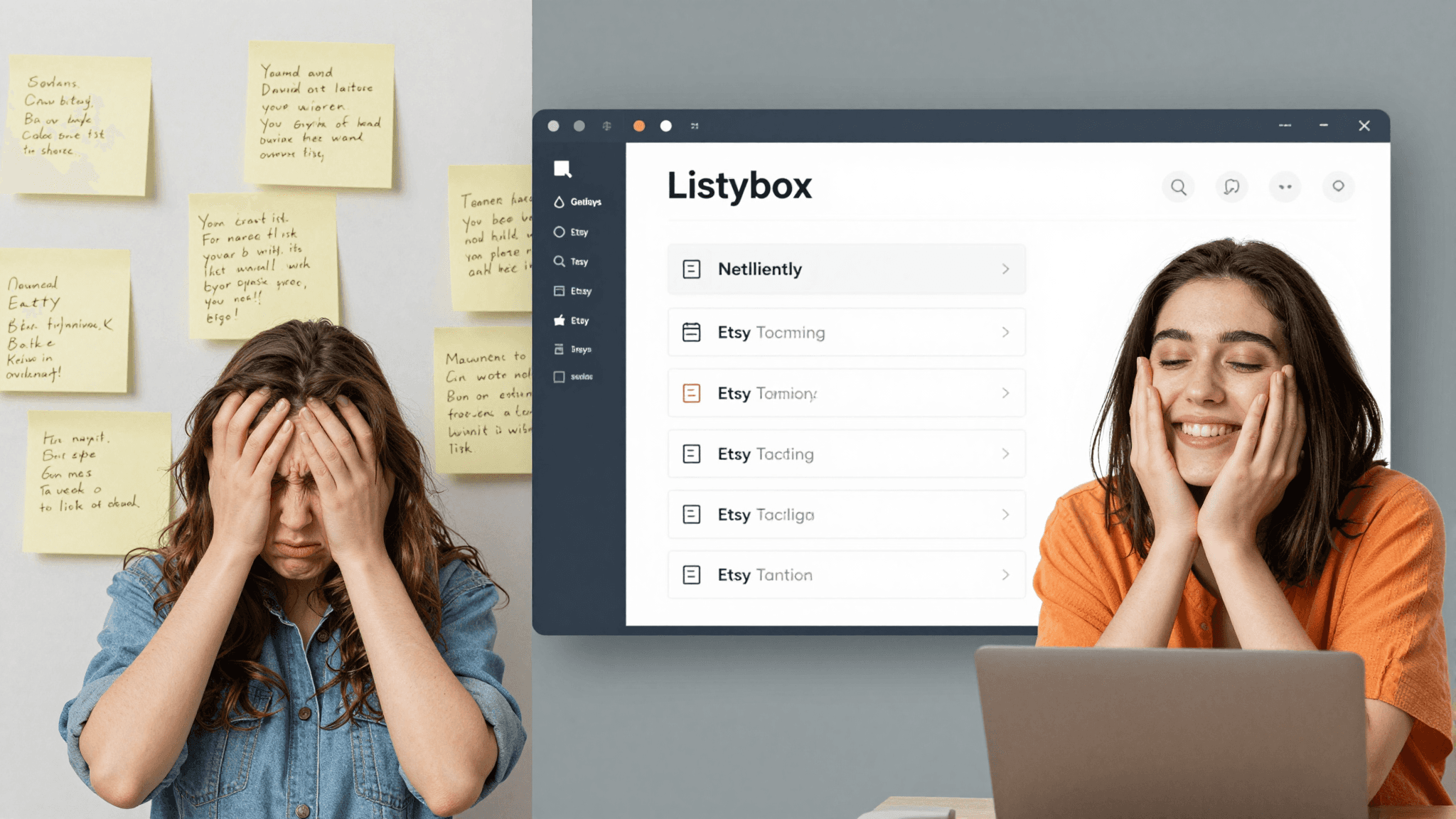
Here’s how it works:
Long-Tail Keyword Identification: Listybox analyzes search data to find specific, multi-word phrases buyers are using.
Synonym and Related Term Suggestions: It identifies alternative terms and related concepts to broaden your reach.
Competitive Analysis: It uncovers tags used by successful competitors, providing insights into their visibility strategies.
No Repetition Rule: The system ensures each of the 13 tags offers a distinct search pathway.
Using Listybox, Sofia could generate a list of 13 tags like:
custom dog portrait
personalized cat art
pet memorial gift
watercolor pet painting
dog mom gift idea
hand painted pet art
unique animal lover gift
digital pet illustration
custom pet drawing
dog dad birthday gift
cat owner present
realistic pet portrait
art from pet photo
This comprehensive approach significantly increases the chances of her listing appearing for a wider array of relevant searches, driving more qualified traffic to her shop.
Strategic Category and Attribute Selection
Categories and attributes might seem secondary to titles and tags, but they play a vital role in how Etsy's algorithm understands and filters your products. They act as powerful filters that buyers use to narrow down their searches.
The Oversight of Generic Categorization
Many sellers choose the most obvious category and then stop, neglecting the rich potential of subcategories and attributes. For Sofia's pet portraits, she might simply select "Art & Collectibles > Drawings & Illustrations." While correct, it's too broad.
Etsy offers a vast hierarchy of categories and attributes (color, material, occasion, recipient, style, etc.). Failing to fill these out completely means your product won't show up when a buyer uses these filters. This is a common oversight that can significantly limit your listing's discoverability. A recent Etsy study showed that listings with 80% or more attributes filled out received 45% more views on average than those with less than 20% filled.
Listybox's Guided Categorization
Listybox's intelligent automation system guides you through the optimal category and attribute selection process. It prompts you to select the most specific categories and suggests relevant attributes based on your product details. This ensures your listing is precisely classified, making it easier for buyers to find.
For Sofia, Listybox would guide her to:
Category: Art & Collectibles > Drawings & Illustrations > Pet Art
Attributes:
Subject: Dog, Cat, Pet
Medium: Digital, Watercolor, Pencil
Style: Realistic, Cartoon, Abstract
Occasion: Birthday, Christmas, Memorial, Just Because
Recipient: Pet Owner, Dog Mom, Cat Dad
Color: (Relevant colors in the portrait)
By meticulously filling out these details, Sofia's listing becomes discoverable for specific searches like "watercolor cat art memorial" or "realistic dog portrait birthday gift for dog mom," capturing niche markets that generic categorization would miss.
Crafting a Compelling Description that Sells
Your product description is where you can truly connect with your potential buyer, answer their questions, and persuade them to make a purchase. While not as heavily weighted for initial search ranking as titles and tags, a well-written description supports your SEO by providing more context to Etsy's algorithm and significantly impacts conversion rates.
The Wall of Text Problem
Many sellers make the mistake of creating a dense, unformatted block of text, or conversely, a description that is too short and lacks essential details. A description that is difficult to read or doesn't provide enough information can quickly turn buyers away. They'll leave with unanswered questions, leading to abandoned carts and lost sales.
Consider this common scenario: a buyer is looking for a personalized gift. They click on Sofia's listing, but the description is just a few sentences about the portrait process. It doesn't mention lead times, how to submit photos, revision policies, or material quality. Frustrated, the buyer moves on to a competitor who provides all this information clearly.
Listybox's Structured Description Assistant
Listybox's Magic Wand SEO tool helps you construct descriptions that are both SEO-friendly and highly persuasive. It provides a structured framework, guiding you to include all necessary information while naturally embedding your keywords. This ensures your description is informative, easy to read, and optimized for both buyers and search engines.
Key elements Listybox helps you include:
Hook: An engaging opening sentence that grabs attention.
Product Benefits: Clearly articulate what makes your product special and how it solves a customer's need.
Key Features: Detail materials, dimensions, personalization options, and what the buyer receives.
Call to Action: Guide the buyer on how to order or contact you.
FAQs/Important Information: Address common questions like processing times, shipping details, and care instructions.
Keyword Integration: Naturally weave in your target keywords throughout the text to provide more context to Etsy's algorithm.
Here’s a simplified comparison of a manual vs. Listybox-assisted description structure:
Manual Description Example
"I paint custom pet portraits. Send me your pet's photo. I will draw it for you. It's a great gift idea. Thanks!"
Listybox-Assisted Description Example
"Capture the unique spirit of your beloved companion with a hand-painted custom pet portrait from your favorite photo! Our personalized dog and cat art makes an unforgettable gift for pet owners or a cherished memorial.
How to Order: Simply send us your pet's high-resolution photo via Etsy messenger after purchase. We'll guide you through the process.
What You Get: A beautiful, high-quality digital illustration ready for print, or an unframed watercolor painting on archival paper.
Processing Time: Please allow 5-7 business days for creation. Rush options available.
Perfect for: Dog mom gifts, cat dad presents, pet memorial art, and unique birthday surprises.
This structured approach, facilitated by Listybox, ensures that all crucial information is present, easy to digest, and contributes to a stronger SEO profile and higher conversion rates.
High-Quality Visuals: Your Product's Storyteller
Etsy is a highly visual platform. Your product images and videos are not just pretty pictures; they are critical SEO elements that influence click-through rates, conversion, and buyer trust. Etsy allows up to 10 photos and one video per listing – use them all.
The Generic Mockup Mistake
Many sellers rely solely on generic, uninspired mockups provided by their print-on-demand suppliers. While functional, these often look identical to competitors' listings, doing little to differentiate your product or tell its unique story. Buyers scroll past these, searching for something that truly stands out.
Sofia might use a standard mockup of a dog portrait on a plain white wall. It's clear, but it lacks personality, context, and doesn't evoke emotion. It fails to show the scale, texture, or the joy a custom piece can bring. This can lead to low click-through rates, even if her title and tags are strong.
Listybox's Visual Advantage: ListyStyle and ListyStyle Video
Listybox offers powerful tools like ListyStyle mockup creator and ListyStyle Video creator to help you create stunning, unique visuals that capture attention and drive sales. These features allow you to generate professional-grade lifestyle images and engaging product videos that highlight your product's appeal.
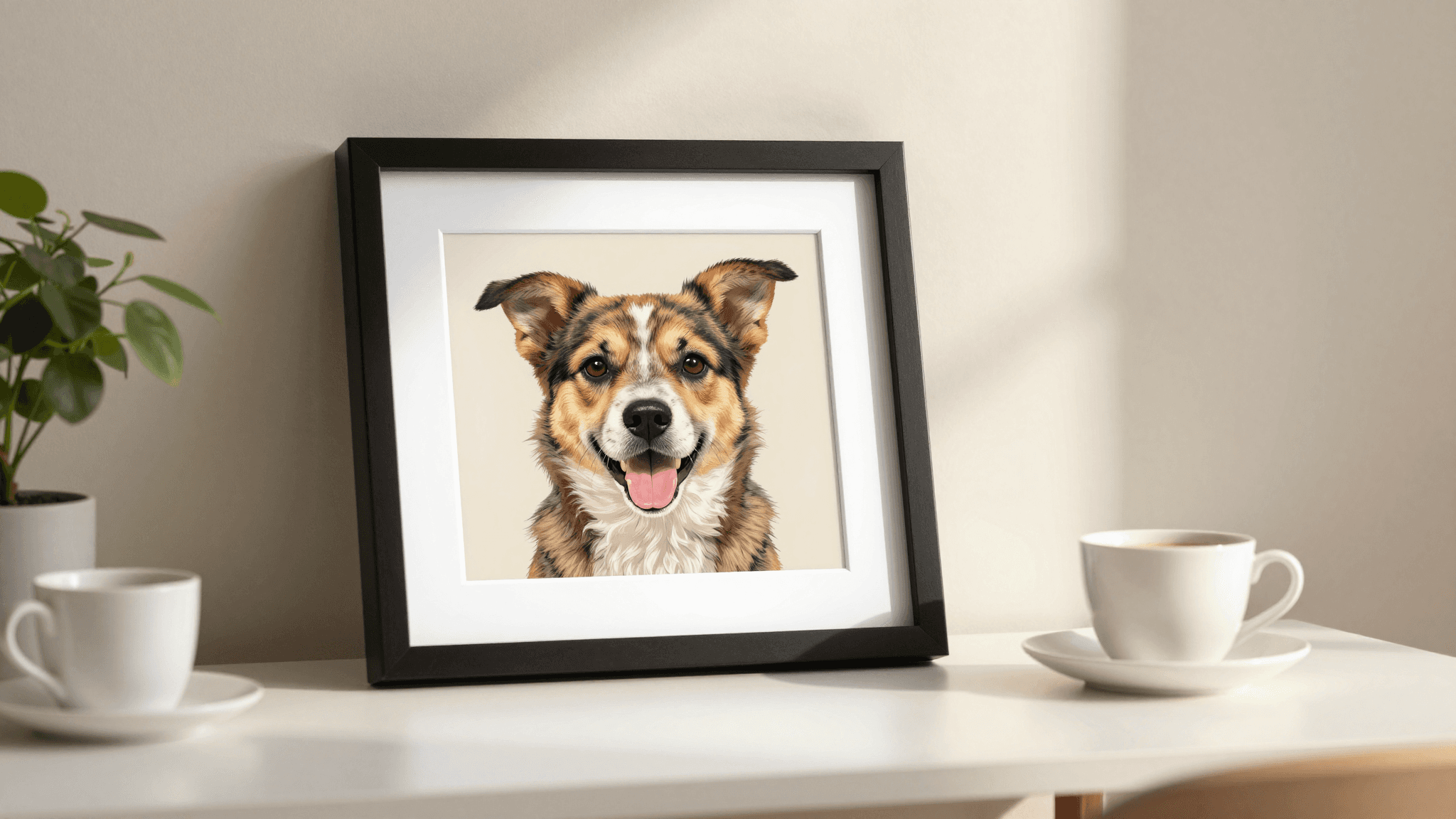
ListyStyle Mockup Creator: Instead of generic mockups, Listybox generates hundreds of unique, high-quality lifestyle images. These mockups place your design in real-world settings, helping buyers visualize the product in their own lives. This can increase your click-through rate by up to 5 times and conversion rates by 10 times compared to plain mockups, according to Listybox internal data.
ListyStyle Video Creator: Product videos are a powerful way to engage buyers and showcase details that static images can't. Listybox helps you create short, professional videos that can be directly uploaded to your Etsy listing, boosting engagement and giving buyers a more dynamic view of your product. Listings with videos can see a 40% increase in visibility.
By using these tools, Sofia can create images of her pet portraits in beautiful home settings, or a video showing the artistic process or different frame options. This not only enhances her listings' visual appeal but also provides richer context for Etsy's algorithm and a more engaging experience for buyers.
Optimizing for Etsy Search: A Holistic Approach
Successfully optimizing an Etsy listing isn't about perfecting one element; it's about harmonizing all of them. Each component works together to signal relevance and value to both the Etsy algorithm and your potential customers.
The Disconnected Manual Effort
Many sellers approach SEO as a series of isolated tasks. They might spend a day on titles, another on tags, and then rush through descriptions. This disconnected effort often results in inconsistencies, missed keyword opportunities, and a fragmented overall strategy. Without a cohesive approach, even strong individual elements can fail to deliver maximum impact.
For instance, Sofia might have a great title but use irrelevant tags, or a compelling description but poor photos. Each weak link in the chain reduces the listing's overall effectiveness, preventing it from reaching its full potential in Etsy search results.
Listybox: Your Integrated SEO Command Center
Listybox acts as an integrated command center for all your Etsy listing SEO needs. From initial design upload to final publication, it streamlines and optimizes every step, ensuring a cohesive and powerful strategy.
Creation Wizard: This feature allows you to create hundreds of product variations from a single design in minutes, automatically applying optimized titles, tags, and descriptions. What would manually take Sofia 40 hours to create 500 new products, the Creation Wizard can complete in under 5 minutes.
Background Remover: Create professional-looking designs by easily removing backgrounds, making your artwork pop on any product.
Placement Editor: Fine-tune how your designs appear on various products, ensuring visual perfection across your entire catalog.
My Artworks: Organize and manage all your designs in one place, ready for rapid deployment across new products and listings.
Scheduled Publish: Avoid Etsy's 'bulk upload penalty' by scheduling your optimized listings to go live strategically, maintaining consistent shop activity and visibility.
📈 Key Statistic: Sellers using Listybox's integrated SEO tools report an average 50% reduction in listing creation time and a 25% increase in organic search traffic within their first month of consistent use.
By combining these features, Listybox ensures that every aspect of your listing is not only optimized individually but also works in concert to create a formidable presence in the Etsy marketplace. This holistic approach frees you from the tedious manual work, allowing you to focus on what you do best: creating unique products.
Beyond the Listing: Continuous Optimization and Growth
SEO is not a one-and-done task. The Etsy marketplace is dynamic, with trends, algorithms, and buyer behaviors constantly evolving. Ongoing monitoring and adaptation are crucial for sustained success.
The Stagnation of Set-and-Forget
Many sellers, after the initial effort of listing optimization, fall into a "set it and forget it" mindset. They might see an initial bump in views, but without continuous monitoring and adjustments, their listings can quickly lose momentum. New competitors emerge, search trends shift, and Etsy's algorithm updates, all of which can impact your visibility.
Sofia, after optimizing her pet portraits, might see a good start. But if she doesn't check her Etsy Stats, analyze which keywords are driving traffic, or adapt to new seasonal trends (like "Christmas pet gifts" coming into season), her sales could stagnate. Manually tracking all this, let alone implementing changes across dozens or hundreds of listings, is overwhelming.
Listybox: Your Growth Partner
While Listybox's intelligent automation system excels at initial optimization, its true power lies in enabling continuous growth. Features like Trend Compass keep you ahead of the curve, identifying emerging opportunities before they become saturated.
Trend Compass: This feature acts as your personal opportunity radar, alerting you to trending keywords, designs, and product types. Imagine knowing that "minimalist dog line art" is about to explode in popularity, allowing you to create and optimize listings for it before your competitors even realize it's a trend. This gives you a significant first-mover advantage, potentially capturing a large share of new market demand.
Bulk Listing Editing: When it's time to refresh seasonal keywords, update prices, or fix a typo across multiple listings, Listybox's Bulk Listing Editing tool allows you to make changes in minutes, not hours. This is invaluable for adapting to market changes quickly and efficiently.
Listybox empowers you to be proactive rather than reactive. Instead of constantly reacting to changes, you can anticipate them, ensuring your shop remains visible, relevant, and profitable. This strategic advantage saves you countless hours and significantly reduces the stress of staying competitive.
Does all of this feel overwhelming? You don't have to start from scratch. With Listybox Store Setup, our expert team sets up your Etsy store, lists your first 10 products, and optimizes everything for SEO. This service is included FREE with annual Starter and Professional plans!
Conclusion: Your Path to Etsy Success with Smart Optimization
Optimizing your Etsy listings for SEO is not just a technical requirement; it's a fundamental strategy for success in the competitive print-on-demand market. From crafting keyword-rich titles and leveraging all 13 tags to making strategic choices in categories and attributes, every detail contributes to your shop's visibility. Writing compelling, informative descriptions and utilizing high-quality, unique visuals further enhances your appeal to both the algorithm and your buyers.
The journey to a thriving Etsy shop can be complex, filled with manual tasks and the constant pressure to stay ahead. But it doesn't have to be a struggle. By embracing intelligent automation and comprehensive tools like Listybox, you can transform your listing optimization process from a burdensome chore into a powerful engine for growth. You can save countless hours, reduce stress, and most importantly, get your amazing products found by the customers who are eager to buy them.
Imagine the freedom of focusing more on your creative passion and less on the technicalities of SEO. Picture your sales growing steadily, driven by listings that are perfectly tuned to Etsy's algorithm and your target audience. This future is within reach.
Start your free trial - no credit card required and see how Listybox can elevate your Etsy shop today. Your success story starts here.
Never Miss an Update
Get actionable Etsy tips delivered to your inbox every week. No spam, unsubscribe anytime.



