


Key takeaways
Zero in on high-demand party niches like personalized banners or baby shower sets, and choose products that sell year-round using Listybox’s catalog curation.
Create unique designs by reserving trendy artworks from the Artwork Gallery or uploading your own to My Artworks, with automatic keyword enrichment.
Write listing copy that ranks with Magic Wand’s SEO-optimized titles, tags, and descriptions, then refine with Tag Health.
Master seasonal surges by detecting trends early with Trend Compass and scheduling batch listings with Scheduled Publish.
Fulfill orders automatically with Zero-Touch Fulfillment so you can scale party supply sales without extra labor.
Olivia sat at her kitchen table, a half-eaten slice of birthday cake pushed aside. She’d promised herself she’d launch ten new party banner designs before the weekend ended. Three hours later, she had only one listing live. Between sourcing mockups, manually writing titles for “custom graduation banner” and “boho birthday decor,” and hunting for 13 relevant Etsy tags per product, her momentum was gone. The party supplies niche on Etsy is vibrant, always in demand, and perfect for creative sellers. But if you’re building each listing by hand, the manual process can bury your creativity under a mountain of repetitive tasks.
Enter Listybox, a platform built specifically to streamline the print-on-demand workflow for Etsy sellers. It doesn’t create listings for you without your input; it gives you the tools to produce party supply listings in minutes, not hours, while you stay in control of every creative and strategic decision. In this guide, we’ll walk through how to choose the right party products, create eye-catching designs without hiring a designer, optimize your listings for Etsy search, and manage seasonal demand - all while avoiding the grind Olivia faced.
How to Start Selling Party Supplies on Etsy
Setting up an Etsy shop for party supplies doesn’t have to be complicated, but the initial legwork can feel like a full-time job. You need a store name, branding, a production partner, and a lineup of products that make shoppers click “add to cart.” Many sellers spend days just researching how to fulfill orders. Print on demand (POD) simplifies inventory, but still requires you to connect your Etsy store to a supplier who prints items like custom cups, banners, and tablecloths on demand.
The first hurdle is just getting the shop configured correctly. Etsy requires you to set up your payment account, policies, and brand assets right from the start. If you’re new, even a small mistake - like missing the production partner disclosure - can lead to account review or suspension. Our guide on How to Start Selling on Etsy: The 2026 Beginner’s Guide walks through every step, but you can also bypass much of the manual setup by using Listybox’s Store Setup service. With Store Setup, the Listybox team opens your Etsy store, configures your branding (banner, logo placement), selects up to 10 products from the product catalog, and lists them with full SEO optimization. You also receive a basic onboarding training so you can take over with confidence.
💡 Tip: Choose a focused theme for your initial ten products - like “kids’ birthday” or “wedding shower” - to build a cohesive shop aesthetic right away.
If you’re a hands-on seller who wants to do it yourself, start by identifying which party supplies you want to offer. Let’s explore the best options next.
What Are the Best Party Supplies to Sell on Etsy?
Party supplies on Etsy span from printable invites to fully customized decor. The key is to pick products that have consistent demand, can be personalized, and still offer decent profit margins after production and Etsy fees. While you can sell almost anything party-related, some categories stand out.
Niche Selection with High Demand
Broad terms like “party supplies” are highly competitive. Instead, drill down into sub-niches. Kids’ birthday themes (unicorns, dinosaurs), milestone celebrations (first birthday, sweet sixteen), baby showers, bachelorette parties, and holiday-specific decor (Halloween, Christmas, New Year’s Eve) all attract motivated buyers. Sellers who target a specific occasion often build repeat customers returning for each life event.
Check out our list of Best Products to Sell Online in 2026: A Data-Driven Guide for Etsy Sellers to see which POD product categories are gaining traction. The party niche can overlay many of those base products - mugs, t-shirts, canvas wall art, and drinkware can all become party-themed with the right design.
Product Types That Work Year-Round
Some party supplies are inherently seasonal, but many sell consistently. Consider offering:
Custom party banners (vinyl or fabric) – always needed for birthdays, showers, and retirement parties.
Personalized cups and tumblers – from champagne flutes for weddings to plastic cups for kids’ parties.
Photo booth props and backdrops – digital printables or physical printed sets.
Cake toppers and centerpiece signs – small, lightweight items that ship cheaply.
Coordinated party sets (invitations, banners, favor tags) – buyers love one-stop shopping.
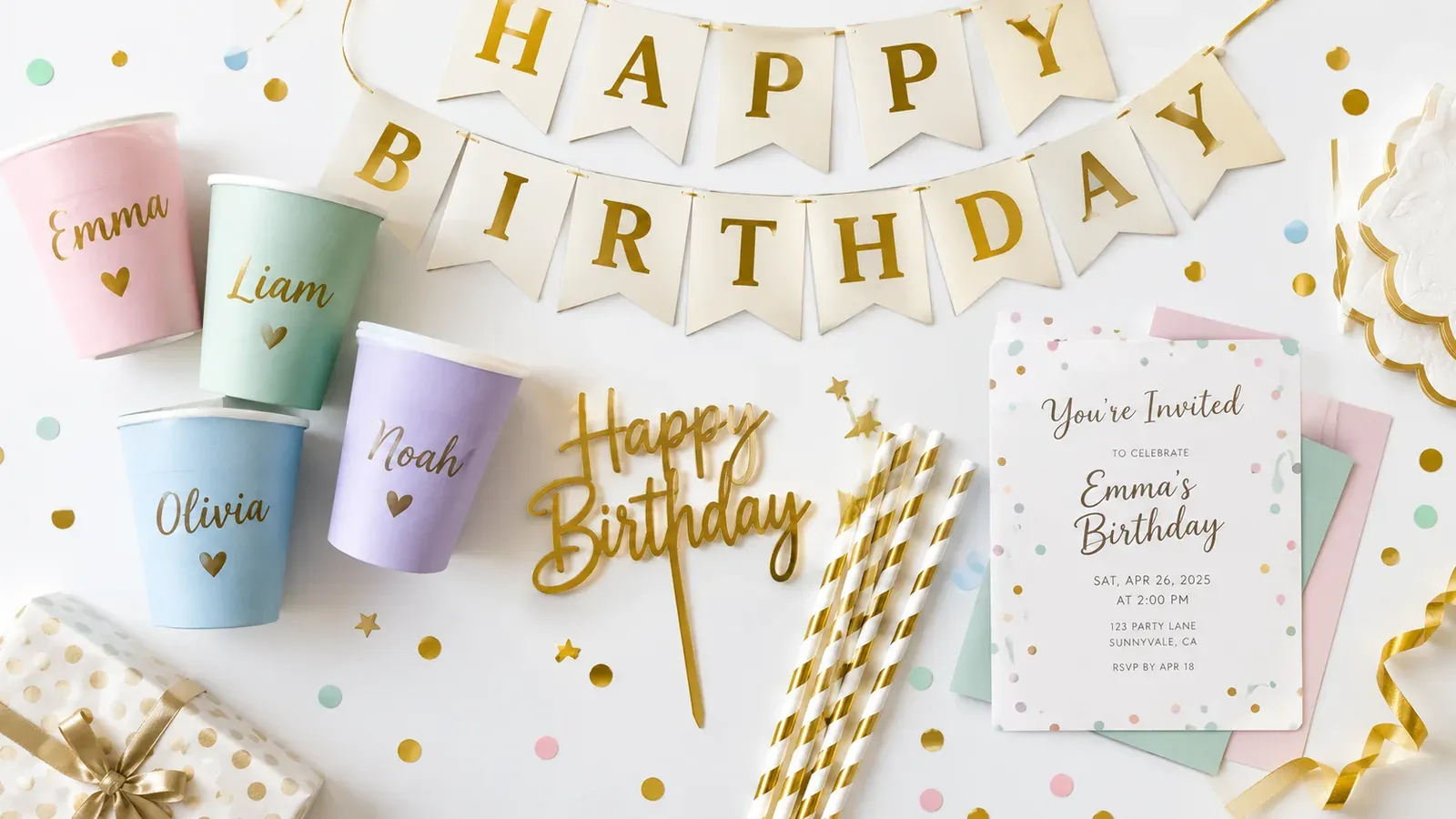
While picking your niche, remember that Etsy buyers are drawn to unique, personalized items. Generic designs won’t cut it. You can browse the full product line at see our product catalog to find items like wine tumblers, yard signs, and table runners that fit your party theme.
How to Create Unique Party Supply Designs Without Hiring a Designer
Olivia’s biggest bottleneck was design. She could come up with clever sayings for banners, but turning those into polished, print-ready artwork took forever. She’d spend hours tweaking fonts in Canva, then realizing the resolution was wrong for a large banner. Many sellers assume they need to be graphic designers to succeed, but with Listybox, the design process is accessible to anyone.
Starting with Ready-Made Artworks
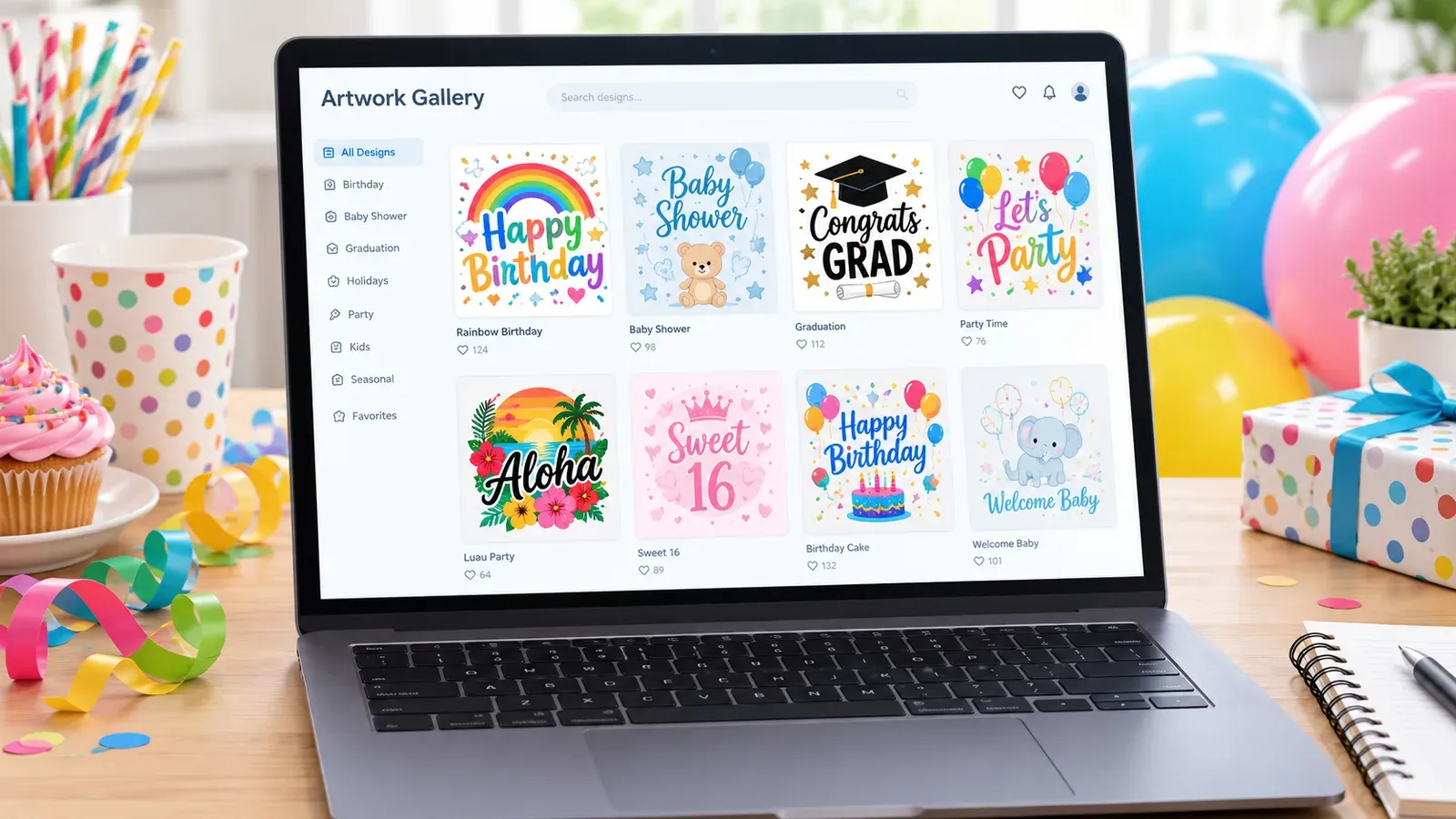
The Artwork Gallery inside Listybox contains over 100,000 ready-to-use designs, each crafted to be applied to multiple products. You can browse or search for party-related terms like “birthday,” “graduation,” “baby shower,” or “retro birthday.” When you find a design you like, you can reserve it - making it exclusive to you - or immediately apply it to products using the Creation Wizard. Because designs are data-driven and created for market appeal, you’re not starting from scratch. You can see exactly how a design looks on a banner, cup, or shirt before dedicating time.
⚠️ Caution: Avoid using stock art that appears across multiple shops. Reserve a design to ensure it’s unique to your store, giving you a competitive edge.
Uploading and Managing Your Own Artworks
If you have original illustrations, calligraphy, or themed slogans, use My Artworks. You can upload up to 5,000 of your own designs to a centralized cloud-based vault. Once uploaded, the system automatically analyzes each image and enriches it with relevant SEO keywords, so the design is ready to be listed. This saves you from manually researching tags for every new artwork. For party supplies, you could upload a collection of “boho rainbow” graphics or “soccer party elements” and have them keyword-tagged in minutes.
Editing and Personalizing for That Special Touch
Even the best design might need a tweak. Listybox offers several tools to put you in command of how your final product looks.
First, the Background Remover lets you strip away backgrounds from any image in your My Artworks panel with one click. So if you have a hand-drawn unicorn that you want to place on a pink cup, the transparent version makes it easy. There’s no extra fee.
Second, the Placement Editor gives you precise control over how a design sits on a product. In the Creation Wizard preview screen, you can drag, resize, or use fill modes like “Fit” and “Fill.” You can also apply that custom placement to all selected products with one click, ensuring a consistent look across your entire party supply line.
Third, if you love designing in Canva, the Canva Integration connects directly. From the Artwork Gallery or My Artworks, you can click “Edit in Canva,” make changes in Canva, and save back to Listybox in a single step. This means you can use Canva’s template library without leaving your workflow.
Creating the design is only half the battle. The next challenge is getting your listing seen.
How to Optimize Your Etsy Listings for Party Supplies
Etsy’s search engine rewards listings that match buyer intent. For party supplies, that means your listing title, tags, and description must tell both the algorithm and the human what occasion, recipient, and style they’re getting. Writing this for every single listing is where many sellers burn out. Olivia found herself repeating similar phrases across dozens of listings, often missing opportunities.
Writing SEO-Optimized Titles and Tags with Magic Wand
Instead of composing from scratch, use Listybox’s Magic Wand. After you’ve combined a design with a product in the Creation Wizard, Magic Wand analyzes that creation - understanding that it’s a “gold foil ‘Cheers to 60 Years’ banner” or a “custom kids dinosaur party cup” - and writes an SEO-friendly title, 13 tags, and a compelling description. You can review and edit all content before it goes live; the tool gives you a solid first draft that follows Etsy best practices. This approach gets you from idea to listing in minutes, not hours.
Our comprehensive guide on Etsy Search Engine Optimization: A 2026 Guide for Print-on-Demand Sellers explains how to structure tags and titles for maximum visibility, but Magic Wand does the heavy lifting by applying those principles automatically.
Crafting Descriptions That Convert
Party supply shoppers are often in a planning mindset - they’re picturing their event and need assurance that your product fits the theme and arrives on time. A good description should mention the material, size options, personalization details, and production times. With Magic Wand, you’ll get a sales-oriented description that you can then personalize with your brand voice. Because you maintain full editing control, you can add notes about rush shipping or care instructions without starting from a blank page.
Tag Health: Quick Check for Quick Wins
Use Tag Health (available in your Listybox dashboard) to identify missing or weak tags on your party listings. Fine-tuning your tags based on actual Etsy search terms can improve discoverability. Pair that with insights from your own shop analytics, as explained in Etsy Shop Stats: Your Data-Driven Path to Print on Demand Success, to see which keywords already drive traffic.
Product Images That Stop the Scroll
Mockups matter just as much as keywords. A beautiful design presented on a realistic product image can be the difference between a click and a scroll-past. Read The Visual Edge: How Product Mockups Boost Etsy Sales Conversion to understand why lifestyle images convert better. Listybox’s Creation Wizard automatically generates high-quality mockups for every product-design combination, so you don’t have to create them manually.
How to Handle Seasonal Demand for Party Supplies
Party seasons - like spring graduations, summer weddings, fall Halloween, and winter holidays - create predictable surges. But if you manually list products only when the season hits, you miss early-bird shoppers and risk listing fatigue. Olivia learned this the hard way when she scrambled to upload Halloween designs in late September, only to realize competitors had been indexed for weeks.
Spotting Trends Before They Peak
Trend Compass scans thousands of US-based news and social media sources 24/7 to detect viral party trends early. When it spots a rising theme - say, “disco cowgirl birthday” or “cottagecore baby shower” - it generates ready-to-sell designs and a marketing strategy within minutes. You can then apply those trends to products using the Creation Wizard and reserve unique designs before your competitors pile on.
💡 Tip: Set aside 15 minutes each week to check Trend Compass. Early adoption of a niche party trend can position your listing on page one before the trend saturates.
Timing Your Listings Strategically
Even with a batch of seasonal products, publishing them all at once can overwhelm your store’s activity feed and flood your own schedule with production tasks. Scheduled Publish lets you set a release cadence - like every 6 hours or once per day - so your new listings drip out over time. This keeps your shop fresh in Etsy’s algorithm and ensures you’re not handling too many orders at once. For a graduation season, you could prepare 50 listings in March, then schedule them to launch daily throughout April and May.
The Creation Wizard ties it all together. You select a set of seasonal designs (from Trend Compass or your own artworks) and the products you want to use (banners, cups, invitations). With one click, the wizard generates all combinations, complete with mockups and variants. Then you review, edit if needed, and schedule the batch. This transforms what used to be days of manual uploads into a focused afternoon’s work.
Fulfillment at Scale Without Losing Your Mind
As orders roll in during peak party seasons, manually forwarding each order to a print provider can become a full-time chore. Listybox’s Zero-Touch Fulfillment automates this: when an Etsy order comes in, Listybox detects it, routes it to the best-performing print provider, submits the order details, and then when dispatched, updates the Etsy order with tracking and notifies the customer. You don’t lift a finger after the initial setup. This is especially valuable during high-volume periods like Christmas, where timely fulfillment can protect your seller rating.
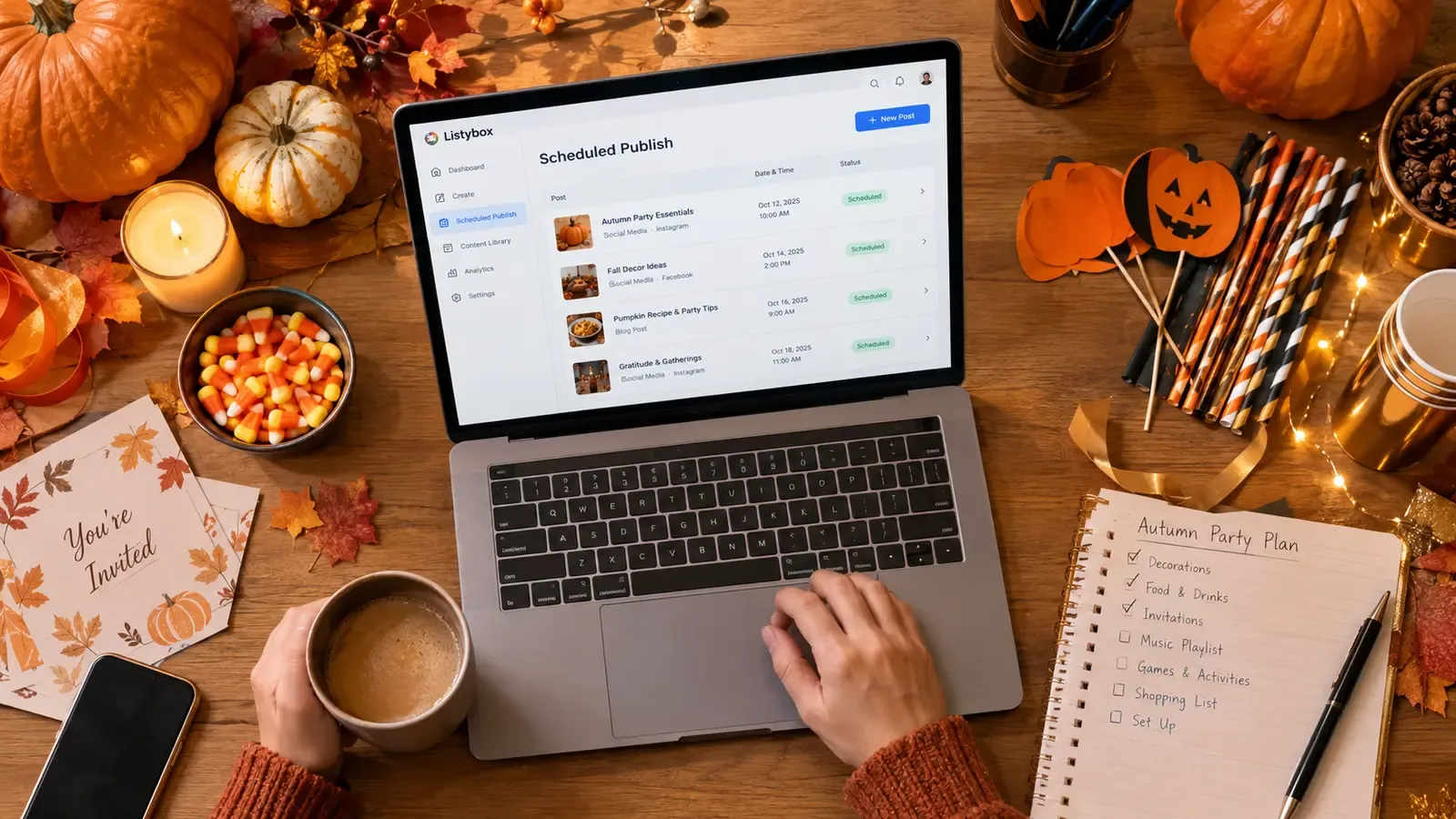
The seasonal rush doesn’t have to mean 16-hour days. By combining Trend Compass, Creation Wizard, Scheduled Publish, and Zero-Touch Fulfillment, you can ride the wave rather than drown in it.
Post-Season Maintenance Made Simple
After a holiday ends, you might want to update titles or tags to reflect the next season. Instead of editing each listing one by one, use the Bulk Edit feature. Select the listings you want to change, choose the field (title/tags/description), and apply a replace or add action across all selected listings in minutes. This keeps your catalog relevant without manual repetition.
All of these design and listing tools are available on the free plan. Start free – no credit card required and see how quickly you can create your first ten party supply listings.
Does all of this feel overwhelming? You don’t have to start from scratch. With Store Setup: Professional Store Launch, our expert team sets up your Etsy store, lists your first 10 products, and optimizes everything for SEO. See the pricing page for what this service covers and what it costs.
Listybox
Create listings 10x faster with Listybox.
Frequently asked questions
Put this into practice in your shop.
Every step from design to live listing, on one platform. Start on the free plan.
Related posts


Want to go deeper? Read our in-depth Etsy guides · Browse 100 Etsy niche guides