


Key takeaways
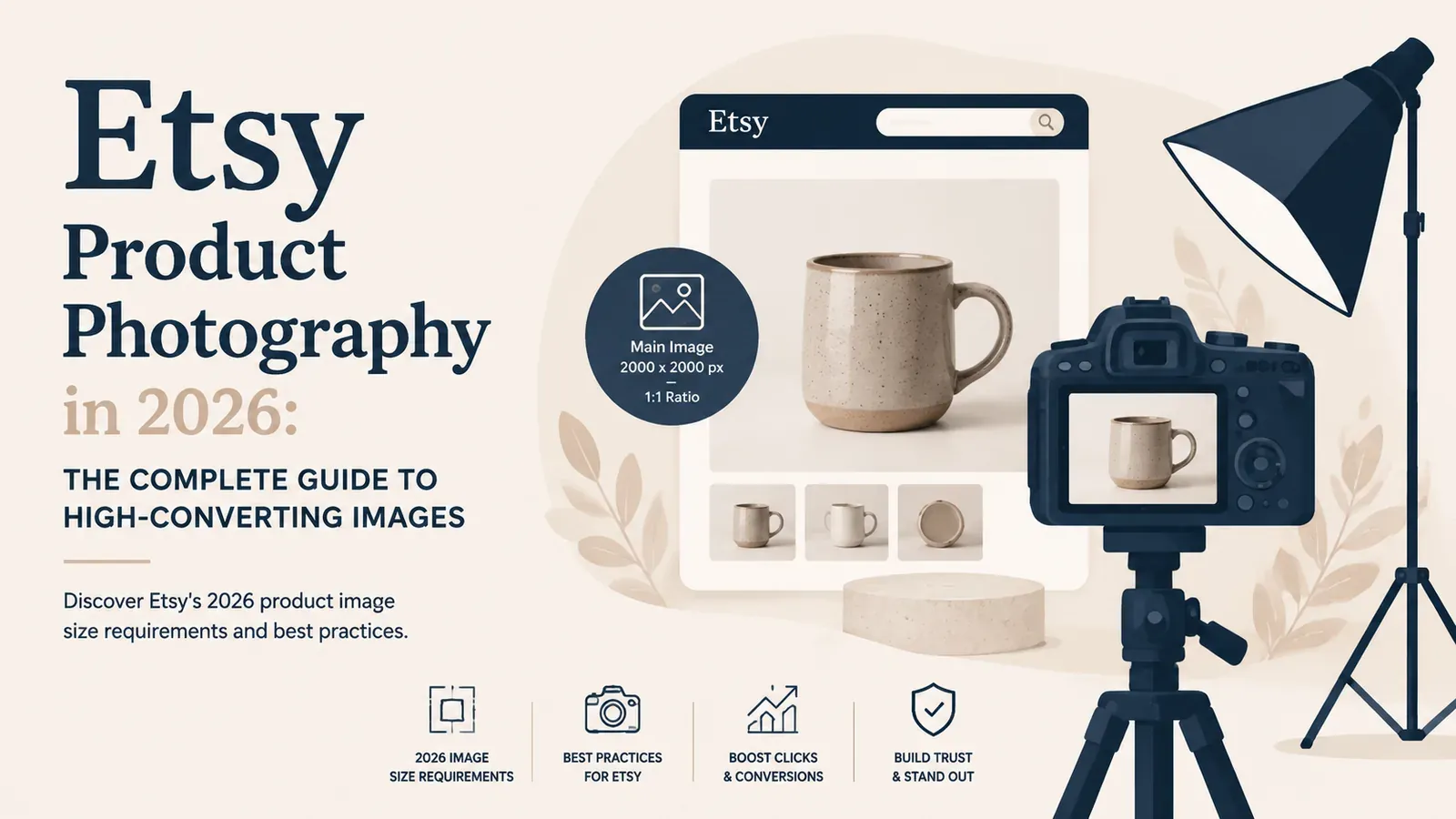
Use at least 2000px images to meet Etsy’s 2026 requirements and enable zoom.
Master lighting and lifestyle shots to increase conversions.
Stay updated with 2026 trends like video and AI editing to stand out.
Upload all 10 photo slots with varied angles and contexts.
Imagine spending weeks researching a niche, perfecting a design, and finally publishing your new product. You wait for the sales to roll in. A few days pass. Then a week. You check your statistics and see something frustrating: you are getting views, but your click-through rate is near zero.
This is the reality for thousands of talented creators. The problem is rarely the product itself. The problem is the storefront window. In the digital marketplace, your image is your product. Shoppers cannot touch the fabric, smell the candle, or feel the weight of the mug. They rely entirely on visual cues to determine quality, scale, and value.
Mastering your visual presentation is no longer an optional skill; it is a mandatory requirement for survival in a crowded marketplace. Whether you are handcrafting items in your living room or running a print-on-demand empire, the way you present your items dictates your profit margins. Let us break down exactly how to create visual assets that demand attention and drive sales.
Why Visual Presentation is the Top Conversion Driver
Human beings are visual creatures. The brain processes images incredibly fast, making snap judgments about trust, quality, and professionalism in fractions of a second. When a shopper types a search query into Etsy, they are presented with a grid of dozens of options.
They do not read the titles first. They scan the images.
If your main thumbnail does not instantly communicate value, the shopper scrolls past. Internal split testing shows that listings with highly stylized, professional main photos have a higher click-through rate than those with standard, flat white backgrounds.
78% of online shoppers rely entirely on product photos to determine the quality and credibility of an item.
But the job of your photography does not end at the click. Once a buyer is on your listing page, the remaining images must act as a visual sales pitch. They need to answer questions, remove doubts, and build desire. A buyer might wonder if a tote bag is large enough for a laptop, if a t-shirt fabric is sheer, or what the back of a mug looks like. If your images do not answer these questions, the buyer will likely leave rather than send a message to ask.
This is why learning to read your data is crucial. If you have high impressions but low clicks, your thumbnail needs work. If you have high clicks but low sales, you need to look at our Etsy conversion rate optimization guide to understand how your secondary photos and descriptions are failing to close the deal.
The Exact Etsy Photo Requirements for 2026
Before you can get creative, you must understand the technical rules of the platform. Etsy has specific guidelines that dictate how your images are displayed, cropped, and compressed. Ignoring these rules results in blurry, pixelated, or awkwardly cropped thumbnails that instantly turn buyers away.

Sizing and Resolution Rules
Etsy strongly recommends that all listing images be at least 2000 pixels on the shortest side. This specific dimension is required to enable the “zoom” feature on the listing page. When a buyer hovers over your image, they want to see the fine details of your design. If your image is too small, the zoom feature is disabled, which can subconsciously signal lower quality to the buyer.
Your images should be saved at a resolution of 72 PPI (pixels per inch), which is the standard for web display. Saving them at 300 PPI (print resolution) will only increase the file size unnecessarily, leading to slower page load times. Since page speed is a ranking factor for search engines, keeping your file sizes under 1MB while maintaining the 2000-pixel dimension is the ideal balance.
The Aspect Ratio Debate
For years, sellers debated the best aspect ratio for their thumbnails. Currently, Etsy displays main search thumbnails in a slightly horizontal format, close to a 4:3 ratio. However, when viewed on mobile devices or within certain promotional blocks, the crop can change to a square (1:1).
To protect your presentation, the safest approach is to use a 4:3 or 1:1 ratio but ensure your actual item is centered with plenty of negative space around it. Do not place text or critical design elements near the edges of the frame. If Etsy decides to crop your image for a mobile view, you want to ensure the product remains fully visible.
How to Use All 10 Photo Slots Effectively
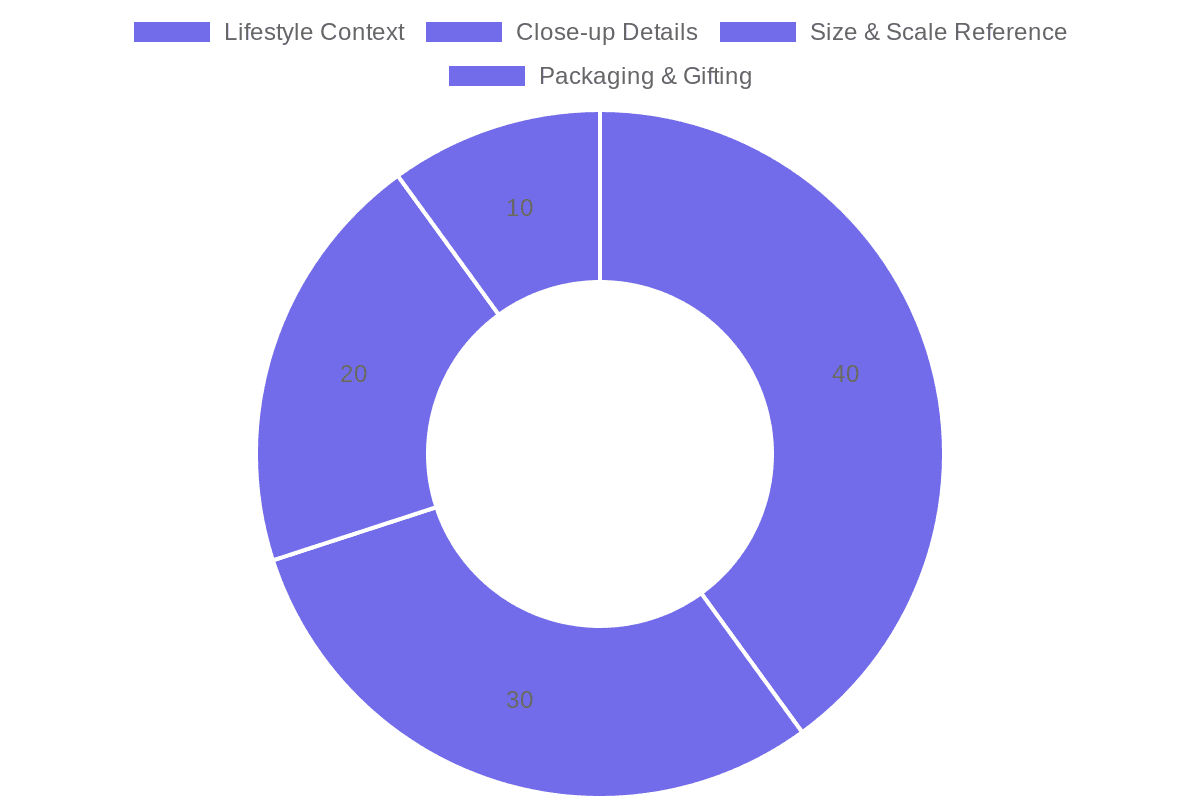
Etsy provides 10 photo slots for a reason. Listings that utilize all 10 slots generally perform better in the search algorithm because they provide a better user experience. Leaving slots empty is leaving money on the table. Here is a proven formula for filling all 10 slots:
Slot 1: The Hero Shot. This is your main thumbnail. It should be eye-catching, brightly lit, and clearly show what is being sold. Avoid cluttered backgrounds.
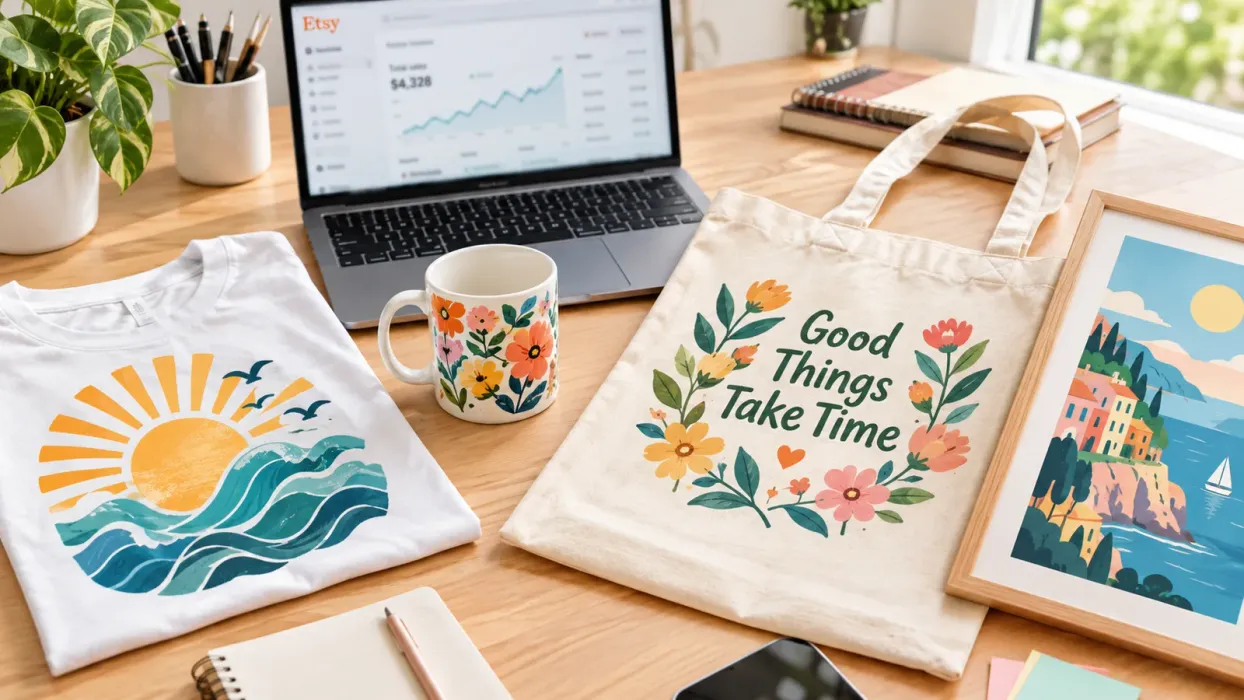
Slot 2: Lifestyle Context. Show the item in use. A mug on a cozy desk, a t-shirt being worn in a sunny park, or wall art hung in a modern living room.
Slot 3: Scale and Size. Place the item next to a recognizable object (like a coin, a hand, or a laptop) so buyers instantly understand its physical size.
Slot 4: Detail and Texture. A macro shot showing the quality of the stitching, the texture of the canvas, or the sharpness of the print.
Slot 5: The Back or Inside. Show the angles the buyer cannot see from the front. If it is a mug, show the handle or the inside.
Slot 6: Variations. If the item comes in different colors, show a group shot of the options.
Slot 7: Packaging. Show how beautifully the item is packed. This is highly effective for buyers looking for gifts.
Slot 8: Gift Potential. An image with text overlay suggesting who this is a perfect gift for (e.g., “The Perfect Gift for Dog Lovers”).
Slot 9: Size Chart or Infographic. For apparel, a clean, easy-to-read size chart is mandatory. For other items, an infographic listing key features (e.g., “Dishwasher Safe”, “100% Cotton”).
Slot 10: Brand Story or FAQ. A final image that builds connection. A photo of your workspace, a brief “Thank You” message, or a quick summary of your shipping times.
The Manual Grind: Taking Professional Photos at Home
If you sell handmade goods, you have to take your own photos. Many new sellers assume they need a $2,000 camera and a dedicated studio space to succeed. This is a myth. You can take exceptional photos with a modern smartphone, provided you understand light and composition.
Mastering Natural Light
Lighting is the single most important element of photography. The word photography literally translates to “drawing with light.” The biggest mistake beginners make is using harsh, direct sunlight or mixing different light sources (like a warm room lamp mixed with cool window light).
Your best friend is indirect natural light. Find a large window in your home. Turn off all the artificial lights in the room to avoid color casting. Place a table near the window. If the sun is beaming directly through the glass, tape a white bedsheet or a piece of parchment paper over the window. This acts as a diffuser, softening the light and eliminating harsh, ugly shadows.
On the side of your product opposite the window, place a white foam board. This acts as a reflector, bouncing the soft window light back onto the shadowed side of your item, creating a beautifully balanced, professional look.
Practical tip: Always wipe your smartphone lens with a microfiber cloth before shooting. A tiny smudge from your finger can reduce image sharpness by up to 30%, making your photos look amateur.
Essential Props and Backgrounds
Your background should complement your item, not compete with it. A wrinkled bedsheet or a cluttered kitchen counter instantly destroys buyer trust.
Invest in inexpensive, flat styling boards. You can buy vinyl backdrops that look like marble, rustic wood, or clean concrete for under $20. When choosing props, stick to a strict color palette. If you are selling a botanical print mug, use a few dried eucalyptus leaves and a wooden coaster. Keep it simple. The props are there to tell a story, not to be the star of the show.
The Hidden Trap of DIY Photography
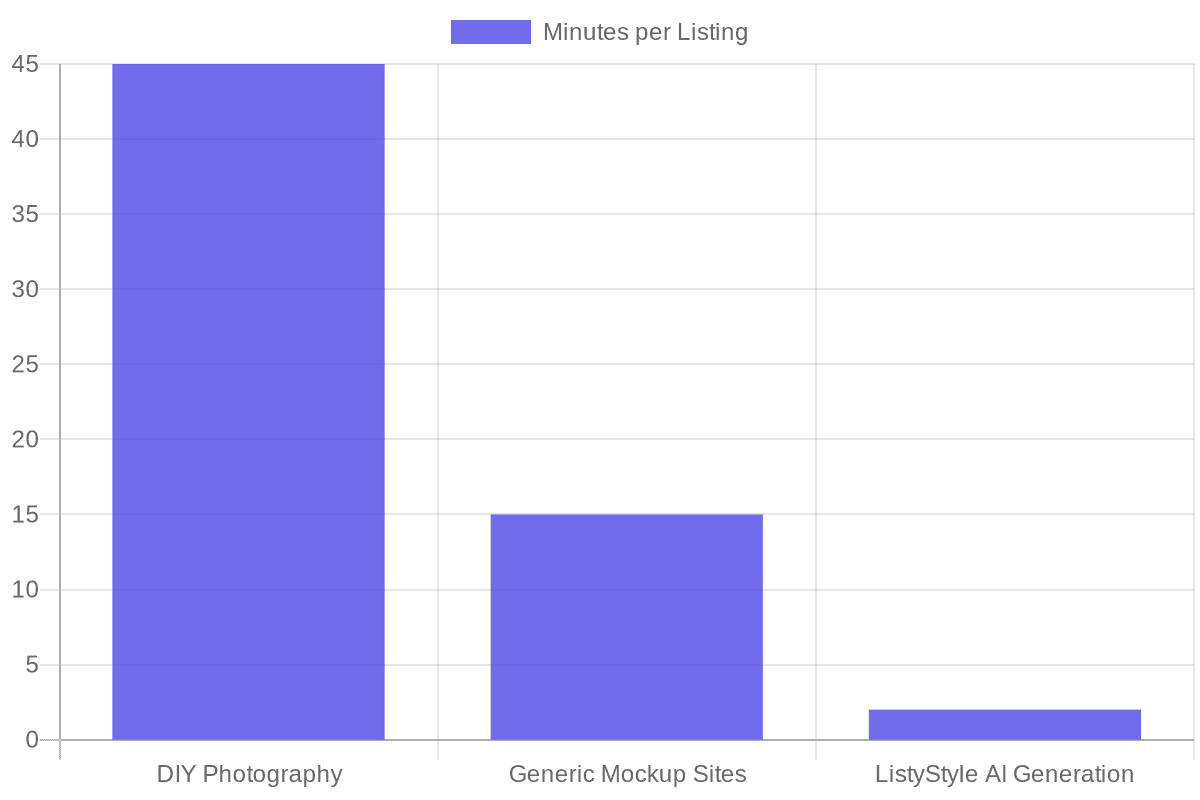
While taking your own photos is entirely possible, it introduces a massive operational bottleneck. Setting up your DIY studio takes time. You have to wait for the right weather conditions because a cloudy day ruins your lighting setup. You spend an hour arranging props, taking dozens of shots, and then another hour editing them on your phone to fix the exposure.
This is fine when you have five products. But what happens when you have 500?
Spending two hours on photography for a single listing is a hidden trap. It limits your ability to scale. If you are preparing for the Q4 rush, you need to list hundreds of items quickly. You cannot afford to wait for the sun to shine. You need a system that works faster. For a deep dive into preparing your shop for peak seasons, review our Etsy holiday strategy guide.
The Print-on-Demand Challenge: Escaping Generic Mockups
If you run a print-on-demand (POD) business, you face a completely different set of visual challenges. You do not have the physical product in your hands. You rely entirely on digital mockups to sell your designs.
The Sea of Sameness
When you start a POD business, you likely use the standard mockups provided by your production partner. You place your design on a flat, wrinkled t-shirt on a stark white background.
Here is the painful reality: those flat mockups kill conversion rates. Buyers want to see how a shirt drapes on a human body. They want to see the scale of a poster hanging over a couch.
To solve this, many sellers turn to mockup subscription services. The problem? Every other seller is doing the exact same thing. There are specific models and specific living room scenes that have been used by tens of thousands of sellers across the platform. When a buyer searches for a “funny cat shirt” and sees the exact same blonde model wearing five different designs from five different shops, it breaks the illusion. It looks cheap, mass-produced, and unprofessional.
Why Flat Mockups Kill Conversion Rates
Flat mockups lack emotional resonance. Buying is an emotional decision justified by logic. A flat white background provides no emotional context. It does not help the buyer imagine the product in their life.
Furthermore, many designs look like digital stickers simply pasted onto a photo. They do not follow the folds of the fabric or the lighting of the room. This “pasted on” look is an immediate red flag for buyers, signaling a low-effort shop.
To make your designs blend naturally, you must ensure your source files are perfectly clean. If your design has an awkward white box around it, it will never look realistic. Using a Background Remover tool is essential to ensure your artwork integrates smoothly with any background environment.
How to Scale Your Imagery Without a Physical Studio
We have established that you need hyper-realistic, emotionally engaging lifestyle photos to get clicks. We have also established that taking them manually is too slow, and using generic mockup sites makes you look like a spammer.
So, how do you solve this puzzle? How do you create thousands of unique, thumb-stopping images without touching a camera or paying for a studio?
Generating Hyper-Realistic Lifestyle Scenes
This is where intelligent automation changes the entire game. Instead of relying on a limited catalog of overused stock photos, you can generate entirely new, photorealistic environments for your products on demand.
By using a dedicated Listystyle mockup creator, you bypass the “sea of sameness.” Listybox’s fine-tuned engine built specifically for Etsy analyzes your design and your target audience, then places your product into hundreds of unique, real-world scenes.
Need your new Halloween design on a cozy sweater worn by someone sitting near a fireplace? Done in seconds. Need your typography poster displayed in a sleek, minimalist Scandinavian office? Generated instantly.
Important warning: Never use heavy, unnatural filters on your main listing photos. It misrepresents the true colors of your product, which is the leading cause of “item not as described” cases and negative reviews.
Because these images are generated uniquely for you, no other seller on the platform will have the same photo. You instantly build a unique, defensible brand identity. Your shop looks like a premium boutique that spent ten thousand dollars on a professional photo shoot. This elevated perceived value allows you to command higher prices and thicker profit margins.
Adding Motion for Maximum Engagement
Etsy has recently pushed heavily into video. Listings with videos are favored in search results and keep buyers on your page longer. But creating video content for POD products used to be nearly impossible without ordering physical samples.
Now, you can turn those stunning static images into engaging motion assets. A Listystyle Video creator takes your optimized visuals and generates professional product videos with a single click. You get all the algorithmic benefits of video content without the need for expensive camera gear or complex editing software.
This is the difference between working hard and working smart. While your competitors are struggling to edit lighting on their phones or scrolling through pages of generic mockups looking for one that hasn’t been used, you are generating an entire catalog of premium visual assets in minutes.
Does all of this feel overwhelming? You don’t have to start from scratch. With Listybox Store Setup, our expert team sets up your Etsy store, lists your first 10 products with perfect SEO, and optimizes your branding. See our pricing page for which plans include it. Stop letting poor visual presentation hold back your incredible designs. Take control of your storefront today.
Frequently asked questions
Put this into practice in your shop.
Every step from design to live listing, on one platform. Start on the free plan.
Related posts
Want to go deeper? Read our in-depth Etsy guides · Browse 100 Etsy niche guides