

Etsy Scheduled Publishing: A Practical Guide to Consistent Listing and Sales


Key takeaways
Manual listing creates unpredictable gaps that hurt your Etsy SEO and visibility
Etsy does not offer a native scheduling tool; you need a third‑party solution to publish consistently
Listybox Scheduled Publish lets you batch‑create hundreds of listings and set a timed release, keeping your shop active even when you are offline
A steady publishing rhythm signals to Etsy’s algorithm that your shop is active, helping listings get indexed faster
You stay in full control: you can edit, pause, or adjust the schedule at any time, and no credit card is needed to start
Liam is an engineer by day and a creative at heart. He started an Etsy print‑on‑demand shop to build a side income, but after his first 20 listings, he hit a wall. Every evening, he would spend two hours manually writing titles, tags, and descriptions, then uploading one listing at a time. Some nights he was too tired, so days would pass with nothing new in his shop. He noticed his views would spike after a listing burst, then drop off a cliff when he got busy. The pattern was exhausting, and his shop felt like a second job he could not control.
The real problem was not Liam’s designs or his niche. It was the invisible rhythm Etsy expects from every seller. When you publish inconsistently, the algorithm treats your shop as dormant, and your listings slowly sink in search. The fix is not to work harder late at night; it is to separate the creative work from the publishing work, and let a schedule do the heavy lifting. That is where Etsy scheduled publishing changes the game.
What is Etsy Scheduled Publishing and Why Does It Matter?
Scheduled publishing means you prepare your listings in one focused session, then set a future date and time for them to go live automatically. Instead of logging in every day to upload a single mug or t‑shirt, you batch your work and let the system publish on a steady, pre‑defined cadence. This is not about “set and forget” in a risky way; it is about giving your shop a consistent heartbeat.
The Manual Listing Trap
Most new sellers start by creating a listing whenever they find a spare moment. You open Etsy, upload the mockup, type a title, fill in the tags, write a description, set the price, and hit publish. Then you repeat. If you manage three listings on a Sunday, you feel productive, but by Wednesday your shop looks abandoned. That stop‑start pattern confuses Etsy’s search algorithm. It rewards shops that show regular activity because a steady stream of new, relevant content signals that the shop is alive and engaged.
When you publish manually, you also make more mistakes. Late‑night typing leads to typos in tags, missing variation options, or inconsistent pricing. The pressure to “just get something up” replaces careful optimization. You end up with a shop full of listings that were rushed, not refined. For a deeper look at how listing quality impacts your visibility, read our guide on Etsy Listing SEO Optimization: Your Step-by-Step Guide to Visibility and Sales.

The Algorithm’s Love for Consistency
Etsy’s search algorithm considers many factors, and “listing freshness” is one of them. A shop that adds new listings regularly tells Etsy that it is actively maintained. This does not guarantee a top spot, but it gives your products a fair chance to be indexed quickly and shown to potential buyers. When you disappear for a week and then dump ten listings on a Saturday, the algorithm sees a spike followed by silence. The new listings may get a temporary boost, but the shop as a whole loses the steady signal of activity.
Think of it like a social media feed. A page that posts every day stays in front of its audience. A page that posts once a month gets buried. Etsy works similarly, but with search ranking instead of a timeline. Consistent publishing also helps you test what works. When you release two or three listings a day, you can see which designs get early traction and double down on those. If you publish everything at once, you cannot isolate which listing resonated because they all hit the market together.
💡 Practical tip: Aim for a daily publishing rhythm, even if it is just one listing. A small, steady drip outperforms a large, irregular splash over time.
How Scheduled Publishing Solves It
Scheduled publishing removes the daily pressure. You set aside a block of time to create your best work: researching keywords, refining mockups, writing descriptions that actually sell. Then you hand the publishing schedule to a tool that releases them at the pace you choose. You might decide to publish one listing every six hours, or two every morning at 9 a.m. The tool follows your plan while you sleep, work your day job, or spend time with family.
This approach also lets you align your publishing with peak shopping times. If your target audience is most active on weekday evenings, you can schedule your best listings to go live right before that window. You are not guessing; you are executing a strategy. For a detailed breakdown of how to turn this consistency into a competitive advantage, check out our post on Etsy Scheduled Publish: How to Hack the Algorithm with Consistency.
Does Etsy Have a Built‑In Scheduling Tool?
A common question from sellers who feel the burnout is, “Can I just schedule my listings inside Etsy?” The short answer is no. As of now, Etsy does not offer a native scheduling feature. You can save a listing as a draft, but you must manually come back and publish it later. There is no way to set a future date and time and walk away.
This gap forces sellers to either log in every day, hire a virtual assistant, or use a third‑party tool that integrates with Etsy. The right tool does not just publish on a schedule; it should also let you prepare listings in bulk, edit them easily, and maintain full control over every detail before they go live.
How to Schedule Etsy Listings Automatically with Listybox
Listybox’s Scheduled Publish feature is built exactly for this workflow. It works hand‑in‑hand with the Creation Wizard and Bulk Edit tools so you can create dozens or hundreds of listings in one session, then set a release schedule that fits your shop. You stay in control at every step: you review the content, you set the timing, and you can pause or adjust anytime.
Step 1: Batch‑Create Your Listings with the Creation Wizard
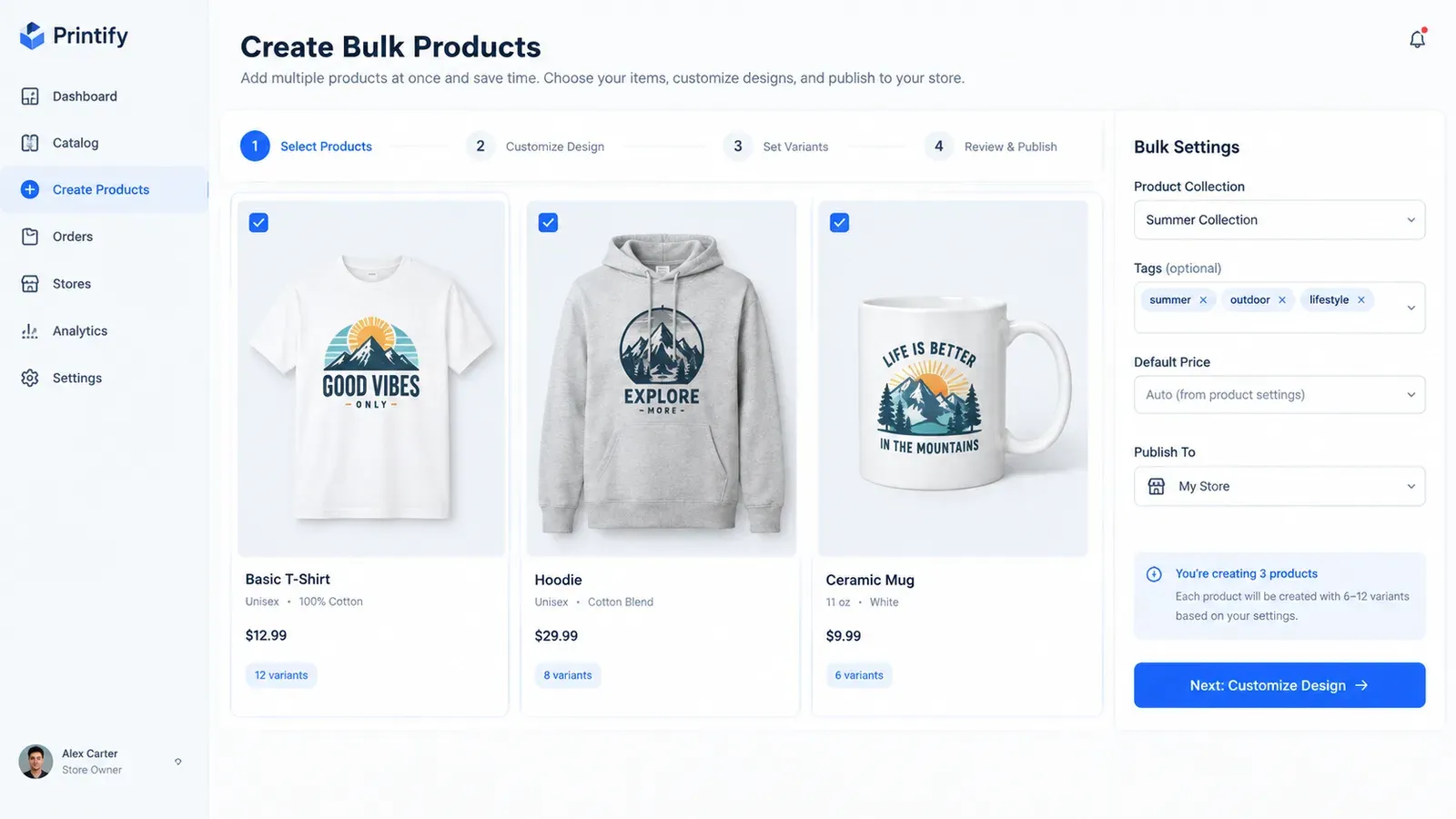
Instead of building one listing at a time, you use the Creation Wizard to combine designs and products in bulk. You select your artwork from My Artworks or the Artwork Gallery, choose the products you want to sell, and the wizard generates all the variations and mockups automatically. In a single session, you can prepare hundreds of “creations” ready for listing. This is where you do the creative work once, not every evening.
Step 2: Polish Your Listing Content with Bulk Edit
Once your creations are ready, you use Bulk Edit to refine the titles, tags, and descriptions. You can select all the listings for a particular design or product type, then apply changes across them at once. For example, if you want to add a seasonal keyword to every mug listing, you do it in one operation. The Magic Wand can also generate SEO‑friendly titles and tags for each creation, which you can review and tweak before publishing. The goal is to make every listing accurate and optimized, not rushed.
⚠️ Important warning: Always double‑check your listings after bulk editing. A small mistake multiplied across dozens of listings can cause confusion for buyers. Schedule time for a final review before you set the publishing plan.
Step 3: Set Your Publishing Schedule
Now you go to the Scheduled Publish feature. You choose the batch of listings you want to release and pick a timing option: “every 6 hours,” “once a day,” or a custom interval. You can also pause the schedule if you need to make last‑minute changes. The system then publishes the listings one by one according to that plan, without you needing to be online.
This is where the workload shifts. Instead of spending two hours every night on manual uploads, you invest a focused afternoon creating and scheduling a whole week’s worth of listings. The tool handles the repetitive part, and you keep the strategic part: deciding what to sell and how to present it.
Start free – no credit card required
How Scheduled Publishing Improves Etsy Sales and Shop Management
Beyond saving time, a steady publishing rhythm changes how your shop performs in several practical ways.
Better Search Visibility
When new listings appear regularly, Etsy’s indexer crawls your shop more often. This means your products are more likely to show up in relevant searches sooner. It is not a magic ranking boost, but it removes the friction of a dormant shop that gets indexed slowly. Our guide on How to Get Your Etsy Listing on the First Page: The 2026 Playbook explains how listing freshness fits into the bigger SEO picture.
More Time for What Actually Sells
When you are not chained to the publish button, you can focus on higher‑impact tasks: designing better artwork, researching trending niches, engaging with customers, or promoting your shop on social media. You move from being a manual uploader to a shop owner who thinks strategically. The Trend Compass feature, for instance, can help you spot rising design opportunities while your scheduled listings keep your shop active in the background.
Reduced Burnout
Burnout is real in the print‑on‑demand space. The pressure to constantly feed the algorithm can make you resent your shop. Scheduled publishing turns that pressure into a manageable system. You do the work when you are fresh, and the tool handles the repetition. This keeps your motivation high and your shop healthy.
Common Mistakes When Scheduling Etsy Listings
Even with a great scheduling tool, a few missteps can reduce your results. Avoid these pitfalls to get the most out of your workflow.
Mistake 1: Scheduling Low‑Quality Listings Just to Keep the Rhythm
Consistency matters, but not at the cost of quality. A rushed listing with a blurry mockup or keyword‑stuffed title will not convert, no matter how often you publish. Use scheduling as a reason to batch your best work, not as an excuse to lower your standards. The Background Remover and Placement Editor can help you polish your visuals before they ever reach the schedule.
Mistake 2: Ignoring Seasonality and Trends
If you schedule Christmas t‑shirts to go live in January, you waste listing slots. Always align your scheduled batches with the buying calendar. Plan your content a few weeks ahead, and use Trend Compass to spot timely opportunities you can weave into your schedule.
Mistake 3: Setting a Schedule and Never Checking Back
Scheduled publishing is not a “fire and forget” tactic. You still need to monitor your shop’s performance, respond to customer questions, and adjust your strategy. The schedule handles the publishing, but you remain the decision maker. Log in regularly to see which listings are getting traction and tweak upcoming batches accordingly.
💡 Practical tip: Keep a content calendar for your Etsy shop. Map out design themes, seasonal pushes, and the number of listings you want to publish each week. Then use Scheduled Publish to execute that plan.
A Smarter Way to Build Your Shop’s Rhythm
Liam, the engineer from the beginning, eventually switched to a scheduled workflow. He now spends Saturday mornings creating designs and preparing listings in Listybox. He sets his schedule to publish two listings every day at 10 a.m. His shop stays active all week, and his evenings are free again. He did not need to work harder; he needed a system that matched the way Etsy rewards consistency.
If you are ready to stop racing against the clock and start building a shop that grows while you live your life, the tools are here. You can batch your creativity, refine every detail, and let a smart schedule take care of the rest.
Start free – no credit card required
Does all of this feel overwhelming? You don’t have to start from scratch. With Listybox Store Setup, our expert team sets up your Etsy store, lists your first 10 products, and optimizes everything for SEO. See the pricing page for what this service covers and what it costs.
Listybox
Create listings 10x faster with Listybox.
Frequently asked questions
Put this into practice in your shop.
Every step from design to live listing, on one platform. Start on the free plan.
Related posts



Want to go deeper? Read our in-depth Etsy guides · Browse 100 Etsy niche guides