

Etsy Shop Optimization: The Complete Setup Checklist for a Professional Storefront


Key takeaways
A complete Etsy shop foundation, including your name, banner, and policies, is what turns a casual browser into a confident buyer.
Skipping the About section and shop policies is a hidden trust-killer that hurts your conversion rate even with perfect listing SEO.
Using the Creation Wizard and Bulk Edit features lets you build and refine your entire product catalog in minutes, keeping final creative control in your hands.
Store Setup: our team helps you set up your Etsy store. It is available inside a custom Enterprise+ offer, so plan a demo or write to [email protected].
Ava is an illustrator. For years, friends and family told her she should sell her designs. In 2026, she finally took the leap. She watched a few tutorials on Etsy SEO, researched the best keywords, and carefully crafted her first twenty listings. She was proud of them. The titles were keyword-rich, the tags were filled, and the mockups looked clean.
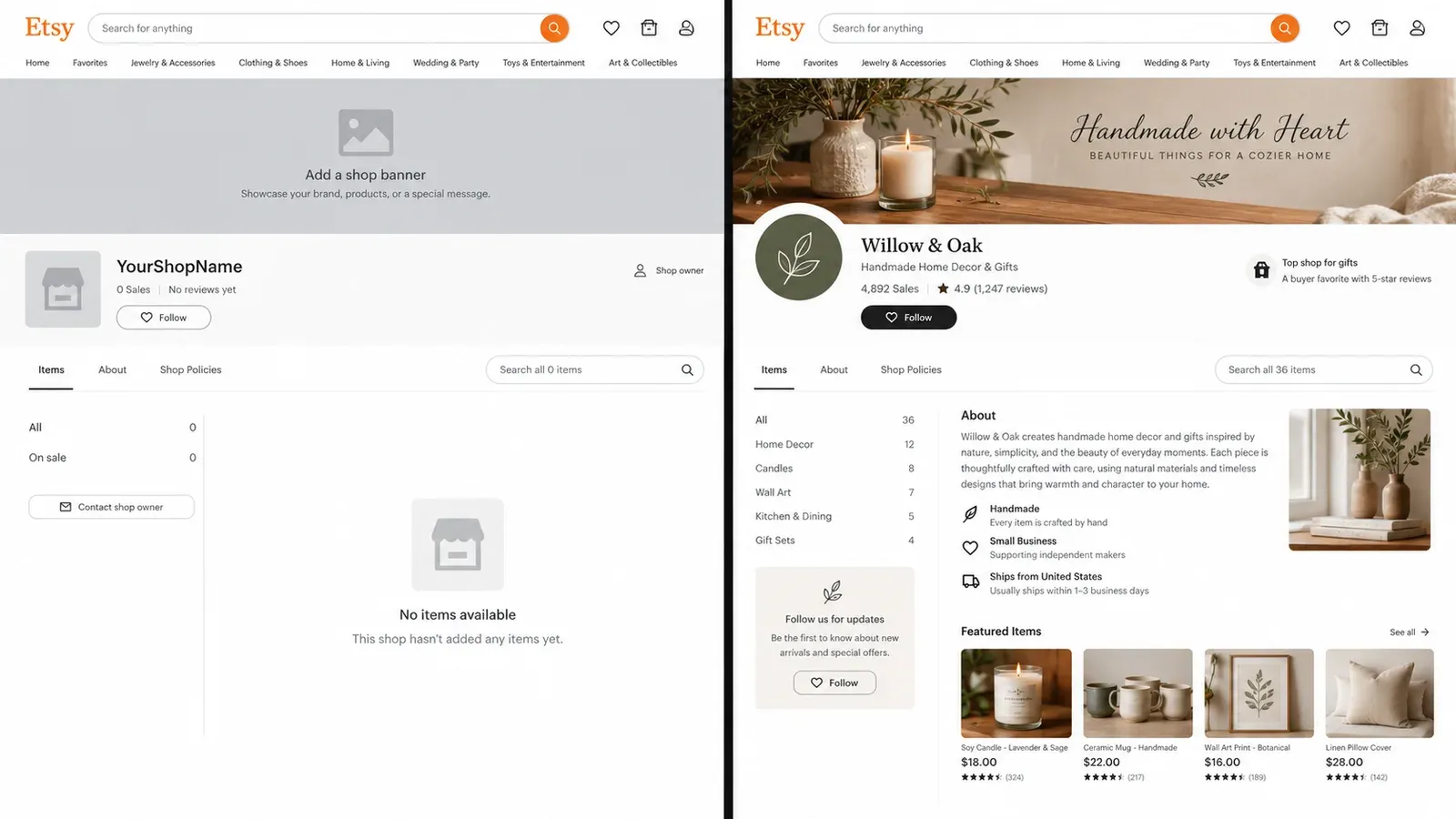
Then came the silence. A trickle of views, but no sales. She checked her stats and saw visitors were landing on her listings, pausing for a few seconds, and then leaving. The problem wasn’t her products. It was that her shop looked abandoned. A gray default banner, no shop icon, empty policies, and a blank About section were screaming at every potential customer: “This store isn’t real.” Ava had focused entirely on listing optimization and completely missed the other half of the equation: shop-level optimization.
Why Your Etsy Shop’s Foundation Matters More Than You Think
Etsy is a marketplace built on handmade, vintage, and unique goods. Buyers come here specifically to find something special from a real person, not a faceless corporation. When they land on your listing, a significant number of them will click on your shop name to see who you are. This is the critical moment. If they find a complete, professional storefront, their trust solidifies. If they find an empty shell, they bounce. It does not matter how good your listing SEO is if your shop itself fails this trust inspection.
Think of your individual listings as the products on a shelf. Your shop optimization is the store itself. You can have the best product in the world, but if the store window is dusty, the sign is missing, and there is no one at the counter, people will walk right past. Etsy’s own algorithm also considers shop-level completeness as a factor in search ranking. A fully filled-out shop signals to Etsy that you are a serious, committed seller, which can positively influence your visibility in search results.
💡 Before you touch another listing, open your shop’s public page in an incognito browser window. Look at it with fresh eyes. Does it look like a store you would trust with your credit card?
The Hidden Trust-Killer: An Incomplete Storefront
Etsy buyers are savvy. They have been burned by drop-shippers and low-effort stores before. They look for specific signals of legitimacy. A custom banner and logo show you have invested time. A filled-out About section with real photos humanizes your brand. Clear shop policies answer their unspoken questions about returns and shipping. An empty shop, by contrast, raises red flags. It suggests you might be a temporary operation, or worse, a scam. This is the hidden conversion killer that many sellers never diagnose. They keep tweaking their tags and titles, wondering why their traffic never converts, while the real culprit is the lack of a shop-level foundation.
Try it in your shop.
Every step from design to live listing, on one platform. Start on the free plan.
How to Choose and Set Up a Memorable Etsy Shop Name
Your shop name is your permanent brand identifier on Etsy. It appears in your URL, on every listing, and in every message you send. Changing it later is possible, but it can confuse repeat customers and break external links you have built. You need to get it right the first time.
A good Etsy shop name is memorable, easy to spell, and gives a hint about what you sell. Avoid using hyphens, numbers, or overly trendy slang that might not age well. Before you settle on a name, do a quick search on Etsy and on social media platforms to make sure it is not already taken by a major brand. You also want to check that the .com domain and social handles are available, even if you do not plan to use them right away. This keeps your options open for future growth.
Etsy has specific rules for shop names. They must be between 4 and 20 characters long, contain no spaces or punctuation (though they are displayed with spaces), and cannot include profanity or trademarked terms. You also cannot use the word “Etsy” in your shop name. If you are stuck, try combining two relevant words, using a playful version of your own name, or focusing on the feeling your products create. Write down a shortlist of five options and ask a few friends which one they remember best after hearing it once. That is usually the winner.
⚠️ Do not name your shop after a single product or a micro-trend. Your product line will likely expand over time, and “FunnyCatMugsShop” will not make sense when you start selling wall art and apparel.
How to Create a Cohesive Etsy Banner and Logo That Builds Trust
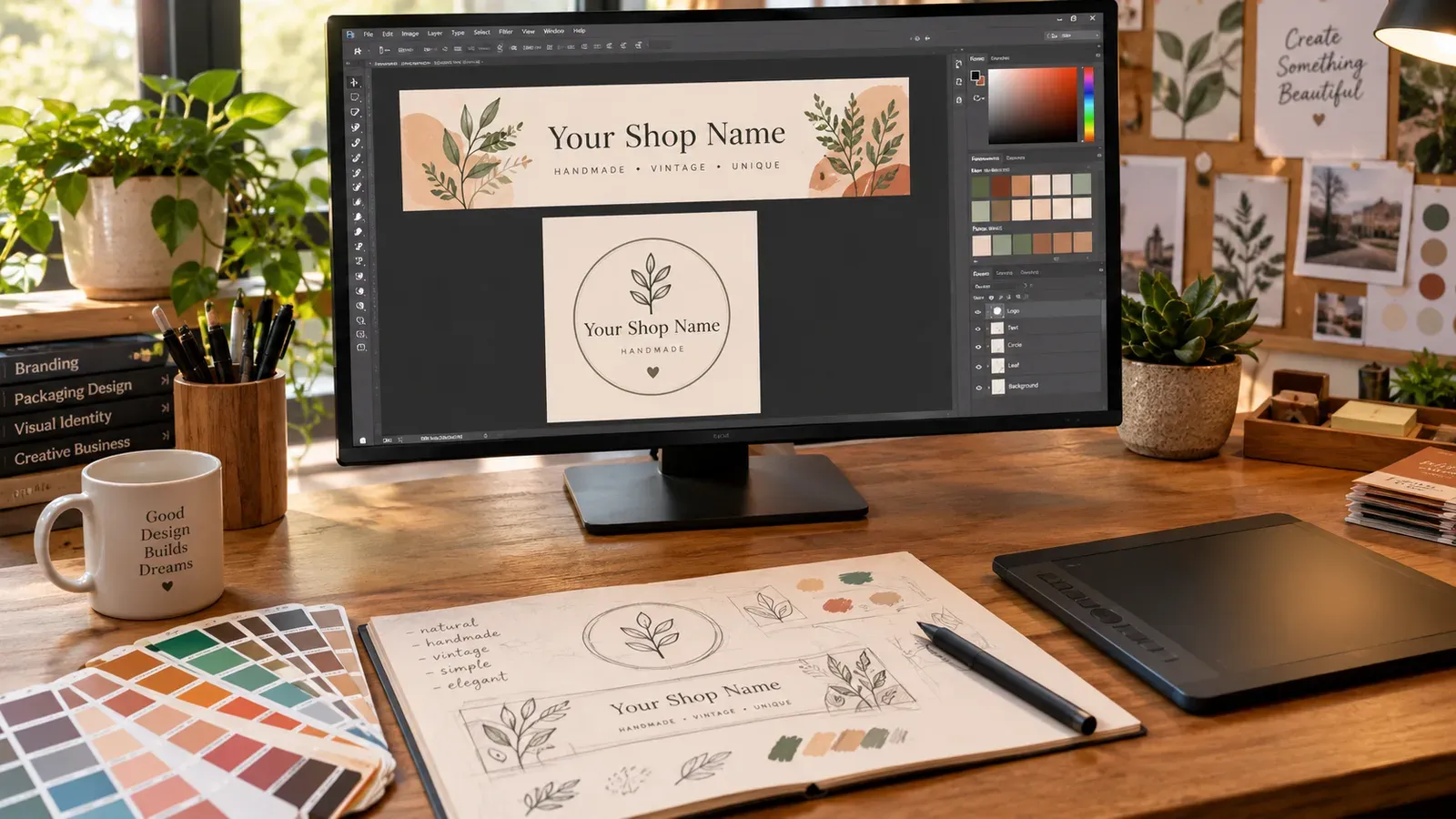
Visual branding is the fastest way to communicate professionalism. Your shop banner and logo are the first things a visitor sees when they click through to your storefront. A custom, cohesive look immediately signals that you are a serious business. A default gray banner or a pixelated, stretched image does the opposite.
Finding the Right Dimensions for Your Visual Assets
Etsy recommends specific image sizes for your shop’s visual assets, but these can change over time as the platform updates its layout. The safest way to get the current, correct dimensions is to navigate to your Shop Manager, go to the branding section, and read the recommended size displayed right there in the upload tool. This ensures your images will not be stretched, cropped, or pixelated on any device. As a general guideline, a larger, high-resolution image that can be scaled down is always better than a small image that needs to be scaled up.
Your shop icon, or logo, is a small square image that appears next to your shop name in search results and messages. It needs to be clear and recognizable even at a very small size. A simple icon or a bold initial often works better than a complex illustration with fine details. Your banner is a large horizontal image that sits at the top of your shop page. This is your prime real estate to communicate your brand’s mood and product range. Use it to showcase your best-selling products in a lifestyle setting, not just to display your logo again.
Using the Design Editor Integration for Quick Branding
If you are not a professional graphic designer, creating a banner from scratch can feel daunting. This is where a tool like the Canva Integration within Listybox can help. You can access your Artwork Gallery, select any visual asset, and click “Edit in Canva” to open it directly in Canva’s editing environment. You can use Canva’s vast library of templates sized specifically for Etsy banners and icons. Once you have finished your design, you save it directly back to your Listybox gallery with one click. This eliminates the need to download, resize, and re-upload files across multiple platforms. It keeps your branding workflow fast and centralized, giving you a professional result in minutes without needing to hire a designer.
How to Write an About Section That Connects and Converts
The About section is one of the most underused trust-building tools on Etsy. Many sellers leave it blank or write a single, generic sentence. This is a missed opportunity. Buyers on Etsy are actively looking for a human connection. They want to know the story behind the product. A well-written About section can be the deciding factor that turns a hesitant browser into a loyal customer.
Structuring Your Story for Maximum Impact
Start with you. What led you to create these products? You do not need a dramatic origin story. A simple, honest explanation of your passion works best. Maybe you started designing t-shirts because you could not find ones that expressed your sense of humor. Maybe you are a parent who started making nursery art for your own child and realized other parents might love it too. Write it in your own voice. Read it out loud. If it sounds like something you would say to a friend over coffee, it is perfect.
Next, introduce your team, even if the team is just you and your cat. Mentioning that you are a one-person operation running your small business from your home studio adds to the handmade, personal feel that Etsy buyers value. If you work with a production partner for your print-on-demand products, this is the place to be transparent about it. Explain that you design everything yourself and partner with a specialist who prints and ships your items, allowing you to focus on creating new designs. Honesty builds trust. For a deeper dive on how to handle this communication, see our guide on Etsy Shop Policies: How to Build Trust and Protect Your Business.
Finally, include photos and even a short video. A picture of you working on a design in your workspace, a shot of your sketchbook, or a video of you packaging an order makes your shop feel alive. Etsy allows you to upload up to five photos and one video in your About section. Use them.
How to Organize Your Products with Etsy Shop Sections
Shop sections are the navigation menu of your store. Without them, a customer who clicks on your shop is presented with a single, endless grid of every product you sell. This is overwhelming and makes it hard for them to find what they want. With well-named sections, you guide the buyer through your catalog, showing them the breadth of your offerings in an organized, digestible way.
Creating a Logical Navigation Structure
Think about your products from your customer’s perspective. How would they shop for them? If you sell apparel, home decor, and accessories, those might be your top-level sections. If you sell designs for specific professions, hobbies, or holidays, you might organize by interest. The goal is to minimize the number of clicks it takes for a buyer to find a product they are likely to love.
To create or edit your shop sections, go to your Shop Manager, click on “Listings,” and then find the “Sections” tab. You can create up to 20 sections. Each section needs a name, which can be up to 24 characters long. Use clear, descriptive names. “Funny Gifts for Nurses” is better than just “Gifts.” “Minimalist Wall Art” is better than just “Art.” Once your sections are created, you can assign each of your listings to the appropriate section. A listing can only be in one section at a time.
💡 Look at the shop sections of five successful Etsy stores in your niche. Do not copy them, but analyze how they group their products. This will give you a strong sense of the naming conventions and categories that buyers in your market expect to see.
How to Use Your Shop Announcement Strategically
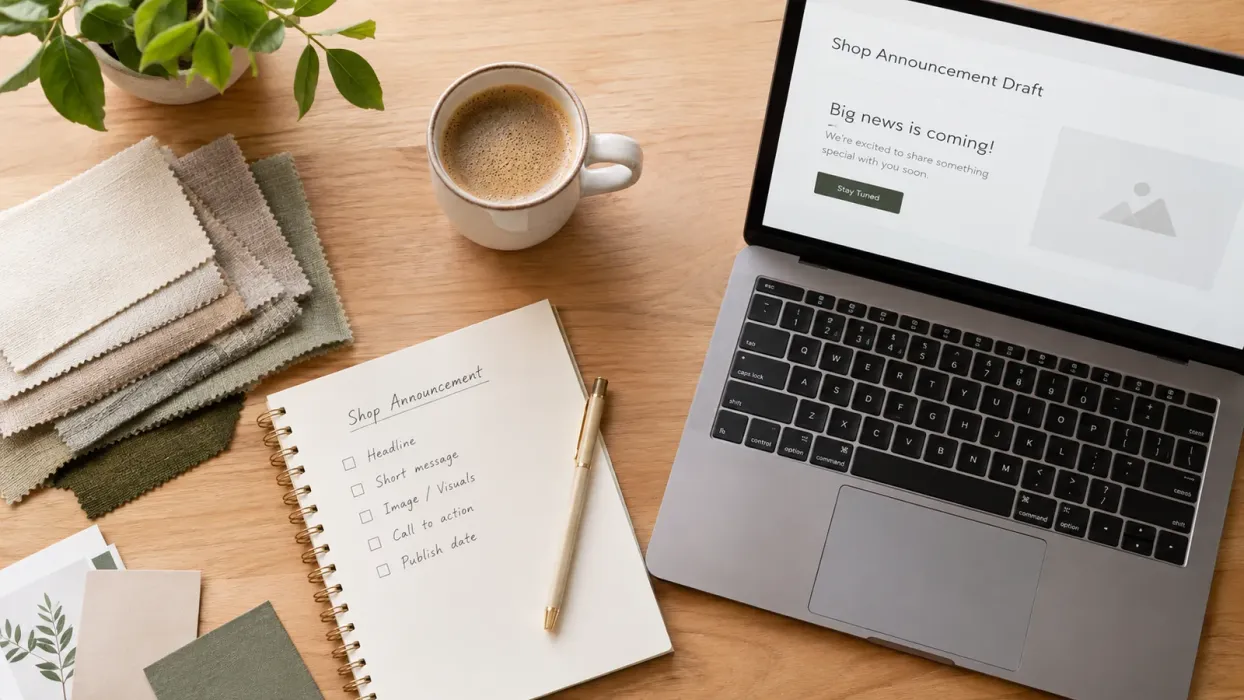
The shop announcement is a small block of text that appears at the very top of your shop’s homepage, above your listings. Many sellers ignore it, leave an outdated holiday message up for months, or use it to say “Welcome to my shop!” This is a wasted piece of premium real estate. The announcement is the first piece of text a visitor reads. It should be doing a job.
Use your announcement to communicate your current processing times, a running sale, or your unique value proposition.
You can also use it to highlight a new collection or a seasonal promotion. The key is to keep it short, update it regularly, and make sure it provides immediate, useful information. A stale or generic announcement is worse than no announcement at all because it signals neglect.
Setting Up Your Etsy Shop Policies the Right Way
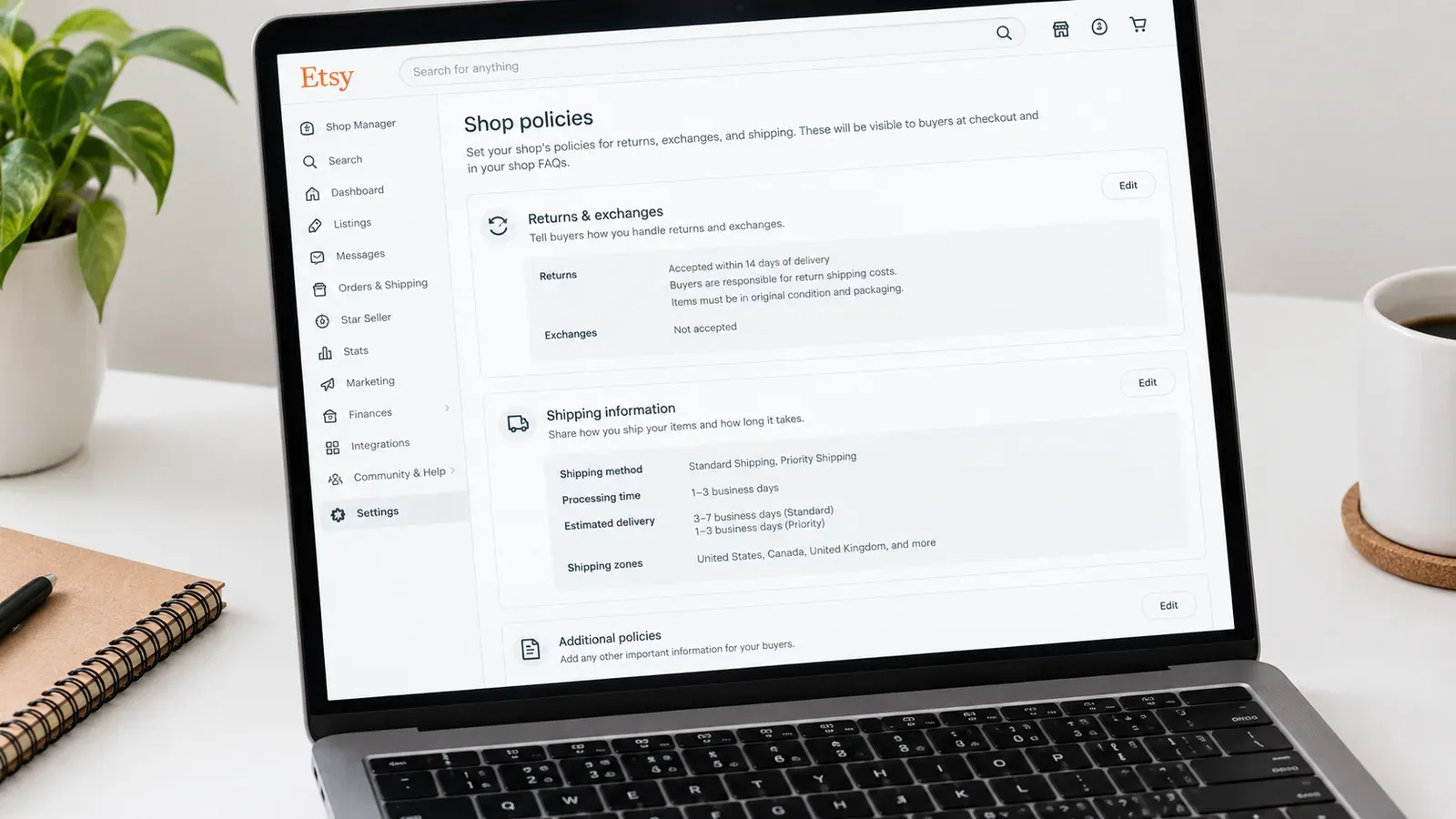
Shop policies are not just legal fine print. They are a promise to your buyer. Clear, fair policies reduce the number of pre-purchase questions you get and protect you when a dispute arises. Etsy requires you to have policies for returns, exchanges, payments, and shipping. If you are a print-on-demand seller, your policies need to be crafted carefully to account for the fact that items are made to order.
Navigating Returns and Exchanges for POD Products
This is the trickiest area for print-on-demand sellers. Because items are custom-made for each customer, you cannot simply resell a returned item. You need to decide on your policy and state it clearly. Many POD sellers accept returns only for items that arrive damaged or with a manufacturing defect, and they require photo proof. Whatever you decide, you must comply with local laws, especially if you sell to customers in the European Union, who have a legal right to return online purchases within 14 days.
For a complete walkthrough of how to write policies that protect your shop while keeping customers happy, read our dedicated guide on Etsy Shop Policies Guide for Print-on-Demand Sellers: Returns, Refunds, and EU Compliance. It breaks down exactly what to include and provides templates you can adapt.
Setting Clear Expectations for Shipping and Production
Your shipping policies should state your production time, the shipping carriers you use, and the estimated delivery times. If you work with a print-on-demand provider that has multiple fulfillment locations, you can mention that orders may ship from different locations and arrive in separate packages. Being upfront about this prevents confusion and negative reviews. You can set up calculated shipping profiles that automatically charge the buyer the correct amount based on their location and the item’s weight, or you can offer free shipping and build the cost into your item price. Both strategies work, but you need to be consistent.
What to Check After Your Shop Optimization is Complete
Once you have filled out every section of your shop, your work is not done. You need to verify that everything looks correct on different devices and that your shop is discoverable. A common mistake is to only preview the shop on a desktop computer. A large portion of Etsy traffic comes from mobile devices, and your banner, announcement, and About section can look very different on a small screen.
Open your shop on your phone and on a tablet. Check that your banner is not cropping your main product image in an awkward way. Check that your announcement is not taking up the entire screen. Check that your shop sections are easy to tap with a thumb. Make adjustments based on what you see.
Next, go back to your Shop Stats. Our guide on Etsy Analytics Explained: How to Read Your Shop Stats and Make Data-Driven Decisions That Actually Grow Sales walks you through exactly which metrics to watch. Pay attention to your “Visits” and “Orders” over the next few weeks. You are looking for a positive shift in your conversion rate, which means that more of the people who visit your shop are deciding to buy.
Finally, remember that shop optimization is not a one-time task. As you add new product lines, your shop sections may need to be updated. As seasons change, your announcement should change. As your brand evolves, your About section should evolve with it. Schedule a recurring 30-minute session on your calendar every quarter to review your entire shop front and make sure it still accurately reflects your brand.
How Listybox Turns Shop Optimization from a Headache into a Done Deal
Ava, the illustrator from our introduction, spent an entire weekend wrestling with Etsy’s settings. She struggled to get her banner to look right on mobile. She Googled “how to write an Etsy About section” and stared at a blank text box for an hour. She got confused about how to write her return policy for made-to-order products and worried she would get it wrong. By Sunday night, she was exhausted and her shop was still only half-finished.
This is the manual grind that burns out new sellers before they even make their first sale. The individual tasks are not complex, but they are numerous, unfamiliar, and spread across different menus in the Shop Manager. The hidden trap is that this setup fatigue causes many sellers to leave critical sections blank, which then silently hurts their sales for months.
The Store Setup Service: Your Shop, Done for You
There is a smarter way. The Store Setup service from Listybox is for sellers who want to skip the setup struggle. Our team sets up your Etsy store, prepares your basic brand identity, publishes your first group of products from the Listybox Product Catalog with SEO-focused texts, and gives you a starter training. It is available inside a custom Enterprise+ offer.
This means you can go from zero to a live Etsy store without spending your weekend fighting with image dimensions. For more about the service, visit the Store Setup: Professional Store Launch feature page.
Does all of this feel overwhelming? You don’t have to start from scratch. With Listybox Store Setup, our team helps you set up your Etsy store. It is available inside a custom Enterprise+ offer, so plan a demo or write to [email protected].
Managing Your Growing Shop with Bulk Edit and Creation Wizard
Once your shop is live, the work shifts from setup to management. As you add new designs and products, you need to keep your shop sections updated, your listings consistent, and your new products flowing. Doing this one listing at a time is slow and repetitive. The Bulk Edit feature lets you select multiple listings and change their titles, descriptions, or tags all at once. You choose the field you want to change, apply the edit, and the changes are active across your entire selection in minutes.
For launching new products, the Creation Wizard is the central hub where your designs and products come together. You select your artworks from your My Artworks cloud-based design vault or the Artwork Gallery, choose the products you want to sell from the catalog, and the Creation Wizard combines them into hundreds of ready-to-list creations in minutes. Each creation has all variants and mockups pre-generated. You review them, make any final adjustments with the Placement Editor, and then publish. It speeds up the work while keeping every final decision in your hands.
To publish on a schedule, use Scheduled Publish. Instead of dumping 50 new listings at once, you set a schedule, like one new listing every six hours. Listybox then automatically publishes them according to that rhythm, keeping your shop consistently updated without you needing to be at your computer.
Your shop’s foundation is what turns a visitor into a buyer. With it in place, your listing SEO efforts finally have the chance to work. Ready to build that foundation? Start free - no credit card required and set up your professional Etsy storefront today.
Listybox
Listybox keeps your Etsy shop work in one place. Create products, publish listings, edit them in bulk and pass print-on-demand orders to production.
Frequently asked questions
Put this into practice in your shop.
Every step from design to live listing, on one platform. Start on the free plan.
Related posts

Want to go deeper? Read our in-depth Etsy guides · Browse 100 Etsy niche guides