


Key takeaways
Orders in One Place: Move beyond manual order checking: your Etsy orders appear in My Orders and tracking numbers are written back to Etsy.
Supercharge Your Listings: Don’t settle for basic descriptions; use AI to write SEO-optimized copy instantly.
Visualize Success: Replace generic mockups with hyper-realistic lifestyle images.
The dream of Print-on-Demand (POD) is seductive: you upload a design, someone else prints it, and you keep the profit. Understanding how Printify works is usually the first stop for new entrepreneurs chasing this dream. The standard model promises a life of freedom, where you act as the creative director while a third party handles the messy logistics of inventory and shipping.
However, seasoned sellers know that the “standard” workflow often conceals a mountain of manual labor. From tracking stock outages to agonizing over SEO keywords, the reality can feel more like a data entry job than a creative business. This guide will walk you through the mechanics of the POD workflow and, more importantly, show you how to upgrade from a manual operator to an automated business owner using intelligent systems like Listybox.
The Anatomy of the POD Workflow
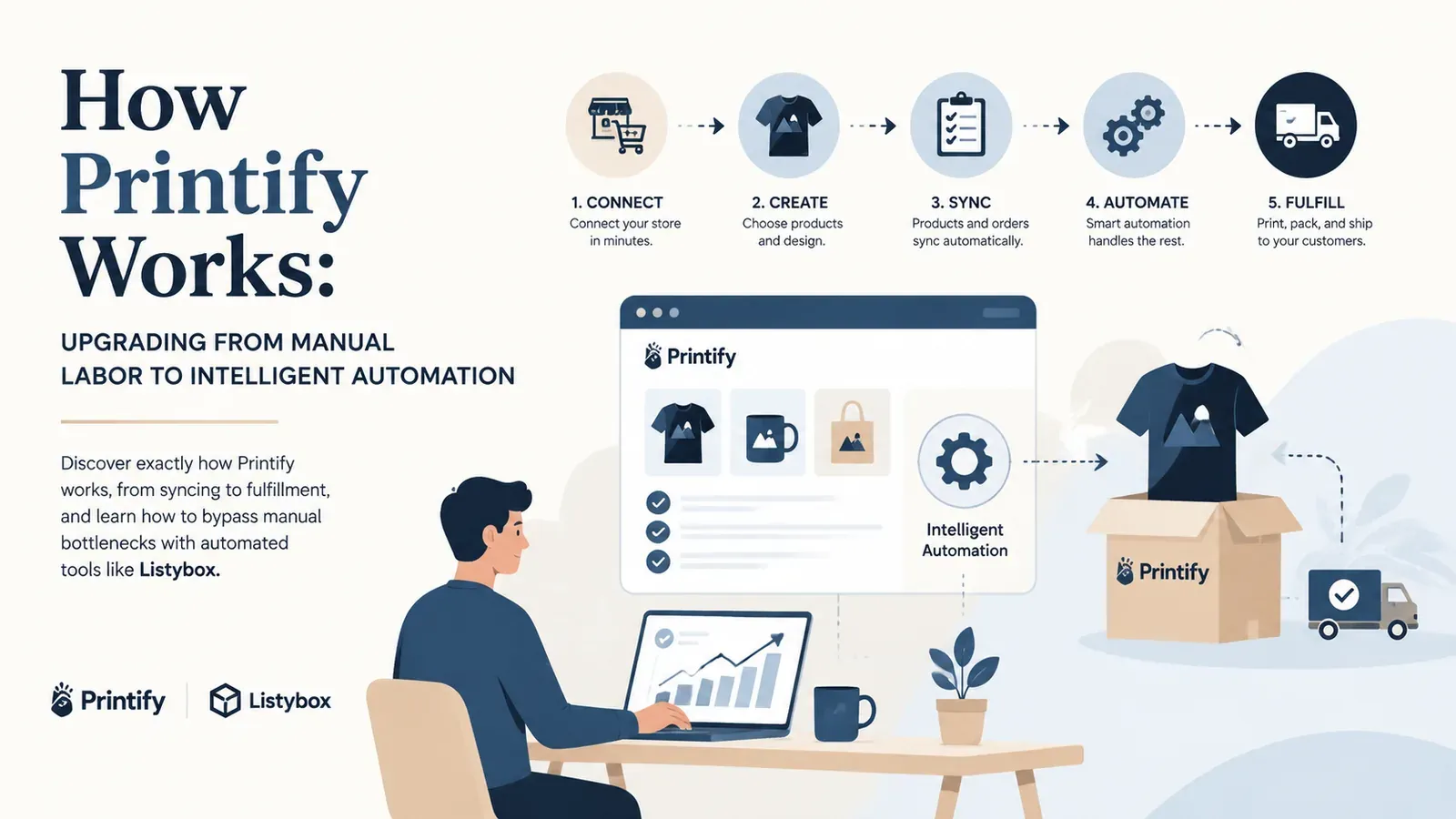
At its core, platforms like Printify act as a middleman connecting you to a network of print providers. The basic mechanism is straightforward, but the devil is in the details. To build a sustainable business, you need to understand each link in this chain and identify where the friction points lie.
1. The Creation Phase
This is where it all begins. You select a blank product - say, a Bella+Canvas 3001 t-shirt - and upload your artwork. In the traditional workflow, you must manually position your design on the mockups. If you want to sell that same design on a hoodie and a mug, you have to repeat the process for every single item. This manual repetition is the first major bottleneck for scaling.
2. The Integration and Sync
Once your product is designed, you “push” or sync it to your Etsy store. This action creates a draft listing on Etsy. The standard data sent over is usually quite bare-bones: a generic title and a manufacturer-provided description that does nothing for your SEO. Most sellers then spend hours rewriting these descriptions to get noticed by the algorithm, a problem easily solved by the Magic Wand SEO tool.
3. Order Processing and Fulfillment
When a customer buys your item on Etsy, the order details are imported back into the POD platform. You are charged for the production cost, and the order is sent to a printing facility. Once produced, the item is shipped directly to your customer with a white-label packing slip. The tracking number is then sent back to Etsy to mark the order as complete.
Publish your next batch.
Prepare your products and publish listings to Etsy in bulk. Start on the free plan.
The Hidden Trap: When Manual Work Kills Growth
Understanding the theory is easy, but executing it at scale is where the “passive income” myth often breaks down. Let’s look at a realistic scenario that highlights the limitations of the basic functionality.
Scenario: The Scaling Nightmare
Meet Mark, a talented illustrator who just discovered POD. His goal was simple: launch an Etsy store featuring his 50 unique character designs on t-shirts and mugs. He envisioned a week of setup followed by months of passive sales.
Mark started enthusiastically with the standard workflow. He quickly realized that uploading 50 designs across just 3 product types meant creating 150 individual listings. He spent his entire weekend dragging and resizing images, copy-pasting generic descriptions, and manually calculating shipping costs. By Sunday night, he was exhausted and had only listed 10 items. The fun was gone.
The real trouble began a week later. An order came in for a Size L Black T-shirt, but his chosen print provider was out of stock. He panicked, frantically searching for another provider with similar pricing, manually editing the order, and losing money on the margin difference. He wasn’t a business owner; he was a firefighter putting out administrative flames.
Just as he was considering quitting, Mark found Listybox. He discovered the Creation Wizard, which allowed him to apply his designs to multiple products in bulk. Instead of hours of manual positioning, the system did it instantly. Even better, with the Zero-Touch Fulfillment feature, his Etsy orders landed in My Orders in Listybox, where he paid for each one, and the tracking number was written back to Etsy.
Before Listybox, Mark was a stressed data entry clerk. After switching to an intelligent automation system, he returned to being an artist, with a store that grew in three months.
Optimizing the Workflow: The Listybox Advantage
Knowing how Printify works allows you to appreciate how Listybox improves upon the foundation. It’s about moving from a “manual tool” to an “intelligent operating system.”
Automated SEO and Content
Standard platforms leave you stranded when it comes to being found on Etsy. You get a product, but you don’t get a marketing strategy. This is where Listybox changes the game.
With features like the Magic Wand SEO tool, you don’t just sync a product; you launch a fully optimized listing. The system analyzes your design and the current market trends to generate titles and tags automatically.
Standard Way: Write titles manually, guess keywords, hope for the best.
Listybox Way: Click one button to generate data-backed titles, descriptions, and 13 tags instantly.
Visual Marketing Automation
A major weakness in the basic POD workflow is the “digital mockup” look. Customers are savvy; they can tell when a design is just digitally pasted onto a flat shirt. It lowers trust and conversion rates.
To see how professional sellers operate, look at their photos. They aren’t using the default provider images. They use lifestyle photography. Listystyle mockup creator places your designs into realistic lifestyle scenes (like a model wearing your shirt in a coffee shop). This bypasses the need for expensive photoshoots or external subscriptions.
Taking the Next Step
Does all of this feel overwhelming? You don’t have to start from scratch. With Listybox Store Setup, our team helps you set up your Etsy store. It is available inside a custom Enterprise+ offer, so plan a demo or write to [email protected].
Understanding how Printify works is essential, but it is only the baseline. To compete in today’s saturated market, you need speed, data, and automation on your side. Don’t settle for being a manual operator.
Start for free - no credit card required
If you would rather keep Printify
Your print provider does not change. Paste your Printify product link into Listybox and build the mockup, the title and the tags here, while production, printing and shipping stay on Printify. The full flow is on the Printify bridge page.
Frequently asked questions
Put this into practice in your shop.
Every step from design to live listing, on one platform. Start on the free plan.
Related posts



Want to go deeper? Read our in-depth Etsy guides · Browse 100 Etsy niche guides