



Key takeaways
Profit margin is not just revenue minus cost – you must account for Etsy fees, shipping, payment processing, and marketing.
A simple formula (Revenue - Total Costs) / Revenue × 100 gives you the real number, but only if you capture every hidden line item.
Manual spreadsheets lie because they miss time cost, returns, ad spend fluctuations, and supplier price changes.
Locking in the lowest production costs is the quietest way to protect margins without raising prices – Listybox’s Lowest Price Guarantee does this automatically.
Automation restores your margin by preventing listing errors, scheduling posts for consistent visibility, and handling fulfillment so you don’t pay with your own time.
Maya is a graphic designer who spent three months perfecting her first print-on-demand collection. She launched ten Etsy listings, poured hours into keyword research, and finally saw her first sale. But when she sat down at the end of the month to calculate her profit, the numbers didn’t add up. She had sold shirts for $28 each, paid $14 per shirt to her print provider, and yet somehow her bank balance barely moved. Maya had fallen into the exact trap that catches most Etsy sellers: she was calculating her margin based on guesswork, not on the real, complete cost of each sale.
If you’ve ever stared at a spreadsheet and wondered where your money went, you’re not alone. Etsy profit margin calculation is deceptively simple on the surface, but the real world is full of hidden costs that eat into your bottom line. In this guide, you’ll learn the full formula, the hidden traps, and how to set up your shop so your margins stay healthy even when you’re not looking at them.
Why Accurate Profit Margin Calculation is the Backbone of Your Etsy POD Business
Picture this: you sell a hoodie for $45. You subtract the production cost of $18 and feel good about a $27 profit. But that’s not profit – that’s a daydream. Your actual profit is what remains after Etsy takes its cut, the payment processor adds its fee, the shipping label is paid, the box or poly mailer is accounted for, and the ad that drove the sale is deducted. If you ignore any of those, you’re not running a business; you’re funding a hobby.
Accurate margin calculation isn’t about being pessimistic. It’s about knowing exactly how much money you can reinvest into new designs, how much you can spend on ads, and whether you can actually afford to pay yourself. Print-on-demand already operates on thin margins compared to buying inventory in bulk. When you also add the complexity of Etsy’s transaction fee, listing fee, and offsite ads fee, the gap between what you think you earn and what you actually earn can get dangerously wide.
The Emotional Cost of Guessing Your Margins
When you don’t know your real numbers, every sale feels like a win. But deep down, you’re anxious. You might be losing money on certain products and not even realize it. You might avoid running ads because you’re not sure you can afford them. You might price your items too low, afraid that a higher price will scare off customers, while in reality you’re working for free. This mental load is exhausting, and it’s one of the biggest reasons new POD sellers quit before they ever get traction.
💡 Practical tip: Before you list another product, open a new spreadsheet and create a column for every single cost you’ll face – even the ones that feel small, like the $0.20 Etsy listing fee. Small costs compound fast.
Understanding your margin isn’t just a math exercise. It’s what lets you sleep at night knowing that every order actually moves your business forward. For a deeper look at the fees that affect your bottom line, check out our complete breakdown of How Much Does Etsy Take From Sellers? The 2026 Fee Breakdown.
What Costs Are You Really Paying? A Complete Breakdown
Most sellers start with the production cost of the item and the price they charge. That’s the tip of the iceberg. Below the waterline sit the fees, the shipping, the packaging, the exchange rate fluctuations, and the occasional refund. To calculate your true margin, you need to include every single one of these.
Production and Shipping: The Direct Costs
For a print-on-demand t-shirt, your production cost might be $12. That’s the base cost you pay to the print provider. But shipping is not always free. If you offer free shipping to the customer, you’re absorbing that cost. So if the production cost is $12 and the shipping cost to the customer is $4.50, your total direct cost before Etsy fees is $16.50. If you sell the shirt for $28, you’re left with $11.50. That’s your gross profit before marketplace fees.
But even that can be misleading if your supplier changes prices. Print providers sometimes adjust costs based on demand, season, or material availability. If you check your supplier’s pricing once a month, you might miss a $0.50 increase that silently eats into your margin. That’s why having a way to lock in the lowest possible production cost is so powerful. When you use Listybox’s Lowest Price Guarantee, the collective buying power of the entire community ensures you’re always paying the best available rate, and your margin doesn’t erode without you noticing.
Etsy Fees: The Marketplace’s Cut
Etsy charges a listing fee, a transaction fee, and sometimes an offsite ads fee. The transaction fee is a percentage of the total sale price, including shipping. So if you sell a shirt for $28 plus $4.50 shipping, Etsy’s transaction fee applies to $32.50. The payment processing fee also applies to the full amount. These fees vary by country, but they always add up. For a $32.50 transaction, you might pay around $2 in combined fees. That’s not huge on one sale, but across 100 sales, it’s $200 gone. If your margin was only $11.50 to begin with, now it’s $9.50. That’s a 17% reduction just from fees.
⚠️ Don’t forget the offsite ads fee. Etsy charges a mandatory fee for sales that come through their offsite advertising, and it can be as high as 15% of the sale total. If you’re not tracking where your sales come from, you might be losing a big chunk of your margin without realizing it.
Marketing and Advertising: The Optional but Common Cost
If you run Etsy Ads, you’re paying for clicks. That cost comes out of your margin. You need to track your ad spend per listing and subtract it from your profit. If you spend $10 on ads to get one sale of a $28 shirt, your profit after all costs might be close to zero or even negative. Many sellers make the mistake of calculating margin without subtracting ad spend, then wonder why their bank account isn’t growing.
Time: The Cost Nobody Talks About
Your time is not free. If you spend two hours a day manually editing listings, updating prices, or fulfilling orders, that’s time you could spend designing, researching trends, or simply living your life. The more you can automate the operational side of your business, the more margin you preserve – not in dollars, but in the freedom to scale. Features like Scheduled Publish and Zero-Touch Fulfillment don’t appear on a profit-and-loss statement, but they absolutely protect your long-term earning potential by keeping you from burning out.
The Step-by-Step Formula for Calculating Your True Profit Margin
Now that you know all the costs that can hide in the shadows, let’s walk through a clear, repeatable formula. This is the method you can use on any product, any time, to see exactly what you’re earning.
The Formula
Profit Margin = (Revenue - Total Costs) / Revenue × 100
Let’s break that down with a hypothetical example. Imagine you sell a mug for $22 with free shipping.
Revenue: $22
Production cost: $7
Shipping cost: $5
Etsy transaction fee (6.5% of $22): $1.43
Payment processing fee (3% + $0.25 of $22): $0.91
Listing fee per sale: $0.20
Packaging materials: $0.50
Etsy Ads spend attributed to this sale: $2
Total Costs: $7 + $5 + $1.43 + $0.91 + $0.20 + $0.50 + $2 = $17.04
Profit: $22 - $17.04 = $4.96
Profit Margin: ($4.96 / $22) × 100 = 22.5%
A 22.5% margin may sound reasonable, but notice that without the ad spend, it would have been 31.5%. That’s a massive difference, and it shows why you must track ad spend per product. If you’re not tracking it, you’re making decisions based on a number that doesn’t reflect reality.
How to Automate the Math So You Don’t Have to Do It Every Time
Doing this calculation manually for every product is a recipe for errors. You can set up a spreadsheet that pulls in your costs, but you still have to update it every time a supplier changes a price or Etsy adjusts a fee. The smarter way is to use a platform that keeps your product costs automatically at the lowest possible level. With Listybox’s Custom Product Hub, you can clone existing products, adjust costs and suppliers, and even create your own products from scratch. When you set your costs accurately there, every listing you create will reflect the real margin, and you don’t have to recalculate from scratch.

The Hidden Trap: Why Your Spreadsheet Lies to You
Maya, the designer we met earlier, had a spreadsheet. She updated it every week. She thought she was on top of her numbers. But her spreadsheet was lying to her, and here’s why: it didn’t account for the cost of returns, the time she spent answering customer questions about sizing, or the fact that her supplier had increased the price of black shirts by $0.75 without any notification. She also wasn’t factoring in the Etsy offsite ads fee that kicked in after she crossed the $10,000 sales threshold. Her spreadsheet said she was making 40% margin. In reality, she was closer to 18%.
The Return and Refund Black Hole
Even though print-on-demand products are made to order, returns still happen. A customer might claim the size is wrong, the color is off, or the print quality is poor. Etsy’s case system often sides with the buyer. If you refund a sale, you lose the revenue, but you’ve already paid the production cost and the shipping. That loss comes straight out of your margin on other sales. If you’re not setting aside a small buffer for returns, one bad month can wipe out a quarter of your profits.
The Supplier Price Change That Sneaks Up on You
Print providers don’t always announce price changes loudly. You might log in one day and find that your go-to hoodie now costs $1 more. If you don’t notice and adjust your pricing, that $1 comes out of your pocket. Over 200 hoodie sales, that’s $200 lost. That’s why Listybox’s Lowest Price Guarantee is so valuable: it’s not a static discount, it’s a dynamic protection. The guarantee ensures that you always pay the best price available, so you don’t have to monitor supplier price changes or worry about inflation eating your margin.
The Time Trap: How Manual Work Kills Your Profit per Hour
Let’s say you spend 10 hours a week on non-design tasks: listing, editing, fulfilling orders. If your profit is $500 for the month, your hourly rate is $12.50. That’s below minimum wage in many places. But if you could reduce that time to 2 hours a week, your effective hourly rate jumps to $62.50. The margin doesn’t change on paper, but the value of your time skyrockets. That’s the kind of margin protection that automation provides. With Zero-Touch Fulfillment, orders are automatically routed to the best-performing producer, and tracking numbers are sent back to Etsy without you lifting a finger. That’s time you can use to design your next bestseller or to take a well-deserved break.
How to Protect Your Margins Without Working Nights and Weekends
There’s a common misconception that protecting your margins means constantly raising prices. But price is only one lever. You can also protect your margin by reducing costs, reducing errors, and reducing the time you spend on repetitive tasks. Here’s how to do all three.
Lock in the Lowest Production Costs Automatically
We’ve already touched on the Lowest Price Guarantee, but it’s worth repeating: the single biggest cost in your margin equation is the production cost. If you can lower that by even $0.50 per item, that’s pure profit that compounds with every sale. Listybox negotiates pricing on behalf of its entire community and passes the savings directly to you. There’s no coupon code to enter, no membership tier to upgrade. It’s automatic and built into every plan.
Eliminate Listing Errors That Trigger Refunds
A misspelled size chart, a wrong color variant, a mockup that doesn’t match the actual product – these are all margin killers. They lead to returns, bad reviews, and lost future sales. When you create listings with the Creation Wizard, you apply designs to products in bulk, and the system generates accurate previews and variants. You can review everything before it goes live, which drastically reduces the chance of a costly mistake.
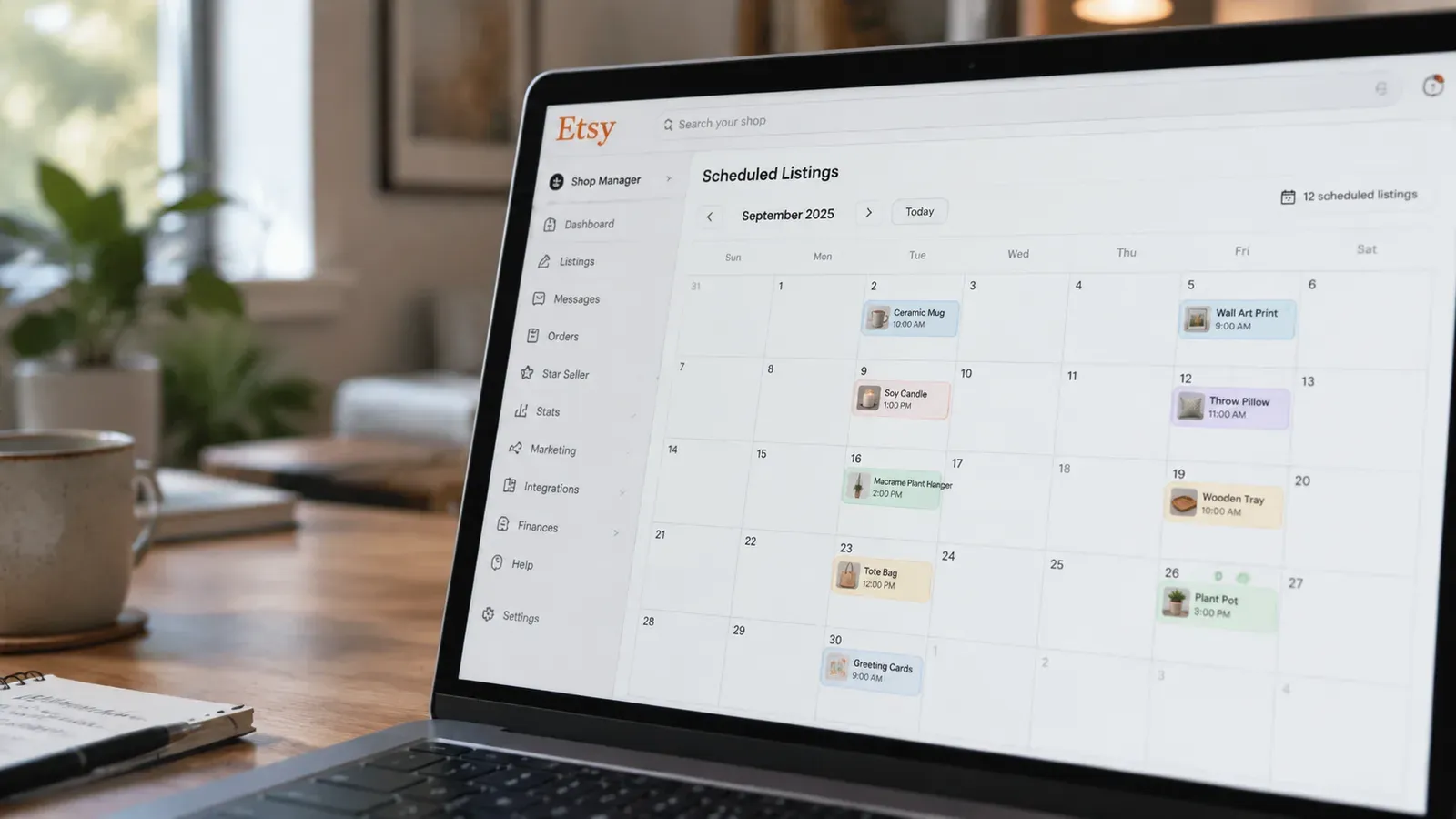
Use Scheduled Publish to Keep Visibility High Without Constant Attention
Etsy’s algorithm rewards consistent activity. If you dump 20 listings on Sunday and then go silent for two weeks, you’re not getting the same visibility. But manually listing every day is exhausting. With Scheduled Publish, you can batch-create listings and then set a schedule – like one new listing every six hours – so your shop stays active and fresh without your constant involvement. More visibility often means more sales, and more sales at the same margin means more total profit.
Automate Fulfillment to Reclaim Your Evenings
Fulfillment is where a lot of sellers lose their margin to time. Each order requires logging into a print provider, checking the details, placing the order, and then updating Etsy with the tracking number. That’s 5-10 minutes per order. At 10 orders a day, that’s over an hour of work. Zero-Touch Fulfillment handles it all automatically, so you can spend that hour designing, marketing, or resting. It’s not a direct cost reduction, but it’s a massive margin protection for your quality of life.
Setting Up Your Shop with Margin in Mind from Day One
If you’re just starting out, the decisions you make in the first week will determine your margins for months. Choosing the wrong print provider, setting prices without a full cost calculation, or ignoring the impact of Etsy fees can put you in a hole that’s hard to climb out of. The best time to set up a margin-friendly shop is before you list your first product.
Start with a Store That’s Built for Profit
Many new sellers spend weeks trying to figure out Etsy’s settings, banner sizes, and shipping profiles. While they’re fiddling with templates, their margins are being decided by default settings. Listybox’s Store Setup service opens your Etsy shop for you, configures your branding, lists your first 10 products with full SEO optimization, and gives you the foundational training you need. It’s included free with Starter and Professional annual plans, so you can launch with a structure that’s already optimized for margin, not just for appearance.
💡 Practical tip: When you set your pricing for the first time, use the full formula we covered earlier and include a buffer for returns and ads. Then, never change your price without re-running the numbers. Small, frequent price increases can scare customers, but a well-researched price that protects your margin from the start is sustainable.
Build a Pricing Strategy That Grows with You
As you scale, your costs will change. You might move to a different print provider, start offering free shipping, or run Etsy Ads more aggressively. Your pricing strategy needs to be a living document, not a one-time decision. With Listybox’s Bulk Editing feature, you can update prices, titles, and tags across hundreds of listings in minutes, not hours. So when you decide to adjust your margin target, you don’t have to spend a weekend clicking through individual listings. You make the change once, and it applies everywhere.
Your Margin is Your Business’s Pulse
Maya eventually turned her shop around. She stopped guessing, started using the real formula, and found a way to lock in lower production costs. She also automated the tasks that were eating her evenings. Her margin didn’t just improve on paper; her life got better. She finally felt like she was running a business, not a never-ending to-do list.
Your margin is more than a number on a spreadsheet. It’s the difference between a side hustle that drains you and a business that supports you. By calculating it correctly, protecting it with the right tools, and automating the parts that steal your time, you give yourself the freedom to create, to grow, and to actually enjoy the income you work so hard for.
Start for free on Listybox – no credit card required and see how the Lowest Price Guarantee, Zero-Touch Fulfillment, and Scheduled Publish can protect your margins from day one.
Listybox
Create listings 10x faster with Listybox.
Frequently asked questions
Put this into practice in your shop.
Every step from design to live listing, on one platform. Start on the free plan.
Related posts



Want to go deeper? Read our in-depth Etsy guides · Browse 100 Etsy niche guides