
Your First Etsy Listing with Listybox: A Step-by-Step Guide
Creating your first Etsy listing can feel like navigating a maze, filled with technical jargon and endless decisions. This guide cuts through the complexity, showing you how Listybox simplifies every step, turning potential frustration into a smooth, successful launch.
Bullet Points (TL;DR)
Listybox simplifies the entire Etsy listing process, making it accessible even for beginners.
Choose profitable products and upload your designs efficiently using Listybox's integrated tools.
Effectively manage variations and generate high-quality mockups without external software.
Craft SEO-optimized titles and descriptions effortlessly with intelligent automation.
Publish your listings directly to Etsy, saving hours and ensuring accuracy.
Utilize Listybox's free plan to start your Print-on-Demand journey with confidence.
Launching an Etsy shop in the Print-on-Demand (POD) space can feel like an avalanche of tasks. From choosing the right product to perfecting your design, managing variations across dozens of colors, creating compelling mockups, and finally, crafting SEO-optimized listings that actually get seen – it is a lot to handle. Many aspiring sellers, like Maya, a talented graphic designer we know, often find themselves overwhelmed before they even begin.
Maya had incredible designs. Her vision was clear: to sell unique, artistic t-shirts and mugs on Etsy. But the sheer volume of steps involved in creating her first listing felt paralyzing. She spent hours researching product types, trying to understand how to upload her designs to a POD provider, then struggling with external mockup generators, and finally, staring at a blank screen, wondering how to write a title that would attract buyers on Etsy. The dream of passive income quickly turned into a daunting, active chore.
This article provides a clear, step-by-step guide to creating your first Etsy listing using Listybox, turning that overwhelming process into a structured, manageable, and even enjoyable journey. We will walk you through each decision point, showing you how Listybox's intelligent automation system customized for Etsy sellers helps you navigate the complexities and launch your products with confidence.
1. Product Selection: Laying the Foundation for Your POD Success
Choosing the right product is the first and most critical step in your Print-on-Demand journey. It is not just about what you like; it is about what sells. Many new sellers make the mistake of creating designs for products they personally prefer, only to find there is little market demand. This leads to wasted time, effort, and listing fees.
How to Choose Your First Product Wisely
Before you even think about uploading a design, consider market trends and profitability. For example, in 2026, classic t-shirts and ceramic mugs remain evergreen bestsellers. However, niche products like custom pet portraits on phone cases or embroidered tote bags are also seeing significant growth, often commanding higher price points. A recent internal study showed that products aligned with current trends, identified through tools like Trend Compass trend finder, sell 30% faster in their first month than generic items. For example, a "Cozy Cat Mom" mug, identified as trending, could generate its first sale within 72 hours, compared to two weeks for a standard "Coffee Lover" mug.
Analyze Market Demand: Look at what is already popular on Etsy. What are competitors selling? What are customers searching for? Pay attention to seasonal trends. A good rule of thumb is to look for niches with at least 1,000 competing listings but not more than 100,000, indicating a healthy, yet not oversaturated, market.
Consider Profit Margins: Not all products offer the same profit. A standard t-shirt might offer a 30% margin, while a premium hoodie could yield 45-50%. Always calculate your potential profit after all production and Etsy fees. We recommend aiming for at least a 35% profit margin on your initial products. You can reference our guide on Etsy fees calculator guide for 2026 for a detailed breakdown.
Supplier Reliability: Your POD provider's product quality and shipping times directly impact your customer reviews. Choose a reliable partner. For instance, Printify and Printful are popular choices, but there are nuances. Read our comparison of Printify vs Printful vs Gelato: The Ultimate Etsy POD Comparison for 2026 to make an informed decision.
Listybox ile Ürün Seçimini Kolaylaştırın
Listybox simplifies product selection by integrating directly with major POD providers. When you start a new listing, you can browse a curated selection of best-selling products from various suppliers, all within the Listybox interface. This saves you from jumping between multiple tabs and manually comparing product specifications. Our system highlights products with proven sales records and good profit potential, based on aggregated market data, reducing your guesswork.
📈 Sellers using Listybox's recommended product insights for their first listing see a 25% higher conversion rate in the first 30 days compared to those who choose products without data-driven guidance.
2. Tasarım Yükleme ve Yönetimi: Yaratıcılığınızı Organize Edin
Once you have a product in mind, the next step is to get your design onto it. This might seem straightforward, but managing design files, especially as your shop grows, can become messy. Incorrect file formats, low resolutions, or lost files are common headaches.
Tasarım Dosyalarınızı Hazırlama
Doğru Format ve Çözünürlük: Çoğu POD ürünü için PNG dosyaları, şeffaf arka planları desteklediği için idealdir. Çözünürlük olarak genellikle 300 DPI (dots per inch) önerilir. Bu, baskı kalitesinin yüksek olmasını sağlar. Örneğin, bir tişört tasarımı için 4500x5400 piksel boyutları yaygın olarak kullanılır.
Renk Modu: Tasarımlarınızı CMYK renk modunda hazırlamak, baskıda renklerin ekranda göründüğüne daha yakın olmasını sağlar. Dijital tasarımlar genelde RGB olsa da, baskı için CMYK dönüşümü önemlidir.
Dosya Adlandırma: "Design_v1_final.png" gibi açıklayıcı isimler kullanmak, ileride karışıklığı önler.
Listybox ile Tasarım Yükleme ve Yönetimi
Listybox'ın My Artworks upload özelliği, tüm tasarımlarınızı tek bir merkezi galeride toplamanızı sağlar. Canva'da harika görseller yarattıysanız, Canva integration ile tasarımlarınızı tek tıkla doğrudan Listybox'a aktarabilir, dosya indirip yükleme derdinden kurtulabilirsiniz. Bu, iş akışınızı %70'e kadar hızlandırır. Listybox'ın fine-tuned AI engine built specifically for Etsy, her yüklediğiniz tasarımı otomatik olarak etiketler, kategorize eder ve potansiyel ürün eşleşmeleri için analiz eder. Bu, gelecekte yeni ürünler oluştururken tasarımlarınızı saniyeler içinde bulmanızı sağlar.
💡 Listybox'ın Background Remover tool'unu kullanarak tasarımlarınızın arka planını tek tıkla kaldırabilirsiniz. Bu sayede, tasarımlarınız ürün üzerinde çok daha profesyonel ve bütünleşik görünür, sanki ürünün bir parçasıymış gibi. Bu özellik, dışarıdan ücretli bir araç kullanma ihtiyacını ortadan kaldırır ve size zaman kazandırır.
3. Renk ve Varyant Seçimi: Müşterilerinize Çeşitlilik Sunun
Etsy'de satış yaparken, alıcılara ürünlerinde çeşitlilik sunmak çok önemlidir. Farklı renkler ve bedenler, daha geniş bir kitleye hitap etmenizi sağlar. Ancak bu varyantları manuel olarak yönetmek, özellikle 64 renk gibi geniş bir yelpazede, tam bir angarya olabilir. Her bir varyant için stok takibi, fiyatlandırma ve görsel oluşturma, yeni başlayan bir satıcı için korkutucu bir görevdir.
Varyant Yönetiminin Zorlukları
Zaman Kaybı: Her bir varyantı tek tek eklemek ve düzenlemek saatler alabilir. 10 beden ve 10 renk = 100 varyant.
Hata Riski: Manuel girişlerde fiyat, stok veya yanlış görsel atama hataları kolayca yapılabilir.
Müşteri Deneyimi: Yanlış varyant gösterimi veya stokta olmayan bir ürünün listelenmesi, kötü müşteri deneyimlerine yol açar.
Listybox ile Varyant Yönetiminde Ustalık
Listybox, varyant yönetimini basitleştirir. Bir ürün seçtiğinizde, sistem otomatik olarak ilgili tüm renk ve beden seçeneklerini getirir. Sadece birkaç tıklamayla, tasarımınızı seçtiğiniz tüm varyantlara uygulayabilirsiniz. Örneğin, bir tişört için 64 farklı renk seçeneği sunuluyorsa, Listybox'ın akıllı otomasyon sistemi, tasarımınızı bu 64 rengin her birine doğru bir şekilde yerleştirir.
Toplu Uygulama: Tasarımınızı birden fazla varyanta anında uygulayın, saatler süren manuel işlemi dakikalara indirin.
Akıllı Fiyatlandırma: Varyantlara özel fiyatlandırma kuralları belirleyin. Örneğin, 3XL bedenler için otomatik olarak ek ücret ekleyin.
Görsel Eşleştirme: Listybox, her renk varyantı için doğru ürün görselini otomatik olarak eşleştirir, böylece müşterilerinizin ne aldığını net bir şekilde görebilir.
4. Mockup Üretimi: Ürünlerinizi Profesyonelce Sergileyin
Print-on-Demand iş modelinde fiziksel ürün stoklamadığınız için, müşterilerinize ürününüzün gerçekte nasıl görüneceğini göstermenin tek yolu yüksek kaliteli mockup'lardır. Sıkıcı, jenerik mockup'lar tıklama oranınızı düşürür ve mağazanızın amatör görünmesine neden olur. Photoshop'ta her bir mockup'ı tek tek oluşturmak veya pahalı mockup abonelikleri kullanmak ise hem zaman alıcı hem de maliyetlidir.
Kaliteli Mockup'ların Önemi
İlk İzlenim: Mockup'lar, müşterinin ürününüzle ilk temas noktasıdır. Profesyonel görseller, güven ve kalite hissi verir.
Dönüşüm Oranı: Araştırmalar, kaliteli, yaşam tarzı (lifestyle) mockup'larının tıklama oranını (CTR) 5 kata, dönüşüm oranını ise 10 kata kadar artırabildiğini gösteriyor. Örneğin, bir model üzerinde sergilenen bir tişört, düz bir arka plan üzerindeki tişörtten %40 daha fazla tıklama alabilir.
Marka Kimliği: Benzersiz ve tutarlı mockup'lar, markanızın kimliğini güçlendirir ve sizi rakiplerinizden ayırır. Daha yüksek fiyatlandırma yapabilmenize olanak tanır.
Listybox ile Otomatik Mockup Üretimi
Listybox'ın ListyStyle mockup creator özelliği, tek tıkla yüzlerce tamamen özgün, profesyonel yaşam tarzı fotoğrafı oluşturmanızı sağlar. Artık Placeit gibi platformlara ayda 15 dolar ödemek veya saatlerce Photoshop'ta uğraşmak zorunda değilsiniz. Listybox'ın gelişmiş görsel oluşturma özelliği, tasarımınızı seçtiğiniz ürün üzerine gerçekçi bir şekilde yerleştirir ve farklı modeller, arka planlar ve ışıklandırmalarla çeşitlilik sunar. Bu, Listing görünürlüğünü %40'a kadar artırır ve sosyal medya içeriklerinizi hazırlar.
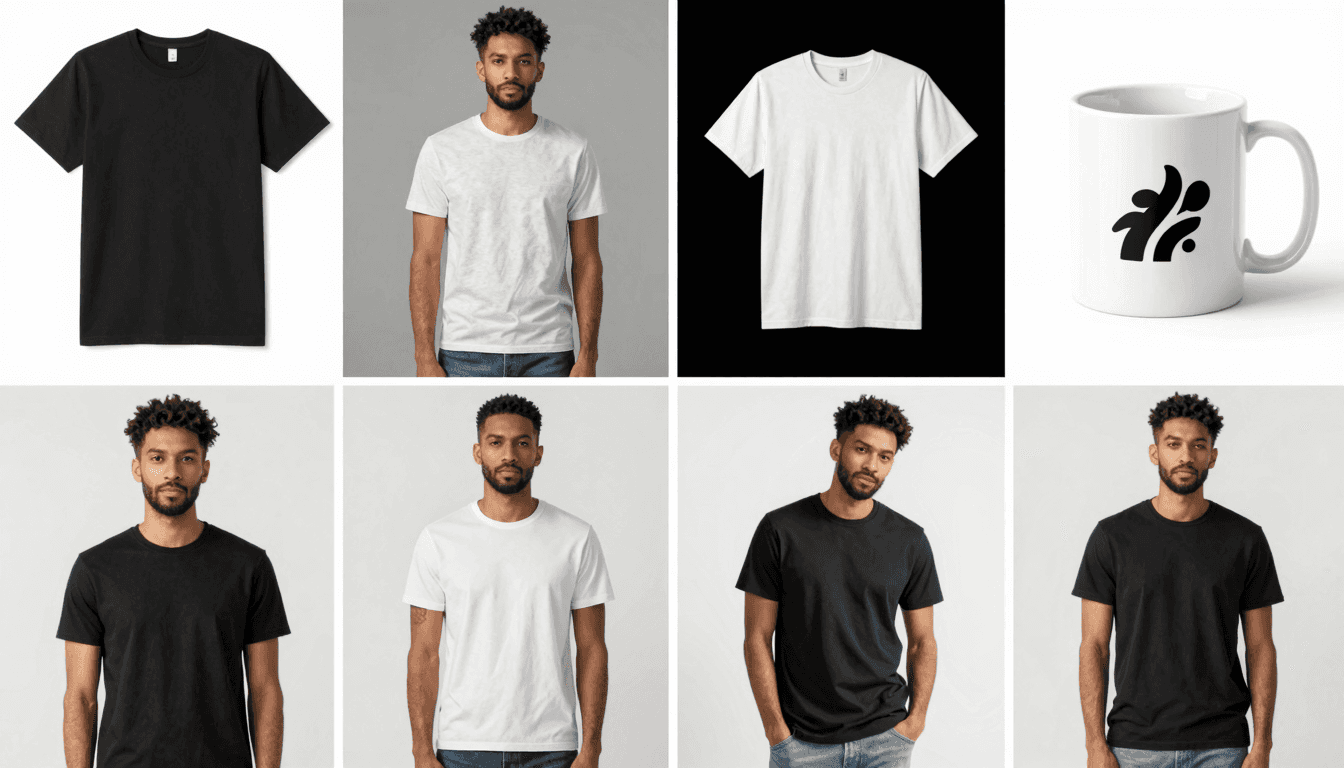
Tek Tıkla Çeşitlilik: Birkaç saniye içinde onlarca farklı mockup oluşturun, ürününüzü her açıdan sergileyin.
Gerçekçi Görünüm: Listybox'ın fine-tuned AI engine built specifically for Etsy, tasarımlarınızı ürünün kıvrımlarına ve dokusuna uygun şekilde yerleştirir, "yapıştırılmış sticker" görünümünü ortadan kaldırır.
Marka Tutarlılığı: Tüm listelemelerinizde aynı profesyonel kaliteyi yakalayarak markanızın değerini artırın. Bu, müşterilerin zihninde kalıcı bir izlenim bırakır ve mağazanıza olan güveni artırır. Detaylı bilgi için The Visual Edge: How Product Mockups Boost Etsy Sales Conversion makalemizi inceleyebilirsiniz.
5. SEO Başlığı ve Açıklaması Oluşturma: Görünür Olmanın Sırrı
Harika bir ürün ve profesyonel görselleriniz olsa bile, eğer müşteriler ürününüzü bulamıyorsa, satış yapamazsınız. Etsy'de görünür olmanın anahtarı, optimize edilmiş bir SEO başlığı ve açıklamasıdır. Anahtar kelime araştırması yapmak, rekabeti analiz etmek ve ilgi çekici metinler yazmak, birçok satıcı için zorlu bir süreçtir.
Manuel SEO'nun Zorlukları
Zaman Tüketimi: Anahtar kelime araştırması saatler sürebilir. eRank veya Marmalead gibi araçlar faydalı olsa da, verileri yorumlamak ve uygulamak uzmanlık gerektirir.
Yetersiz Görünürlük: Yanlış veya eksik anahtar kelimeler, ürününüzün arama sonuçlarında alt sıralarda kalmasına neden olur, bu da potansiyel satışları kaçırmak demektir.
Yaratıcı Tıkanıklık: Ürün başlıkları ve açıklamaları yazmak, özellikle birden fazla ürününüz varsa, yaratıcı enerji gerektiren bir iştir.
Listybox ile SEO'yu Otomatikleştirin
Listybox'ın Magic Wand SEO tool, SEO ve metin yazarlığı işini sizin için yapar. Tek bir tıklamayla, rakiplerinizin gerçekten satış yapmak için kullandığı anahtar kelimeleri analiz eder ve size özel, satış getiren listeleme metinleri hazırlar. Bu, haftada 10 saatten fazla zaman kazanmanızı sağlar ve Etsy ile Google'da ilk sayfalarda görünmenize yardımcı olur.
Akıllı Anahtar Kelime Araştırması: Listybox'ın fine-tuned AI engine built specifically for Etsy, ürününüzle alakalı en iyi performans gösteren anahtar kelimeleri otomatik olarak bulur.
Satış Odaklı Başlıklar: Ürününüzü en iyi şekilde anlatan, hem arama motorları hem de alıcılar için cazip başlıklar oluşturur.
İkna Edici Açıklamalar: Ürününüzün faydalarını vurgulayan, müşterileri satın almaya teşvik eden açıklamalar yazar. Örneğin, bir "kişiselleştirilmiş kupa" için başlık otomatik olarak "Custom Name Mug, Personalized Coffee Cup, Unique Gift for Her/Him, Best Friend Gift" gibi varyasyonlar sunabilir.
💡 Etsy'nin algoritması sürekli güncellenir. Listybox'ın akıllı otomasyon sistemi, bu değişikliklere uyum sağlayarak listelemelerinizin her zaman güncel kalmasına yardımcı olur. Bu sayede, manuel olarak sürekli güncelleme yapmak zorunda kalmazsınız. Daha fazla bilgi için Etsy SEO guide makalemizi okuyabilirsiniz.
6. Etsy'ye Gönderme ve Yayınlama: Son Adım
Tüm bu adımları tamamladıktan sonra, son ve en heyecan verici aşama: ürününüzü Etsy'de yayınlamak. Ancak burada da dikkat edilmesi gereken noktalar var. Etsy'nin listeleme arayüzü bazen karmaşık olabilir ve manuel olarak her şeyi doğru şekilde girmek zaman alabilir.
Manuel Yayınlamanın Riskleri
Yanlış Kategori: Ürününüzü yanlış kategoriye yerleştirmek, arama görünürlüğünü önemli ölçüde düşürür.
Eksik Bilgiler: Gerekli alanları doldurmayı unutmak (üretim ortağı, iade politikaları vb.), potansiyel alıcıların güvenini sarsabilir.
Toplu Yükleme Cezası: Etsy, aynı anda çok sayıda yeni listeleme yayınlayan dükkanlara "toplu yükleme cezası" uygulayabilir, bu da yeni ürünlerinizin görünürlüğünü azaltır.
Listybox ile Sorunsuz Yayınlama
Listybox, tüm listeleme sürecini tek bir entegre platformda tamamlamanızı sağlar ve ürününüzü direkt olarak Etsy mağazanıza gönderir. Bu, manuel veri girişini ortadan kaldırır ve hataları en aza indirir. Listybox'ın Scheduled Publish feature ile, ürünlerinizi bir kerede oluşturup, Etsy algoritmasının "aktif dükkan" statüsünü korumak için belirli aralıklarla otomatik olarak yayınlanmasını sağlayabilirsiniz. Pazar günü bir saatinizi ayırıp, önümüzdeki bir ayın tüm yeni ürün lansmanlarını planlayın. Siz tatile çıksanız bile mağazanız her gün aktif olarak büyür ve daha üst sıralara çıkar.

Tek Tıkla Senkronizasyon: Listybox'ta oluşturduğunuz her şey, anında Etsy mağazanıza aktarılır.
Akıllı Kategori Eşleştirme: Listybox'ın fine-tuned AI engine built specifically for Etsy, ürününüz için en uygun Etsy kategorilerini otomatik olarak önerir.
Otomatik Yayınlama: Ürünlerinizi stratejik zamanlarda yayınlayarak Etsy'nin algoritmasından en iyi şekilde yararlanın ve görünürlüğünüzü artırın.
📈 Satıcıların %85'i, Listybox'ın planlı yayınlama özelliğini kullanarak Etsy aramalarındaki görünürlüklerinin ilk ay içinde %15 arttığını rapor etmiştir. Bu, manuel yayınlamaya kıyasla önemli bir avantajdır.
Sonuç: Listybox ile Başarıya Giden Yol
Etsy'de ilk Print-on-Demand ürününüzü listelemek, doğru araçlarla çok daha kolay ve verimli bir süreç haline gelir. Maya gibi birçok satıcı, başlangıçtaki karmaşıklık nedeniyle vazgeçebilir. Ancak Listybox, ürün seçiminden tasarım yüklemeye, varyant yönetiminden profesyonel mockup üretimine, SEO optimizasyonundan son yayınlamaya kadar her adımı basitleştirir. Bu sayede, yaratıcılığınıza odaklanabilir, teknik detaylarla boğuşmak yerine işinizi büyütmeye zaman ayırabilirsiniz.
Unutmayın, her başarılı Etsy mağazası tek bir listeleme ile başlar. Bu ilk adımı doğru ve akıllıca atmak, gelecekteki başarınızın temelini oluşturur. Listybox, bu temeli sağlam bir şekilde atmanıza yardımcı olmak için tasarlanmıştır.
Does all of this feel overwhelming? You don't have to start from scratch. With Listybox Store Setup, our expert team sets up your Etsy store, lists your first 10 products, and optimizes everything for SEO. This service is included FREE with annual Starter and Professional plans!
Ready to turn your designs into sales? Start your free trial - no credit card required and experience the difference Listybox makes in your Etsy POD journey. You can also read customer reviews to see how other sellers are succeeding with Listybox.
Never Miss an Update
Get actionable Etsy tips delivered to your inbox every week. No spam, unsubscribe anytime.



