
How to Design T-Shirts for Etsy (Or Skip the Process Completely)
Creating high-quality t-shirt designs is the biggest hurdle for new Etsy sellers, often involving complex software and confusing technical specs like DPI. This guide breaks down the essentials of print-on-demand design and reveals how you can bypass the design phase entirely with Listybox's automated tools and Artwork Gallery.
Bullet Points (TL;DR)
Master the Specs: Understand why 300 DPI and transparent PNGs are non-negotiable for professional print results.
Simplify with Integration: Use the Canva integration to streamline your workflow without leaving your dashboard.
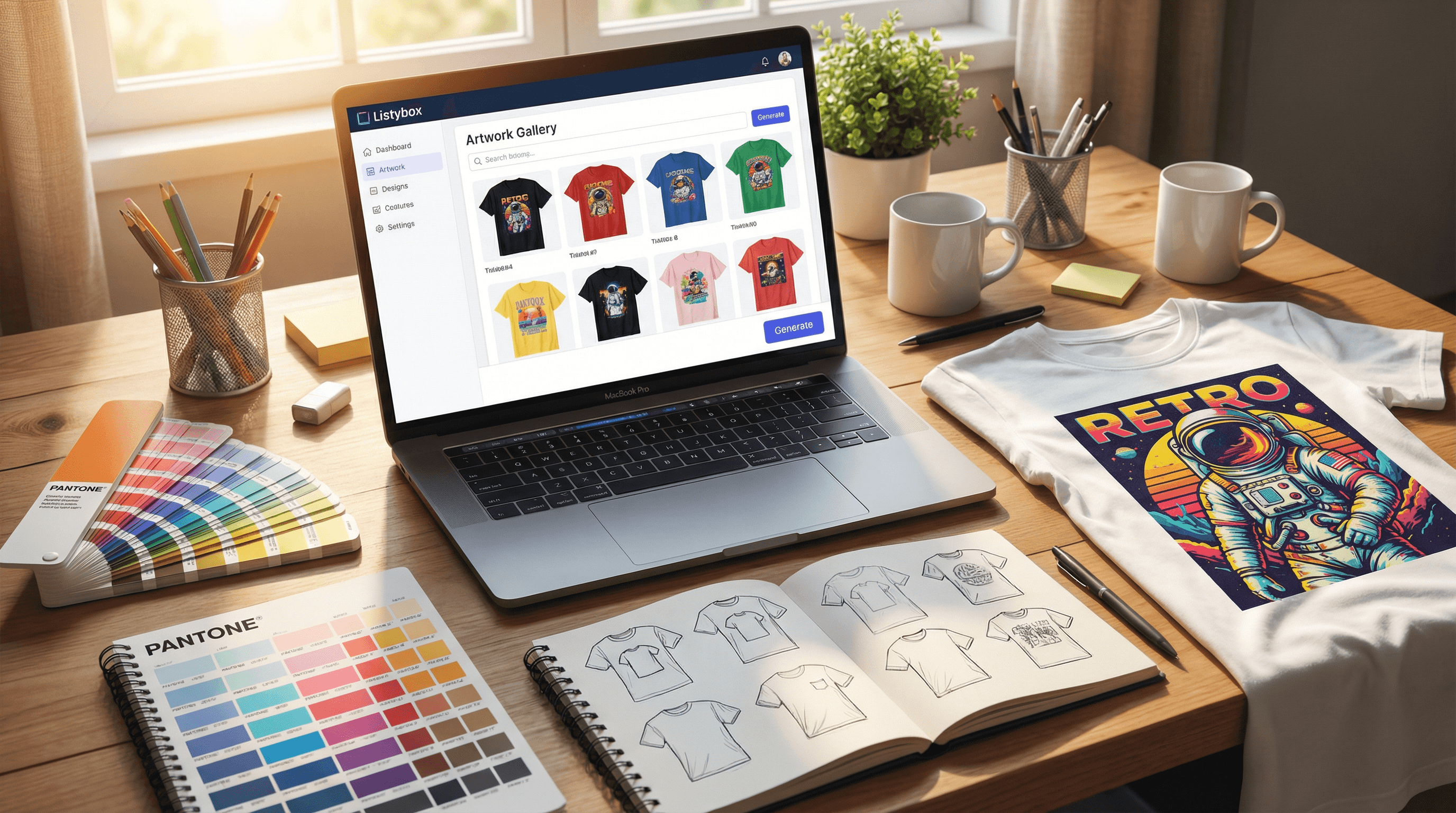
Skip the Design Grind: Access over 100,000 pre-made, high-converting designs in the Artwork Gallery.
Fix Assets Instantly: Use the built-in Background Remover to turn amateur images into print-ready files in one click.
Automate SEO: Let AI write your titles and tags instead of guessing what keywords to use.
So, you want to start a t-shirt business on Etsy. You have the shop name, the ambition, and a niche in mind. But then you hit the wall that stops thousands of aspiring entrepreneurs dead in their tracks: the design process. How do you actually get that idea out of your head and onto a shirt that people will pay money for?
Designing for Print-on-Demand (POD) is a mix of art and technical science. Get it right, and you build a brand. Get it wrong—like messing up your DPI or aggressive cropping—and you end up with blurry prints, angry customers, and refunds.
This guide will walk you through the essential tools and technical requirements for designing killer t-shirts. More importantly, we’ll show you how smart sellers are skipping the "learning to design" phase entirely to launch faster using automation.
The Essential Toolkit: From Photoshop to Canva
In the past, starting a t-shirt business meant being a graphic designer or hiring one. You had to master complex software just to output a simple text slogan. Today, the landscape has changed, but knowing your tools is still the first step.
The "Pro" Route: Adobe Photoshop & Illustrator For years, these have been the industry standard. Illustrator works with vectors (infinite scalability), while Photoshop handles rasters (pixels).
Pros: Ultimate control, professional industry standards.
Cons: Extremely expensive subscription fees and a learning curve that can take months to overcome.
The Accessible Route: Canva Canva democratized design. It’s drag-and-drop, intuitive, and web-based. However, moving designs from Canva to your print provider can be clunky. You often have to download, re-upload, and check for quality loss manually.
This is where workflow integration becomes critical. With the Canva integration, you can bridge the gap. Instead of juggling files between your hard drive and the browser, you can design in Canva and pull those assets directly into your product creation workflow, saving hours of administrative clicking.
Technical Requirements You Can't Ignore (DPI & Formats)
The most common reason for a "bad print" isn't the printer; it's the file. If you upload a low-quality image, no machine in the world can fix it. Here are the three commandments of POD file preparation:
1. Resolution is King (300 DPI) DPI stands for "Dots Per Inch." Screens use 72 DPI, but physical printers need much more density.
The Rule: Always design at 300 DPI.
The Risk: If you grab an image from Google Images (usually 72 DPI) and stretch it to fit a t-shirt, it will print pixelated and blurry.
The Fix: Start your canvas size large, typically 4500 x 5400 pixels. This ensures your design is crisp on everything from a Small to a 3XL.
2. The Color Mode: RGB vs. CMYK Printers use Cyan, Magenta, Yellow, and Black (CMYK) ink. Screens use Red, Green, and Blue (RGB) light.
Most POD providers, like Printify, actually request files in RGB (sRGB profile) because their software handles the conversion.
However, be aware that "neon" colors on your screen will look duller in print because ink cannot replicate the brightness of a computer monitor.
3. Transparency is Non-Negotiable This is where beginners fail most often. A standard JPEG file always has a background (usually white). If you put a JPEG on a black t-shirt, you will print a giant, ugly white square around your design.
To avoid this, you must use PNG files with a transparent background.
But what if you have a great design that accidentally has a white background? Fixing this manually in Photoshop involves the "Magic Wand" tool and lots of zooming in to clean up jagged edges. It is tedious work.
Fortunately, there is a faster way. The Background Remover tool inside Listybox uses AI to detect your subject and instantly delete the background. It saves a transparent PNG copy next to your original file, making it print-ready in seconds without opening elaborate editing software.
How to Sell T-Shirts Without Designing a Single Pixel
Here is the secret that top sellers rarely share: they aren't spending their weekends drawing. They are spending their time researching and selling. If you are not a designer, trying to force yourself to become one is the slowest way to grow.
The "No-Design" Strategy Imagine a seller named Alex.
The Goal: Alex wants to tap into the "Coffee Lovers" niche on Etsy.
The Grind: He spends 5 hours on YouTube watching tutorials on "How to curve text in Illustrator." He finally makes one design. It’s okay, but it looks a bit amateur. He’s tired, frustrated, and has only one product to show for a full day of work.
The Trap: He doubts himself. "Is this good enough?" fear paralyzes him. He doesn't list the product. His shop remains empty.
The Solution: Alex discovers the Artwork Gallery. Instead of staring at a blank canvas, he searches for "Coffee."
He sees hundreds of professional, vetted designs.
He filters by "Best Selling Potential" based on real market data.
He selects 10 unique designs—typography, cute illustrations, and retro styles.
He clicks "Add to Products."
The Transformation: In 20 minutes, Alex went from having zero skills and zero products to having 10 professional listings ready to launch. He bypassed the entire "learning to design" bottleneck.
According to our internal data, sellers utilizing the Artwork Gallery launch products 8x faster than those designing manually, significantly increasing their chances of hitting a viral trend.
Turning Designs into Products: The Placing Nightmare
Once you have your design—whether you made it or found it in the gallery—you face the next hurdle: placement.
If you are using standard POD platforms, you have to upload the image to a t-shirt, resize it, center it, and then repeat that process for the hoodie, the sweatshirt, and the mug. If you have 10 designs and 5 products, that’s 50 manual placements. It is mind-numbing work.
This is why you need a system like the Placement Editor. This feature allows you to perfect the placement on one product and then bulk-apply those rules to hundreds of other products instantly. It acts as your automated art director, ensuring your brand looks consistent across your entire catalog without the manual repetition.
The Final Step: Getting Your Designs Found
You have mastered the file formats, or perhaps you smartly used the gallery to skip ahead. You have your products ready. Now, does the world know they exist?
A beautiful design with a terrible title will never sell because no one will ever see it. You need to tell Etsy's algorithm exactly what your design is.
Instead of guessing keywords like "cute shirt," use the Magic Wand SEO tool. This AI analyzes your design (literally "looks" at the image) and generates high-ranking titles, 13 relevant tags, and persuasive descriptions. It ensures that the professional design you just secured actually gets the traffic it deserves.
Ready to Start Your Store?
Does all of this technical talk still feel overwhelming? If you are starting from zero, setting up the shop itself can be just as daunting as the design process.
You don't have to start from scratch. With Listybox Store Setup, our expert team sets up your Etsy store, lists your first 10 products, and optimizes everything for SEO. This service is included FREE with annual Starter and Professional plans!
Designing t-shirts doesn't have to be a struggle. Whether you choose to learn the tools or leverage the power of a pre-made gallery, the key is to move fast and prioritize action over perfection.
Start your free trial - no credit card required and explore the Artwork Gallery today.
Never Miss an Update
Get actionable Etsy tips delivered to your inbox every week. No spam, unsubscribe anytime.



