


Key takeaways
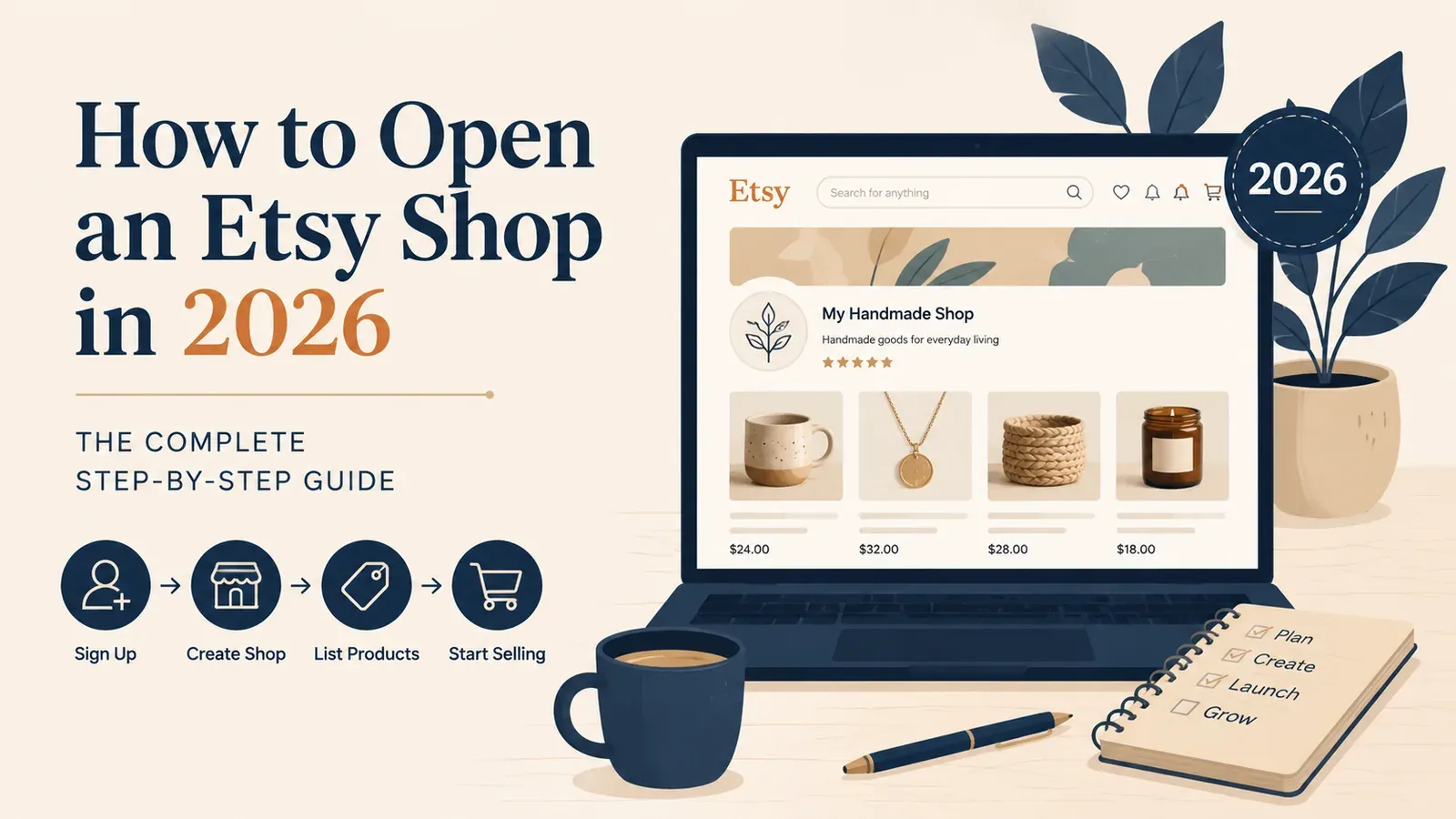
Follow a clear, step-by-step process to set up your Etsy shop in 2026 without confusion.
Understand the real costs: a $0.20 listing fee, transaction fees, and no mandatory monthly charge.
Choose beginner-friendly products like print-on-demand or digital downloads to start selling fast.
Avoid common mistakes like incomplete listings or ignoring Etsy’s policies to boost your first sale.
The idea of making money online while you sleep is incredibly appealing. You have probably watched dozens of videos about people quitting their day jobs to sell custom t-shirts, mugs, and wall art on the internet. You want to start your own online business, and you know that Etsy is one of the biggest marketplaces in the world.
But when you actually sit down at your computer to begin, the reality hits you. You need to figure out product research, design creation, supplier integration, shipping profiles, and search engine ranking. Suddenly, the dream of passive income feels like a complicated, stressful second job. You stare at a blank screen, wondering what to name your store, what to sell, and how to avoid losing money on fees.
This guide will walk you through the exact process of starting a print-on-demand business on Etsy in 2026. We will look at the harsh realities of the platform, the manual work involved, and the modern methods top sellers use to bypass the beginner struggle entirely.
Is Opening an Etsy Shop Still Profitable in 2026?
The short answer is yes. However, the rules of the game have changed significantly over the past few years. You can no longer upload a simple text design on a white t-shirt, cross your fingers, and expect thousands of dollars in sales. The platform has matured, and customer expectations are higher than ever.
According to Statista’s recent e-commerce reports, Etsy hosts tens of millions of active buyers who are specifically looking for unique, personalized, and creative items. The traffic is already there. You do not need to spend thousands of dollars on Facebook ads to get people to visit your store. Etsy brings the customers to you, provided you play by their rules.
The main reason beginners fail is not a lack of traffic; it is operational burnout. When you try to do everything manually, you spend hours copying and pasting shipping addresses, answering angry customer emails about late packages, and trying to figure out why your listings are invisible. To be profitable in 2026, you must think like a business owner, not a stressed-out employee of your own store.

Try it in your shop.
Every step from design to live listing, on one platform. Start on the free plan.
What Are the Exact Steps to Start an Etsy Print on Demand Business?
If you are ready to take the leap, you need to follow a specific sequence to get your store live. Here is the step-by-step breakdown of the manual process every seller must go through.
Step 1: Choosing Your Niche and Target Audience
Before you register an account, you need to know who you are selling to. A common mistake is creating a “general store” that sells funny cat shirts, serious political mugs, and floral wedding invitations all in one place. This confuses the algorithm and your customers.
Instead, pick a specific audience. For example, you might focus entirely on gifts for nurses, or matching apparel for dog owners. When you have a clear niche, writing your titles and tags becomes much easier because you know exactly what your target customer is typing into the search bar. If you struggle with ideas, read our guide on Etsy SEO guide to learn how to research what people are actually buying.
Step 2: Creating Your Etsy Seller Account
Go to Etsy’s homepage and click “Sell on Etsy.” You will be asked to enter your email address, name, and a password. Next, you will set your shop preferences: your default language, country, and currency.
Then comes the hardest part for many beginners: choosing a shop name. Your name must be unique, under 20 characters, and have no spaces or special characters. Do not spend three weeks stressing over this. Pick something clean and memorable. You can always change it once later if you really need to.
Step 3: Stocking Your Shop with Your First Listing
Etsy requires you to create at least one product listing to complete the shop setup process. This is where the manual agony usually begins for print-on-demand sellers.
You have to go to a design software, create an image, download it, go to a supplier website, upload the design to a virtual product, generate a generic mockup image, download that image, go back to Etsy, upload the photo, write a 140-character title full of keywords, write a 300-word description, add 13 specific tags, calculate your pricing, and set up a complex shipping profile.
Doing this for one product takes about 30 to 45 minutes. To have a successful store, you need hundreds of products. The math is terrifying.
Step 4: Setting Up Billing and Security
After you force your way through the first listing, Etsy will ask how you want to get paid. You will need to link a bank account. They will also ask how you want to pay your seller fees, which requires linking a credit or debit card. Finally, you must set up two-factor authentication to keep your new business secure.
Step 5: Connecting a Production Partner
If you are doing print-on-demand, you are not printing the shirts in your living room. You need a partner. Manually connecting a supplier means installing their app, syncing your products, and hoping the connection does not break.
When a customer buys your product, the manual process requires you to log into your supplier’s website, pay for the product out of your own pocket, type in the customer’s address, and wait for a tracking number. When the tracking number arrives days later, you have to copy it, go back to Etsy, mark the order as complete, and paste the number so the customer knows it shipped.
Now imagine doing that 50 times a day during the holiday rush. It is a recipe for human error, wrong addresses, and bad reviews.
This is exactly why we built Listybox’s intelligent automation system customized for Etsy sellers. When an order comes in on Etsy, it appears in My Orders in Listybox. You pay the production and shipping cost for that order from this screen, and production does not start before payment. Our partner print providers in the US then print the product and ship it straight to your buyer, and Listybox writes the tracking number back to your Etsy order. You never have to copy an address or paste a tracking link again.
The Hidden Trap: How Much Does It Actually Cost to Open an Etsy Store?
Technically, opening the account is free. But listing products and making sales is not. Many beginners fail to calculate their margins correctly and end up losing money on every sale they make. You must understand the math before you start.

The Listing Fee
Every time you publish a product on Etsy, they charge you $0.20. This listing is active for four months or until the item sells. If you want to list 500 items to look like a professional store, that is $100 right out of the gate. If an item sells, you pay another $0.20 to renew the listing for the next buyer.
Transaction and Payment Fees
When you make a sale, Etsy takes a 6.5% transaction fee on the total order amount, which includes the shipping cost. On top of that, Etsy Payments charges a processing fee, which varies by country but is typically around 3% plus $0.25 per transaction in the US.
For a deep dive into these numbers and how to price your items safely, check out The Complete Etsy Fees Calculator Guide for 2026.
The Hidden Costs of Software
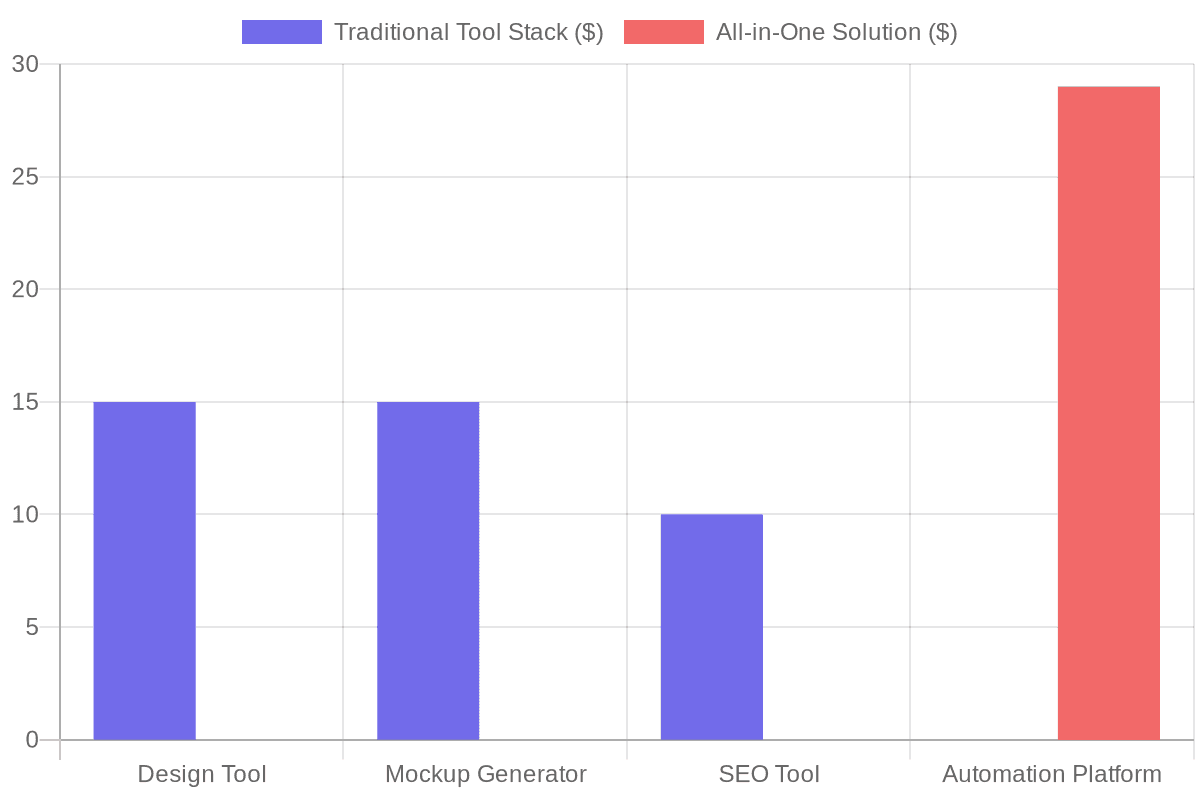
Beyond Etsy’s fees, beginners quickly realize they need tools to compete. You might pay $15 a month for a design tool. You might pay another $15 a month for a premium mockup generator like Placeit because the standard supplier mockups look cheap and fake. You might pay $10 a month for an SEO keyword tool.
Paying for multiple monthly subscriptions before you have consistent sales puts massive pressure on your new business and drains your starting budget quickly.
We believe you should not have to buy five different software subscriptions just to have a chance at success. Our Listystyle feature generates hundreds of hyper-realistic, professional lifestyle photos for your products with a single click, completely eliminating the need for expensive mockup subscriptions.
How Do You Find Winning Products for a New Etsy Shop?
The biggest roadblock for new sellers is the creative process. You stare at a blank canvas, wondering what people actually want to buy. You might try to draw something yourself, only to realize it looks amateurish. You might buy cheap design bundles online, only to find out 10,000 other sellers are using the exact same graphics, leading to price wars and zero visibility.

Stop Guessing and Start Using Data
Successful sellers do not guess what will sell; they look at market trends and search data. However, manually tracking trends across social media and analyzing keyword search volume takes hours of tedious research every single day.
Instead of struggling with creative block, you can start from the Listybox Artwork Gallery. You can browse over 100,000 data-driven designs, reserve them to make them uniquely yours, and apply them to products instantly. It completely removes the fear of not being a designer.
What Is the Fastest Way to Scale a Brand New Etsy Store?
Let’s say you have figured out your designs and you understand the fees. Now you need traffic. The Etsy algorithm heavily favors shops that are consistently active.
The Power of Algorithmic Consistency
If you upload 100 products on a Sunday and then do nothing for a month, the algorithm assumes your shop is inactive and lowers your ranking. The secret to fast growth is consistent, daily activity.
But who has the time to log in every single day and manually create a new listing? It is exhausting. You have a life, a family, and possibly a full-time job.
This is where smart sellers pull ahead. By using the Listybox Creation Wizard, you can take one great design and apply it to multiple products - shirts, mugs, hoodies - in mere minutes, generating hundreds of ready-to-sell items.
Once those items are created, you do not publish them all at once. You use our Scheduled Publish feature. You can tell the system to release one new product every 6 hours. You spend one hour on the weekend setting this up, and the listings go live on the schedule you chose.
Writing Listings That Actually Sell
Having a great product is only half the battle. If your title and tags do not match what buyers are searching for, your product will sit on page 50 of the search results, completely invisible.
The SEO Struggle
Beginners often write titles like “Cute Red Coffee Mug.” A buyer looking for a gift will never search for that. They search for “Funny Nurse Graduation Gift Coffee Mug Under 20.” Finding these long-tail keywords manually requires cross-referencing multiple tools and spreadsheets.
Writing compelling descriptions that convince the buyer to click “Add to Cart” is another skill entirely. Most sellers just paste the boring manufacturer details about fabric weight and shipping times.
Listybox’s fine-tuned engine built specifically for Etsy includes a tool we call the Magic Wand. With one click, it analyzes current market trends and writes a title, 13 tags, and a description tailored to your product and design. It saves you hours of keyword research.
The Ultimate Shortcut: Skip the Beginner Phase Completely
Starting a business requires momentum. When you get bogged down in the technical details of connecting suppliers, figuring out image dimensions, and setting up shop policies, you lose that momentum. You get frustrated before you even have a chance to experience the joy of your first sale.
Does all of this feel overwhelming? You don’t have to start from scratch. With Listybox Store Setup, our team helps you set up your Etsy store. It is available inside a custom Enterprise+ offer, so plan a demo or write to [email protected].
Opening an Etsy shop in 2026 does not have to be a painful, manual grind. By understanding the platform, respecting the fees, and using tools that speed up repetitive work, you can build your shop step by step. Your time is your most valuable resource. Stop spending it on repetitive tasks and start focusing on your growth.
Ready to start your Etsy shop? start Listybox now - no credit card required and see how the tools fit your workflow.
Frequently asked questions
Put this into practice in your shop.
Every step from design to live listing, on one platform. Start on the free plan.
Related posts



Want to go deeper? Read our in-depth Etsy guides · Browse 100 Etsy niche guides