

The Etsy Listing Box: How to Make Yours Unmissable and Triple Your Click-Through Rate

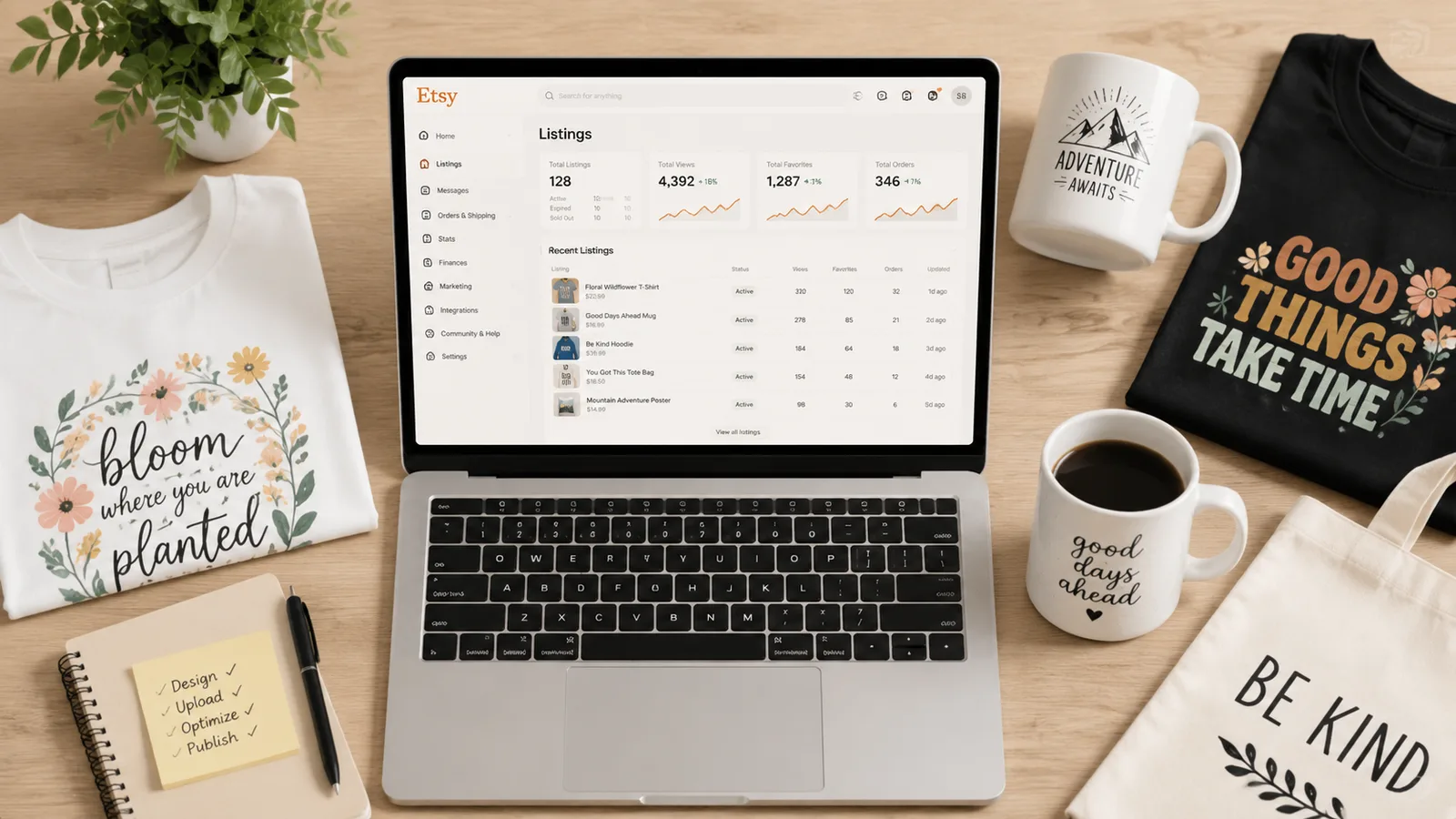
Key takeaways
• The first image and title are the two biggest drivers of listing box clicks - lifestyle photos and front-loaded keywords are non-negotiable.
• Free mockups make your listing box look identical to thousands of others, killing your click-through rate.
• Even if your SEO is perfect, a weak listing box means you’ll get impressions but zero clicks, wasting your Etsy ad spend.
• Listybox’s Magic Wand writes SEO-optimized titles, and Listystyle creates unique lifestyle images, both in minutes.
Imagine you’ve spent hours perfecting your SEO, picking the right tags, and even running Etsy ads. You check your shop stats and see a flood of impressions - but barely any clicks. That’s the silent killer of Etsy shops: a weak listing box. It’s the tiny rectangle shoppers see in search results, and if it doesn’t in minutes grab their attention, they scroll right past it.
Meet Lucas. He opened his Etsy Print on Demand store three months ago with 20 cleverly designed t-shirts. He followed all the advice on keyword research, filled his tags, and even ran a small ad campaign. His impressions were decent, but his click-through rate (CTR) was stuck at 0.8%. The problem wasn’t his SEO - it was his listing box. He was using the same free mockup generator as 10,000 other sellers, and his titles were long, keyword-stuffed sentences that Etsy truncated after the first few words. Shoppers never saw the good stuff.
Lucas’s story is painfully common, but the fix is simpler than most sellers think. The listing box isn’t some mysterious algorithm trick; it’s a combination of visual and text signals that you can control. In this guide, we’ll break down exactly what makes a listing box click-worthy, why most sellers sabotage theirs without knowing it, and how to automate the entire optimization process so you can focus on design and sales.
What Exactly Is an Etsy Listing Box?
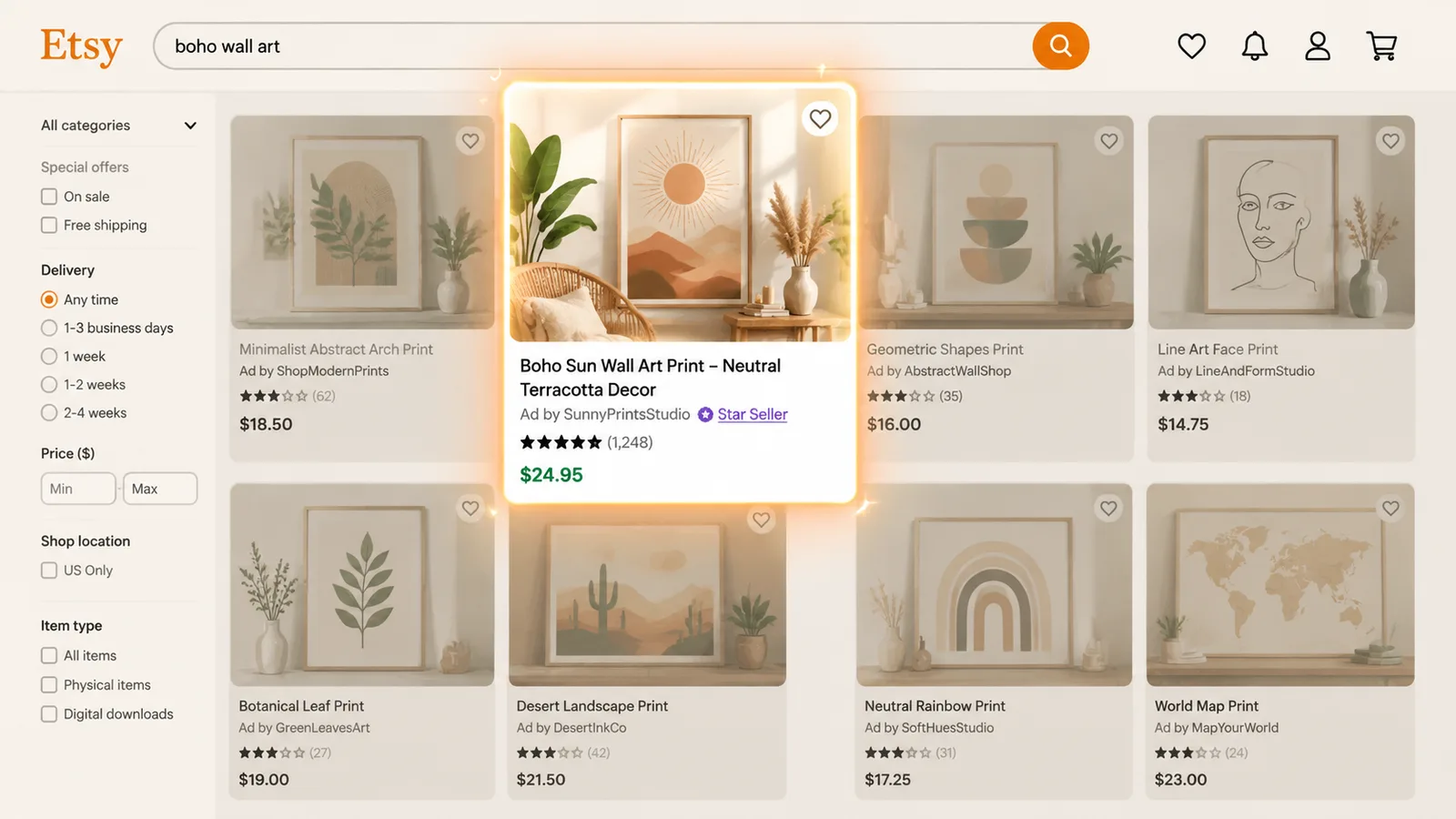
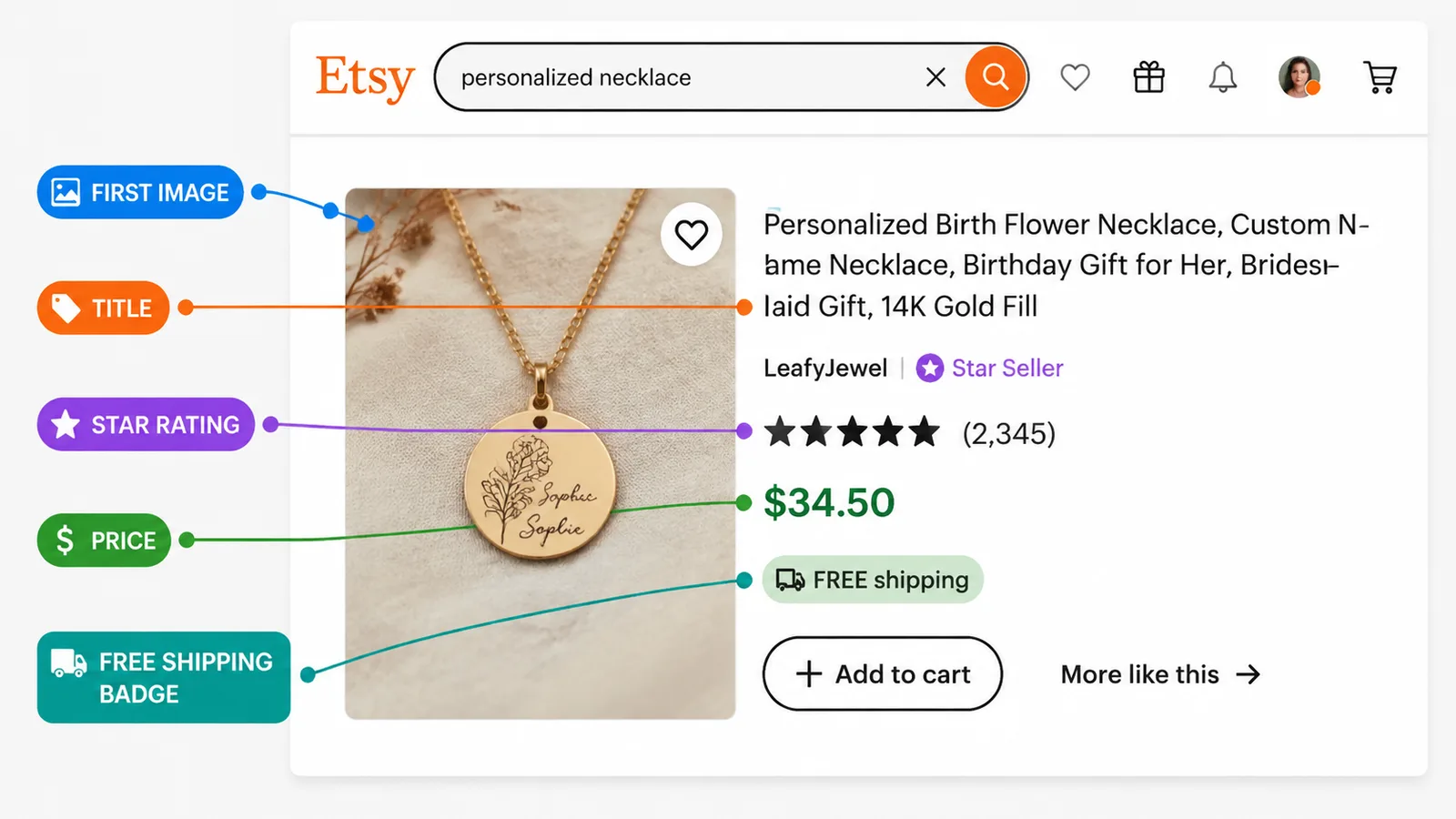
When a shopper types a search query on Etsy, they see a grid of rectangular cards. Each card is a listing box. It contains the first product image, the title, the price, the shop name, the star rating, and whether the item offers free shipping. This tiny container is your one shot to earn a click. If it fails, everything else - your description, your tags, your variations - never gets seen.
The search results page is where the buying decision starts. A shopper makes a split-second call to click or scroll based solely on the listing box, and the first image carries most of that call - the title and price finish it. If your listing box isn’t optimized, you lose visitors before they read a single word of your description.
For a deeper dive into how Etsy’s ranking system works, check out our guide on How to Get Your Etsy Listing on the First Page: The 2026 Playbook. But for now, know this: visibility gets you impressions, but the listing box gets you clicks. And without clicks, you don’t have a business.
Publish your next batch.
Prepare your products and publish listings to Etsy in bulk. Start on the free plan.
Why Your Etsy Listing Boxes Are Getting Impressions but Zero Clicks
Lucas isn’t alone. Many sellers pour hours into SEO and advertising, then wonder why their traffic is flat. The gap between impressions and clicks almost always comes down to three fatal mistakes inside the listing box itself.
The First Image Looks Like Everyone Else’s
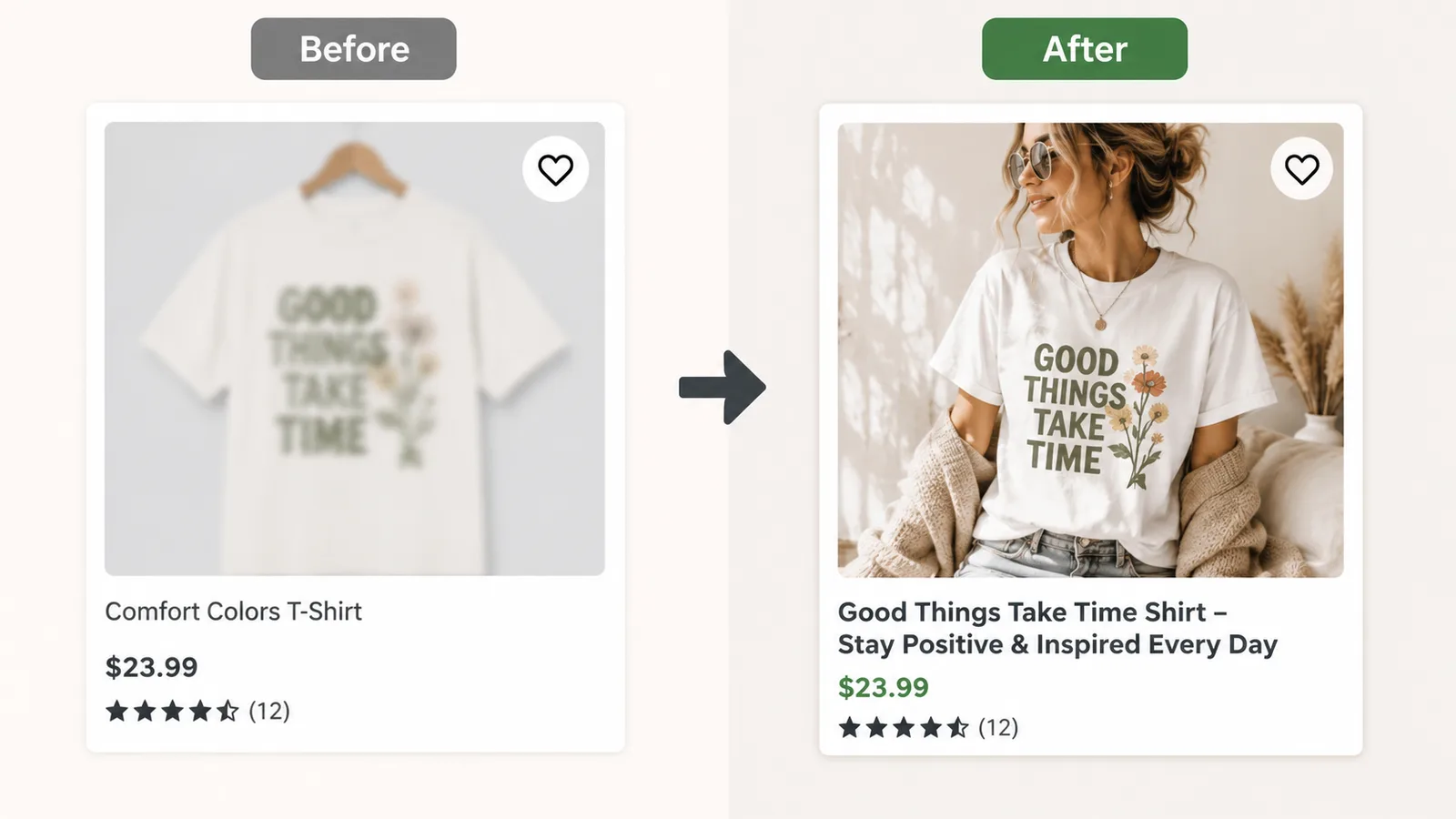
If you’re using a free mockup generator, your listing box is a clone of thousands of others. The same blank t-shirt on the same white background with the same flat lighting. Shoppers have learned to ignore these. They look cheap, untrustworthy, and worst of all, forgettable. The shops that break out of this pattern do the same thing: their first photo shows the product being used, not floating on white.
⚠️ Using the same free mockup as 10,000 other sellers can make your listing box look generic and untrustworthy. Shoppers scroll past identical images in milliseconds.
The Title Is a Mess of Keywords, Not a Hook
Etsy truncates titles in search results after about 30-40 characters on mobile. So if your title reads “Funny Cat T-Shirt, Cute Cat Lover Gift, Birthday Present for Cat Mom, Anime Cat Tee” the shopper only sees “Funny Cat T-Shirt, Cute Cat Lover…” That might be enough to communicate the product, but it’s not a hook. It doesn’t create curiosity or urgency. The best listing boxes front-load the most compelling, benefit-rich phrase and let the rest carry SEO weight.
💡 Place your most important and click-enticing phrase at the beginning of your title. Etsy truncates titles after 30-40 characters in search, so front-load your strongest hook.
The Price and Shipping Signal Confuse the Shopper
If your listing box shows a price that’s higher than the surrounding competitors, or if it lacks the “Free Shipping” badge, the shopper’s brain registers hesitation. Even if the product is exactly what they want, the combination of a higher price and no shipping incentive can be enough to make them click the next listing instead. Free shipping is a signal Etsy itself pushes sellers toward, and its absence next to a higher price hands the shopper an easy reason to move on.
The Anatomy of a High-Converting Etsy Listing Box
Now that you know what breaks a listing box, let’s build one that clicks. Every element needs to work together to stop the scroll and earn that tap.
The First Image: Your Visual Hook
This is the single most important factor. The image must do three things: show the product clearly, place it in a context that resonates with the buyer, and look professional. Flat lay mockups or isolated product shots are fine for additional images, but the first image needs to tell a story. A lifestyle photo of a person wearing your t-shirt while laughing with friends, or a mug sitting on a cozy desk with a steaming latte, creates an emotional connection. It says, “This is what your life could look like with this product.”
That’s why Listybox created Listystyle. Instead of hunting for stock photos or paying for mockup subscriptions, you can generate hundreds of unique, realistic lifestyle images in minutes. For more on why free mockups are quietly killing your sales, read our article Free T Shirt Mockup: Hidden Costs and Smarter Alternatives for Etsy Sellers.
The Title: Your Click-Bait (But SEO-Friendly)
The title is the second pillar. You need to balance two things: a hook that makes the shopper want to click, and the keywords that help Etsy connect your listing to the right search. The trick is to lead with a short, punchy phrase that captures the product’s value or emotion, then follow with descriptive keywords. For example, “I’m Not Retired I’m a Professional Grandma | Funny Retirement T-Shirt Gift for Grandma” immediately tells the shopper who this is for and why it’s funny. The keyword-rich part comes after the pipe, which Etsy’s algorithm still reads but the shopper’s eye doesn’t need to process.
Writing these titles manually for every listing is a time sink. The Magic Wand feature inside Listybox analyzes the top-selling listings in your niche and generates SEO-optimized titles in one click. You can edit them, of course, but the heavy lifting is done. For a full step-by-step on SEO optimization, see Etsy Listing SEO Optimization: Your Step-by-Step Guide to Visibility and Sales.
The Price and Shipping Signal
Price is a competitive battlefield, but you don’t have to be the cheapest. You just need to be in the same range as the top sellers for your niche. The listing box also shows the original price with a strikethrough if you’re running a sale, which can create urgency. Equally important is the “Free Shipping” tag. Etsy’s algorithm favors shops that offer free shipping, and buyers filter for it. Even if you build the shipping cost into the product price, that little green badge can be the difference between a click and a scroll.
Leveraging Star Ratings and Review Count
A listing box with a 4.8-star rating immediately signals trust. If you’re a new shop with no reviews, your listing box will look empty, which can hurt clicks. One strategy is to launch with a few products that you can sell to friends and family at a discount to get those initial reviews. But more importantly, every listing box that gets clicks and sales will eventually accumulate ratings. The key is to get those first clicks. Once you have a winning listing box formula, the reviews will follow.
The Hidden Trap: Free Mockups Are Destroying Your Click-Through Rate
Back to Lucas. His biggest mistake was relying on the same free mockup generator that every other POD seller uses. He thought he was saving money, but he was actually bleeding potential sales. The problem isn’t just the visual sameness; it’s a trust issue. A buyer who sees the exact same mockup style across five different shops starts to question if any of those products are real. They might even assume it’s a dropshipping scam.
Listystyle solves this by generating lifestyle images for your listing. Listystyle reads your design and target audience, then places your product into realistic scenes that match your niche. For example, a “Camping Enthusiast” t-shirt appears on a person sitting by a campfire, not floating on a white background.
📈 Open your own category and look at the first row of results. Count how many first photos show the product in use. That number is your opening.
How Listybox Automates Your Listing Box Work
Manually optimizing each listing box is a grind. You need to research keywords, write a hook, edit the title, create a lifestyle image, and then repeat for every product. If you have 100 listings, that’s a full-time job. Listybox turns this into a few minutes of work.
Start with the Magic Wand. After you create a listing (a product plus a design inside the Creation Wizard), click Magic Wand, and it in minutes generates a title, 13 tags, and a description based on real-time top-seller data. No more staring at a blank screen.
Then, for the visual, open Listystyle. Choose how many lifestyle images you want, and within minutes you have a gallery of unique, high-resolution photos ready to use as your first image. You can pick the one that best matches your brand vibe and upload it directly to your listing.
Once your listing is live, the job isn’t over. You need to keep tweaking to see what works. With Listybox’s Bulk Editing tool, you can update titles, tags, or even swap out images across hundreds of listings at once. If you notice a pattern - like listings with “gift” in the title perform better - you can add that word to all relevant listings in minutes. It’s the kind of optimization that would take days manually, compressed into a single workflow.
For sellers who want to go even deeper, the Best Etsy Search Analytics Tool: A 2026 Comparison for Sellers article breaks down how to track your listing box performance and adjust your strategy based on data, not guesswork.
Ready to try Listybox? Start Listybox now - no credit card required.
Your listing box is the gatekeeper of your entire Etsy business. It’s the difference between a shop that gets 10,000 impressions and 100 clicks, and one that gets 10,000 impressions and 1,000 clicks. The best part is that you don’t have to be a designer or a copywriter to get it right.
Frequently asked questions
Put this into practice in your shop.
Every step from design to live listing, on one platform. Start on the free plan.
Related posts



Want to go deeper? Read our in-depth Etsy guides · Browse 100 Etsy niche guides