

Niche Gemstones on Etsy: How to Research, Design, and List Without the Manual Grind

Key takeaways
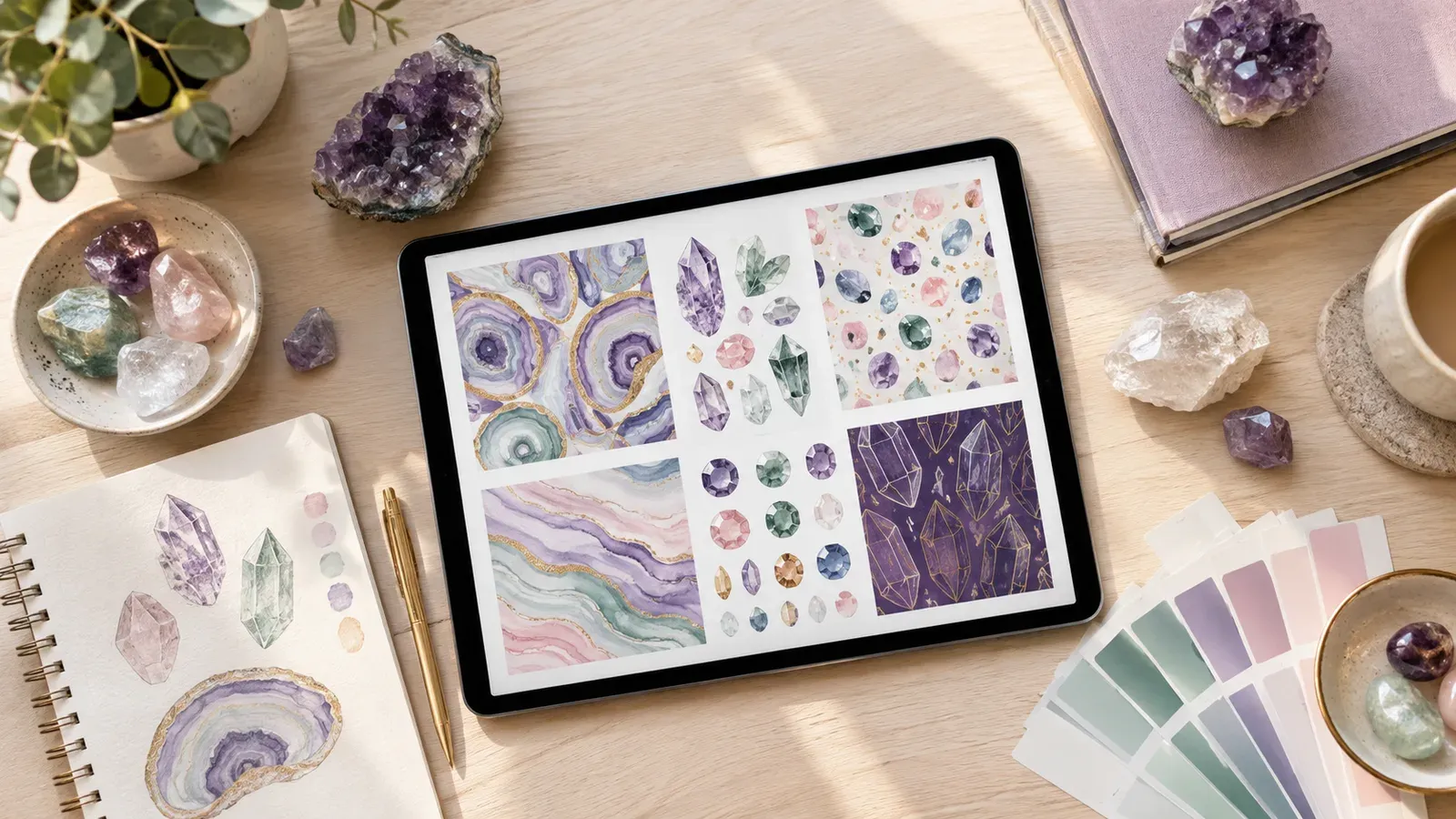
Niche gemstone designs work best when each product line serves one clear buyer interest, such as birthstones, crystal meanings, or mineral collector gifts.
Check current Etsy listing and transaction costs in the official fee pages before you set prices, because rules can change.
Build a repeatable research routine: note trends, save competitor patterns, and record which gemstone themes match your brand.
Use Magic Wand, Creation Wizard, and Bulk Edit to move from one design to many listings in minutes, while you review every field.
Use Scheduled Publish to spread launches out so your team can check each batch before it goes live.
Start with a small set of gemstone products, measure your own workload, and grow only after your process feels steady.
Olivia runs a small brand that sells gemstone-inspired apparel and home decor on Etsy. She works with one designer and a part-time assistant. Her goal for this year is simple: launch a focused line of niche gemstone products, keep every listing accurate, and avoid burning out her team on repetitive uploads. This article follows her workflow so you can see the practical steps, the hidden friction, and where a workspace like Listybox can take over the repetitive parts.
Niche gemstones are a tempting category. Buyers often look for specific meanings, such as birthstone months, crystal intentions, or mineral collector gifts. The challenge is that a narrow theme needs many small decisions. You need the right keywords, consistent titles, product mockups, variations, and tags for each design. Doing that by hand is where many small shops lose momentum.
How to Research a Gemstone Niche Before You Design Anything
Olivia starts with research, not artwork. She picks three possible angles: birthstone calendars, healing crystal meanings, and geology hobbyist gifts. For each angle, she writes down the buyer, the occasion, and the words that buyers might type. This keeps her focused on what people are actually looking for, not on what she finds visually pretty.
Research does not have to be complicated. Olivia keeps a simple spreadsheet with four columns: theme, likely buyer, occasion, and product types that fit. A birthstone angle might suit mugs and sweatshirts for gift giving. A geology angle might suit tote bags and posters for collectors. She prefers themes where the meaning is clear enough to explain in a single sentence.
If you want a broader framework for picking themes, read our guide on The 2026 Etsy Print on Demand Niche Research Guide. It walks through how to narrow a niche before you commit to a design style.
Checking Trends Without Guessing
Trend signals change often, so Olivia does not rely on one search. She compares what she sees on Etsy search results, social posts, and gift guides. She notes repeated phrases, colors, and product formats. She also checks whether a gemstone theme is seasonal, such as a holiday gift push, or evergreen, such as a birthstone collection.
Listybox includes Trend Compass, a feature that scans trend sources and suggests trend-based design ideas. Olivia treats its output as a starting list, not a final decision. She still checks each idea against her brand, her buyer notes, and what she can produce well. The seller stays in control of which themes make it into the shop.
Try your first design.
Try your design on a product and prepare its Etsy listing in Listybox.
Designing a Gemstone Line That Feels Like One Brand
Consistency matters more than volume at the start. Olivia chooses one visual language for her gemstone line: a limited palette, simple line-art gems, and a fixed text style for names and meanings. When each design shares the same look, buyers can recognize the shop quickly, and her team spends less time making fresh decisions for every file.
She also decides which products fit the line. Instead of listing every product type, she starts with four: a crewneck sweatshirt, a t-shirt, a canvas print, and a tote bag. This keeps her review workload manageable and gives her a clear test of which formats draw interest.
💡 Pick a small set of products for your first gemstone batch. A tight line is easier to review, price, and check for mistakes than a long catalog launched all at once.
Keeping Your Design Files Organized
Olivia uploads her gemstone artwork into a single library so her assistant can find every file by theme. Listybox calls this space My Artworks, and it supports bulk uploads so a whole folder of designs can be prepared together. Naming files by stone and meaning, such as “amethyst-february-line-drawing,” saves time later when she builds listings.
For background cleanup, she uses the Background Remover on My Artworks. This creates a transparent version of a design next to the original, which helps when she places a gem graphic on different product colors. She still checks edges and fine lines before approving any file.
Writing Listings That Are Accurate and Easy to Review
Listing copy is where many gemstone shops lose clarity. Olivia wants titles that name the stone, the meaning, and the product, without stuffing in unrelated words. She also wants tags that match real buyer phrases and descriptions that answer basic questions about fit, material, and care.
Her manual method used to look like this: she wrote a title, typed 13 tags, drafted a description, then repeated the process for each color and size variant. With four products and a dozen designs, that became a long series of repeated edits. Small mistakes crept in, such as a wrong birth month in one title or a leftover tag from another design.
Listybox offers Magic Wand, which writes SEO-focused titles, tags, and descriptions for each creation. Olivia uses it as a first draft. She reads every title, edits the wording to match her brand voice, removes any tag that does not fit, and confirms that the description matches the actual product. The final choice always stays with her.
For more on search-friendly listing text, see our guide on Etsy Search Engine Optimization: The 2026 Guide to Getting Found. It covers the basics of titles, tags, and attributes that help buyers find products.
Using Bulk Edit to Fix Repeated Mistakes
Once a batch of listings is live, Olivia often needs to correct the same field across many products. For example, she might want to add a care note to every apparel listing or update a shipping sentence after a policy change. Doing this one listing at a time is slow and error-prone.
Bulk Edit lets her select the listings she wants to change, choose the field, such as title, description, or tags, and apply an add, replace, or remove action. She reviews the change list before applying it. This is useful for correcting a repeated typo, but she is careful: a bulk change applied to the wrong selection can spread a mistake, so she checks the selection every time.
⚠️ Bulk changes multiply errors as well as fixes. Always preview the selected listings and read a sample of the new text before you apply an edit to a whole batch.
Creating Product Mockups and Variations at Scale
Each gemstone design needs to appear on several products and colors. Olivia used to build each mockup by hand, which took most of her assistant’s week. Now she uses Creation Wizard, which gathers designs and products in one place and combines them into a set of creations, including variants and mockups.
She previews each creation before anything is published. In the Placement Editor, she can adjust where a gem graphic sits on a sweatshirt or tote, then apply that placement to other selected creations. If one design looks too small on a tote, she fixes it once for that product type rather than repeating the work for every item.
Olivia also tests Combo Listing for apparel. This feature combines several product types, such as a t-shirt and a sweatshirt, into one listing where the buyer chooses a product type from a variation menu. The product images then update to match that choice. She uses this only when the designs and sizing charts make sense together.
Want to see how a Placement Editor workflow looks in practice? Our article on Free T Shirt Mockup: The Hidden Costs and Smarter Alternatives explains why placement quality matters before you publish.
Scheduling Launches So Your Team Can Keep Up
A large gemstone batch can overwhelm a small team if everything goes live on the same day. Olivia sets her launches in smaller waves. She prefers to publish one product family at a time so she can watch how the shop looks and fix issues before the next group appears.
Scheduled Publish allows her to set a time interval, such as one listing every few hours or once a day, after the listings are prepared. This does not decide the content for her. She reviews the batch first, then sets the schedule. If she notices a problem, she pauses the plan and corrects the affected listings.
The schedule also helps her keep the shop active without staying online all day. The batch was checked, the timing was chosen, and the publishing happens in the planned order.
Pricing and Fees: Check the Source Before You Set Prices
Pricing a gemstone line requires real numbers, and this is where Olivia is most careful. She does not copy prices from other shops or rely on memory of what fees used to be. Instead, she checks the current Etsy fee pages, calculates her own costs for materials, printing, shipping, and packaging, and then decides on a margin she can sustain.
Etsy charges a $0.20 USD fee for listing an item for sale. Taxes may also apply.
Etsy, bir ürünü satışa listelemek için 0,20 USD listeleme ücreti alır. Vergiler ayrıca uygulanabilir.
Those are the only fee statements in this article. For the complete and current list of costs, check the official Etsy fee information directly, and confirm the rules for your country before you publish. Your own supplier costs, print costs, and shipping rates are the numbers that matter most for your margin, so write them down before you set any price.
Olivia keeps a costs sheet that lists each product, supplier cost, packaging, and the fees she has confirmed from official sources. When a fee changes, she updates the sheet first and then reviews the prices of affected listings. This habit prevents surprises.
For a deeper look at fees, read What Percentage Does Etsy Take? A Complete 2026 Fee Breakdown for Sellers. Use it as a planning aid, then confirm current rules on the official pages.
Handling Orders and Print-on-Demand Fulfillment
Once gemstone products sell, the work moves from listing to fulfillment. Olivia uses print-on-demand production, so each order must be sent to a production partner with the correct design, product, size, and color. Missing details or manual copying can cause delays and customer messages.
Zero-Touch Fulfillment is the Listybox feature that detects a new Etsy order, sends the required details to a production partner, and receives tracking information once the item ships. It can then update the Etsy order and inform the customer. Olivia still checks the order flow and reviews any exceptions, because she wants to know how each order is handled.
Her team also keeps a simple exception list: orders with custom notes, unclear addresses, or product changes. These need human review before anything is sent. Automation handles routine orders, while the team handles the unusual ones.
Keeping Your Gemstone Shop Honest and Compliant
Gemstone themes invite claims about healing, luck, or spiritual benefits. Olivia avoids promising outcomes. She describes the meaning of a stone as a design theme, such as “a birthstone-inspired sweatshirt for a February gift,” rather than a guarantee of results. She also checks that her designs do not copy another brand’s trademarked logo or artwork.
Refund and return rules are another area to review. Shop policies and platform rules change, so Olivia reads the current Etsy policy pages and her own shop policy before she writes buyer-facing text. She avoids copying a one-line refund promise from another seller, because the right policy depends on the product type, the production process, and the rules that apply to her shop.
Your workflow should include a legal and policy check before launch. Read the current Terms of Service for the Listybox workspace and the marketplace rules for your shop, then keep a short checklist for each new product family.
A Practical Workflow You Can Copy
Olivia’s process now follows a clear sequence. She researches the niche, picks a small product set, prepares designs in My Artworks, builds creations in Creation Wizard, drafts listing text with Magic Wand, reviews every field, uses Bulk Edit for approved corrections, schedules publishing in waves, and reviews fulfillment exceptions each week.
Here is the same workflow as a short checklist:
Choose one gemstone theme and one buyer occasion.
Narrow the line to three or four product types.
Upload and name your artwork so it is easy to find later.
Prepare creations and check placement on every product.
Generate listing drafts, then edit titles, tags, and descriptions by hand.
Confirm current Etsy fees and your own costs before pricing.
Schedule launches in small batches and review each wave.
Watch order exceptions and keep your policy text up to date.
None of these steps needs a special talent. They need a repeatable routine, a careful reviewer, and tools that save time on repetitive tasks. Olivia’s team still makes every final decision, and that is the point: the workspace speeds up the grind, while the seller keeps the judgment.
Where Listybox Fits Into Your Gemstone Plan
Listybox is one workspace where an Etsy seller can run the shop: creating products, writing and publishing listings, editing many listings at once, scheduling launches, and handling print-on-demand fulfillment. For a gemstone line, that means the research, design, listing, and fulfillment steps can live in one place instead of across scattered files and spreadsheets.
If you are still deciding which products to test, you may also find our guide on Design Clothes to Make Money: The 2026 Guide for Etsy Print on Demand useful. It covers product choices that fit a small, focused line.
Does all of this feel like a lot to manage alone? You do not need to build the whole system at once. Start with one gemstone theme, one product type, and one batch. When you are ready to test the workflow, you can Start free - no credit card required and see how the steps fit your shop.
Olivia began with four products and one birthstone theme. Within her first review cycle, the team found the process easier to repeat, and they could spend more time on design quality and customer messages. That is the realistic goal: a calmer workflow, clear checks, and a shop that grows at a pace you can manage.
Listybox
Listybox keeps your Etsy shop work in one place. Create products, publish listings, edit them in bulk and pass print-on-demand orders to production.
Frequently asked questions
Put this into practice in your shop.
Every step from design to live listing, on one platform. Start on the free plan.
Related posts


Want to go deeper? Read our in-depth Etsy guides · Browse 100 Etsy niche guides