

No Inventory Dealer: The 2026 Etsy Print-on-Demand Guide for Selling Without Stock

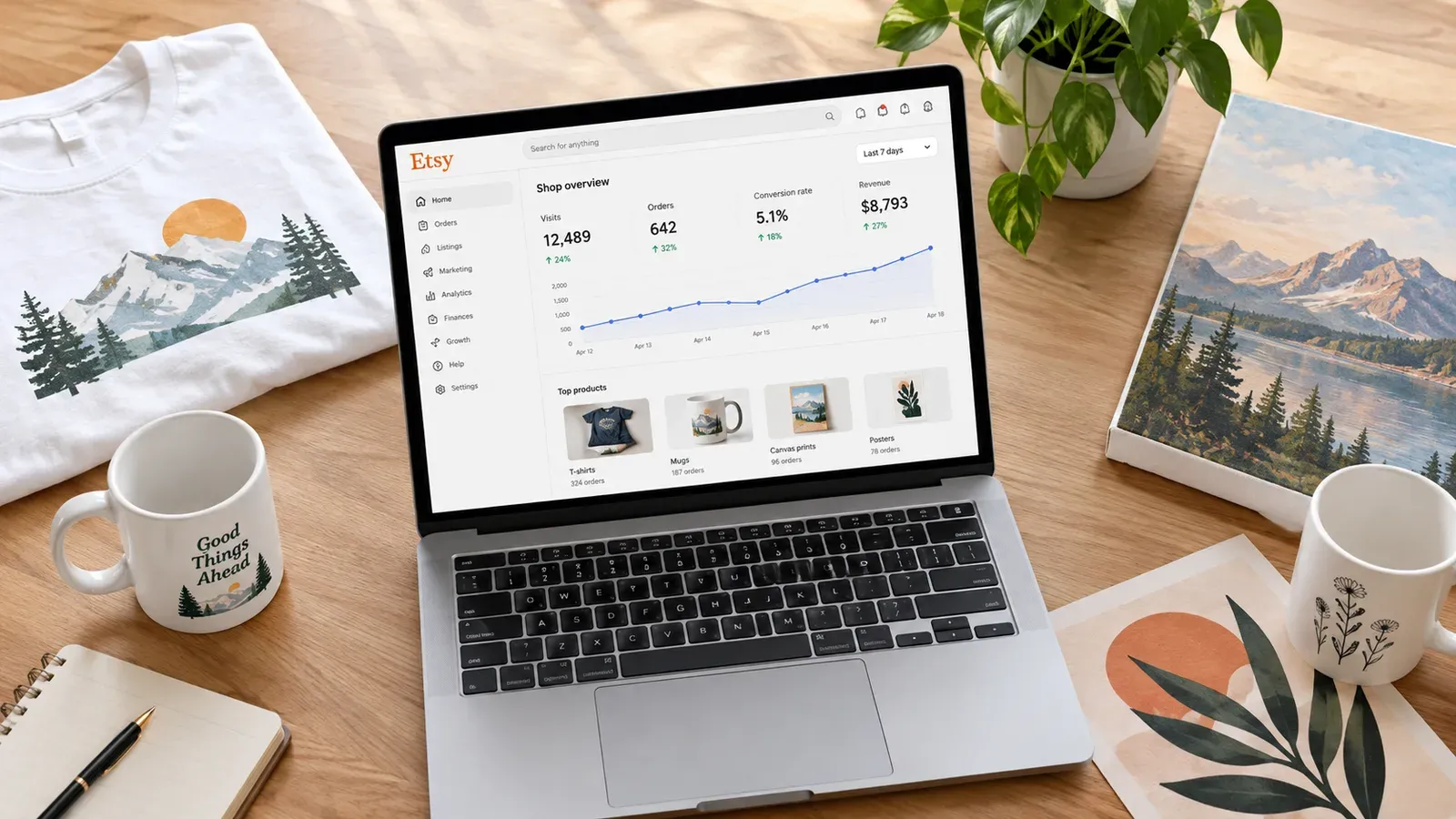
Key takeaways
A no inventory dealer uses print on demand to sell physical products on Etsy without ever buying or storing stock.
The biggest hidden cost is the time spent manually creating listings, writing SEO titles, and producing unique mockups for each product.
Listybox’s Creation Wizard lets you combine multiple designs with multiple products in minutes, generating hundreds of ready-to-list variants you can review and edit.
Magic Wand writes SEO-optimized titles, tags, and descriptions for each listing based on your exact product and design, saving hours of manual research.
Zero-Touch Fulfillment automatically routes Etsy orders to the best production partner, so you never have to manually forward order details or update tracking.
Ava had been selling her hand-drawn illustrations on Etsy for two years. Her whimsical cat designs were a hit, and customers kept asking for them on t-shirts, mugs, and tote bags. She knew the print-on-demand model would let her become a no inventory dealer - selling physical products without ever stocking a single box. But what started as an exciting expansion quickly turned into a second full-time job.
She would spend evenings manually combining each design with each product, exporting mockups one by one, and then staring at blank Etsy listing forms trying to write titles that might rank. The more designs she created, the more the backend work multiplied. Ava was living the reality of many creative entrepreneurs: the promise of a no-inventory business is real, but the manual grind can quietly swallow your profits and your passion.
What Is a No Inventory Dealer and How Does It Work?
The term “no inventory dealer” describes an Etsy seller who uses print on demand (POD) to offer physical products without buying, storing, or shipping any stock. You create the designs, and a production partner prints them on blank products only after a customer places an order. The partner then ships the finished item directly to the buyer under your shop’s branding.
This model eliminates the risk of unsold inventory and the overhead of warehousing. For artists like Ava, it means you can focus on what you do best - creating designs - while the logistics happen in the background. However, the operational side isn’t automatic. Every product-design combination still needs a listing, and every listing needs images, SEO-optimized text, and accurate pricing. That’s where the manual workload becomes a hidden trap.
💡 Think of yourself as a creative director, not a warehouse manager. Your job is to design and curate; the production and shipping belong to your POD partner.
To get started, you’ll need a few foundational pieces in place. First, you need an Etsy shop. If you haven’t opened one yet, the process involves setting up your shop preferences, billing, and branding. Listybox’s Store Setup service can handle this for you, including listing your first 10 products with SEO optimization. Once your shop is live, you connect it to a POD platform that integrates with Etsy and offers the products you want to sell.

What Are the Biggest Challenges of Selling Without Inventory on Etsy?
On the surface, not holding inventory sounds like the ultimate business freedom. But the day-to-day reality often reveals three major pain points that can stall your growth.
The Time Drain of Manual Listing Creation
Every product you want to sell needs its own Etsy listing. If you have 10 designs and want to offer them on 5 different products, that’s 50 individual listings. Each listing requires a unique title, 13 tags, a compelling description, and high-quality mockup images that show the design on that specific product. Doing this manually means opening each listing form, typing every field from scratch, and uploading images one at a time.
For a no inventory dealer, this repetitive task is the biggest time thief. It’s not creative work - it’s data entry. And as you add more designs or expand into new product categories, the workload multiplies. Many sellers start strong but then hit a wall where they simply can’t produce listings fast enough to grow their catalog.
The Mockup Trap: Repetitive and Generic Visuals
Etsy buyers scroll through search results visually. Your main listing photo is often the deciding factor between a click and a pass. To stand out, you need mockups that look professional and unique to each product. Free mockup generators found online can work for a few listings, but they quickly become a problem. Many other sellers use the same free templates, so your products blend into a sea of identical-looking images. Worse, customizing mockups for each design and product combination eats hours you could spend drawing or marketing.
We’ve written more about this in our guide on Free T Shirt Mockup: The Hidden Costs and Smarter Alternatives for Etsy Sellers. The core issue is that generic mockups don’t sell the lifestyle or the feel of your product. They just show a design on a blank background, which rarely converts as well as a contextual lifestyle image.
SEO Guesswork That Hurts Visibility
Etsy search runs on keywords. Your title and tags must match what buyers actually type into the search bar. If you’re guessing at keywords, you’re likely missing high-volume search terms or using phrases that are too competitive for a new listing. Manual SEO research involves digging through Etsy’s search bar suggestions, analyzing competitor listings, and trying to piece together a strategy. For a no inventory dealer managing dozens of listings, that’s a massive research burden.
Our detailed breakdown of Etsy Search Engine Optimization: A 2026 Guide for Print-on-Demand Sellers explains how Etsy’s algorithm ranks listings. The short version: if your tags and titles aren’t tightly aligned with buyer intent, your products stay hidden on page 10.
⚠️ Listing creation isn’t just about filling forms. Every title and tag you write is either an investment in visibility or a missed opportunity. Guessing wastes the listing fee you’re paying.
Etsy charges a $0.20 USD fee for listing an item for sale. Taxes may also apply.
How Can I Create Listings Quickly as a No Inventory Dealer?
Speed matters when you’re scaling a catalog, but speed without quality leads to listings that never sell. The goal is to create batches of well-optimized listings in minutes, not hours, while keeping full control over what gets published. This is where a dedicated creation workflow changes everything.
Combining Designs and Products in One Central Workspace
Instead of opening each Etsy listing form individually, you can use a tool that lets you select multiple designs and multiple products at once. Listybox’s Creation Wizard acts as your assembly line. You gather your designs from My Artworks (your personal cloud-based design vault that holds up to 5,000 files) or from the Artwork Gallery (a curated library of over 100,000 data-driven designs you can reserve). Then you choose which products from the catalog you want to sell: t-shirts, hoodies, mugs, canvas prints, phone cases, and more.
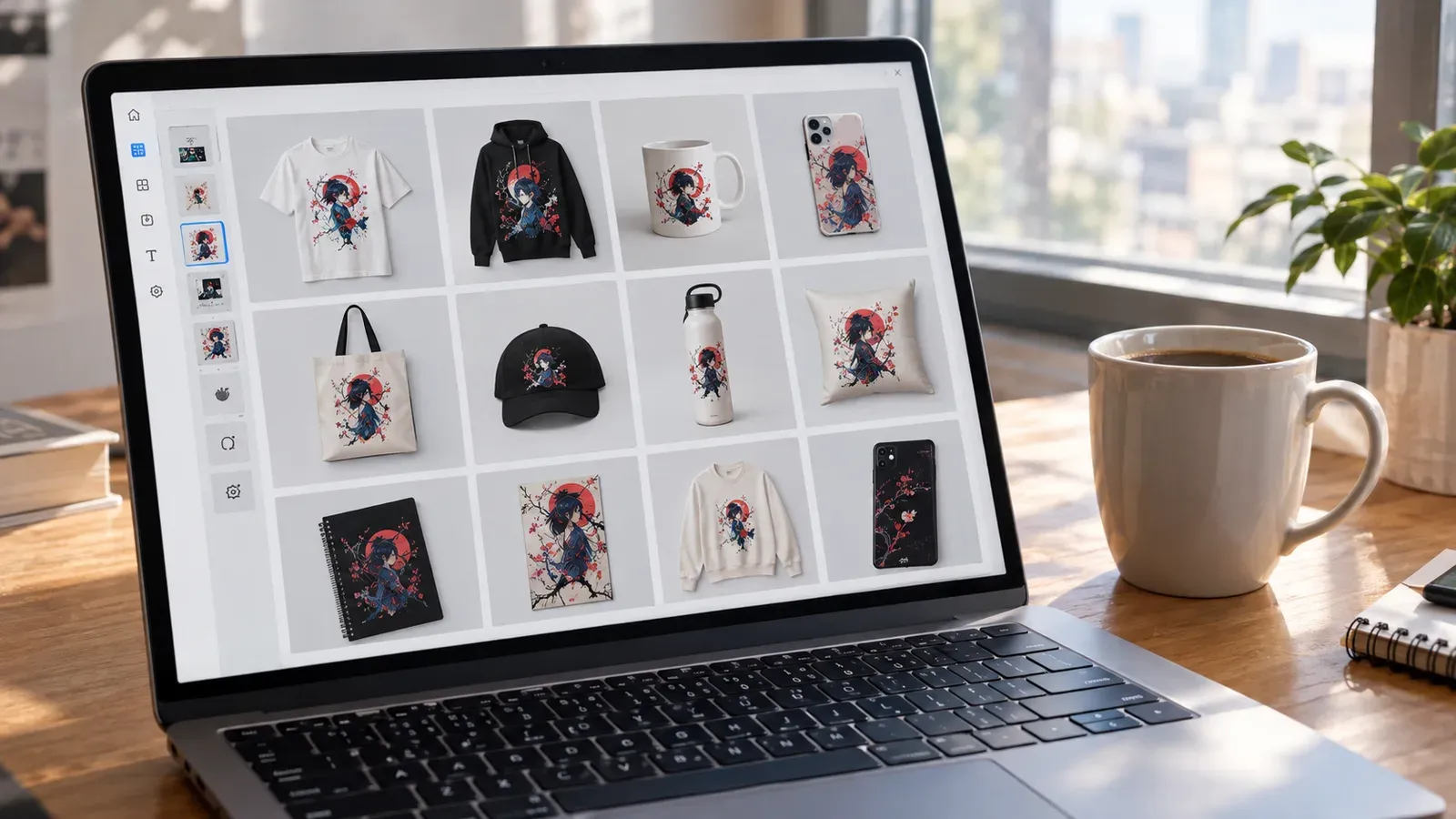
With one click, the Creation Wizard generates every possible combination - each with all color and size variants, and with mockup images automatically applied. You see a preview of every creation before it becomes a listing. You can use the Placement Editor to adjust how your design sits on each product: drag to reposition, resize, or choose from preset fit modes like “Fit” or “Fill.” If you tweak the placement on one creation, you can apply that same custom placement to all other creations in the batch with a single click. This keeps your designs looking consistent across every product without redoing the work.
Writing SEO Content That Matches Your Exact Product
Once your creations are ready, the next step is writing titles, tags, and descriptions. This is where many sellers freeze. Listybox’s Magic Wand handles this by analyzing the specific product and design combination you’ve created. It understands that a watercolor cat design on a tote bag needs different keywords than a geometric pattern on a phone case. It then generates a complete Etsy listing draft: a keyword-rich title, all 13 tags, and a product description that speaks to the buyer.
You review and edit everything before it goes live. The content is yours to tweak, but you’re starting from a data-informed draft instead of a blank form. This means you can produce optimized listings for dozens of products in the time it used to take to write one from scratch.
Scheduling Listings to Publish on a Strategy
Once your listings are drafted, you don’t have to publish them all at once. Etsy’s algorithm favors shops that are consistently active. Dumping 50 listings in one day and then going silent for a week isn’t ideal. With Scheduled Publish, you set a release cadence - like one listing every 6 hours or once per day - and Listybox automatically publishes them according to that schedule. This keeps your shop appearing fresh to both buyers and Etsy’s search algorithm without you having to log in and click “publish” each time.
For a deeper look at building a sustainable online income without inventory, see our guide on How to Make Money Online in 2026: A Realistic Path to Passive Income.
What Tools Help Automate a No Inventory Etsy Shop?
Automation doesn’t mean handing over control. It means removing the repetitive steps so you can focus on the decisions that actually need your creative judgment. As a no inventory dealer, you need tools that handle four core areas: product creation, content writing, visual production, and order management.
Bulk Editing for Rapid Changes
Sometimes you need to update a detail across multiple listings - maybe a pricing adjustment, a seasonal tag, or a description tweak. Doing this one listing at a time is painful. Listybox’s Bulk Edit feature lets you select any group of listings and change a specific field across all of them at once. You choose the field (title, description, tags), pick an action (add, change, remove), and apply it. The changes go live within minutes. This is especially useful when you’re running promotions or optimizing older listings based on new keyword research.
Lifestyle Mockups That Sell the Experience
We touched on the mockup trap earlier. The solution is not just more mockups, but better ones that show your product in a real-world context. Listystyle analyzes your design and target audience, then generates hundreds of unique lifestyle images. Your t-shirt design might appear on a person at a coffee shop, walking a dog, or relaxing at home - all hyper-realistic scenes that help buyers imagine owning the product. You select the number of images you want and review the results. This gives you a library of original visuals that no other seller is using.
Video Content Without a Production Studio
Etsy listings with video tend to get more engagement. Listystyle Video creates short product videos from your existing product images. You select a listing, click “Create Video,” and the feature automatically generates a professional product video you can upload directly to Etsy or download. This adds a dynamic element to your listings without requiring any video editing skills or equipment.
Finding Trending Niches Before They Peak
A no inventory dealer’s success often depends on catching trends early. Trend Compass continuously scans thousands of US-based news and social media sources to detect viral surges. When it identifies a rising trend, it generates ready-to-sell, one-time-use designs and a marketing strategy. This gives you a chance to list products in emerging niches before they become saturated. You’re not chasing trends - you’re getting an early signal.

💡 Use Trend Compass alongside your own original designs. It helps you fill gaps in your catalog with timely pieces while your core brand designs build long-term recognition.
For a broader perspective on product selection, read our article on Best Products to Sell Online in 2026: A Data-Driven Guide for Etsy Sellers.
How Do I Handle Fulfillment Without Holding Stock?
Fulfillment is the part that most intimidates new no inventory dealers. The fear of messing up an order, sending the wrong item, or forgetting to forward details to the production partner is real. But when set up correctly, fulfillment should be the quietest part of your business.
Zero-Touch Fulfillment: Orders That Process Themselves
Once your Etsy shop is connected to Listybox, Zero-Touch Fulfillment takes over the order processing. When a customer buys one of your POD products, Listybox detects the order, identifies the correct product and design, and routes it to the best-performing production partner automatically. All necessary details - design file, product variant, shipping address - are transmitted without you lifting a finger. When the item ships, the tracking number is pulled back into Etsy, the order is marked as complete, and the customer is notified.
This means you can wake up to sales that have already been processed and are in production. You still monitor everything from your dashboard, but the manual forwarding of order emails and copy-pasting of addresses is gone.
Custom Products and Supplier Flexibility
Not all no inventory dealers want to use only the standard catalog products. You might have a specific blank garment you prefer or a unique product type not listed in any default catalog. The Custom Product Hub lets you either clone an existing catalog product and edit its cost and supplier details, or build a completely new product from scratch by uploading your own mockups, variants, and production SKUs. Once added, your custom products work with all other Listybox features - Magic Wand, Creation Wizard, Zero-Touch Fulfillment - just like native catalog items.
Keeping Your Design Library Organized
As your product line grows, so does your collection of design files. My Artworks serves as a cloud-based design vault. You can bulk upload your own designs, and the system automatically analyzes each image and enriches it with relevant SEO keywords. When you’re ready to create new listings, your keyword-tagged designs are easy to find and apply. This eliminates the chaos of scattered folders and forgotten files.
For a complete blueprint on building a no-inventory business, don’t miss our guide: How to Sell Products Without Inventory in 2026: The Complete Etsy Print-on-Demand Blueprint.
Putting It All Together: Your No Inventory Dealer Workflow
Let’s walk through what a streamlined workflow looks like once you’ve removed the manual bottlenecks. This isn’t a theoretical ideal - it’s how sellers using these tools structure their week.
Step 1: Design or Source Your Artwork
You start by creating new designs or selecting designs from the Artwork Gallery. Upload your own files to My Artworks or reserve trending designs from the gallery. All your assets live in one place, tagged and ready.
Step 2: Generate Product Combinations
Open the Creation Wizard. Select the designs you want to use and the products you want to sell them on. The system generates every variant. Use the Placement Editor to fine-tune how designs sit on each product. Apply that placement across the batch.
Step 3: Produce Unique Visuals
For each creation, generate lifestyle mockups with Listystyle and, if needed, a product video with Listystyle Video. You now have a set of original, high-converting images that no competitor is using.
Step 4: Write Optimized Listing Content
Run Magic Wand on each creation. Review the generated titles, tags, and descriptions. Make any adjustments to match your brand voice. The SEO foundation is already built.
Step 5: Schedule and Publish
Set your publishing schedule. Listybox releases listings at the cadence you choose. Your shop stays active, and you don’t babysit the publish button.
Step 6: Let Orders Fulfill Automatically
Sales come in. Zero-Touch Fulfillment processes them. You check your dashboard to monitor progress, but the manual order-to-production chain is gone.
Step 7: Optimize and Expand
Use Bulk Edit to update seasonal tags or pricing. Check Trend Compass for new niche opportunities. Rinse and repeat.
This workflow keeps you in the creative driver’s seat while the repetitive, technical tasks run in the background. You’re not handing your business to automation; you’re directing it with precision.
Does all of this feel like a lot to set up on your own? You don’t have to start from scratch. With Listybox Store Setup, our team opens your Etsy store, configures your branding, lists your first 10 products with full SEO, and provides onboarding training. See the pricing page for details on what’s included and plan options.
If you’re ready to experience a workspace built specifically for no inventory dealers, start free - no credit card required and see how the Creation Wizard, Magic Wand, and Zero-Touch Fulfillment can turn your design catalog into a scalable business.
Listybox
Create listings 10x faster with Listybox.
Frequently asked questions
Put this into practice in your shop.
Every step from design to live listing, on one platform. Start on the free plan.
Related posts



Want to go deeper? Read our in-depth Etsy guides · Browse 100 Etsy niche guides