


Key takeaways
Understand the exact settings required to create high-quality, custom brushes in the Procreate app.
Learn how to package your digital files into accessible ZIP folders and helpful PDF guides for your buyers.
Stop wasting hours on manual keyword research by using Magic Wand to write your titles and tags.
Create stunning visual examples of your brushes in action using Listystyle to generate lifestyle imagery.
Manage your entire digital product catalog efficiently with the Custom Product Hub.
Meet Noah. He is a digital illustrator who spent weeks carefully crafting the perfect set of watercolor brushes for the Procreate app. He tested every stroke, adjusted the scatter settings, and finally had a product he knew other artists would love. But when he sat down to open his shop, the excitement faded. He realized he had to design ten different listing images, research SEO keywords, write a long description, and figure out how to package the files. After spending three hours on a single listing, Noah felt exhausted. He wanted to make art, not do endless data entry.
Many digital creators face this exact wall. You have a great product, but the administrative work of setting up a shop feels like a heavy burden. If you want to know How to Make Money Online in 2026: A Realistic No-Inventory Blueprint, selling digital tools is a strong option. However, doing it all by hand is the old way. Today, you need to understand the mechanics of brush creation, the rules of the platform, and the tools that speed up your listing process.
Why Sell Procreate Brushes on Etsy?
The market for digital art tools continues to grow. Artists, hobbyists, and professional designers constantly look for new assets to speed up their workflow. Procreate is one of the most popular drawing applications in the world, meaning the audience for these brushes is massive.
Unlike physical products, digital brushes require no inventory, no shipping materials, and no trips to the post office. You create the product once and sell it repeatedly. This makes it an attractive business model for anyone looking to build a digital storefront.
However, this low barrier to entry also means high competition. You cannot simply upload a file and expect buyers to find it. You need a clear strategy for presentation, search visibility, and customer experience. This is where many sellers fail. They treat the listing as an afterthought. To succeed, your listing must clearly communicate the value of the brush set, show beautiful examples of what it can create, and use the exact words buyers type into the search bar.
The Anatomy of a Great Procreate Brush
Before you can sell anything, you need a product that actually works well. Buyers will leave bad reviews if your brushes feel clunky or do not perform as advertised. Creating a brush involves more than just picking a shape.
Understanding the Brush Studio
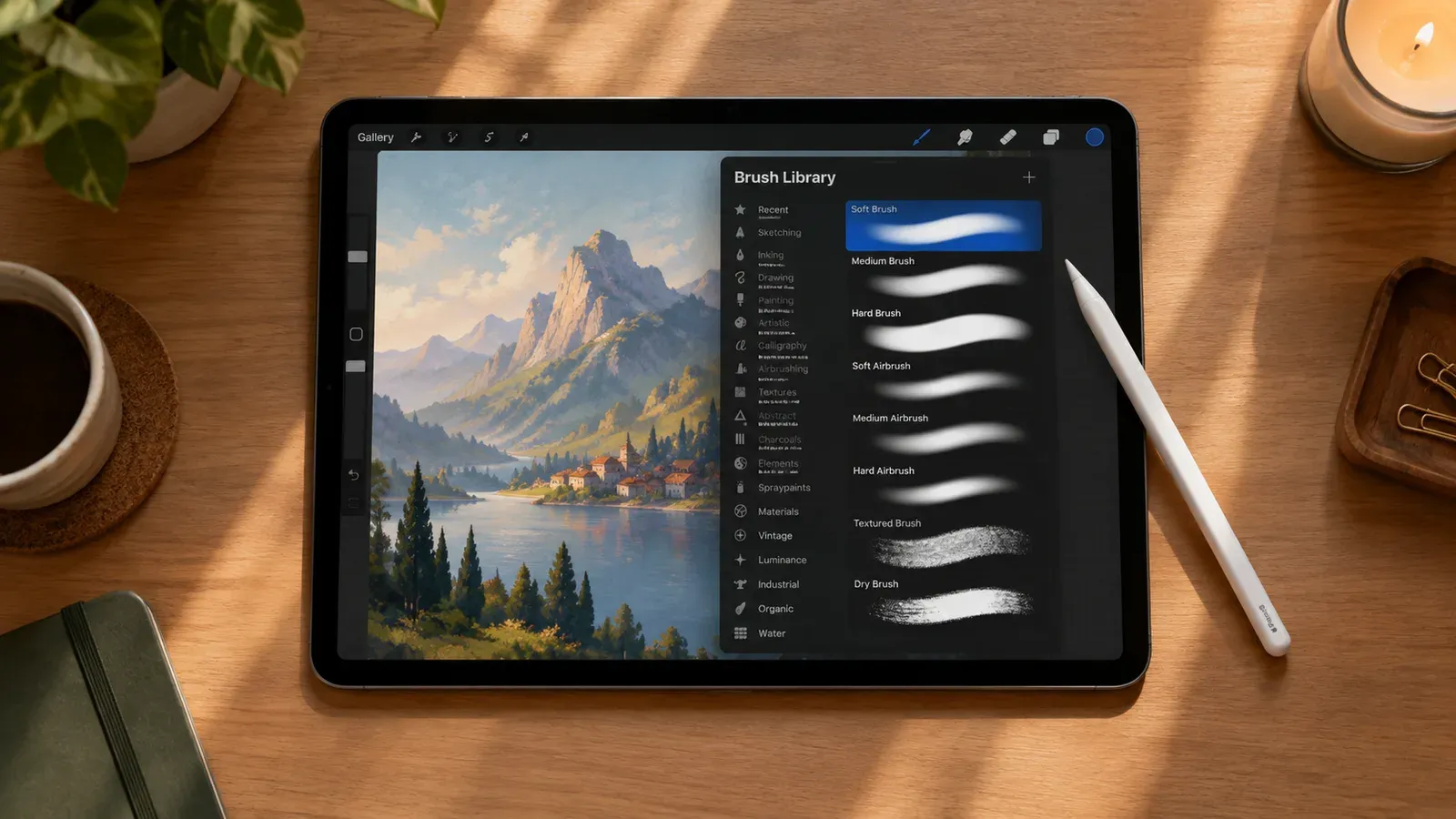
Procreate has a deep Brush Studio with hundreds of settings. To make a premium brush, you must adjust several key areas. The Shape Source determines the basic stamp of the brush. The Grain Source dictates the texture that appears within that shape. You must balance these two elements to create something unique.
Tuning the Stroke Path
Next, you must adjust the Stroke Path. This controls how the shape repeats as you drag your Apple Pencil across the screen. If you want a smooth inking pen, you need a tight stroke path. If you are making a stamp brush or a scatter effect, you need to increase the spacing and jitter settings. Buyers notice these small details. A brush that skips or lags will result in complaints.
Apple Pencil Pressure Settings
Professional brushes respond to pressure and tilt. In the Apple Pencil menu of the Brush Studio, you can set how the brush changes based on how hard the user presses. You might link pressure to opacity for a watercolor brush, or link it to size for a calligraphy pen. Getting these settings right takes trial and error, but it is what separates amateur brushes from professional tools.
💡 Always test your brushes on different canvas sizes to ensure the texture scales correctly for your buyers.
Packaging Your Digital Files
Once your brushes are perfect, you must prepare them for the customer. Etsy allows you to upload digital files directly to the listing, but there are file size limits. You must also consider the user experience. If a buyer cannot figure out how to install your brushes, they will message you for help, taking up your valuable time.
Exporting the Brushset
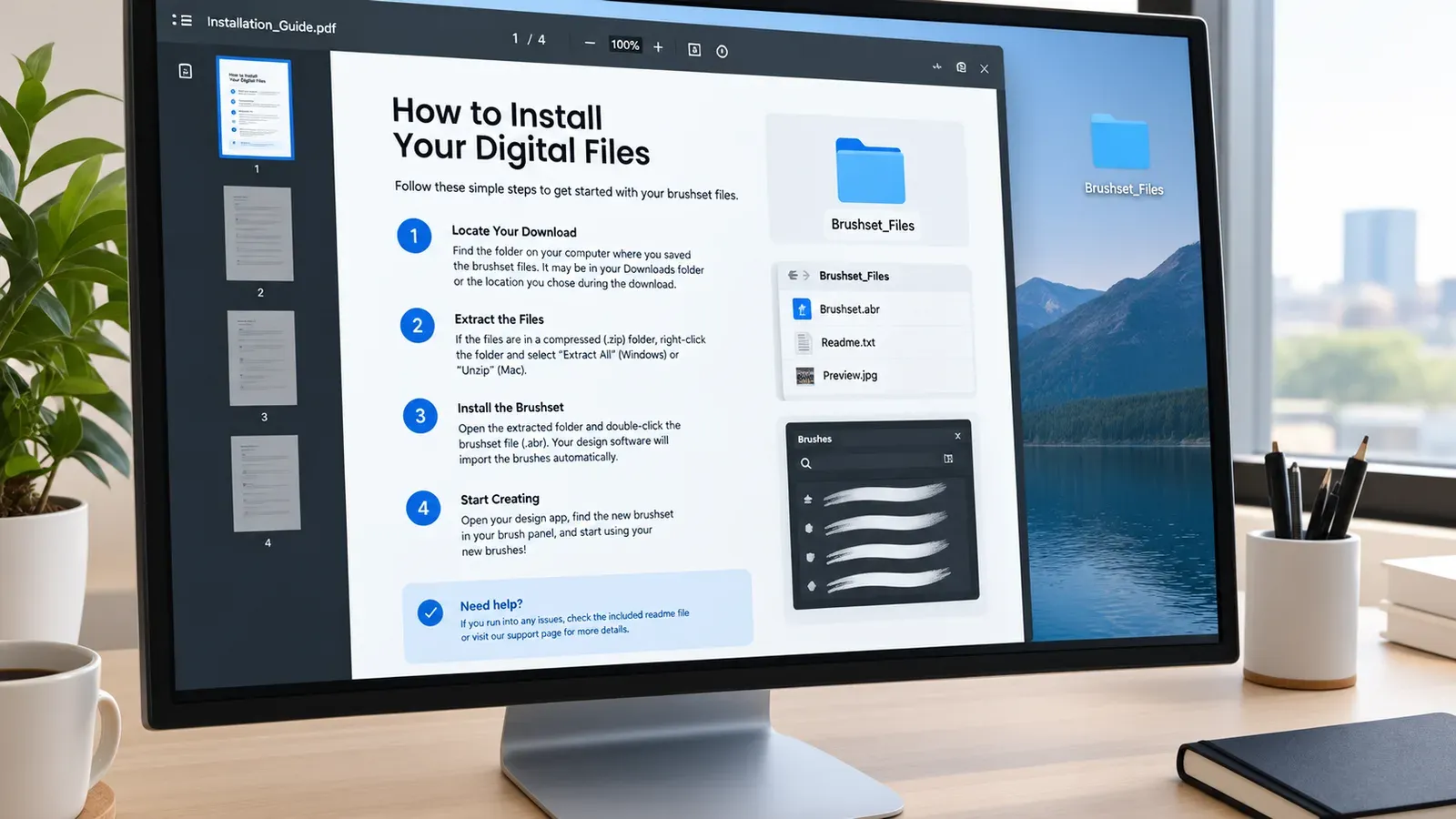
In Procreate, you can group your brushes into a folder. You can then export this entire folder as a single .brushset file. This is much better than exporting individual .brush files, as it allows the buyer to install the whole collection with one tap.
Creating a PDF Guide
Never assume your buyer knows how to install a .brushset file. Create a simple PDF document that explains the installation process step by step. Include screenshots. If your file is too large for Etsy’s direct upload limit, you can host the file on a cloud service and put the download link inside this PDF.
Checking Platform Rules
When selling digital downloads, it is crucial to understand the policies of the marketplace. Never assert a market price/range, earnings amount or a blanket no-refund rule for digital products. Discuss how to check costs and the current shop/platform rules instead. Platforms often update their terms regarding digital returns, buyer protection, and file hosting. Always review the official seller handbook to ensure your shop policies align with the current rules.
Creating Listing Images That Stop the Scroll
Your listing images are your storefront window. A buyer cannot test your brush before buying, so they rely entirely on your visuals. If your images are boring, they will scroll past. You need to show the brushes in action, display all the variations, and create a strong visual brand.
The Hero Image
The first image must grab attention immediately. It should feature a beautiful piece of artwork created using the brushes. Overlay clear, readable text stating exactly what the product is. For example: “30 Watercolor Brushes for Procreate.”
The Swatch Sheet
Your second image should be a swatch sheet. This shows a single stroke of every brush included in the set. Label each stroke clearly. This proves to the buyer that they are getting a large, varied collection.
The Lifestyle Context
Buyers want to imagine themselves using your product to create amazing things. Showing your digital artwork in a real-world setting helps build this desire. This is where the manual work usually gets heavy. Setting up scenes in photo editing software takes hours.
Instead of struggling with complex editing tools, you can use Listystyle: AI Lifestyle Product Image Generator. You simply upload the artwork you created with your new brushes. Listystyle analyzes your design and places it into hundreds of hyper-realistic lifestyle settings. You choose the quantity, press a button, and you have professional imagery ready to show buyers what your art looks like in the real world.
Mastering Etsy SEO for Digital Brushes
Beautiful images will not help if no one finds your listing. Search Engine Optimization (SEO) is how you tell the platform what you are selling. You must use the right words in your title, tags, and description. Guessing these words is a fast way to fail.
Writing the Title
Your title should be descriptive and packed with the words buyers actually use. Do not use cute or abstract names for your listings. If you made brushes that look like chalk, your title needs to include “Procreate Chalk Brushes, Digital Drawing Tools, iPad Lettering Brush.”
Filling Out Your Tags
You get 13 tags per listing. You must use all of them. These should be multi-word phrases. Instead of just “brush,” use “digital art brush” or “procreate texture.” Finding 13 highly relevant tags for every single product can take a massive amount of time, especially if you have dozens of brush sets.
⚠️ Do not repeat the exact same tags on every listing in your shop, or you will compete against yourself in search results.
The Magic Wand Solution
Writing SEO text manually is exactly what burned Noah out. It is tedious and repetitive. You can eliminate this step entirely. With Magic Wand: AI SEO & Copywriter, you select your product, and the tool analyzes the best-selling trends. With one click, Magic Wand writes SEO-friendly titles, generates all 13 tags, and creates sales-focused descriptions specifically for your creation. You keep full control to edit the text, but the heavy lifting is done for you in minutes.
Managing Your Digital Catalog
As your shop grows, you will likely create many different brush sets: ink, watercolor, sketch, pattern, and stamp brushes. Keeping track of all these files, mockups, and listings becomes a job in itself.
The Custom Product Hub
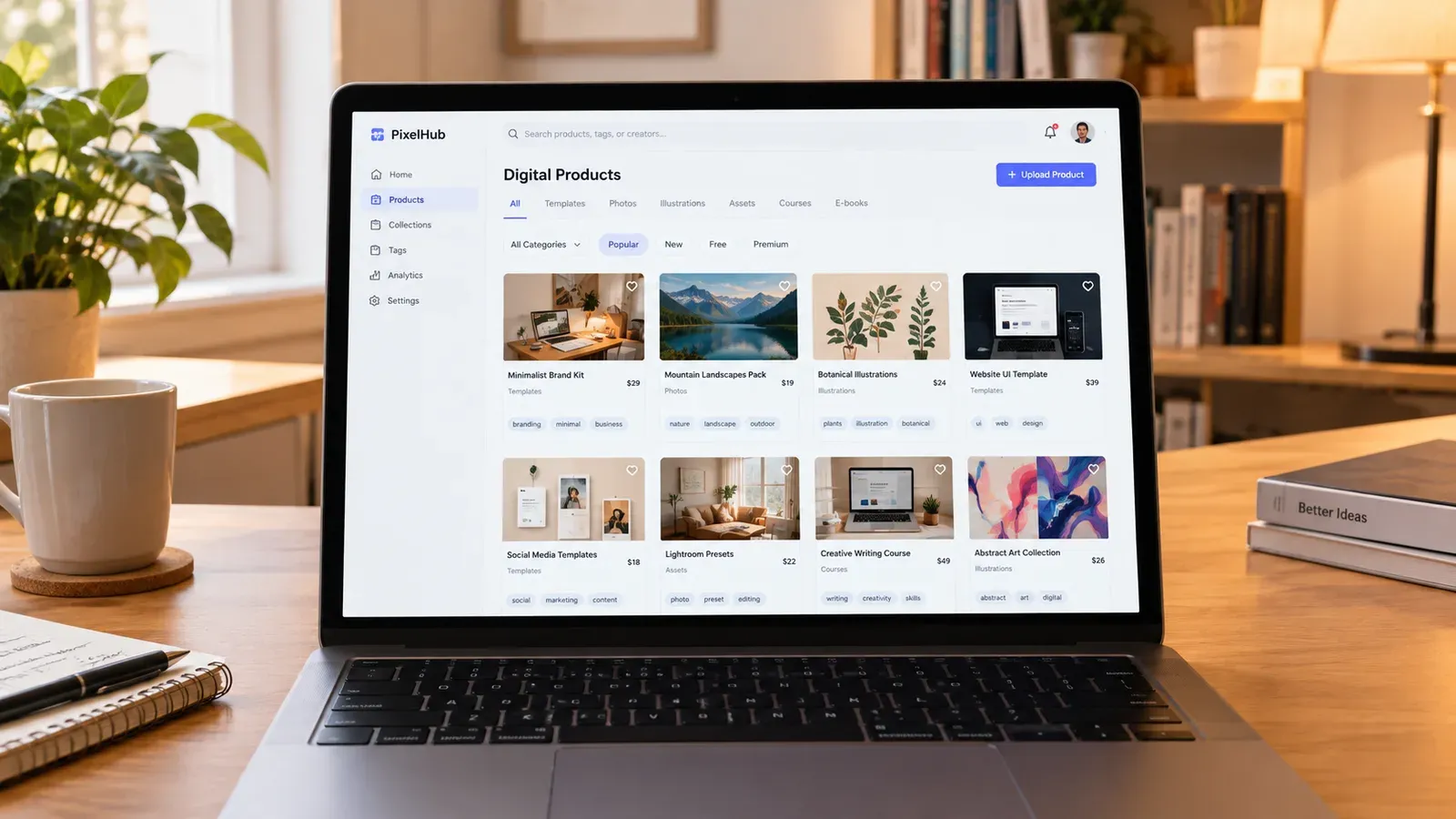
While many sellers use Listybox for physical items, the platform handles your unique digital items perfectly. Using the Custom Product Hub: Your E-Commerce Operating System, you can upload your own mockups, variations, and files to create entirely new products from scratch. These custom digital products then work flawlessly with the rest of the Listybox ecosystem. You can apply Magic Wand to them, organize them, and keep your entire digital business in one central location.
Bulk Editing for Fast Updates
Sometimes you need to update your shop. Maybe you want to add a holiday sale keyword to all your titles, or update your shop policies in your descriptions. Doing this one by one across 50 listings is painful. The Bulk Edit feature allows you to select the listings you want, choose the field to change, and apply the update. All your changes become active in minutes, saving you hours of repetitive clicking.
Pricing and Platform Costs
When setting up your shop, you need to account for the costs associated with selling on the platform. Knowing your expenses ensures you price your brush sets correctly to maintain a healthy profit margin. If you want a deeper look at expenses, read our guide on How Much Does Etsy Take From Sellers? The 2026 Fee Breakdown.
Etsy charges a $0.20 USD fee for listing an item for sale. Taxes may also apply.
You must factor this listing fee, along with transaction and payment processing fees, into your final retail price. Because digital products have no manufacturing costs after the initial creation, your profit margins remain incredibly high, provided you manage your listing expenses wisely.
Marketing Your Brushes Outside of Etsy
Relying entirely on marketplace search is risky. To build a strong brand, you need to drive your own traffic. Social media is highly visual, making it the perfect place to promote digital art tools.
Process Videos
People love watching art come to life. Record your iPad screen while you draw using your new brushes. Speed up the footage and post it to platforms like TikTok and Instagram Reels. Show the raw, unedited stroke of the brush so buyers know exactly what to expect.
Free Samples
Consider offering a small, free sample of your brush set on your social media profiles. If a user likes the one free brush, they are much more likely to click through to your shop and purchase the full set. This builds trust and proves the quality of your work before they spend money.
The Smarter Way to Launch
Noah eventually realized that his time was better spent creating art, not fighting with listing forms. By organizing his files properly, understanding his fees, and using smart tools to handle the heavy lifting of SEO and imagery, he turned his digital shop into a smooth operation.
Does all of this feel overwhelming? You don’t have to start from scratch. With Store Setup: Professional Store Launch, our expert team sets up your Etsy store, lists your first 10 products, and optimizes everything for SEO. See the pricing page for what this service covers and what it costs.
Building a digital product business requires effort, but you do not have to do the tedious parts manually. Focus on creating beautiful brushes, and let the right systems handle your listings. Start free - no credit card required and see how easy managing your shop can be.
Listybox
Create listings 10x faster with Listybox.
Frequently asked questions
Put this into practice in your shop.
Every step from design to live listing, on one platform. Start on the free plan.
Related posts



Want to go deeper? Read our in-depth Etsy guides · Browse 100 Etsy niche guides