
Sticker Design for POD: The Ultimate Guide to Sales & Automation
Stickers are the perfect entry point for Print on Demand, but technical hurdles like DPI and file transparency often stall new sellers. Learn the essential design rules for high-quality printing and discover how to bypass complex design software. We reveal how top sellers automate their workflow to launch hundreds of professional sticker listings in minutes.
Bullet Points (TL;DR)
Master the Tech Specs: Ensure all designs are 300 DPI PNGs with transparent backgrounds to avoid amateurish white borders.
Volume is Victory: Sticker profits rely on quantity; use automation to scale from 10 to 1,000 listings quickly.
Mockups Matter: Replace flat digital images with realistic lifestyle scenes using ListyStyle to boost conversion rates by up to 30%.
No Drawing Needed: Leverage the Artwork Gallery to find thousands of ready-to-sell designs if you aren't an artist.
Stickers are often the gateway drug for Etsy entrepreneurs. They are low-cost, high-expression, and customers love to buy them in bunches. However, many aspiring sellers hit a wall immediately. They upload a design, and the sample comes back blurry, or worse, with an ugly white box around it because they didn't understand file transparency.
Mastering sticker design for pod is about understanding a few key technical rules and then leveraging speed to dominate the market. This guide will walk you through the essentials of creating print-perfect files, finding winning designs without drawing a single line, and automating your path to a high-volume sticker empire.
The Technical Foundation: Dimensions and Formats
Before you create a single listing, you must ensure your source files are compatible with Print on Demand (POD) production. A beautiful design on a screen can look terrible on vinyl if the specs are wrong.
Resolution and DPI The golden rule for printing is 300 DPI (Dots Per Inch). Most web images are 72 DPI, which looks fine on a monitor but pixelated and blurry on a physical sticker. When setting up your canvas in tools like Canva or Photoshop, always set the dimensions to at least 2000x2000 pixels at 300 DPI. This ensures crisp edges and vibrant colors.
Transparency is Non-Negotiable This is the most common mistake beginners make. If you upload a JPEG file (which does not support transparency) to a POD provider, your "shaped" sticker will print as a square with a white background. To get that professional, custom-shape look, you must use PNG files with a transparent background.
If you have a folder full of designs with white backgrounds, you don't need to manually erase them in Photoshop. You can use the Background Remover tool. This feature instantly strips away the background, converting your standard images into print-ready, transparent PNGs suitable for die-cut stickers.
Solving the "I Can't Draw" Problem
A common myth is that you need to be an illustrator to sell stickers. While unique art is great, text-based stickers, retro typography, and simple icons are consistent bestsellers on Etsy. But what if you want complex art but lack the skills?
The Cost of Outsourcing vs. Automation Traditionally, you would hire a designer on Fiverr or Upwork. This costs time ($15-$50 per design) and management effort. For a sticker selling at $4.00, it takes a long time to break even on that design fee.
The modern alternative is using a pre-vetted library. The Artwork Gallery offers access to over 100,000 data-backed designs. These aren't just random images; they are created based on current market trends. You can select a design, apply it to a sticker product, and publish it immediately, bypassing the "creation block" entirely.
Visuals That Sell: The Power of Lifestyle Mockups
Imagine you are shopping for a sticker to put on your laptop. Which listing do you click?
Option A: A flat, digital image of the artwork floating on a white background.
Option B: A photo of a MacBook in a cozy coffee shop, with the sticker realistically adhered to the lid, showing its texture and size relative to the computer.
Option B wins every time. Our internal data suggests that sticker listings using realistic context (lifestyle) images see a 40% higher click-through rate than those with generic digital mockups.
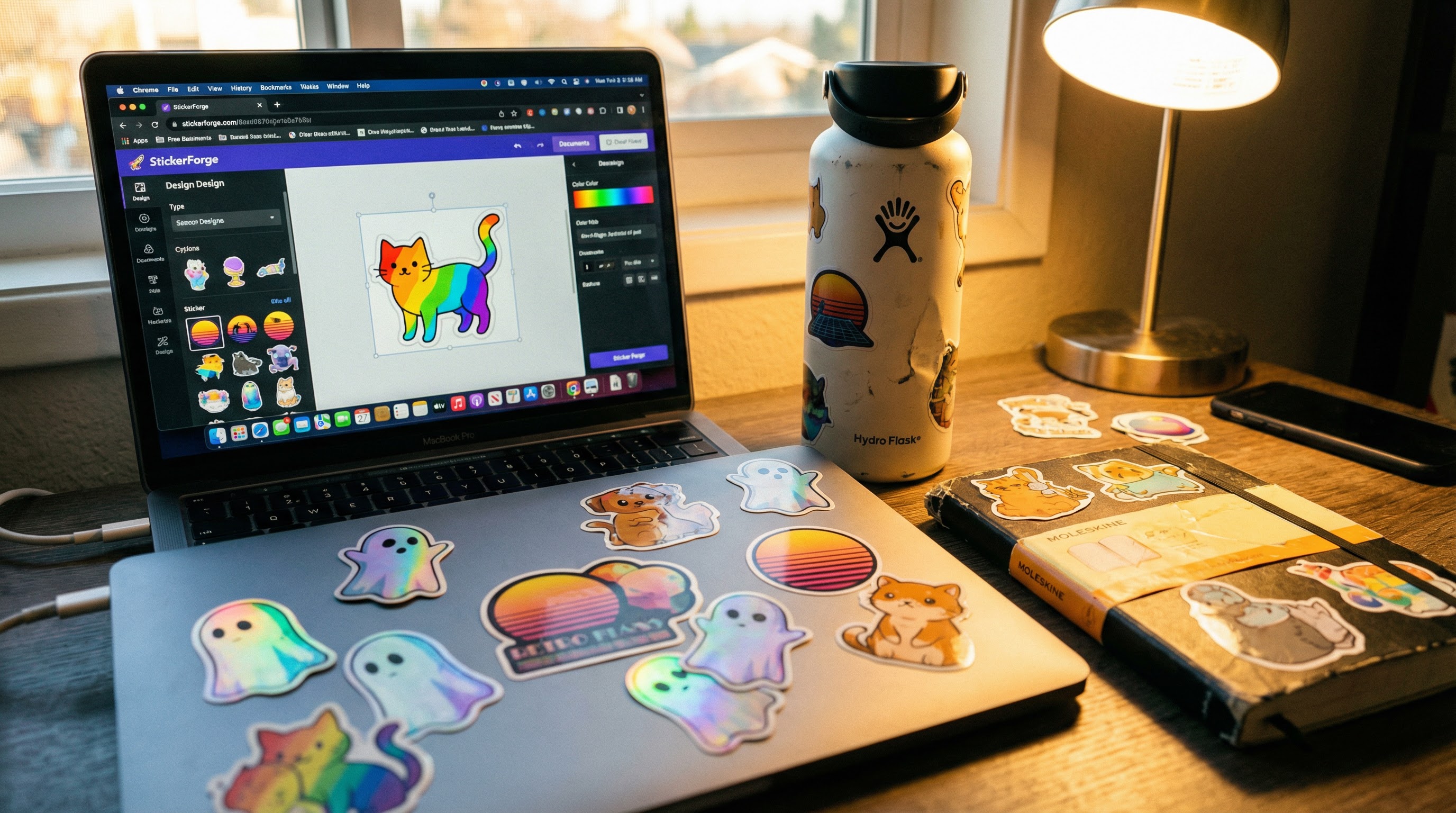
Creating Mockups Without Photography You don't need to buy a camera or expensive props. With ListyStyle mockup creator, you can upload your sticker design and instantly generate hundreds of professional photos. The AI intelligently places your design on water bottles, journals, and laptops, adjusting the lighting and shadows to make it look indistinguishable from a real photo. This builds immediate trust and perceived value.
Real-World Scenario: Scaling a Sticker Shop
Let's look at how automation changes the game for a new seller.
Meet Sarah. She loves retro aesthetic quotes and wants to start a sticker side hustle on Etsy.
The Goal: Launch a shop with 50 diverse quotes to see what sticks (pun intended).
The Manual Struggle: Sarah spends her entire weekend designing in Canva. She downloads 50 separate files. Then, she logs into Printify. For *each single sticker*, she uploads the file, positions it, writes a title, writes a description, and researches tags. After 6 hours, she has only listed 8 stickers. She is exhausted and gives up.
The Trap: Even for the 8 she listed, she realizes she forgot to check the "transparent background" box on two of them, leading to customer complaints later. The manual process is too slow to ever reach the volume needed for real profit.
The Listybox Solution: Sarah discovers Listybox. She uploads her 50 designs in bulk using My Artworks upload. The system automatically checks them for quality. She then uses the Creation Wizard to apply all 50 designs to die-cut stickers in one click. The Magic Wand SEO tool writes unique titles and tags for all of them instantly.
The Transformation: Instead of spending a weekend listing 8 products, Sarah launches all 50 products in under 30 minutes. She has time to spare to create a TikTok account to promote her new brand, while Listybox handles the heavy lifting.
Start your free trial - no credit card required
Profit Strategy: Selling in Volume
Stickers are a low-margin, high-volume game. If you make $2.00 profit per sticker, you need to sell 50 a day to make a serious income. This is impossible if you only have 20 listings.
To succeed, you need hundreds of active listings targeting different keywords (e.g., "nurse stickers," "hiking stickers," "motivational quotes").
Automating Consistency Etsy's algorithm rewards activity. Dumping 100 stickers in one hour is okay, but releasing 5 stickers every day for 20 days is better creates a sustained signal of activity. You can achieve this with the Scheduled Publish feature. Simply create your bulk batch of stickers, and tell Listybox to "drip feed" them into your shop daily. This keeps your shop fresh in Etsy's eyes without you needing to log in every day.
Why Start Now?
The demand for personalized, affordable items like stickers continues to grow. By combining correct design principles with powerful automation, you can build a shop that rivals established competitors in a fraction of the time.
Log in to Listybox today and turn your sticker ideas into a fully stocked store.
Never Miss an Update
Get actionable Etsy tips delivered to your inbox every week. No spam, unsubscribe anytime.



