


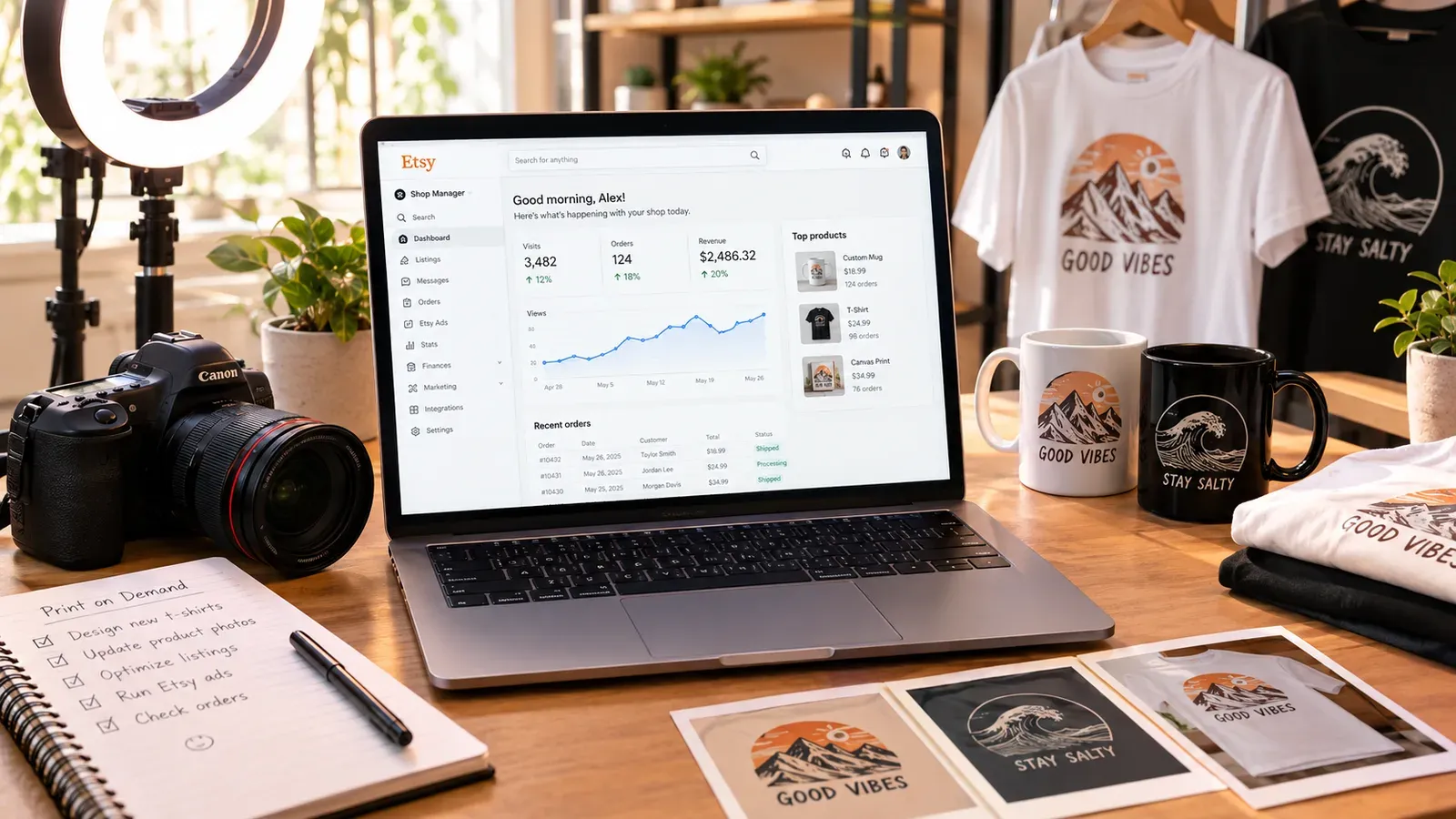
Key takeaways
Your first product image is your only shot to stop a scroll - free generic mockups often make your shop look identical to thousands of others, killing trust and clicks.
Lifestyle images that show the product in real-world use build buyer confidence and can help you charge premium prices - you don’t need a studio to create them.
Listystyle and Listystyle Video let you create professional, unique visuals and short product videos in minutes, straight from your listing dashboard.
Background Remover and Placement Editor inside Listybox replace bulky external tools, saving time and keeping your sanity as you scale.
Even absolute beginners can launch a shop with zero photography experience when they combine smart tools with a simple 5-step workflow.
Liam is an engineer who builds precision systems all day. At night, he wanted a side income that didn’t depend on selling his time. Etsy print-on-demand seemed perfect - no inventory, no shipping, just good designs on products people already want. He spent a weekend creating clever text-based birthday t-shirt designs and mockups in a free online tool. The images looked clean: crisp t-shirts on white backgrounds. He was proud, listed 20 products, and waited.
A month later, he’d made two sales. The culprit wasn’t his designs; it was his images. Every single competitor in his niche was using the exact same generic mockup, and Etsy shoppers - conditioned to scroll at lightning speed - couldn’t tell one shop from another. Liam had learned the hard way that on Etsy, your product photo is your storefront, your salesperson, and your trust builder, all in one. In 2026, beginners can’t afford to get this wrong.
Why Product Photography Makes or Breaks Your Etsy Shop
On Etsy, a shopper does not touch, try on, or examine your product. They buy based on what they see. The first listing image stops the scroll; the rest of the images close the sale. If those images look amateur, inconsistent, or exactly like a hundred other listings, the buyer moves on - even if your design is superior.
This is especially brutal for print-on-demand sellers. You cannot photograph a physical sample because you do not keep inventory. You rely on mockups - digital renderings of your design placed on a product photo. The problem is that most beginners grab the same free mockup packs or use the same online generators, making their entire shop look like a carbon copy. Etsy’s algorithm also notices click-through rates and conversion rates, so bad photography actively pushes you down in search results. This isn’t a design contest; it’s a visibility battle, and your images are your primary ammunition.
⚠️ Using generic mockups might save time upfront but it silently destroys customer trust and makes your shop blend into a sea of identical listings.
Luckily, the smart tools available in 2026 mean you can create scroll-stopping, professional-grade product images without a studio, without a camera, and without any design background. The key is to use purpose-built Etsy photography tools that handle the heavy lifting while you focus on your designs.
What Are the Must-Have Product Photography Tools for a New Etsy Seller in 2026?
A beginner doesn’t need a suite of ten different apps. You need three core capabilities, and ideally you want them in one place so your workflow doesn’t fragment. The minimum toolkit includes:
Lifestyle Mockup Generator: Turns a flat design into a realistic image of the product being used in a real setting (a person wearing the shirt, a mug on a desk). This is what builds emotional connection.
Background Remover: Strips the background from your design so you can place it cleanly on any product color without a white box around it. This is essential for dark products, stickers, and professional sticker sheets.
Placement Editor: Controls exactly how a design sits on different products - sizes, positions, rotation - without having to do it manually for every single color or variant.
Many beginners stack separate tools: one for mockups, one for background removal, and one for placement. This turns into hours of back-and-forth downloads and uploads, and it’s the number one thing that burns new sellers out. The smarter way, and what we recommend in our guide to Etsy Product Photography: Shoot Products That Sell, is to find an all-in-one system built for POD sellers.
Listybox wraps these three capabilities into its platform so you never leave your listing dashboard. With Listystyle: AI Lifestyle Product Image Generator, you get hundreds of unique lifestyle photos for each design in a single click. The Background Remover: Unleash Your Designs does exactly what external paid tools do, except it’s built in and free to use. And the Placement Editor: The Art Director of Your Creativity lets you fine-tune one product and then apply that exact placement across all your colors and sizes in minutes.
💡 Instead of juggling three different tools, look for a platform that offers lifestyle generation, background removal, and placement editing under one roof. It slashes your learning curve and your weekly listing time.
For a deeper dive into why free mockups can actually cost you money, read our article on Free T Shirt Mockup: Hidden Costs and Smarter Alternatives for Etsy Sellers.
Why Are Lifestyle Images So Important for Etsy Sales in 2026?
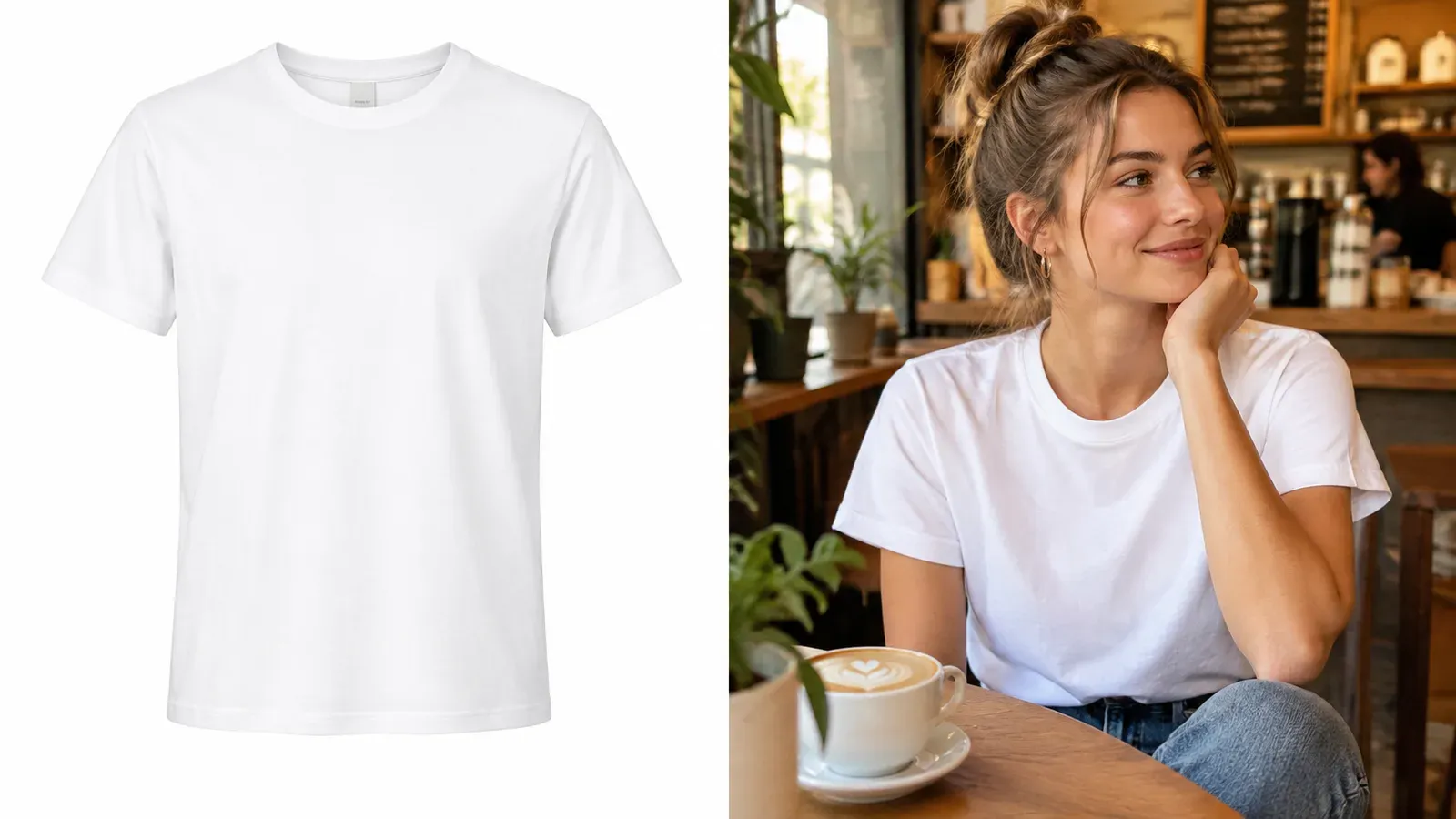
When a buyer sees a t-shirt isolated on a white background, their brain processes it as a piece of data. When they see that same t-shirt on a smiling person at a sunny picnic, they imagine themselves there. That’s the power of lifestyle photography, and it’s the single biggest profit lever for a beginner.
Lifestyle images answer the questions a standard mockup can’t: What does the fabric drape like? How does the design sit on a real body? Is the mug glossy or matte? They bridge the gap between a digital file and a physical object, reducing the perceived risk for the buyer. Less risk means more conversions.
📈 Lifestyle images consistently outperform plain product shots in click-through rate because they help the buyer visualize ownership - the most critical step before adding to cart.
In the past, creating lifestyle images meant hiring a photographer, sourcing samples, and booking a shoot - impossible for a side-hustle. Today, tools like Listystyle analyze your design and target audience, then generate hundreds of realistic scenes with real models, relevant environments, and proper lighting. You just pick the quantity and click.
How Can a Beginner Create Professional Product Photos Without a Camera?
No camera, no samples, no problem. The new generation of Etsy product photography tools leans heavily on smart image generation that understands product shapes and textures, so you get studio-quality results from your laptop.
The workflow looks like this:
First, you upload your design to a central artwork library like My Artworks: Your Designs’ Command Center. The system organizes and tags everything for you. Then you use a bulk creation tool like the Creation Wizard: Your Creativity Assembly Line to combine that design with multiple products (t-shirt, hoodie, tote bag) in one go. For each product, you can in minutes generate lifestyle images.
If your design has a background that clashes with a colored product, the built-in Background Remover strips it clean in one click, saving you the cost of external subscriptions. Then use the Placement Editor to get the design positioning just right. Once you perfect it on one product, you push that same placement to all variants - dozens of colors, sizes, and styles - without retouching a single pixel manually.
This eliminates the slow, manual process that makes so many new sellers quit. If you’re still setting up your first shop, see The Essential Etsy Beginner Tools Guide: Start Selling Smarter in 2026 for a full overview.
What Are the Biggest Photography Mistakes Beginners Make on Etsy?
Even with the right tools, a few mental traps trip up most first-time sellers:
Using the Same Mockup as Everyone Else
The top-selling t-shirt mockup on a free site might appear in 5,000 other Etsy listings. Customers subconsciously register a shop as “generic,” and you lose the trust that commands premium pricing. Always aim for unique lifestyle images that match your brand tone.
Posting Only White-Background Images
One clean product shot on white is fine for the listing gallery, but it can’t be your hero image. Without lifestyle context, the buyer doesn’t emotionally connect. They need to see the product in their world.
Not Removing the Background Before Placing on Dark Products
A design with a white box around it on a black hoodie screams amateur. Always remove the background properly or design on a transparent canvas from the start.
Ignoring Image Order
Etsy rewards a logical image flow: first a strong lifestyle shot, then an infographic or detail shot, then size reference, then other angles. If you dump images randomly, you confuse the buyer and they leave.
No Video
Listings with video get higher engagement. Yet beginners skip it because they think video requires filming skills. In 2026, that’s no longer true.
How Do I Create Product Videos for Etsy Listings If I Have No Experience?
Video used to be the advanced seller’s weapon. Now it’s table stakes. Etsy prioritizes listings with video because they keep shoppers on the page longer, signaling higher quality to the algorithm.
You don’t need to hold a camera. The Listystyle Video: Sales Machine takes your existing product images and automatically creates a short, dynamic video with transitions, text overlays, and music. You just select the listing, click “Create Video,” and in minutes you have a file ready to upload directly to Etsy - no editing skills required.

Pairing a lifestyle image as your primary photo with a short, engaging video as your second or third listing slot can dramatically lift your conversion rates. And because the video is generated automatically, it scales effortlessly as you add new products.
Beyond the Tool: The 5-Step Beginner Photography Workflow for Etsy
Tools mean nothing without a repeatable process. Here’s the exact workflow we recommend for new Etsy sellers in 2026:
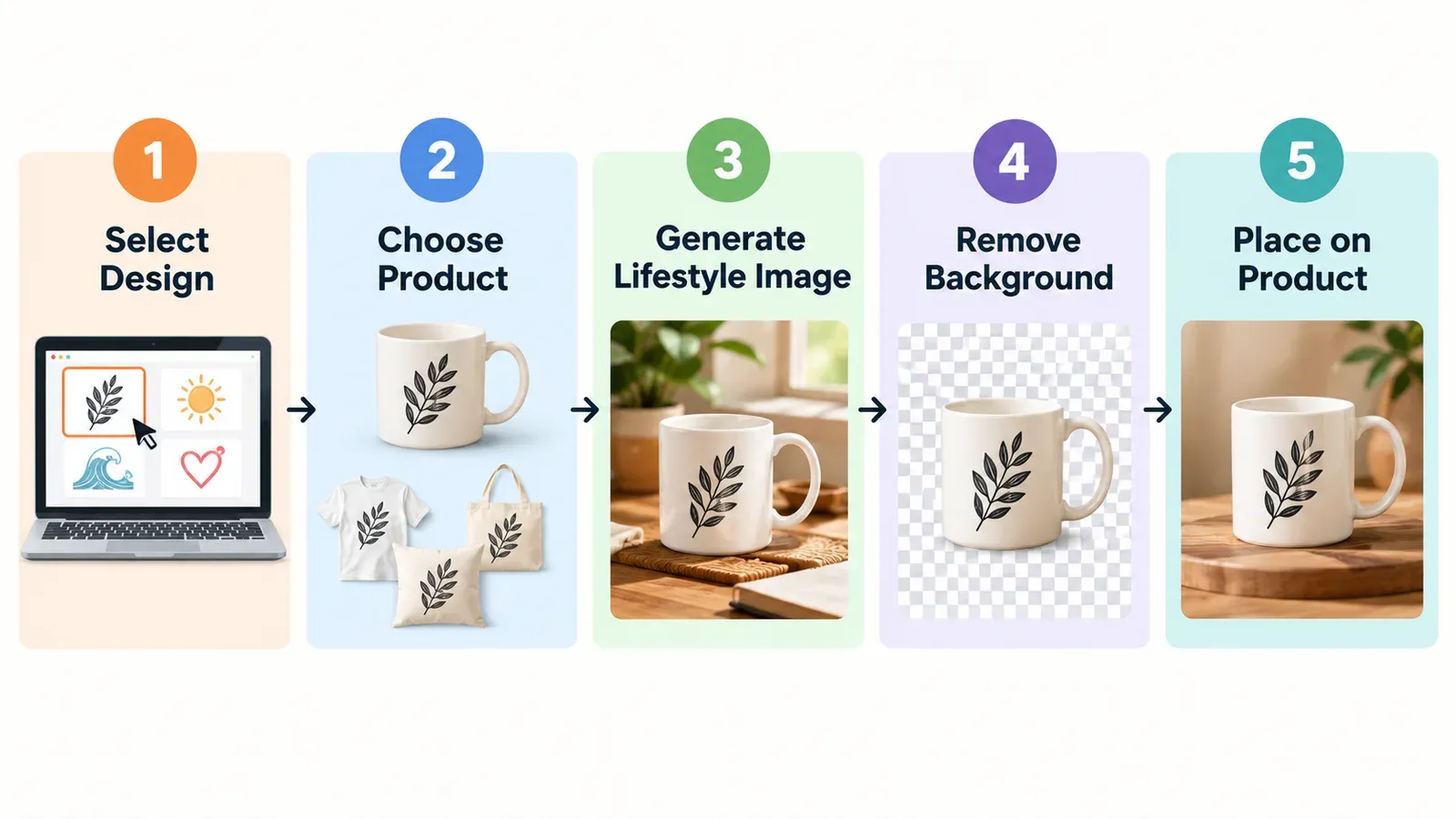
Step 1: Centralize Your Designs
Upload every design you’ve created into a single hub like My Artworks. This prevents scattered files and lets you reuse winning designs across new products in minutes. Tag and organize by theme or season.
Step 2: Create Product Variations in Bulk
Use the Creation Wizard to pick a design and apply it to 10, 20, or 50 products at once. This is where you set the product type, colors, and sizes - the canvas for your photos.
Step 3: Generate Unique Lifestyle Images
For each product creation, run Listystyle to produce a set of lifestyle images. Select the top1-2 that match your brand vibe. This step alone separates you from 90% of beginners still using generic mockups.
Step 4: Refine with Background Removal and Placement
Open any creation where the design needs a transparent background or the placement isn’t perfect. Use Background Remover and Placement Editor to make adjustments. You can apply changes across all variants at once, so this takes seconds.
Step 5: Schedule and Publish
Once your listings have their images, use Scheduled Publish: The Algorithm Strategist to drip them out over days or weeks. Etsy’s algorithm rewards consistent activity. Set your schedule, and let the system publish while you sleep.
From Overwhelmed to Operational
Remember Liam? After three months of manual mockup chaos, he tried a different approach. He uploaded his 30 designs into Listybox, used Creation Wizard to apply them across 15 products, generated lifestyle images with Listystyle, and scheduled them to release over two weeks. The result? His shop started to look like a real brand, and click-through rates improved. More importantly, he got back his weekends.
Does all of this feel overwhelming? You don’t have to start from scratch. With Store Setup: Professional Store Launch, our expert team sets up your Etsy store, lists your first 10 products with professional photography and SEO, and guides you through the onboarding. It’s included free with annual plans.
Even if you prefer to build your store yourself, you can start with a free Listybox account and explore the photography tools first-hand. The best way to stop drowning in the technical details is to see how a dedicated Etsy POD platform speeds up the entire imaging process while giving you the professional look that makes shoppers trust you. Start free - no credit card required and take the first step toward a shop that doesn’t just list products - it sells them.
Frequently asked questions
Put this into practice in your shop.
Every step from design to live listing, on one platform. Start on the free plan.
Related posts
Want to go deeper? Read our in-depth Etsy guides · Browse 100 Etsy niche guides