



Key takeaways
In print on demand, the seller usually owns the storefront while a separate production partner prints and ships each order.
Your role is to choose a fulfillment partner, confirm their costs, and check the current Etsy shop and platform rules before you list.
Routing orders by hand is where most of the hidden time and mistakes happen, and Zero-Touch Fulfillment in Listybox is built to reduce that manual work.
Listing fees and taxes can change, so always verify the current Etsy fee page rather than relying on older articles.
You stay in control of every product, listing, and supplier choice inside Listybox.
Selling on Etsy often starts with a simple question: once a customer clicks buy, who actually makes and sends the product? For many new print-on-demand shops, the answer is not obvious at first. The seller handles the storefront, the designs, and the customer relationship, while a separate production partner handles printing and shipping. Understanding that split is the first step to running a shop that feels calm instead of chaotic.
Consider Maya, a graphic designer who is launching a small boutique shop of illustrated tote bags, mugs, and hoodies. Her goal is simple: keep her design work at the center, let orders flow without storing inventory, and avoid turning every sale into an administrative project. She knows the idea works in theory, but she has not yet mapped the day-to-day steps.
Who Actually Delivers an Etsy Order in Print on Demand
In a typical print-on-demand setup, Etsy is the marketplace where the buyer finds and pays for the item. The seller is the shop owner, responsible for the listing content, the product choices, and how orders are handled. A production partner, sometimes called a print provider or fulfillment partner, receives the order details, prints the design on the blank product, packs it, and ships it to the customer.
This means you rarely hold stock yourself. Instead, you pay the partner for each item after a sale, and the difference between your selling price and that production cost is what remains before your other expenses. Because the partner is the one holding the product, the quality of their production and the accuracy of your order details directly affect your customer reviews.
Why Manual Routing Creates the Hidden Trap
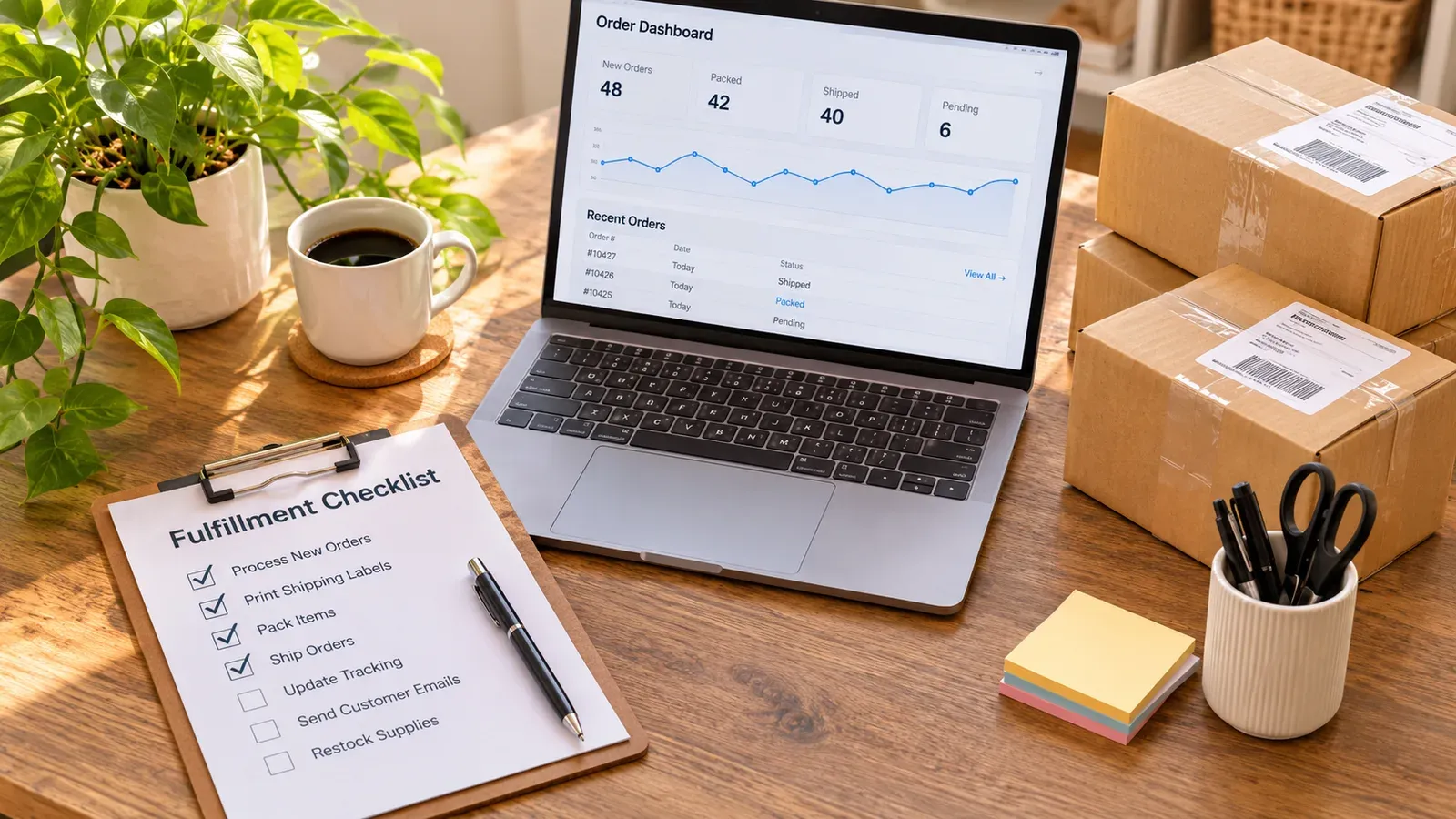
Here is where Maya’s plan runs into trouble. Without an automated process, each order has to be copied from the Etsy order page into the partner’s dashboard, checked for the right variant, size, and color, and then tracked until it ships. When a customer later asks where their package is, she has to find the tracking number and send an update herself.
This manual routing has a hidden cost that is easy to underestimate. Each copy-and-paste step is a chance for a wrong size or a missed address, and each tracking update pulls attention away from design work. In the early weeks, the routine can feel manageable, but as order volume grows, the back-office tasks can start to crowd out the creative work that made the shop worth opening in the first place.
Maya also has to keep track of which products her partner supports and whether her design files meet their print requirements. None of this is impossible to handle by hand, but it adds steady friction every single day.
Try your first design.
Try your design on a product and prepare its Etsy listing in Listybox.
Checking Costs and Shop Rules Before You Commit
Before you choose any fulfillment partner or list a single product, check the costs and rules that apply to your own account. Fees, production prices, and shipping charges change over time, so an article you read a year ago may already be out of date. Build a habit of checking the current official information directly.
Start with Etsy’s own fee and policy pages. Look up the listing fee for each item you publish and any transaction or payment processing charges that apply in your region. Taxes may also apply depending on where you sell and where your buyers are. Then compare the production cost and shipping rates from each print partner, and calculate what you would keep from a sale after both sets of fees.
You should also review the platform rules for print-on-demand products. Etsy updates its seller policies, so confirm the current requirements for disclosing production partners, handling customization, and managing returns before you launch. Your partner’s own terms matter too, especially for reprints, damaged items, and minimum order rules.
💡 Write your costs in a simple spreadsheet and update it whenever you see a new fee or partner rate, so your pricing decisions are based on current numbers.
⚠️ Do not rely on a single blog post or a friend’s experience for fee information. Always confirm with the official source before setting your prices.
Once you have verified the basics, you can decide how much of the order routine you want to handle yourself. For a detailed look at marketplace charges, you can read our breakdown of What Percentage Does Etsy Take? A 2026 Seller’s Fee Breakdown and compare it against your own pricing plan.
Comparing Manual Fulfillment With an Automated Workflow
There are two common ways to handle orders. In the manual approach, you watch for each new sale, copy the details into your partner’s system, and track each package yourself. In an automated approach, the platform detects the order, routes it to the partner you selected, and updates the order when tracking becomes available.
The manual approach gives you full visibility at the cost of constant attention. The automated approach removes much of the repetitive routing, but you still need to choose partners, approve your products, and watch your shop health. The right choice depends on how many orders you expect, how comfortable you are with each step, and how much time you want to spend on design and marketing.
Whichever route you take, keep a written process. A simple checklist for new orders, a weekly review of shipping delays, and a clear rule for responding to customer messages will protect your shop regardless of who handles the routing.
How Listybox Fits Into the Order Routine
Maya eventually moved her shop into Listybox, which works as one workspace for running an Etsy shop. Her products, listings, and designs live in the same place, so she does not have to jump between tools to publish a new item. Creating products and writing listings can be done in minutes rather than hours, and she keeps full control over every title, description, and tag before anything goes live.
For order handling, Zero-Touch Fulfillment is the feature that matters most to someone who wants fewer manual steps. When an Etsy order arrives, Listybox detects it and sends the order details to the production partner that Maya selected. Once the order ships, the tracking number is recorded and the Etsy order is updated, so she can keep her attention on the next design rather than on copying data.
Maya still reviews her partner choices, checks her own product costs, and decides which items to offer. Listybox handles the routine work, but the seller stays in charge of the shop decisions. If you want a step-by-step look at how a first listing comes together, our guide on Your First Etsy Listing with Listybox: A Step-by-Step Guide walks through the process.
Another useful tool is Bulk Edit. When you need to update a shared detail across many listings, such as a shipping note or a title pattern, you can select the listings, choose the field, and apply the change in one pass. Listybox documents this as a process that finishes within minutes, though you should always review the result before relying on it.
Practical Steps to Set Up Your Order Flow
If you are just starting, follow a clear sequence. First, confirm the current Etsy listing fees and any tax rules that apply to your location. Second, shortlist two or three print partners and compare their production costs, shipping times, and quality feedback. Third, set up a test order so you can see how the information reaches the partner and how tracking comes back to your shop.
Next, publish a small set of products rather than dozens at once. This lets you check that the variants, mockups, and descriptions match what you expect before you scale. Keep a note of any problems you find so you can fix the source of the issue, whether it is a file size, a color profile, or a variant mismatch.
Finally, set a weekly routine. Review open orders, check for delayed shipments, read any customer messages, and confirm that your fee spreadsheet still reflects current prices. A calm, repeatable routine is what keeps a print-on-demand shop sustainable over time.
If you want to move from planning to a working shop, you can start Listybox now and explore the product tools at your own pace. The free plan lets you test the workflow before you decide anything more.
Common Questions Sellers Ask About Order Delivery
Many sellers ask whether they need to handle packaging themselves. In most print-on-demand models, the production partner packs and ships each order, which is why partner selection matters so much. Read each partner’s packaging and shipping details before you commit.
Another frequent question is how long delivery takes. Timing depends on the production partner, the destination, and the shipping method, so check each partner’s current published timelines rather than relying on general estimates. Set clear expectations in your listing descriptions so buyers know what to anticipate.
Sellers also ask how to handle returns and cancellations. Policies differ by partner and by the type of product, and Etsy’s own rules apply to the sale. Review both before you launch, and write a short internal guide so you respond consistently. For more on this, read our article on Etsy Seller’s Guide to Handling Returns, Cancellations, and Custom Orders.
Finally, many sellers wonder whether they can grow without spending all their time on operations. The honest answer is that it depends on your process. A shop built on a clear checklist, verified costs, and an automated order flow usually needs less daily attention than one built on memory and manual copying.
Final Thoughts on Who Delivers Your Orders
The short answer to who delivers Etsy orders in print on demand is a production partner that you select and manage, working behind a storefront that you own. Your responsibilities are the listings, the designs, the pricing, and the rules that protect your shop. Verify the current fees and policies before you publish, compare partners carefully, and set up a routine you can keep.
Once that foundation is in place, the order routine is where a tool like Listybox can remove repetitive work. Maya did not need to become an operations expert to run her shop. She needed a clear process, verified numbers, and a workspace that handled the routing while she stayed focused on the designs that bring customers back.
Listybox
Listybox keeps your Etsy shop work in one place. Create products, publish listings, edit them in bulk and pass print-on-demand orders to production.
Frequently asked questions
Put this into practice in your shop.
Every step from design to live listing, on one platform. Start on the free plan.
Related posts



Want to go deeper? Read our in-depth Etsy guides · Browse 100 Etsy niche guides