

Etsy SEO Tool: Titles, Tags and Descriptions in One Workflow
You research keywords, write listing copy and check tags in the same place where you create and publish your listings.
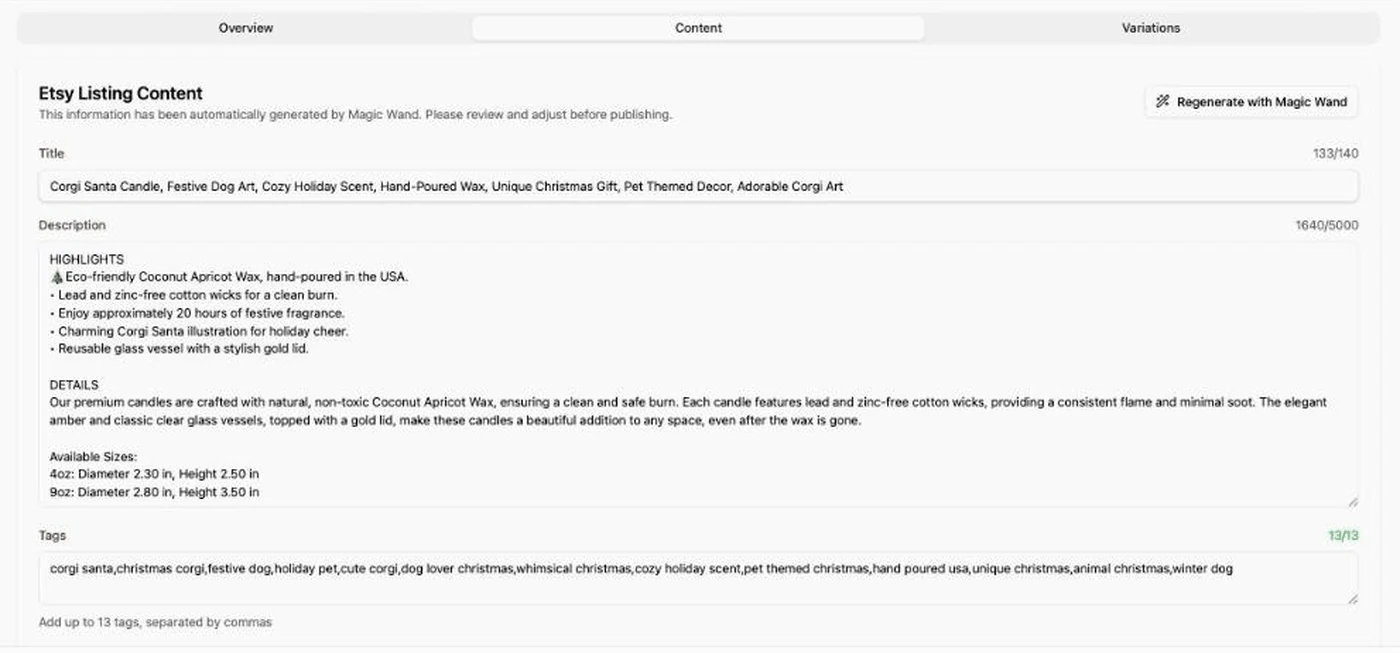
"Listybox puts Etsy SEO inside the listing workflow: write the copy with Magic Wand, check the tags with Tag Health, then publish."
What the Etsy SEO tool does
Listybox combines two features. Magic Wand writes the listing copy and Tag Health checks the tags against live competition. You use both in the same workflow where you create products and publish them to Etsy.
Magic Wand: titles, tags and descriptions
Select one creation (a product and design combination) or hundreds of them. Magic Wand studies relevant products and trends, then writes a title, a full tag set and a description for each one. It also shows a short strategy report with the main theme and keywords, the primary target audience and use cases, so you can see why it chose those words. Review the copy before you publish. See Magic Wand.
Tag Health: live tag competition
Open a listing and select Analyze Tags to see how many listings compete for each tag. Select Suggest better tags to compare alternatives, then replace a single tag or apply all. Check that every suggestion describes your product accurately before you apply it. See Tag Health.
How it fits your workflow
- Create your products and designs in Listybox.
- Generate copy with Magic Wand and review it.
- Check the tags with Tag Health.
- Publish to Etsy.
What it can't promise
No tool can guarantee an Etsy ranking. Etsy looks at relevance, listing and shop quality and customer experience, among other factors. Read Etsy's search guide for details. Listybox does the research and the first draft of the copy. You still decide which words describe your product best.