

THE PRINTIFY BRIDGE
Leave your Printify products where they are.
Build the listing here.
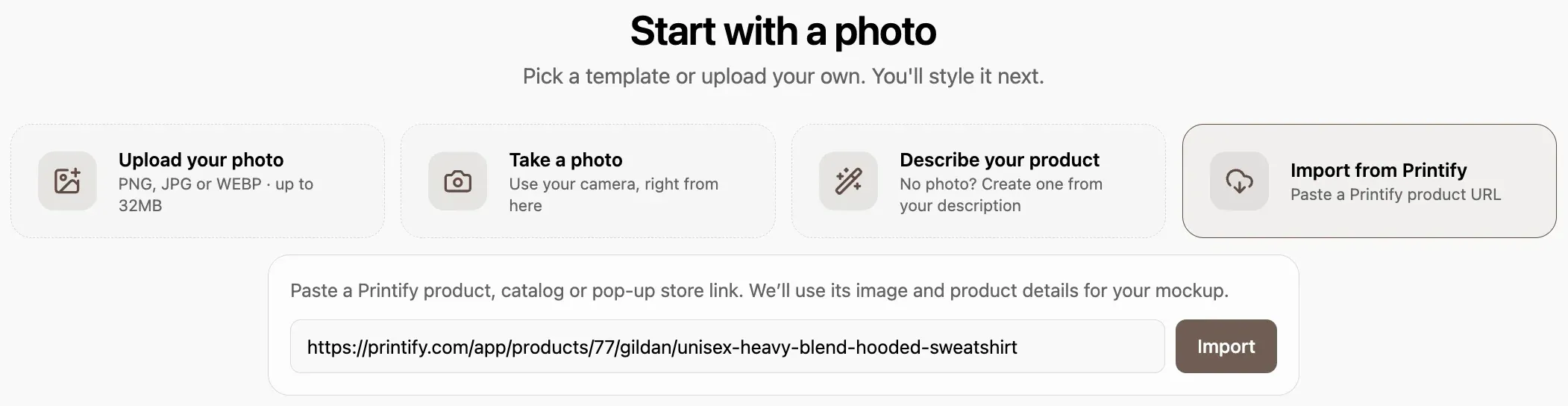
Paste the link to your Printify product. The mockups, title and tags get built here. You do not need to connect your Printify account, and nothing in your setup changes.
THE LINE
Your print provider does not change
Your production, your print provider and your shipping stay on Printify. Listybox builds the part that sells the product: the mockup, the listing copy and publishing to your shop.
CAN STAY ON PRINTIFY
- Production and printing
- Shipping and tracking
- Product cost and returns
- Your choice of print provider
GETS BUILT IN LISTYBOX
- Mockups and video in a real scene
- Title, tags and description
- Bulk publishing to Etsy
- Bulk edits across hundreds of listings
If you want to compare the production side of both: Listybox and Printify compared
THREE STEPS
From a link to a live listing
You do not rebuild the product. Its name, description, variants and images come in from the link; you drop in the design and publish the listing.
A product you bring in once stays there. You can list it again with designs from the Artwork Gallery, with whatever Trend Compass surfaces that week, and with your own uploads.
- 01
Paste the link
A link to your Printify product, catalog or pop-up store is enough.
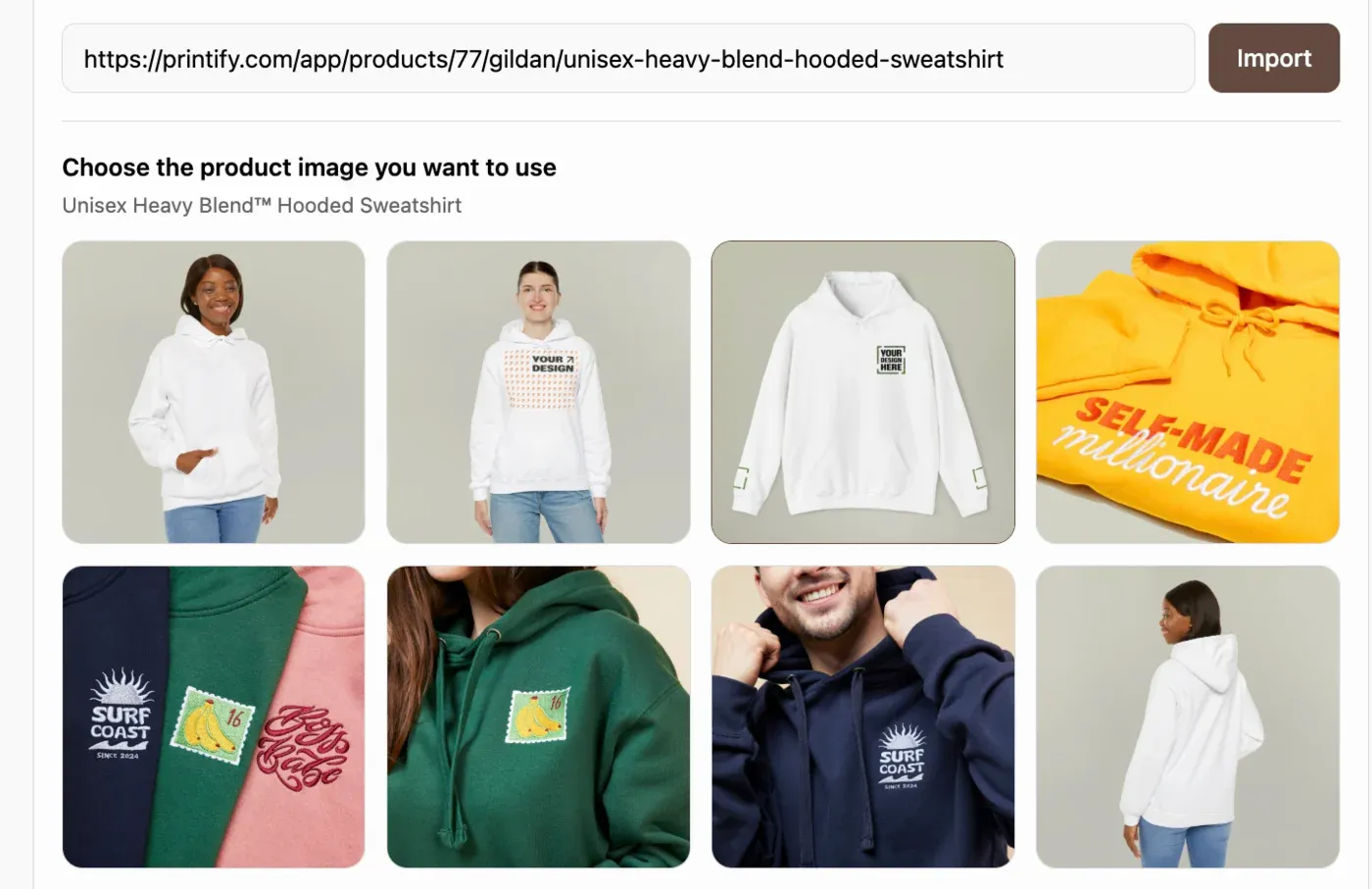
- 02
Build the mockup
Pick one of the images that came in, then set the scene and the print area.

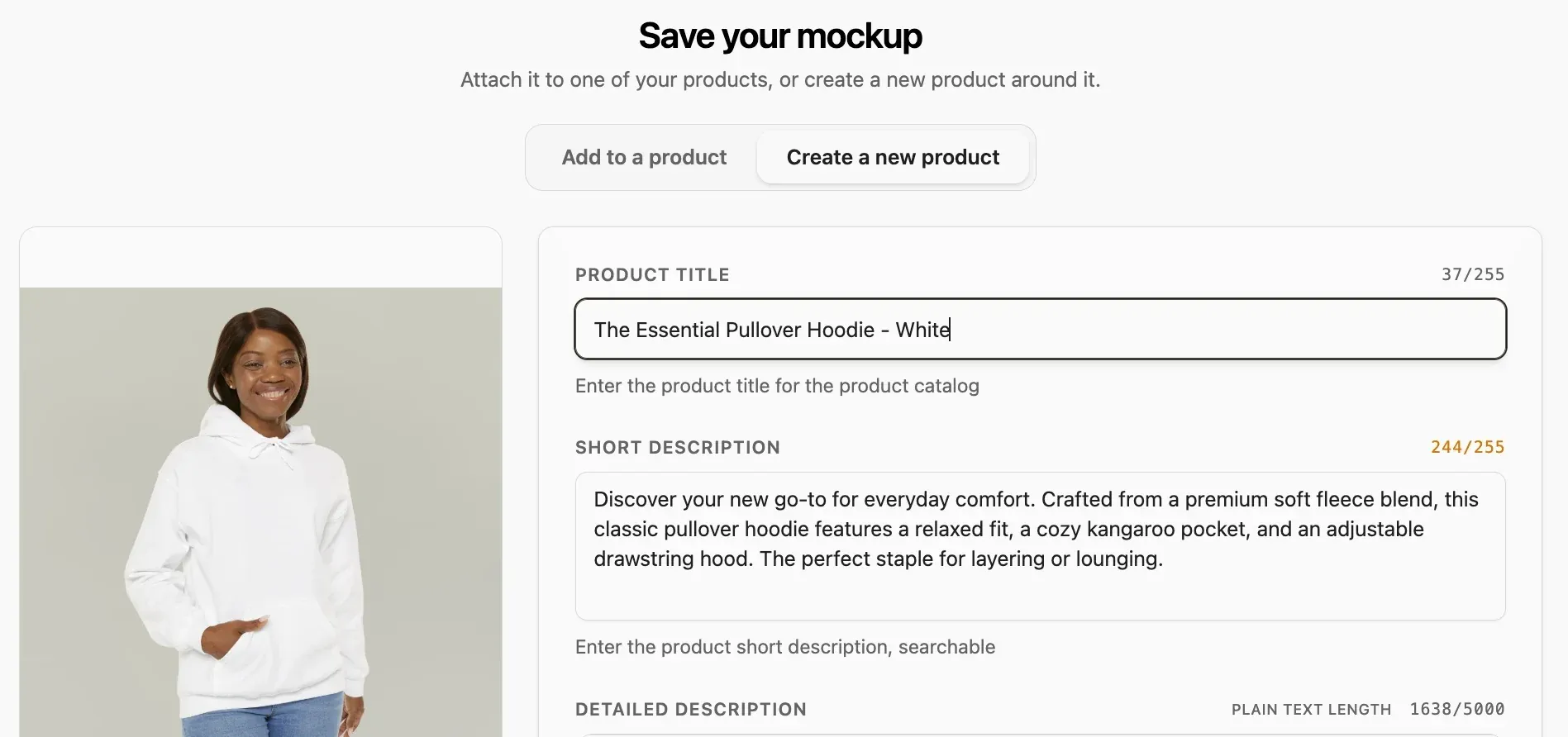
- 03
Send it to Etsy
The listing lands in your shop with its title, tags and description.
A SEPARATE CRAFT
Producing is one job. Selling is another.
The side that prints the product and the side that builds the image, the title and the video that sell it do not have to be the same. All of Listybox is built for that second job.
- Listystyle puts the product inside a scene and makes images and video.
- Magic Wand writes the title, the tags and the description.
- Bulk Edit changes titles and tags across hundreds of listings at once.
- Trend Compass scans what people are talking about every hour and turns it into designs.
- Scheduled Publish queues listings and publishes them when you choose.
FREE PLAN
Nothing to pay to try it
Start on the free plan and move up when the shop grows.
- You publish real listings on the free plan.
- No card needed.
- No Printify account to connect, the link is enough.
- Magic Wand writes the title, tags and description.
- Your daily capacity sits on the dashboard.
Your products are on Printify. The listing starts here.
Open an account, paste a Printify link, send your listing to your Etsy shop.