


Key takeaways
Amazon seller application requires business info, tax ID, government ID, and a valid bank account; missing documents cause the most delays.
Individual plan costs $0.99 per item sold, Professional plan costs $39.99 per month, but both carry referral fees and potential FBA fees.
Approval can take anywhere from 24 hours to several weeks, with video verification now common for new sellers.
Instead of jumping through Amazon’s hoops, Etsy print on demand with Listybox lets you start a professional store without inventory, listing fees, or manual order fulfillment.
Listybox features like Store Setup, Magic Wand, and Zero-Touch Fulfillment remove the technical workload so you can focus on creative products that sell.
Noah spent three evenings watching YouTube videos about how to start selling on Amazon. Every video promised a simple sign-up, but the moment he clicked ‘Sign up’ on Seller Central, the real work began: tax interviews, ID verification, bank statements, and a $39.99 monthly charge he didn’t fully understand. He wasn’t alone. Thousands of new sellers hit the same wall every month.
This guide will walk you through the Amazon seller application process step by step, show you exactly what it costs, and reveal the hidden traps that delay approval for weeks. Then I’ll show you a smarter alternative for new sellers who want to sell products without inventory, using Etsy print on demand and Listybox. Because after reading this, you may decide Amazon’s application isn’t worth the headache.
What Are the Requirements to Apply for an Amazon Seller Account?
Before you start the online form, gather everything Amazon asks for. Missing or mismatched documents are the top reason applications stall for weeks. Here is the minimum checklist:
Business information: your legal name, address, and phone number. If you use a business, include its registered name and address.
Tax identification: a Social Security Number (SSN) for individuals or an Employer Identification Number (EIN) for businesses. Non-US citizens must provide a valid passport and tax information for their country.
Government-issued ID: a passport or driver’s license. The photo must be clear, in color, and all four corners visible.
A chargeable credit card: Amazon uses this to verify your identity and charge the monthly Professional plan fee if you choose it.
A bank account: this is where Amazon deposits your sales proceeds. The account must support ACH transfers.
A working email and phone number: you will receive one-time passcodes for verification.
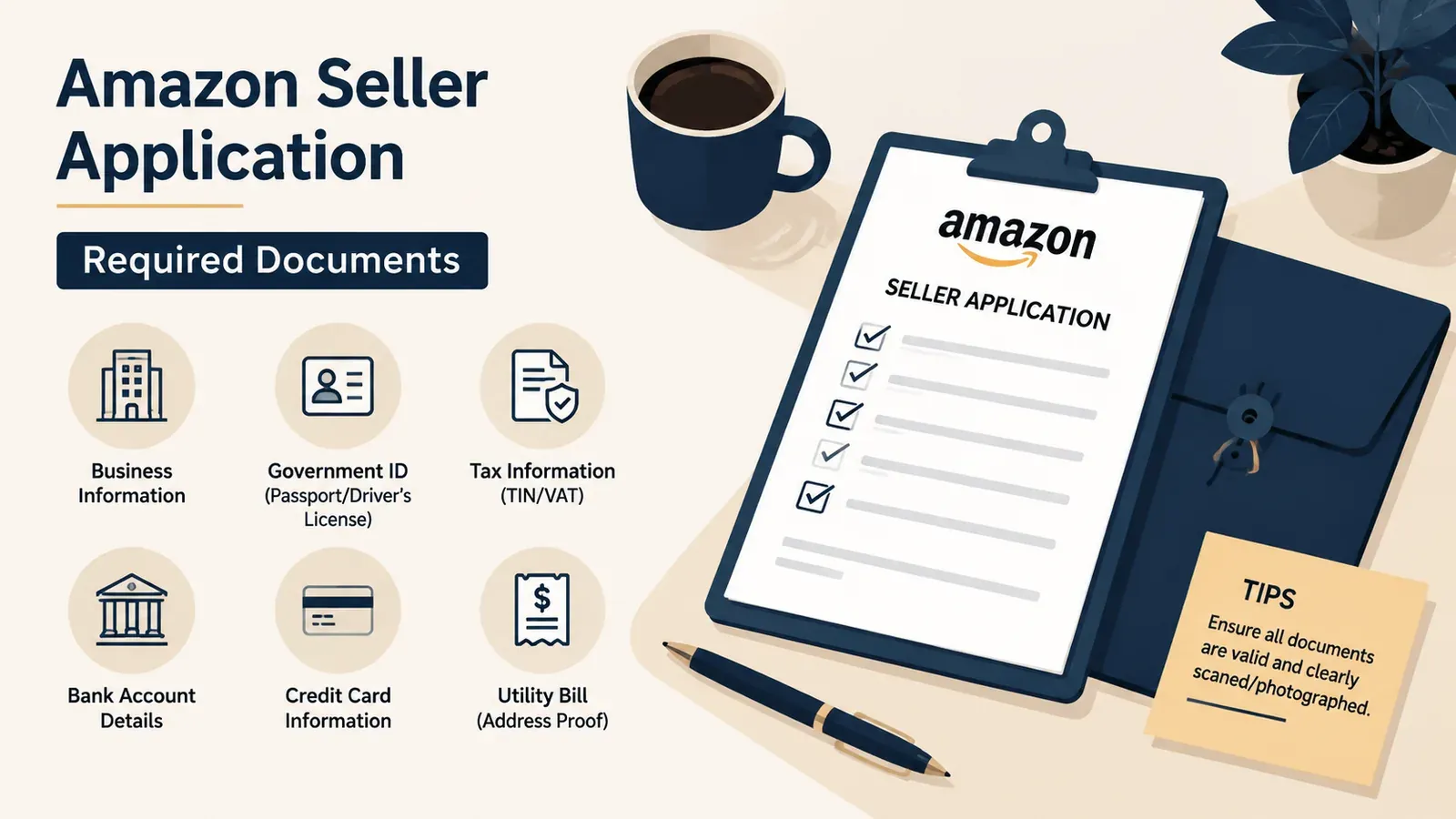
⚠️ Tip: Before you start, scan your ID and bank statement at 300 DPI or higher. Blurry uploads are the #1 reason for automatic rejection.
If you’re comparing platforms, you can also check what Etsy needs in this guide: Etsy Seller Requirements 2026: What You Really Need to Start a Shop. The differences are eye-opening.
Amazon Individual vs Professional Selling Plan: Which Should You Choose?
Amazon offers two selling plans, and your choice changes your upfront costs and available tools.
Individual plan
No monthly subscription fee.
You pay $0.99 per item sold.
You cannot use bulk listing tools, advertising, or advanced reports.
Some product categories are restricted.
Professional plan
Costs $39.99 per month, regardless of how many items you sell.
No per-item fee.
Access to Amazon Advertising, bulk listing uploads, and detailed sales reports.
Required for selling in restricted categories and for using Fulfillment by Amazon (FBA) in most cases.
📈 Most new sellers start on the Individual plan and move to Professional once their monthly volume passes the point where the flat fee costs less than the per-item fee.
For new sellers testing the waters, the Individual plan seems low risk. But the $0.99 per item adds up fast. At 41 sales per month, you’re already paying more than the Professional subscription, and you still can’t run ads or use bulk tools. If you’re serious about selling, Professional is often the better long-term choice. However, on Etsy, the fee structure is much simpler: a $0.20 listing fee and a 6.5% transaction fee. You can compare the full breakdown in How Much Does Etsy Take From Sellers? The 2026 Fee Breakdown.
How Much Does It Cost to Become an Amazon Seller in 2026?
The monthly fee is just the start. Amazon charges several other fees that eat into your profit margin, and many new sellers don’t realize how quickly they stack up.
Referral fee: Amazon takes 8% to 15% of the total sale price, including shipping, depending on the category. Most categories charge 15%.
FBA fees: If you use Fulfillment by Amazon, you pay pick-and-pack, weight handling, and storage fees. Storage fees rise dramatically in Q4.
Closing fee: $1.80 per item for media categories like books, DVDs, and video games.
High-volume listing fee: $0.005 per listing if you have more than 100,000 active SKUs and haven’t made a sale in 12 months. Rare for new sellers, but it exists.
Advertising costs: Optional, but nearly expected for any new product launch. Most new sellers spend $10 to $50 per day to get initial visibility.
You can see the current fee schedule on Amazon’s official selling fees page.
If you’re coming from a dropshipping background, you may want to read Amazon Dropshipping Guide: Why Smart Sellers Are Switching to Etsy POD. It explains why the total cost of ownership on Amazon is often higher than it appears.
Step-by-Step Amazon Seller Application Process
The application itself is online, but each step can trip you up if you rush. Here is the full process in order.
Step 1: Choose Your Selling Plan
Select Individual or Professional. You can change later, but Amazon will charge you for the Professional plan immediately if you choose it.
Step 2: Create Your Seller Central Account
Go to sellercentral.amazon.com and click ‘Sign up’. Use a personal email, not a shared one. You’ll set a password and verify your email.
Step 3: Complete the Business Information and Tax Interview
Amazon will ask about your business type, legal name, and address. For US sellers, this triggers the W-9 form. For international sellers, it’s the W-8BEN. Double-check every letter and number because a typo here causes a rejection.
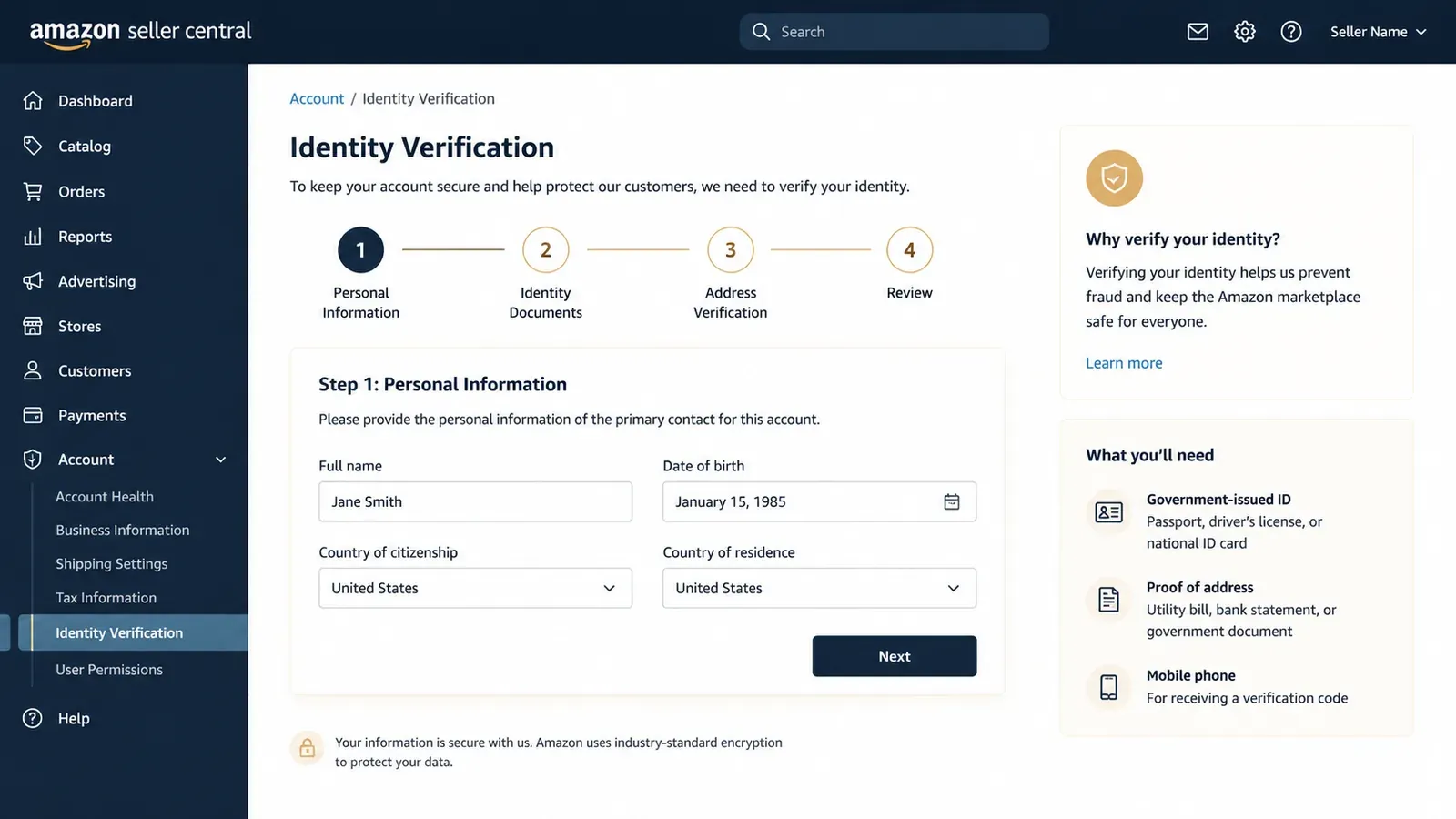
Step 4: Verify Your Identity
Upload your government ID and a bank statement or credit card statement. Amazon may also ask for a live video call where you show your ID and confirm your identity. The video call usually takes 5 to 10 minutes, but scheduling can take days.
Step 5: Enter Your Credit Card and Bank Account
Provide a valid credit card for billing and a bank account for deposits. The name on the bank account must match your legal name exactly.
Step 6: Activate Your Account and List Your First Product
Once Amazon approves your documents, you’ll receive an email. You can then log in and begin creating product listings. If you chose Professional, you can use bulk upload files; otherwise, you’ll create one listing at a time.
If you’re still unsure whether Amazon or another platform is better, this comparison helps: How to Open an Amazon Seller Account (And Why You Might Want to Start Elsewhere).
Why Do Amazon Seller Applications Get Delayed or Rejected?
Even if you have every document, approval is not guaranteed. The hidden traps below are responsible for most failed or stalled applications.
Mismatched names or addresses: Your ID address must match what you enter in the tax interview. If you moved recently, use your current bank statement.
Blurry or cropped ID photos: Amazon uses automated checks and human review. A poorly lit or partial ID gets rejected in minutes.
Invalid credit card: The card must allow international transactions. Prepaid cards are not accepted.
Previous account suspension: If you or someone in your household had a suspended Amazon seller account, your new account can be linked and blocked.
Tax information errors: An EIN that doesn’t match IRS records or a SSN typo will freeze your application.
IP address or device flags: Applying from a VPN or public Wi-Fi can trigger a fraud review.
⚠️ Important: If Amazon asks for a video call, don’t skip it. Missing the scheduled time pushes your application to the back of the queue and can add another week or more.
Many of these issues are avoidable, but they still consume time and energy. For sellers who just want to start selling products without dealing with identity verification quizzes, Etsy’s requirements are far simpler. See them side by side in Etsy Seller Requirements 2026: What You Really Need to Start a Shop.
Amazon Seller Application vs Etsy Print on Demand: The Smarter Alternative for New Sellers
Here’s the core question: why do you want to sell on Amazon? For most new sellers, the goal is to earn extra income without dealing with inventory, shipping, or customer service. Amazon can do that, but only after you survive the application and set up FBA or a similar fulfillment process. Etsy print on demand (POD) gets you to the same goal with far less friction.
With Etsy POD, you sell physical products like t-shirts, mugs, and wall art without holding inventory. When a customer orders, a print provider makes and ships the item. Your job is to create listings and drive traffic. Listybox makes that job dramatically faster and easier.
Listybox features solve the exact problems that stall new sellers:
Store Setup: Our team opens your Etsy store, sets up branding, and lists your first 10 products with SEO optimization. You skip the confusing setup entirely.
Magic Wand: Instead of manually writing titles, tags, and descriptions, Magic Wand analyzes best-sellers and writes SEO-optimized copy for each listing.
Creation Wizard: Combine a design with multiple products in one click and create hundreds of ready-to-publish listings in minutes.
Zero-Touch Fulfillment: When an Etsy order comes in, Listybox automatically routes it to the best-performing print provider, gets the tracking number, and marks the order complete. No manual work.
Lowest Price Guarantee: Listybox negotiates the best production prices on your behalf, so your profit margin stays high without any extra subscription.
Does all of this feel overwhelming? You don’t have to start from scratch. With Listybox Store Setup, our expert team sets up your Etsy store, lists your first 10 products, and optimizes everything for SEO. See the pricing page for what this service covers and what it costs.
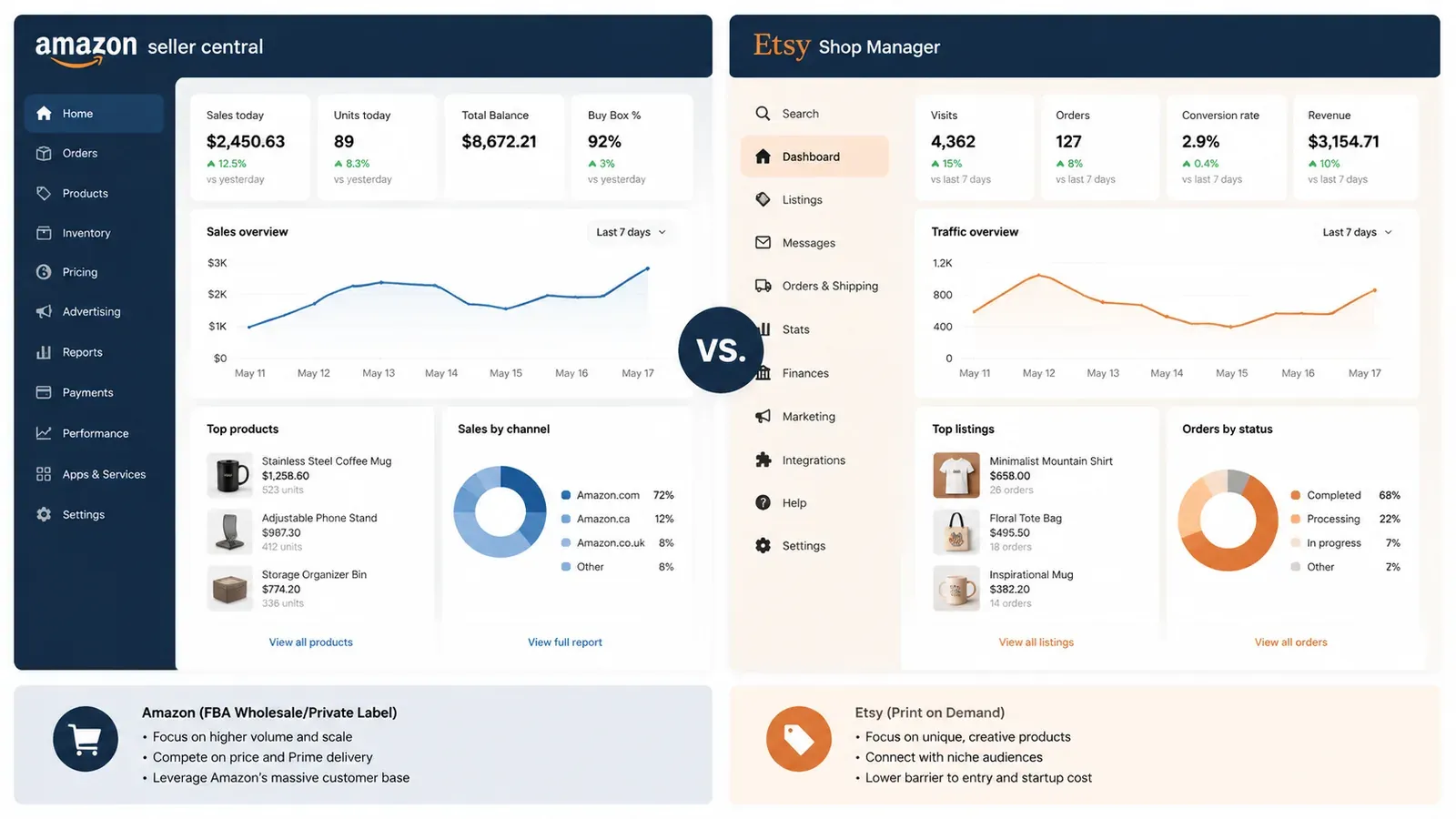
This isn’t just about avoiding paperwork. It’s about speed to first sale. Amazon sellers often wait weeks to get approved, then more weeks to create listings and send inventory to FBA. On Etsy POD with Listybox, Store Setup finishes in 2-3 business days, and Magic Wand creates SEO-ready listings in minutes. You can launch your store and have products live in a fraction of the time.
Realistic Timeline: From Application to First Sale
Let’s put numbers on the difference. These timelines are based on typical seller experiences in 2025-2026.
Amazon timeline
Document review: 24 to 72 hours if no issues, but video verification adds 3 to 5 days.
Additional information requests: 7 to 14 days per round.
Listing creation: 1 to 3 days for simple products, especially if you use flat files.
Inventory to FBA: 5 to 10 days (if using FBA).
Total time to first possible sale: 2 to 5 weeks for most new sellers.
Etsy POD with Listybox timeline
Store Setup: 2 to 3 business days.
Magic Wand listing creation: minutes per product.
Scheduled Publish: set a schedule (e.g., every 6 hours) so Listybox publishes products automatically.
First sale potential: days, not weeks, especially if you use Trend Compass to pick a trending design.
For a deeper look at ranking on Etsy after launch, read How to Get Your Etsy Listing on the First Page: The 2026 Playbook. It covers the exact on-page factors that matter.
Final Takeaway: Skip the Maze if You Can
Amazon’s seller application process is thorough because Amazon wants serious sellers. But for a new seller who just wants to test the waters and make an extra income, the heavy verification, monthly fees, and category restrictions can kill motivation before the first sale. If your goal is to sell products without inventory, Etsy print on demand is a proven path, and Listybox removes nearly all of the technical workload.
You don’t need to become an Amazon expert. You need a system that handles the boring parts for you. If you’d rather skip the Amazon verification maze and start selling products you don’t have to stock or ship, try Listybox free. Start free - no credit card required.
Still not sure? Read customer reviews to see how other sellers made the switch.
Frequently asked questions
Put this into practice in your shop.
Every step from design to live listing, on one platform. Start on the free plan.
Related posts

Want to go deeper? Read our in-depth Etsy guides · Browse 100 Etsy niche guides