



Key takeaways
Manual listing creates bottlenecks that stall shop growth and hurt Etsy SEO consistency.
Bulk listing with Listybox’s Creation Wizard and Bulk Edit lets you prepare dozens of listings in minutes, keeping you in full control.
Scheduled Publish spreads your listings out automatically so your shop stays active without constant manual work.
Magic Wand generates SEO-optimized titles, tags, and descriptions for each creation, removing the guesswork.
You can start with the free plan and scale up when ready, no credit card required.
Ethan had a clear goal: build a second income stream with Etsy print on demand. He spent weekends designing, researching trends, and picking products. But by Sunday night, he had only managed to list three new items. The rest of the time vanished into copy-pasting titles, writing descriptions, and uploading images one by one. He knew that to make real progress he needed dozens of listings live, not three. The manual grind was holding him back, and he couldn’t see a way out.
The truth is, listing products one at a time on Etsy is like trying to fill a swimming pool with a teaspoon. It feels productive while you’re doing it, but the results never match the effort. For print-on-demand sellers, the gap between “I have designs ready” and “my shop is full of listings” is where growth stalls. Bulk listing changes that equation. It lets you prepare many listings at once, apply consistent SEO, and publish them on a schedule that keeps your shop active. In this guide, we’ll walk through exactly how to do that, the mistakes to avoid, and how to set up a workflow that feels effortless.
What Is Etsy Bulk Listing and Why It Matters for POD Sellers
Bulk listing means creating multiple Etsy listings in a single session, rather than one at a time. For print-on-demand sellers, this is not a luxury, it’s a necessity. When you sell t-shirts, mugs, hoodies, and wall art, a single design often needs to appear on several products. Manually creating a separate listing for each product-and-design combination can eat up hours. Bulk listing tools let you combine designs with products, generate all the variations, and prepare dozens of listings from one central workspace.
The real advantage goes beyond speed. When you list in bulk, you can apply a consistent SEO strategy across your entire catalog. Titles, tags, and descriptions follow a proven pattern instead of being written from scratch every time. This consistency helps Etsy understand your shop and can improve your visibility over time. If you’re new to Etsy SEO, our guide on Etsy Listing SEO Optimization: Your Step-by-Step Guide to Visibility and Sales walks through the fundamentals.

The Hidden Cost of Manual Listing
When Ethan started, he thought listing three items a day was good progress. But after a month, his shop had fewer than 100 listings. Meanwhile, competitors with 300 or 500 listings were capturing more search real estate. The math is simple: more listings mean more chances to appear in Etsy search results. Manual listing caps your shop size because you simply run out of time. Beyond that, manual work leads to inconsistency. One day you might write a great title; the next day, you’re tired and cut corners. Those weak listings drag down your shop’s overall performance.
⚠️ Inconsistent titles and tags across your listings confuse Etsy’s algorithm. When every listing follows a different pattern, it’s harder for Etsy to understand what your shop sells.
The Real Problem with Manual Listing: More Than Just Wasted Time
The agony of manual listing isn’t just the hours lost. It’s the mental fatigue that sets in after writing your tenth product description. That fatigue leads to mistakes. A missing tag, a poorly cropped mockup, a title that doesn’t include the main keyword. Each small error reduces the chance that a listing will rank. For Ethan, the breaking point came when he realized he had spent an entire Saturday listing products and then discovered that half of them had the wrong pricing because he forgot to update the variations. He had to go back and edit each one individually, doubling his work.
There’s also the hidden trap of “listing fatigue.” When you’re tired, you start taking shortcuts. You reuse the same description across unrelated products. You skip the research step and guess at keywords. You upload the first mockup you find instead of choosing one that shows the product in context. These shortcuts hurt conversion rates. A listing with a generic description and a flat mockup looks amateurish next to a competitor’s listing that has a lifestyle image and benefit-driven copy.

💡 Before you start a bulk listing session, prepare a checklist: correct pricing for each product type, a list of target keywords, and a folder of optimized mockups. This small prep step prevents hours of rework.
How to Bulk List on Etsy Without Touching a CSV File
Etsy does offer a CSV upload option, but it’s clunky. You need to format a spreadsheet with exact column headers, and one wrong character can break the entire upload. For non-technical sellers, this is a barrier. The smarter approach is to use a tool that handles the complexity for you while keeping you in control.
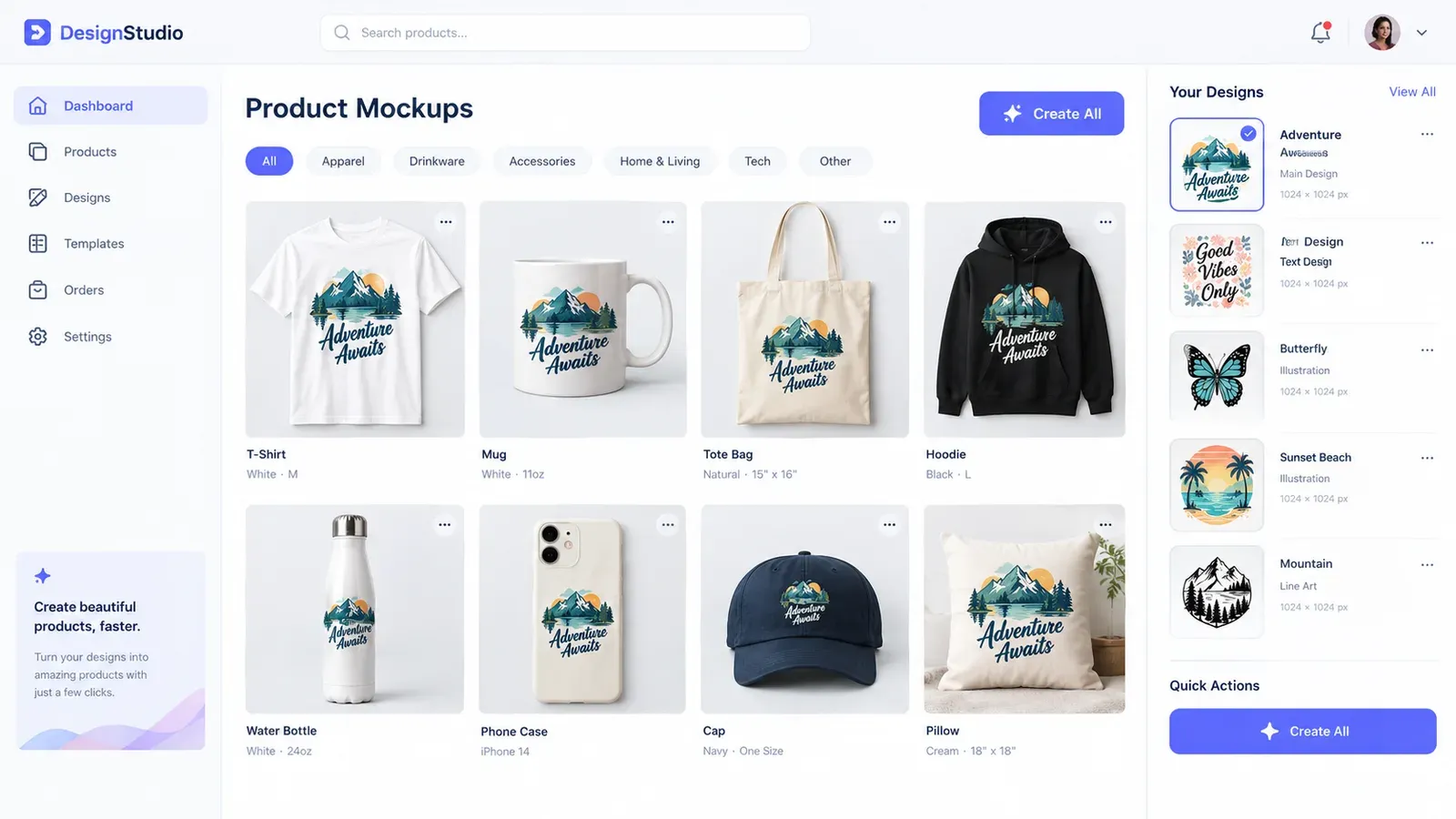
Listybox’s Creation Wizard: Your Creativity Assembly Line is built exactly for this. Here’s how it works: you upload your designs to My Artworks, or pick trending designs from the Artwork Gallery. Then you select the products you want to sell from the product catalog. The Creation Wizard combines every design with every product in one click. Within minutes, you have hundreds of “creations” ready, each with product mockups already applied. You review them, adjust placements with the Placement Editor, and then move to the listing stage.
For the listing content, Magic Wand: AI SEO & Copywriter generates a unique title, 13 tags, and a description for each creation. Because it understands both the design and the product, the content is highly relevant. You can still edit anything before publishing. The final step is the Bulk Editing: Time Machine feature, where you can select multiple listings and change prices, tags, or descriptions all at once. This is a lifesaver if you need to update your entire shop’s pricing or add a new keyword across all listings.
The Step-by-Step Bulk Listing Workflow
Gather your designs in one place. Use My Artworks to upload up to 5,000 designs. The system auto-tags them with relevant keywords.
Choose your products. Pick from the catalog or use Custom Product Hub to add your own.
Open Creation Wizard, select all designs and all products, and click create. Review the generated mockups.
Use Magic Wand on each creation to generate SEO content. Skim through and tweak anything that doesn’t match your brand voice.
Use Bulk Edit to set pricing, shipping profiles, and categories across all listings at once.
Move to Scheduled Publish and set a release schedule, like one listing every 6 hours.
This workflow turns what used to be a weekend marathon into a focused session that leaves you with a week’s worth of listings ready to go live automatically.
Scheduling Listings for Consistent Shop Growth
Etsy’s algorithm favors shops that are active. If you dump 50 listings on Monday and then go silent for two weeks, you miss the chance to stay visible. A steady stream of new listings signals to Etsy that your shop is fresh and engaged. The Scheduled Publish: The Algorithm Strategist feature lets you set a drip schedule. You can choose intervals like every 6 hours, once a day, or a custom pattern. Listybox then publishes each listing at the right time, automatically.
For Ethan, this was the game-changer. He would spend a few hours on Sunday preparing 20 new listings. Then he’d set them to publish one per day. By the next Sunday, all 20 were live, and he had spent zero time during the week on manual publishing. His shop grew consistently without him being glued to the screen. If you’re curious about how this fits into a broader strategy, read our guide on How to Start Selling on Etsy: The 2026 Beginner’s Guide.
💡 Avoid publishing all your listings at once. A drip schedule keeps your shop appearing active and gives each new listing its own moment in Etsy’s “recently listed” spotlight.
Avoiding Common Bulk Listing Mistakes That Hurt Your Etsy SEO
Speed is great, but not if it sacrifices quality. The biggest mistake sellers make when they start bulk listing is treating every listing as identical. Etsy penalizes duplicate content. If all your t-shirt listings have the same description with only the design name changed, Etsy may flag them as duplicates. Each listing needs a unique title, tags, and description that reflect the specific design and product.
This is where Magic Wand shines. Because it analyzes the design itself, it generates content that is distinct for each creation. A listing for a “Funny Cat Mom Mug” gets different tags than a “Funny Cat Dad T-Shirt,” even if the designs are similar. The result is a catalog that looks handcrafted to both Etsy and buyers.
Another mistake is ignoring mockup variety. If every listing uses the same plain white t-shirt mockup, your shop looks boring. Listybox’s Listystyle: AI Lifestyle Product Image Generator creates realistic lifestyle images that place your product in real-world settings. A hoodie shown on a person in a cozy coffee shop converts better than a flat lay on white. For video, Listystyle Video: Sales Machine turns your product images into short videos that Etsy can feature in search results.
Checklist for Bulk Listing Quality
Each listing has a unique title that includes the main keyword for that specific design.
Tags are varied across listings, targeting both broad and long-tail keywords.
Descriptions highlight the design’s unique benefit, not just the product features.
Mockups show the product in use, not just a flat template.
Pricing is consistent across similar products but accounts for different base costs.
From Zero to a Full Shop: A Real-World Workflow
Let’s return to Ethan. After switching to a bulk listing workflow, his Sunday routine changed. He now spends the first hour curating designs, either his own or from the Artwork Gallery. The next hour is in the Creation Wizard, matching those designs to his best-selling products. By lunchtime, he has 25 creations ready. He lets Magic Wand write the content, spends 30 minutes reviewing and tweaking, then sets a schedule to publish two per day. By Wednesday, his shop has 6 new listings, and he hasn’t touched Etsy since Sunday.
This is not about working less; it’s about working on the right things. Ethan now spends his weekday evenings engaging with customers, planning new design ideas, and checking his shop stats instead of grinding through listings. The result is a shop that grows steadily, with each listing built on a solid SEO foundation.
If you’re ready to try this workflow yourself, you can start with Listybox’s free plan. You get access to the Creation Wizard, Magic Wand, and a limited number of listings per month, enough to test the entire process. No credit card is required. When you’re ready to scale, the paid plans unlock more listings and advanced features like Scheduled Publish and Listystyle.
Start free - no credit card required
For a complete walkthrough of creating your first listing with Listybox, check out Your First Etsy Listing with Listybox: A Step-by-Step Guide. It covers everything from connecting your Etsy shop to publishing your first product.
Bulk listing isn’t a magic bullet, but it removes the biggest bottleneck in scaling a print-on-demand shop. By combining the right tools with a consistent workflow, you can fill your shop with quality listings that attract buyers and keep your weekends free.
Listybox
Create listings 10x faster with Listybox.
Frequently asked questions
Put this into practice in your shop.
Every step from design to live listing, on one platform. Start on the free plan.
Related posts



Want to go deeper? Read our in-depth Etsy guides · Browse 100 Etsy niche guides