


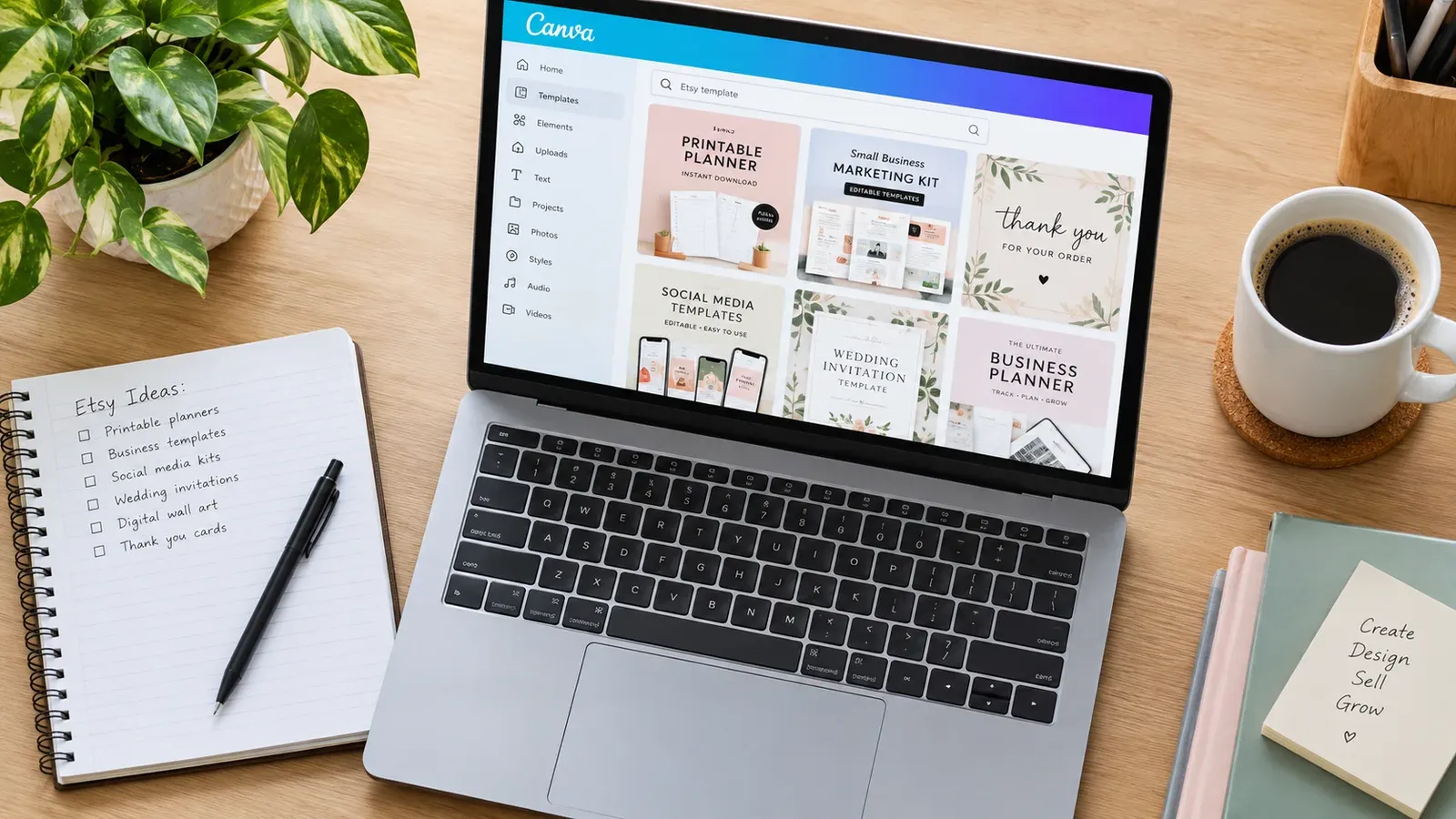
Key takeaways
Picking a specific template niche helps your products appear in less crowded search results
Canva’s One Design Use License lets you sell templates, but you cannot resell Canva’s own content as-is
Etsy requires instant digital delivery through the platform’s built-in file upload system
Mockup images showing the template in a real-world context build buyer trust faster than flat screenshots
Listing content like tags and titles can be created in minutes instead of hours with the right tooling
Liam is an engineer by day. He spends his working hours solving logical problems, but at night he wants to build something of his own. He opens Canva and starts designing resume templates, wedding signs, and social media kits. The creative part feels good. He finishes five templates in a weekend and feels ready to open an Etsy shop.
Then he hits the wall. The Etsy listing form asks for file formats, instant download settings, and tags he has not researched. He stares at the screen, unsure if his Canva license even allows commercial sales. The excitement fades into confusion. This is the moment where many new sellers give up. The gap between designing something pretty and selling it legally on Etsy is wider than most tutorials admit.
This guide closes that gap. You will learn exactly what Canva’s license allows, how to structure your digital listings, and how to avoid the mistakes that get shops flagged. By the end, you will have a repeatable system for turning your Canva designs into a legitimate Etsy income stream.
What Types of Canva Templates Can You Legally Sell on Etsy?
Before you list anything, you need to understand the rules. Canva operates under a specific licensing model that determines what you can and cannot sell. Getting this wrong can result in takedown notices or even permanent account suspension on Etsy.
Understanding Canva’s Content License for Commercial Use
Canva provides two main license types: Free and Pro. Under the One Design Use License, you are allowed to sell a single design that incorporates Canva’s content, provided you have modified it in a meaningful way. You cannot simply take a Canva template, change one color, and resell it.
According to Canva’s official licensing page, you must combine their elements with your own original creative work. The final design must be a unique composition. What you are selling is your creative arrangement, not Canva’s raw assets. You also cannot use Canva content to create a competing design tool or template platform.
⚠️ Never extract individual Canva elements (icons, illustrations, photos) and resell them as standalone assets. That directly violates Canva’s terms and will get your Etsy shop flagged for intellectual property infringement.
Template Niches That Work Well on Etsy
Broad categories like “resume templates” or “social media templates” are crowded. New shops gain traction faster in sub-niches where buyer intent is specific and competition is lower. Consider these directions:
Industry-specific resume templates: Registered nurse resumes, software developer CVs, teacher application portfolios
Niche event invitations: Micro-wedding invites, retirement party flyers, baptism celebration cards
Small business bundles: Esthetician social media kits, real estate agent listing templates, dog walker service menus
Educational printables: Homeschool planners, college semester trackers, language learning worksheets
Each of these sub-niches targets a buyer who knows exactly what they need. Your title and tags can match that specific search language, which helps your listing appear in front of motivated customers.
The Difference Between Selling Templates and Selling Finished Designs
A common point of confusion is whether you are selling a template or a finished design file. On Etsy, digital downloads are typically templates that the buyer edits themselves. You provide the editable Canva template link or a PDF with instructions, and the customer personalizes it with their own text and images.
If you sell a finished, non-editable design (like a printable wall art piece), the customer expects a ready-to-print file. Be crystal clear in your listing description which type of product you are offering. Confusion here leads to negative reviews and refund requests.
Try it in your shop.
Every step from design to live listing, on one platform. Start on the free plan.
How Do You Properly Set Up a Digital Download Listing on Etsy?
Etsy’s listing form has specific requirements for digital products. Missing a step here means your buyer cannot access their files, which triggers an immediate case against your shop.
Step-by-Step Listing Configuration
When you click “Add a listing” on Etsy, you must mark it as a digital item. This changes the listing form to include a file upload section instead of a shipping section. Here is the process:
Select “Digital” as the listing type. This tells Etsy the product does not require physical shipping.
Upload your files. Etsy accepts files up to 20 MB each. You can upload multiple files (a PDF instruction sheet and a ZIP with the actual templates, for example).
Set the quantity. Etsy sets digital listings to 999 by default. You can leave this as-is.
Write a clear description stating exactly what file formats the buyer will receive and how they can edit them.
Set your tags and categories under the appropriate digital goods section.
Etsy charges a $0.20 USD fee for listing an item for sale. Taxes may also apply.
File Formats and Delivery Best Practices
Most Canva template sellers deliver their products in one of two ways:
PDF instruction sheet: A single PDF containing a clickable link to the Canva template. The buyer opens the link, makes a copy, and edits their own version. This is the cleanest method because it avoids large file uploads and version control issues.
ZIP file containing multiple formats: If you offer the template in formats beyond Canva (like PowerPoint or Adobe Illustrator files), bundle them in a ZIP.
Always test your delivery method before publishing. Open the link in an incognito browser window and confirm the Canva template is accessible and editable.
💡 Include a simple “How to Use This Template” PDF even if the main delivery is a Canva link. Buyers who are new to Canva will appreciate the guidance, and it reduces the number of post-purchase messages asking for tech support.
What Etsy’s Digital Product Rules Require
Etsy’s house rules for digital items are straightforward but strictly enforced. You must deliver the item through Etsy’s instant download system. You cannot require buyers to email you for the file or redirect them to an external website as the sole delivery method. The files must be available immediately after purchase.
Additionally, Etsy’s seller policy states that you are responsible for ensuring your digital products do not infringe on anyone else’s intellectual property. If you used Canva’s Pro content, confirm that your specific usage falls within Canva’s commercial terms before listing.
If you are new to the platform and need a broader overview of fees and seller responsibilities, read our guide on How Much Does Etsy Take From Sellers? The 2026 Fee Breakdown.
What Are the Most Common Mistakes When Selling Canva Templates?
Even experienced designers stumble on these issues. Knowing them in advance saves you from listing removals, refund demands, and wasted design time.
Mistake 1: Ignoring Canva’s One Design Use License
This is the most dangerous mistake. Sellers who upload a Canva template with minimal changes and no original creative input are effectively reselling Canva’s content. Etsy takes IP infringement seriously. Multiple strikes lead to permanent shop closure. Always ask yourself: “Did I add enough original composition to make this my own work?”
Mistake 2: Poor File Organization and Missing Instructions
A buyer downloads a ZIP file, opens it, and finds 15 unnamed files with no README. They immediately feel frustrated. Organize your files into clearly named folders. Include a PDF that explains exactly what each file is for and how to access the editable Canva version.
Mistake 3: Vague Listing Descriptions
“Beautiful resume template” tells the buyer nothing. They need to know:
What software is required (Canva Free or Pro?)
What page size is the template (A4 or US Letter?)
Is it fully editable (text, colors, fonts, images)?
How many pages are included?
What file formats will they receive?
A vague description leads to confused buyers and refund requests. Write the description as if the buyer has never used Canva before.
Mistake 4: Skipping the Niche Research Phase
Designing a generic “Instagram template” and hoping it sells is a gamble. The shops that succeed with Canva templates start with a specific buyer in mind. They research what that buyer searches for on Etsy and then design a template that matches that exact need. For a deeper look at how Etsy search works and how to position your products, see our guide on How the Etsy Algorithm Works in 2026: The Complete Guide.
Mistake 5: Forgetting to Update Listings After Canva Changes
Canva occasionally updates its interface, element library, or licensing terms. A template link that worked perfectly six months ago might now reference a removed element. Schedule a recurring calendar reminder to spot-check your best-selling listings. Open the Canva link, confirm everything loads correctly, and update the instruction PDF if the interface has changed.
How Do You Create Preview Images That Convince Buyers to Purchase?
Your preview images are the closest thing a buyer has to touching your product. For digital templates, the challenge is showing something intangible in a way that feels real and desirable.
The Mockup Approach vs. Flat Screenshots
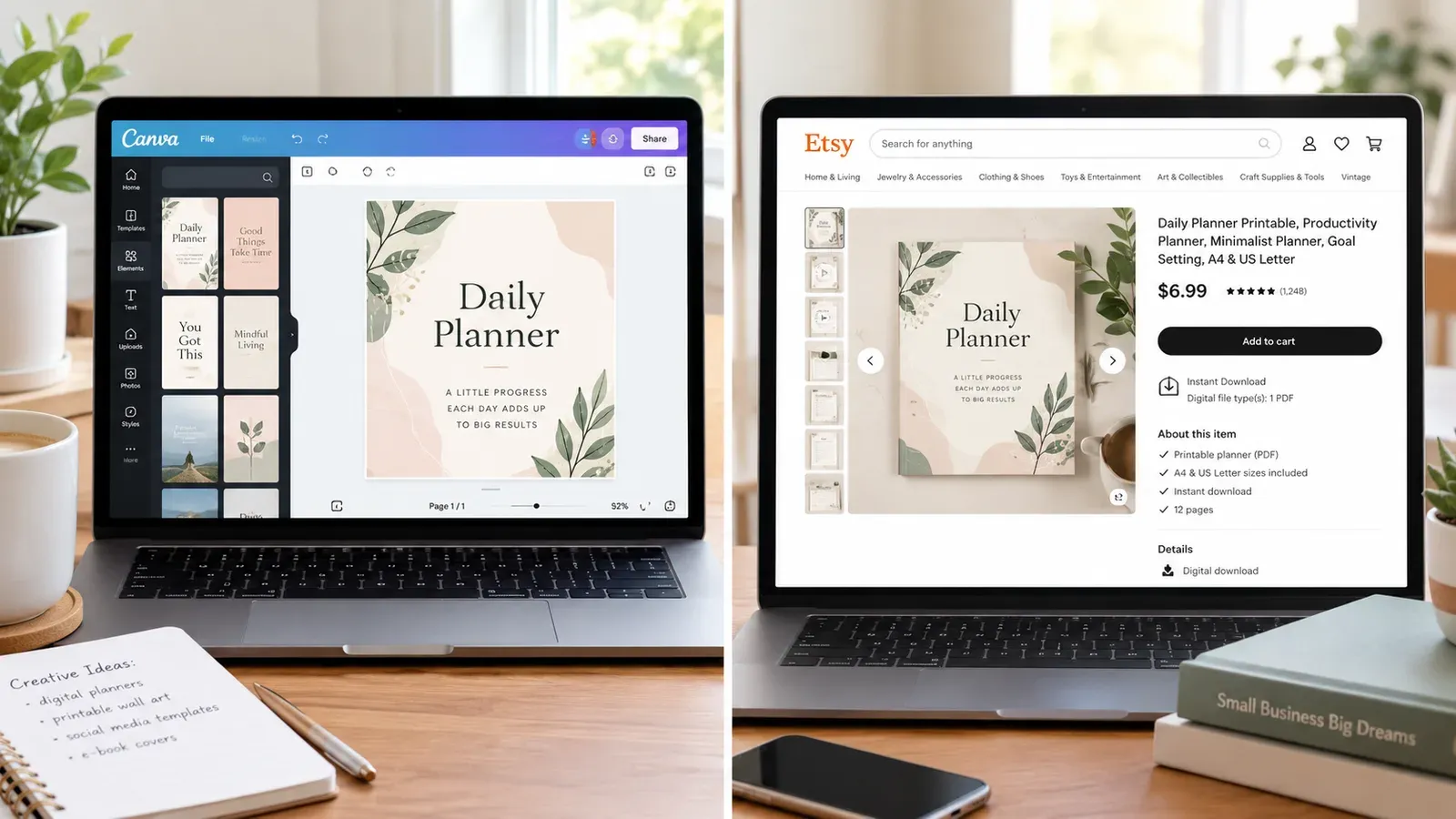
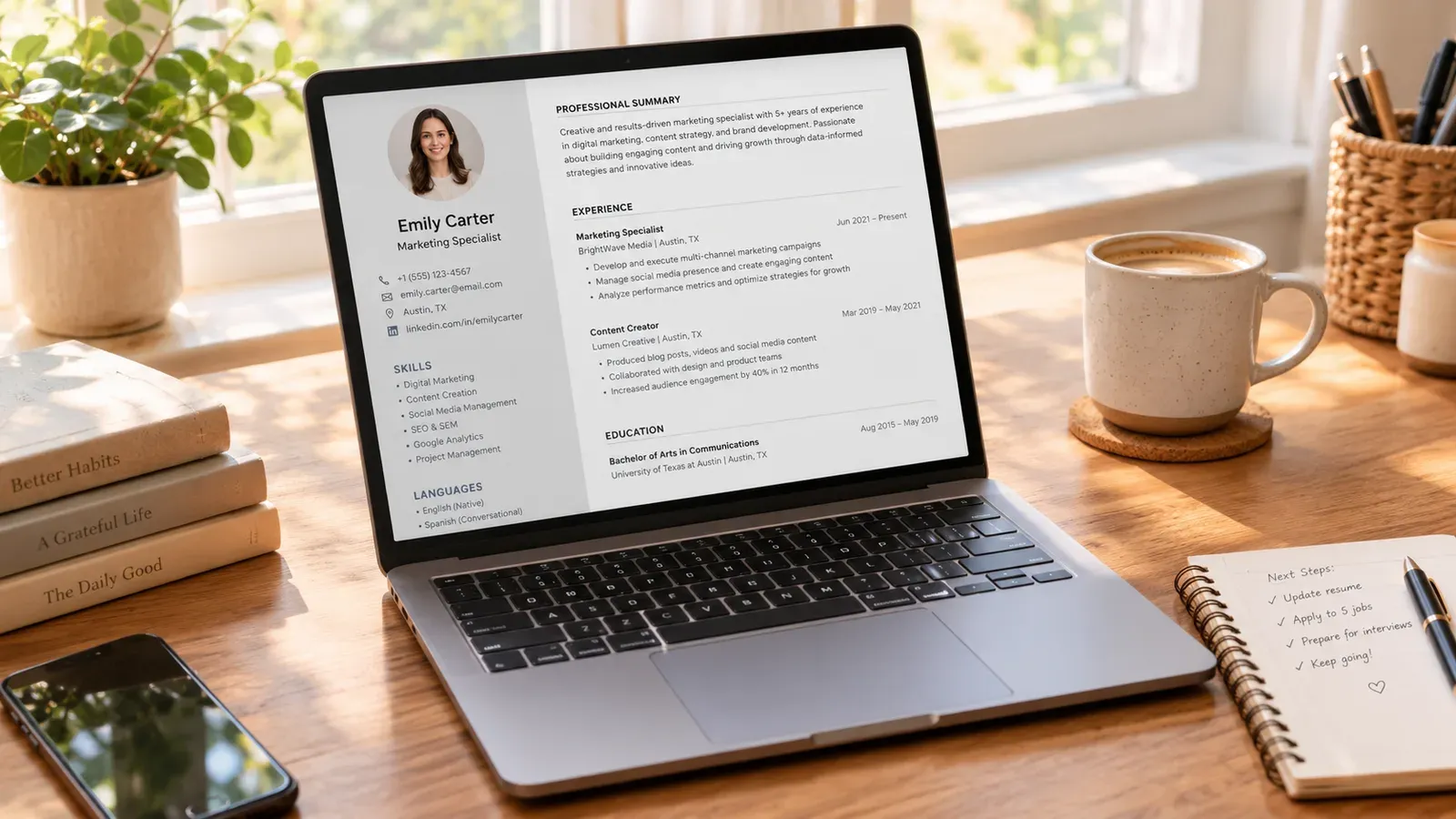
A flat screenshot of a Canva page is functional but forgettable. A mockup that places the template design into a real-world context tells a story. For a resume template, show the design on a laptop screen sitting on a clean desk with a coffee cup nearby. For a wedding invitation, show the design printed on textured paper with a ribbon.
These lifestyle mockups help the buyer visualize the end result. They stop seeing a digital file and start seeing their own finished product. We have a detailed resource that walks through creating these visuals without expensive equipment in Free T-Shirt Mockup for Etsy Sellers: The 2026 No-Budget Guide to Product Images That Sell. The same principles apply to template previews.
What to Include in Your Image Gallery
Etsy allows 10 images per listing. Use every slot with intention:
Image 1: A lifestyle mockup showing the template in its best context
Image 2: A close-up of a specific design detail or a beautiful page spread
Image 3: A flat lay showing multiple pages or variations included in the bundle
Image 4: A screenshot of the editable Canva interface with the template loaded
Image 5: A text overlay image explaining what is editable (text, colors, images)
Image 6: A color palette or style variation preview if you offer multiple versions
Image 7-10: Additional mockups, detail shots, or a “what you get” summary image
Using Product Photography Principles for Digital Goods
Digital products still benefit from the core rules of product photography. Good lighting, clean backgrounds, and consistent styling across all images create a professional shop appearance. Buyers judge the quality of your template partly by the quality of your listing images. Grainy, poorly lit mockups suggest a low-effort product.
If you want to go deeper on the photography side, our guide on Etsy Product Photography: Shoot Products That Sell covers the fundamentals that apply to both physical and digital product imagery.
How Can You Speed Up the Listing Process for Multiple Canva Templates?
Liam’s weekend produced five templates. But listing them on Etsy means writing five titles, five descriptions, and 65 tags. That is hours of repetitive work. This is where the manual grind becomes a bottleneck. You want to design, not stare at a listing form.
The Repetitive Parts That Drain Your Time
For each Canva template you create, the listing process looks nearly identical:
Brainstorming relevant keywords and long-tail search phrases
Writing a title that includes those keywords while staying readable
Crafting a description that covers file formats, editing instructions, and usage rights
Selecting 13 tags that cover every relevant search angle
Uploading and ordering preview images
Setting the category and digital product attributes
Doing this manually for five templates is tiring. Doing it for 20 or 50 templates is unsustainable. Many sellers burn out before their shop gains momentum simply because the administrative work overwhelms the creative work.
Where Listybox Fits Into a Template Seller’s Workflow
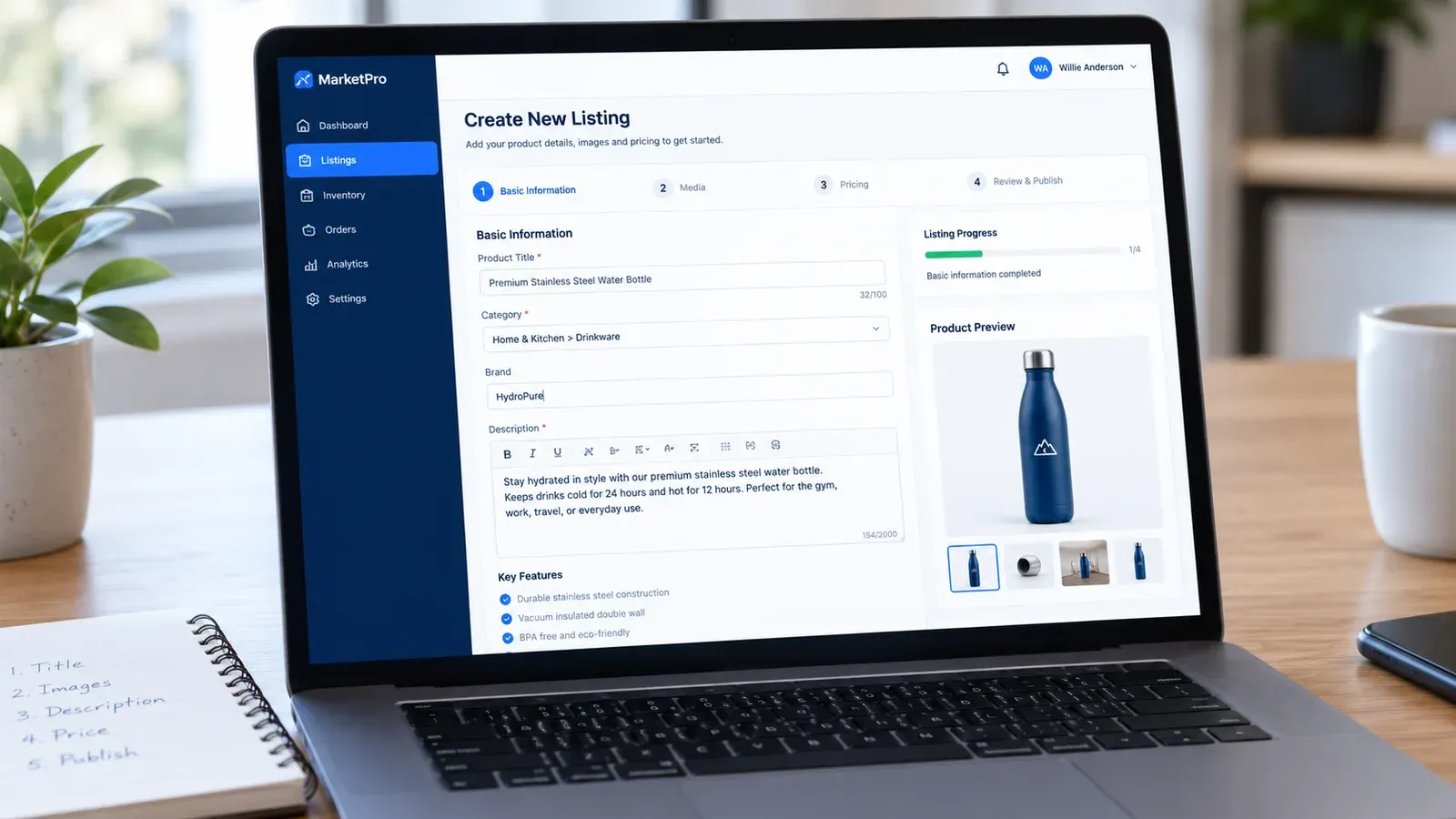
Listybox is built for exactly this type of repetitive listing work. Instead of typing every title and tag from scratch, you can use the Magic Wand feature. It analyzes your product type and generates SEO-optimized titles, 13 tags, and a sales-focused description in minutes, not hours. You stay in control and edit anything you want, but you skip the blank-page staring contest.
For sellers who design their templates in Canva, the Canva Integration connects your designs directly to your Listybox artwork library. You can edit a design in Canva, save it back to Listybox, and then push it into a new listing without downloading and re-uploading files repeatedly.
When you have multiple templates ready to go, the Creation Wizard lets you combine designs with product configurations in batches. You review each listing before it goes live, but the assembly work happens in one session rather than across multiple days.
A Practical Workflow for a 10-Template Shop
Here is a realistic sequence for someone who has designed 10 Canva templates and wants to get them listed efficiently:
Finalize and organize your Canva templates. Confirm each one has a working share link and a backup copy.
Create preview mockups for each template. Batch this work so you are in a design mindset for one focused session.
Upload your designs to Listybox through the Canva Integration or My Artworks panel.
Use Magic Wand to generate titles, tags, and descriptions for each template. Read through each one, adjust the tone to match your brand voice, and save.
Review all listings in the Creation Wizard, confirm the preview images are in the right order, and publish.
This workflow keeps you in creative mode for steps 1-2 and review mode for step 5. The repetitive middle section gets handled by the tooling.
If you are just starting your Etsy journey and want a complete walkthrough of opening your shop, our How to Open an Etsy Shop Step by Step: The Complete 2026 Guide covers the setup process from account creation to your first listing.
Does all of this feel overwhelming? You don’t have to start from scratch. With Listybox Store Setup, our team helps you set up your Etsy store. It is available inside a custom Enterprise+ offer, so plan a demo or write to [email protected].
Building a Long-Term Template Business
Selling Canva templates is not a one-and-done task. The shops that grow over time are the ones that treat their template catalog as a living product line.
Seasonal and Trend-Driven Template Updates
Buyer needs shift throughout the year. Wedding invitation searches peak in early spring. Resume templates spike in January when people set career goals. Holiday card templates take off in October. Plan your design calendar around these seasonal patterns.
When a trend emerges in your niche, being early matters. If a new social media platform gains traction, templates for that platform’s content format can capture search volume before competition arrives. Tools that monitor trend signals help you spot these opportunities before they become obvious.
Expanding One Design Into a Product Line
A single resume template can become a product line. Create a matching cover letter template, a reference sheet template, and a portfolio page template. Bundle them together as a “Complete Job Application Kit.” Buyers who need one often need the others, and bundles command higher prices than individual items.
The same principle applies to wedding templates: invitation, save-the-date, seating chart, menu card, and thank-you note. Each additional item increases the perceived value of the bundle while requiring only incremental design work.
Keeping Your Shop Active and Visible
Etsy’s algorithm favors shops that publish new listings regularly. A dormant shop with 10 listings slowly loses visibility. A shop that adds one new template every week signals to Etsy that the business is active and relevant.
This is where having a streamlined listing workflow becomes a competitive advantage. When publishing a new template takes 15 minutes instead of an hour, you are more likely to maintain that weekly cadence. The Scheduled Publish feature lets you prepare multiple listings in one session and then release them on a consistent schedule, which helps you maintain a steady presence without being glued to your computer.
Start free - no credit card required
Listybox
Listybox keeps your Etsy shop work in one place. Create products, publish listings, edit them in bulk and pass print-on-demand orders to production.
Frequently asked questions
Put this into practice in your shop.
Every step from design to live listing, on one platform. Start on the free plan.
Related posts


Want to go deeper? Read our in-depth Etsy guides · Browse 100 Etsy niche guides