


Key takeaways
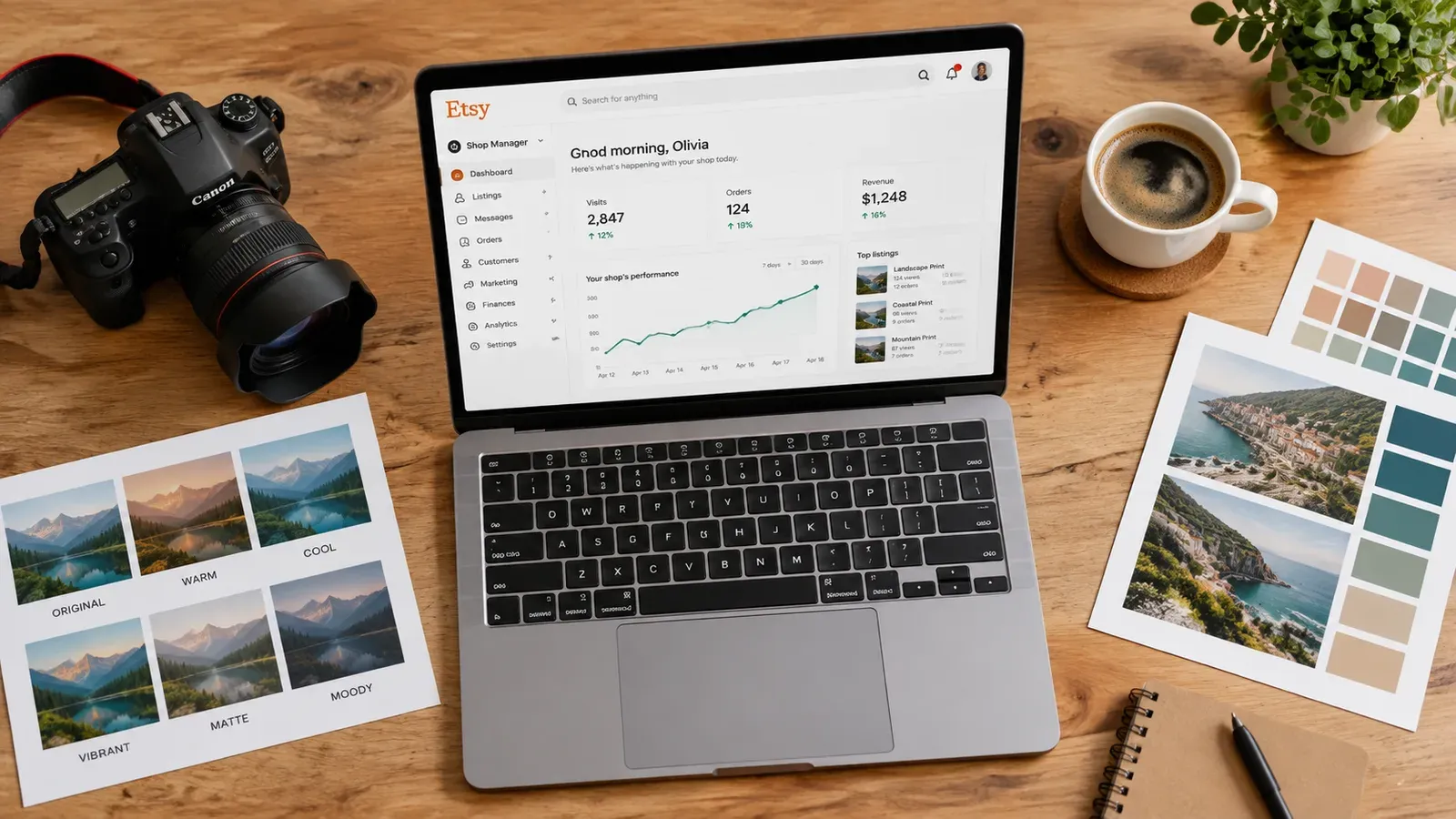
Lightroom presets are digital products with zero inventory costs, but they require high‑quality listing content to stand out on Etsy.
Spending hours on manual SEO research and writing listings is a hidden trap that kills your momentum.
Listybox’s Magic Wand creates Etsy‑ready titles, tags, and descriptions for your preset listings in minutes.
Bulk Edit and Scheduled Publish let you update and release dozens of listings without the all‑night grind.
Start with a free plan, no credit card required, and see the workflow for yourself.
Liam is an engineer who spends his weekends editing landscape photos. He has built a collection of Lightroom presets that his friends love, and he is ready to turn that skill into a side income stream. He opens an Etsy shop, uploads five preset packs, and waits. A week later, three views. No sales. The problem is not his presets. It is the way they are listed.
Etsy is a search engine. Buyers type “lightroom presets cinematic” and click the first handful of results. If your listing title, tags, and description do not match that search intent, your shop stays invisible. The real grind is not creating the presets. It is the hours spent researching keywords, writing 13 tags, and crafting descriptions that trigger a purchase. For a full‑time professional, that is time that could be spent on the next preset pack. For a side hustler like Liam, it is the reason the shop never takes off.
This guide breaks down the entire process of selling Lightroom presets on Etsy, from the product itself to the listing automation that keeps your shop growing without the burnout.
What Are Lightroom Presets and Why Sell Them on Etsy?
Lightroom presets are one‑click filters that let photographers apply a consistent look to an image. Instead of adjusting exposure, contrast, and color grading from scratch, the user imports a preset file and applies it in minutes. A single preset pack can include a moody film look, a bright and airy wedding style, or a cinematic teal‑and‑orange grade.
Selling presets is attractive because the product is digital. No inventory, no shipping, and no production costs once the file is created. The Etsy marketplace already has a built‑in audience of photographers and content creators who search for “lightroom presets” every day. According to the same mechanics that drive physical product sales, a well‑optimized listing can show up in front of buyers who are ready to purchase.
💡 Tip: Create a cohesive collection of 8–12 presets that solve one specific problem, such as “indoor coffee shop vibes” or “golden hour portrait glow.” Buyers prefer a tool that promises a consistent look over a random grab bag of effects.
If you are still deciding what kind of digital products offer the best return for your time, you can check out our guide on Best Products to Sell Online in 2026: A Data-Driven Guide for Etsy Sellers. It explains why digital goods like presets are a low‑risk entry point for new sellers.
How Presets Differ from Physical Print‑on‑Demand Products
While this guide focuses on presets, many Etsy sellers combine digital and physical products. For example, a photographer might sell presets alongside printable wall art or mockup templates. The listing creation process is similar, but digital products require a different checkout flow: Etsy delivers the file automatically after purchase. That means you must set up the listing as a digital download, not a physical item. The SEO principles, however, are identical.
How to Create Lightroom Presets That Actually Sell
A preset that sells is not just a generic “vintage” look. It solves a specific problem for a specific buyer. Think about the person who is searching: a wedding photographer who needs to deliver 800 edited images in two days, or a travel blogger who wants a consistent Instagram feed. The preset that saves them time is the one they will buy.
Pick a niche. Instead of “portrait presets,” go for “moody newborn baby presets” or “warm boho couples presets.” The more specific your collection, the easier it is to rank for long‑tail keywords.
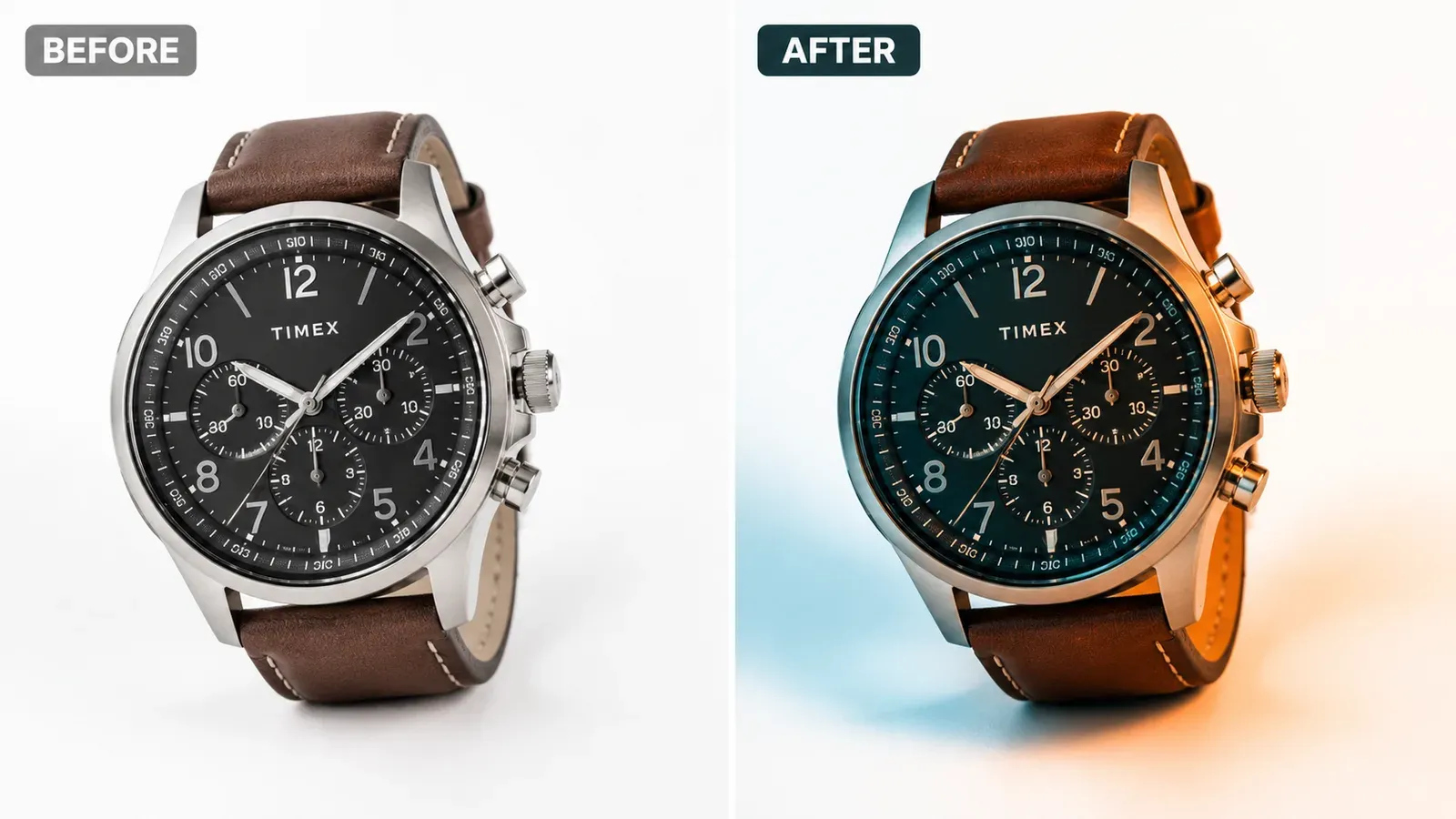
Build a consistent look. Edit at least 10 sample images across different lighting conditions. Your before‑and‑after previews must show the preset works on underexposed, overexposed, and mixed‑light shots.
Create a clean file structure. Etsy buyers expect a .zip folder containing .xmp or .lrtemplate files, plus a simple PDF installation guide. Complicated installations lead to refunds and bad reviews.
Show the transformation. The main listing image should be a split‑screen before/after that clearly demonstrates the preset’s value.
⚠️ Important: Etsy’s digital download policy requires you to deliver the exact file described in the listing. If you promise a preset for desktop Lightroom Classic but deliver a file that only works on the mobile app, you will face disputes.
Once you have a preset pack ready, the next step is packaging it in a listing that gets found. That is where most new sellers hit the wall.
How to Set Up an Etsy Shop for Selling Presets
Liam’s first attempt was a generic shop name, no banner, and a single paragraph of filler text. Etsy rewards shops that look complete and trustworthy, because the platform wants to send buyers to sellers who convert. A fully set‑up shop signals to Etsy that you are a serious seller.
Here is a checklist that takes less than an hour:
Shop name: Choose a name that hints at your niche. “Liam’s Presets” is weak. “Cinematic Tone Presets” tells the buyer exactly what to expect.
Shop banner and icon: Use a clean, photo‑based banner that shows your preset style. A simple before‑after collage works.
About section: Write a short story about why you created the presets and who they are for. This builds trust.
Policies: Explain file compatibility and license terms. Digital downloads can still be subject to refunds in eligible order disputes. Check Etsy’s Cases Policy.
Shop sections: Create sections like “Cinematic Presets,” “Wedding Presets,” and “Mobile Presets” to help buyers browse.
Does all of this feel overwhelming? You don’t have to start from scratch. With Listybox Store Setup, our expert team sets up your Etsy store, lists your first 10 products, and optimizes everything for SEO. See the pricing page for what this service covers and what it costs.
If you prefer to build the shop yourself, make sure you also read our guide on How to Sell on Etsy in 2026: The Automated Guide to Passive Income. It covers the foundational steps that apply to any product type.
Digital Delivery Settings
When you create a listing for a preset pack, you must select the “Digital” product type. Etsy will then ask you to upload the .zip file. The file size limit is 20 MB, which is usually enough for a preset collection. After purchase, the buyer receives an automatic download link. You do not need to manually send the file, which makes the fulfillment process hands‑off.
How to Optimize Your Etsy Listings for Lightroom Presets
This is the step where Liam’s shop stalled. He wrote a title like “Lightroom Presets Pack” and copied a description from a competitor. He did not add all 13 tags. Etsy’s search algorithm had almost no signal to rank the listing.
A well‑optimized listing has three parts:
Title: The First 40 Characters Matter Most
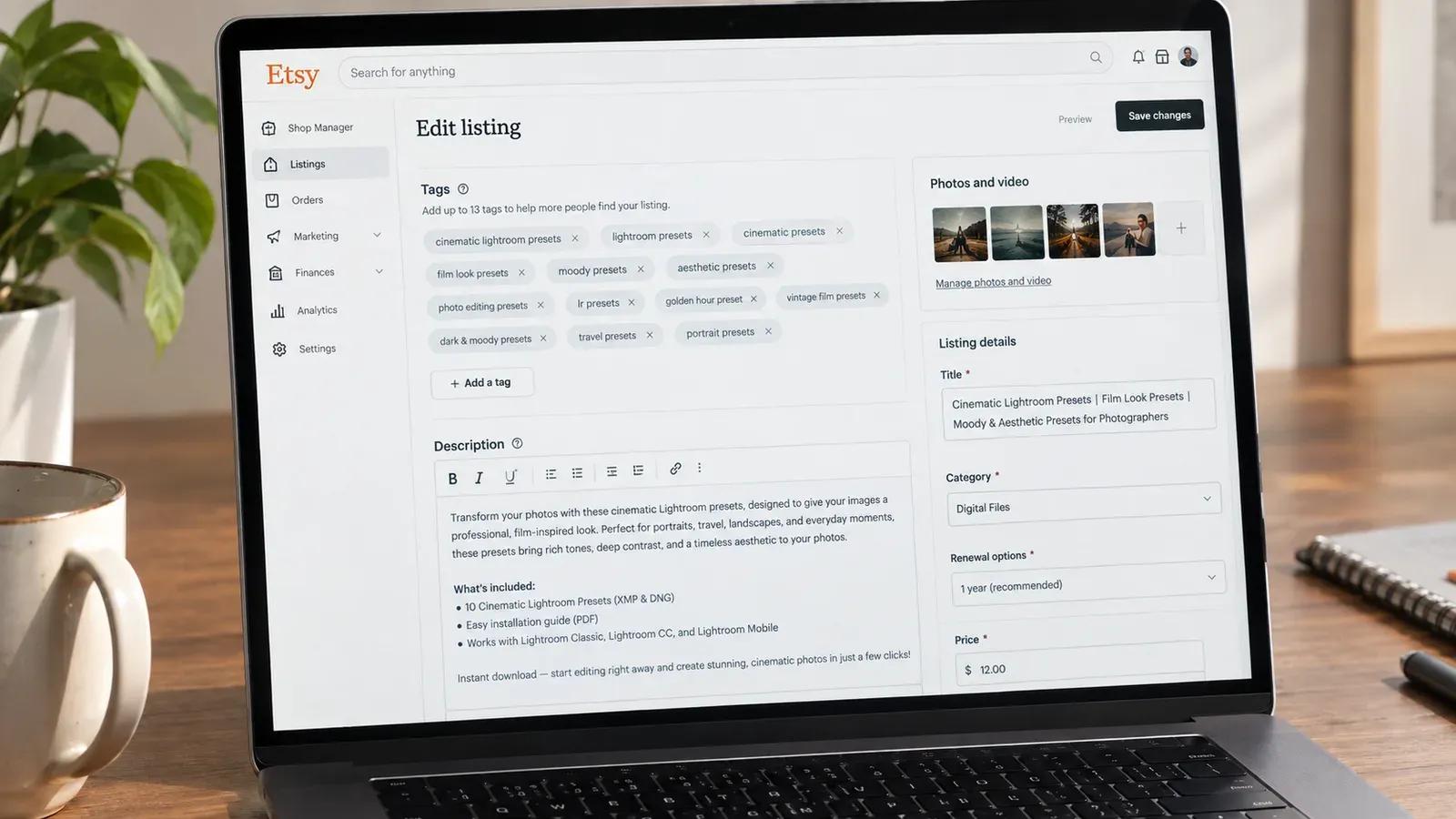
Etsy truncates titles in search results, so the most important keywords must go at the beginning. Instead of “Lightroom Presets – Cinematic Looks for Photographers,” use a title like “Cinematic Lightroom Presets for Landscape Photography – Moody Film Look.” The buyer sees “Cinematic Lightroom Presets” immediately and knows what the product is.
Tags: Use All 13 Slots
Etsy gives you 13 tag fields. Each tag can be a short phrase, and Etsy matches them to buyer searches. A common mistake is using single words like “preset” or “lightroom.” Instead, use multi‑word phrases that describe the use case: “cinematic lightroom preset,” “moody film look,” “landscape photo editing,” “portrait color grade,” and so on. Skip tags that are already in the title; Etsy combines them automatically.
Description: Sell the Benefit, Not the File
A preset description should not read like a technical spec sheet. Instead, it should paint a picture of the result. “Transform your raw photos into a moody cinematic masterpiece with one click” is more compelling than “This .xmp file contains settings for exposure, contrast, and saturation.” Use bullet points to list the compatibility details (Lightroom Classic, CC, Mobile) and the number of presets in the pack.
Writing all of this for a single listing takes time. Writing it for 20 preset packs is a weekend’s work. This is where the Magic Wand feature changes the process.
Instead of staring at a blank tag field, you can use Magic Wand to generate a complete listing draft in minutes. Magic Wand reads the product details you provide, such as the preset style and target audience, and produces a title, 13 tags, and a sales‑focused description. You stay in control: you review the suggestion, tweak the wording, and then publish. The platform does the heavy lifting, but you keep the final edit.
💡 Tip: After generating a listing with Magic Wand, read the description aloud. If it sounds like you, publish it. If it feels robotic, swap a sentence or two for your own voice. Etsy buyers respond to human, authentic copy.
Once your listing is optimized, the next challenge is managing a catalog that grows beyond a few products.
How to Automate Your Etsy Preset Business Without Losing the Personal Touch
Liam’s plan was to release two new preset packs a month. He quickly realized that even a small catalog of 10 listings requires constant maintenance. Etsy algorithm updates, seasonal trends, and competitor moves mean you need to refresh tags, tweak titles, and sometimes re‑release listings to stay visible.
Doing that manually is the fastest way to burn out. The solution is to automate the repetitive parts of the workflow while keeping the creative decisions in your hands.
Bulk Edit: Update a Dozen Listings in One Go
Say you notice that “cinematic” presets are suddenly trending, and you want to add that keyword to several existing listings. Instead of opening each listing individually, you can use Bulk Edit. Select the listings you want to update, choose the field you want to change (title, tags, or description), and apply the edit across all of them at once. The changes go live in minutes, and you can review the result before you publish.
Scheduled Publish: Let the Algorithm Work for You
Etsy rewards shops that publish new listings regularly. But sitting down every day at 9 a.m. to upload a preset pack is not practical. With Scheduled Publish, you can prepare a batch of listings and then choose a release schedule. Set it to publish one new listing every day, or every six hours, and the platform releases them automatically. This keeps your shop active in Etsy’s eyes without you being glued to a screen.
Combine the Tools for a Weekly Routine
Here is a workflow that lets you maintain a full catalog of preset listings with less than an hour of effort per week:
Monday: Use Magic Wand to create listing drafts for two new preset packs you designed over the weekend.
Tuesday: Run a Bulk Edit to update the tag “winter editing” to “spring editing” across all your seasonal presets.
Wednesday: Review the Magic Wand drafts, tweak a sentence or two, and add them to the Scheduled Publish queue.
Thursday – Sunday: The platform releases the listings on schedule. You spend your time actually creating the next preset pack.
Selling digital products like presets does not require managing physical inventory, but it does require a steady stream of fresh listings. The tools above let you produce that stream without turning your side hustle into a second full‑time job.
If you are ready to stop wrestling with Etsy’s listing editor one tag at a time, you can start with a free plan. No credit card is required. ** Start free - no credit card required** and see the workflow for yourself.
Listybox
Create listings 10x faster with Listybox.
Frequently asked questions
Put this into practice in your shop.
Every step from design to live listing, on one platform. Start on the free plan.
Related posts

Want to go deeper? Read our in-depth Etsy guides · Browse 100 Etsy niche guides