


Key takeaways
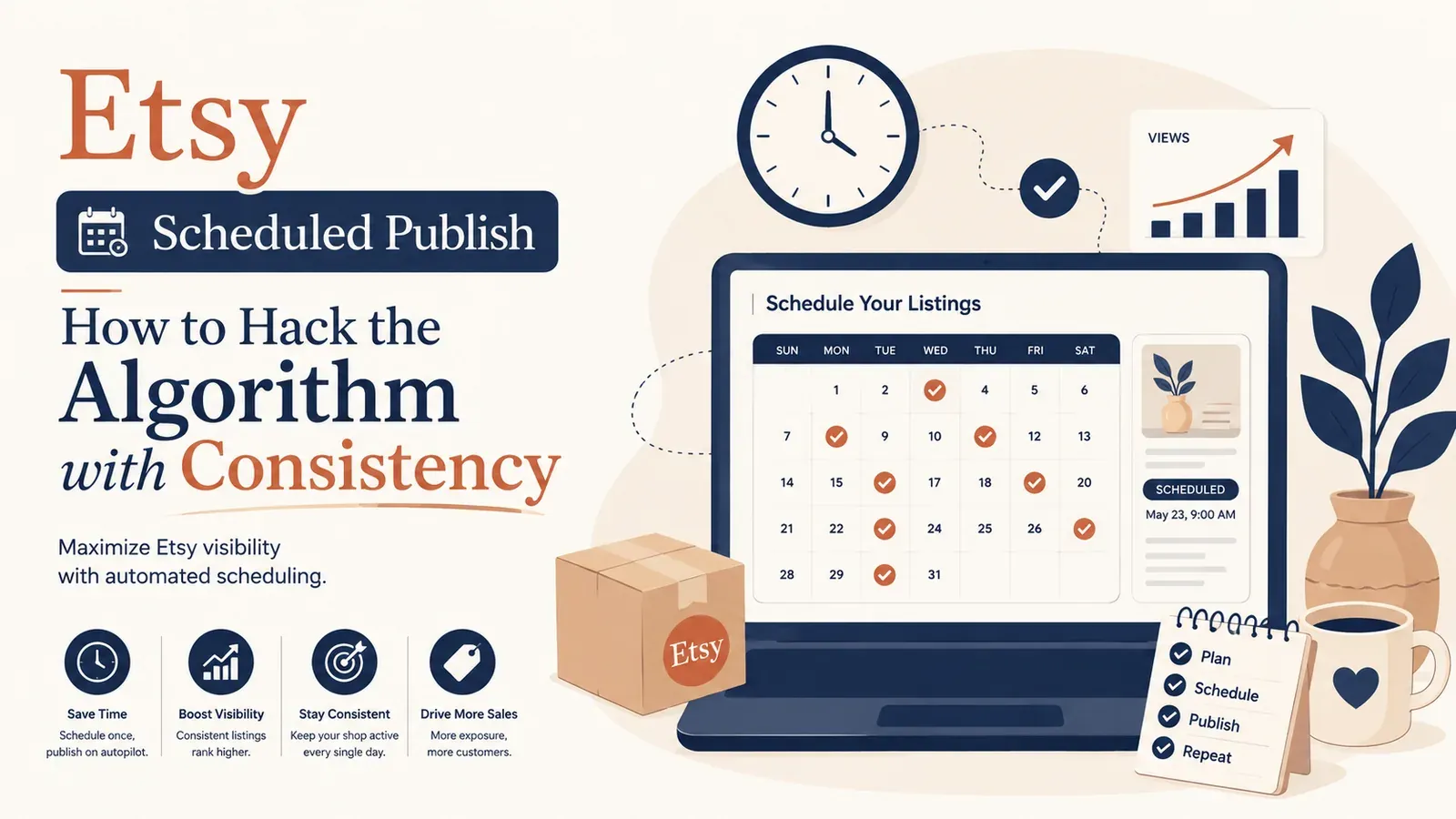
Consistency Wins: The Etsy algorithm prioritizes shops that are frequently active over those that are stagnant.
Automate the Grind: Use the Scheduled Publish feature to release listings you prepared in bulk on the interval you choose.
Avoid Burnout: Eliminate the need to log in every single day just to post a new product.
Scale Smarter: focus on strategy and design while Scheduled Publish handles the daily publishing.
We have all heard the golden rule of Etsy success: “Consistency is key.” It is the advice given in every forum, every YouTube video, and every seller handbook. The algorithm loves active shops. It rewards sellers who show up every day with new products, fresh tags, and constant activity.
But here is the brutal reality that no one talks about: being consistent is exhausting. Creating, optimizing, and hitting “publish” on a new listing every single day is a full-time job. For Print on Demand sellers trying to scale, this manual grind is the primary cause of burnout. You are not fighting the market; you are fighting the limitations of your own time. But what if you could satisfy the algorithm’s hunger for daily activity without actually being at your computer?
Does Posting Daily Help Etsy SEO?
The short answer is yes. Etsy’s search engine is designed to surface relevant, fresh content to buyers. When you publish a new listing, it receives a temporary “recency boost” in search rankings. This is Etsy’s way of testing how buyers interact with your new item. If you dump 50 products on a Sunday, you get one big spike of visibility, followed by silence for the rest of the week.
However, if you spread those 50 products out - publishing 7 a day for a week - you trigger that recency boost every single day. You are constantly waving a flag to the algorithm that says, “I am here, and I am active.” This strategy is often called “drip-feeding.”
To achieve this manually, however, requires superhuman discipline - or the right automation tool.
Try it in your shop.
Every step from design to live listing, on one platform. Start on the free plan.
The Difference Between Bulk Uploading and Scheduled Publishing
Many sellers confuse bulk uploading with scheduling. Understanding the difference is critical for your growth strategy.
Bulk Uploading (The Trap)
Pros: Gets all your work done at once.
Cons: Floods the shop, creates a short-lived traffic spike, and leaves you with “dead” days where the algorithm ignores you.
Scheduled Publishing (The Solution)
Pros: Spreads your inventory over time and keeps new listings going live on a schedule.
Cons: Usually requires third-party tools or manual Draft management, unless you use Listybox’s Scheduled Publish feature, which runs in the same Listybox workspace where you create and prepare your listings.
Meet Sarah: A Case Study in Reclaiming Freedom
Let’s look at a realistic scenario to understand the impact of automation.
Meet Sarah, a graphic designer who started a POD mug shop on Etsy as a side hustle. Her goal was modest: some extra income each month to save for her wedding.
Determined to beat the algorithm, Sarah committed to the “daily post” strategy. Every night after her 9-to-5 job, she sat down, designed one mug, wrote the SEO description, and hit publish. It worked - sales started trickling in. But after three months, Sarah was exhausted. She couldn’t go out with friends, she couldn’t take a weekend trip, and she dreaded opening her laptop.
The breaking point came when she wanted to take a week-long camping trip. She knew if she stopped posting, her stats would tank. So, she tried to “pre-work” by saving 7 drafts in Etsy. But on the trip, she had to hike to find a cell signal every morning just to manually hit “Publish” on her phone app. It was not a vacation; it was remote micromanagement.
Then, she discovered Listybox, one workspace where she could create products, write listings and publish them. She used the Creation Wizard to batch-create 50 new mug designs, with variants and mockups prepared for review, and she could edit everything before publishing. Instead of publishing them all at once, she fed them into Scheduled Publish. She set the interval to “One listing every 24 hours.”
For the next 50 days, new listings went live in Sarah’s shop on the schedule she had set. She didn’t log in once to publish, and her shop kept showing daily activity without her pressing the button each evening.
How to Automate Your “Recency” Strategy
Scheduled Publish lets you decouple the time you spend creating listings from the time they go live.
Step 1: Bulk Creation
First, you need inventory. You can use your own designs via the My Artworks upload feature, or browse our Artwork Gallery for ready-to-sell designs. The Creation Wizard then acts as your assembly line, applying these designs to hundreds of products in bulk.
Step 2: Intelligent Optimization
Before scheduling, you can use Listybox’s fine-tuned engine (Magic Wand) to automatically generate SEO-optimized titles and tags for every single product in your batch.
Step 3: Set Your Schedule
In the Scheduled Publish tool, you define your rules. You can choose to publish rapidly (e.g., every hour) during holiday rushes like Q4, or use a steady drip (e.g., once a day) for long-term consistency.
The “Vacation Mode” Alternative
Every Etsy seller fears “Vacation Mode.” Turning it on pauses your shop, but it often takes weeks for traffic to recover after you turn it off.
With scheduled publishing, you do not need to rely on Vacation Mode to keep new listings coming. You can prepare two weeks of inventory, schedule it, and leave town. Your shop remains open and new products appear daily. If you use Zero-Touch Fulfillment, incoming orders appear in My Orders and each one goes to production once you pay for it.
Why Manual Scheduling Doesn’t Work
You might ask, “Can I not just save drafts on Etsy?” You can, but Etsy does not have an “auto-publish” button for drafts. You still have to physically log in and click the button.
With Scheduled Publish, you choose a publishing interval once, and Listybox releases each selected listing according to that plan, from the same workspace where you prepared them. You can still edit everything before it goes live.
Does all of this feel overwhelming? You don’t have to start from scratch. With Listybox Store Setup, the Listybox team sets up your Etsy store, prepares core branding, publishes an initial product set from the Listybox catalog with SEO-focused copy, and provides onboarding guidance, so your shop runs from one Listybox workspace. It is available inside a custom Enterprise+ offer, so plan a demo or write to [email protected].
Ready to stop working for the algorithm and make the algorithm work for you? You can start scheduling your success today.
Start Listybox now - no credit card required
Listybox
Listybox keeps your Etsy shop work in one place. Create products, publish listings, edit them in bulk and pass print-on-demand orders to production.
Frequently asked questions
Put this into practice in your shop.
Every step from design to live listing, on one platform. Start on the free plan.
Related posts


Want to go deeper? Read our in-depth Etsy guides · Browse 100 Etsy niche guides