



Key takeaways
Views without sales usually point to a gap between the search result and the listing page, not a lack of traffic.
Check your main image, title, price presentation, and shop policies before changing keywords.
Edit many listings at once with Bulk Edit so you can test one change across a group, then compare results over time.
Keep final control with you: review every Magic Wand draft before publishing.
Use Scheduled Publish to roll out changes in a planned order instead of all at once.
Seeing your listings climb in views but watching the sales counter stay flat is one of the most discouraging moments in an Etsy shop. You checked the stats, you feel the traffic is there, and yet buyers walk away. The good news is that this pattern is usually diagnosable. Once you know where shoppers stop, you can fix the right thing instead of rewriting everything.
Why Views Without Sales Happen
Views tell you that a shopper saw your listing in search results or on another page. They do not tell you that the shopper liked what they saw. A view can come from a broad search where your product is only loosely relevant, or from a shopper who scrolled past quickly. When views are high but conversions are low, the mismatch is often between what the search promised and what the listing page delivered.
Think of it as a funnel with three stages. First, the shopper sees your thumbnail in results. Second, they click and judge the main image, title, and price. Third, they decide whether the shop feels trustworthy enough to buy. A leak at any one of these stages will look the same from the outside: plenty of views, very few orders.
Check the Thumbnail and First Image
Your thumbnail is the first thing a shopper evaluates, and it competes with dozens of other listings on the same screen. If your product looks small, cluttered, or hard to understand at a glance, shoppers will click elsewhere. Look at your top-viewed listings and ask whether the product is clear in a phone-sized preview. A plain, well-lit product shot on a clean background usually reads better than a busy composition.
Lifestyle photos can help shoppers picture the product in use. Listystyle can generate lifestyle product images from your design and target audience, and you choose which images to keep. Review each one for realism and accuracy before you upload it, because a mockup that misrepresents the product can create returns and bad reviews.
💡 Compare your first image with the top listing in the same search. If yours shows less of the product or less context, that is a fast, testable fix.
Check the Title Match
A title that is stuffed with keywords can attract the wrong visitors. If someone searches for a specific design style and lands on a generic product, they bounce. Read your title as a shopper would. Does it say what the product is in plain language? Does it match the words in the search that brought the view? If not, adjust the title so the promise and the product line up.
If you want a deeper walkthrough of how search and listing content fit together, our guide on Etsy SEO covers how keywords, tags, and titles work as a set.
Try it in your shop.
Every step from design to live listing, on one platform. Start on the free plan.
Find the Mismatch Between Traffic and Intent
Not every view is a buyer. Some searches are research-driven, with shoppers comparing styles or gathering ideas. Others are ready to buy. Your job is to make sure the listings that get the most views are aimed at shoppers who are close to a decision.
Compare Your Top Viewed Listings
Pick your five most-viewed listings and list the search terms that seem to bring them traffic. Then ask whether those terms signal buying intent. A search like a specific product plus a recipient or occasion usually signals more intent than a single broad word. If your high-view listings are attracting broad searches, you may need to refocus titles and tags on terms that describe what you actually sell.
Look at Price and Variations
Pricing confusion can kill a sale even when the product is right. Check whether the price displayed in results matches what shoppers see on the listing page. Make sure variations are clear, with sizes, colors, and options explained in the first screen of the listing. A shopper who cannot tell which option they are buying is likely to leave.
Before you change prices, check the current fee structure in your Etsy seller account and on the official Etsy fee page. Fees and taxes can differ by country and change over time, so rely on the live numbers rather than an article snapshot. Etsy charges a $0.20 USD fee for listing an item for sale. Taxes may also apply.
Read the source: Etsy charges a $0.20 USD fee for listing an item for sale. Taxes may also apply.
When you model a price change, use your own current costs for production, shipping, and platform charges rather than any generic figure. A small change in one line of your cost sheet can change whether an offer still works.
Review Shipping and Shop Policies
Shoppers often leave when they cannot quickly answer basic questions. How long does production take? Where does the product ship from? What is the return or exchange process for personalized items? Check your shop policies and listing descriptions for clear answers. Vague or missing details create hesitation at the moment of purchase.
For print-on-demand products, be explicit about production time and any variation in delivery. Be careful not to promise guarantees that the shop policies do not support. Each platform sets its own rules for digital and physical products, and those rules change, so check the current Etsy seller policies directly before you write any refund or return language. Do not assume a blanket rule applies to your product type.
Confirm the current platform policy and your own shop policy before you publish them.
Test One Change at a Time
Once you have a suspected cause, the temptation is to change everything at once. That makes it impossible to know what worked. A better approach is to change one element across a defined group of listings, wait for enough time to see the effect, and then decide what to do next.
Build a Simple Test Log
Create a spreadsheet with four columns: the listing or group, the change you made, the date you made it, and the views and orders before and after. Keep the window consistent so you compare similar periods. Results from a short window can be noisy, so do not draw firm conclusions from a single week.
Track the change as a hypothesis: “Shorter titles that match the search will raise the share of views that turn into orders.” Then check whether the data supports it. This habit keeps you from chasing every new idea and helps you learn what your specific shoppers respond to.
Use Bulk Editing for Group Changes
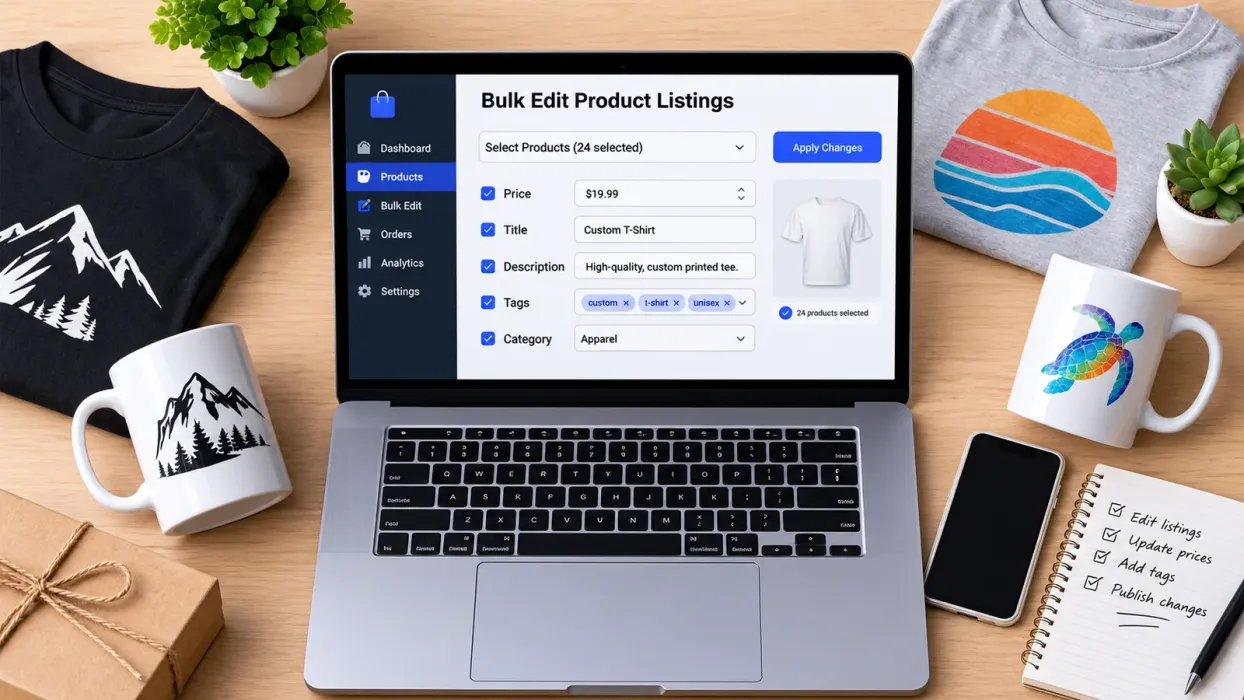
When a title pattern, description block, or tag set needs updating across many listings, editing each one by hand is slow and error-prone. Bulk Edit lets you select the listings you want, choose the field to change, and apply an add, replace, or remove action across the group. Changes are applied to the selected set, which makes it easier to run a controlled test on one product family while leaving the rest of your shop untouched.
Because a bulk change touches many listings at once, review a sample before you apply it widely. Check a few listings to confirm the text reads naturally and the tags match the product. Keep final control with yourself, not the tool.
If you want to see how to keep a catalog consistent as it grows, our article on How to Increase Etsy Sales Fast gives practical tactics for turning steady traffic into orders.
Stagger Your Updates with Scheduled Publish
If you are creating or refreshing many listings, publishing them all at once can make it hard to see which ones changed results. Scheduled Publish lets you set a time interval and publish listings one at a time on that schedule. That spacing gives you a cleaner view of how each new listing performs and leaves room to correct mistakes before the next batch goes live.
A Realistic Workflow for Ava
Consider Ava, a hypothetical illustrator who sells hand-drawn designs on printed products. Her goal is to turn her steady views into orders without spending every evening rewriting listings. Ava’s manual grind looks like this: she opens each listing, rewrites the title, retypes tags, changes the description, and uploads new images one by one. After a few hours, she has changed only a handful of listings, and she still does not know which change helped.
The hidden trap is that Ava changes too many things at once. She swaps titles, images, and prices in the same week, so when orders stay flat she cannot tell which change failed. She also spends time on listings that already have clear images and strong titles, while the real gap sits in a few high-view products with weak first images.
Here is how Ava can work the problem with Listybox as her workspace. She starts by reviewing her top viewed listings and marking the ones with weak thumbnails. She uses Magic Wand to draft title and description options for one product group, then reads and edits each draft herself so it matches her designs and her real shop policies. For that group, she uses Bulk Edit to apply the approved title pattern across the listings. She keeps the rest of her shop unchanged so she has a clean comparison. For the thumbnail fix, she uses Listystyle to create a few lifestyle image options, picks the ones that show the product accurately, and uploads them. Finally, she uses Scheduled Publish for the next batch of new listings so each one goes live on a set schedule and her test log stays easy to read.
None of these steps promises a result. Ava still decides what to publish, reviews every draft, and checks her numbers over time. Listybox simply reduces the number of separate edits she has to make by hand.
Set Up Your Own Check
Start with the smallest test you can run this week. Pick one product group with strong views and weak orders. Compare its first image, title, price presentation, and shop policies against the top-selling listing in the same search. Choose the one change you believe is most likely to help, make it across that group, and log the date. Then review the same window of views and orders at the end of the period.
If the test shows a clearer path, repeat it on the next group. If not, go back to the funnel and check the next stage. Over time, this habit turns a vague feeling of “nothing is working” into a set of specific, testable decisions.
If you are ready to set up a workspace for group edits, image variations, and scheduled publishing, you can start Listybox now - no credit card required. Check the current plan details on the pricing page before you decide what fits your shop. Listybox has a free plan, and you stay in control of every listing you publish.
Listybox
Listybox keeps your Etsy shop work in one place. Create products, publish listings, edit them in bulk and pass print-on-demand orders to production.
Frequently asked questions
Put this into practice in your shop.
Every step from design to live listing, on one platform. Start on the free plan.
Related posts


Want to go deeper? Read our in-depth Etsy guides · Browse 100 Etsy niche guides