



Key takeaways
Views start with search relevance: clear titles, complete tags, and the keywords buyers actually type.
Strong main photos and lifestyle images give shoppers a reason to click once your listing appears.
Consistent publishing and fresh listings give you more chances to be seen, and scheduling helps you keep that rhythm.
Check the current Etsy fees and listing rules yourself in the shop manager and official help pages before you publish at scale.
Use a single workspace such as Listybox to edit many listings at once, which keeps your SEO work consistent across the catalog.
Every Etsy seller wants more eyes on their shop. You open your dashboard, check the stats, and see a few views where you hoped for hundreds. It is discouraging, and it is easy to assume the problem is luck. In most cases it is not. Views on Etsy come from a mix of search relevance, how your listings look in results, and how regularly you add new work to the marketplace.
This guide walks through those levers in plain steps. It also shows where a workspace like Listybox can take some of the repetitive work off your plate, while you keep control of every decision.
Why Your Listings Are Not Getting Seen
Imagine a graphic designer named Maya who launches a small print-on-demand shop on Etsy. She spends a weekend designing ten posters and publishes them one by one. Each listing gets a title she writes in a hurry, a set of tags she copies from a competitor, and three photos taken on her kitchen table. A week later, her views are flat.
Maya’s problem is not a lack of talent. It is a set of small gaps that add up. Titles do not match how buyers search. Tags repeat the same word. Photos show the product without context. And because each listing took her hours, she publishes slowly, which means fewer chances to appear in results.
The hidden trap is that these gaps are invisible until you compare your listings side by side. Doing that by hand across fifty or a hundred listings is tedious, so most sellers never do it, and their views stay low.
Publish your next batch.
Prepare your products and publish listings to Etsy in bulk. Start on the free plan.
Start With Search Relevance
Views on Etsy begin with search. A buyer types a phrase, and Etsy shows listings that seem to match. Your job is to make your listings clearly match the phrases real shoppers use.
Write Titles That Match Buyer Language
Start with the first 40 to 60 characters of your title, because that part is the most visible. Put the product type and the main search phrase there, such as “Botanical Wall Art Print” rather than a clever name that no one searches for. Keep the rest of the title readable, and avoid stuffing the same word over and over.
To find the right phrases, look at how similar listings describe themselves and note the words that appear most often. You can also use the search bar on Etsy itself and watch the autocomplete suggestions. These are free checks you can repeat whenever you launch something new. For a deeper walkthrough of this process, you can read our guide on Etsy SEO.
Use All Thirteen Tags
Etsy allows up to thirteen tags per listing. Many sellers leave slots empty or repeat their title words. Use the tags to cover different angles: the occasion, the style, the room, the recipient, and the material. Each tag should be a phrase a buyer might actually type, not a single vague word.
When you add new products, check whether the tags still describe the item accurately. A tag that no longer fits can hurt the relevance of the listing, so review your catalog regularly rather than setting tags once and forgetting them.
Check Your Categories and Attributes
Choose the most specific category available and fill in every attribute you can, such as color, size, and occasion. These fields help Etsy understand what your product is. Incomplete attributes are an easy fix that many sellers skip.
Make Your Photos Earn the Click
Once a listing appears in results, the main photo decides whether someone clicks. Shoppers scan thumbnails quickly, so the first image needs to be clear, well lit, and show the product at a readable size.
Lead With a Clean Main Image
Your first photo should show the product alone on a simple background, filling most of the frame. Use natural light if you can, and keep the colors true to the product. Save styled scenes for the rest of the gallery.
Add Lifestyle and Context Images
The later images can show the product in a room, on a person, or in use. This helps shoppers imagine owning it. If you do not have the budget or time for photo shoots, a lifestyle image generator can produce scene-based visuals from your existing product images. Our Listystyle feature is one option, and you still choose which images to keep and upload.
💡 Review every generated image before publishing. Check that the product looks accurate, the colors match your design, and nothing in the scene misrepresents what the buyer will receive.
Consider a Short Video
A short product video can help shoppers see scale and detail. You can create one from your existing images, then watch it yourself and remove any frame you do not like. Listybox includes Listystyle Video for turning listing images into a video you can review and edit before you upload it to Etsy.
Publish Consistently Without Burning Out
Etsy rewards shops that stay active. A steady flow of listings gives you more opportunities to appear in search, and it gives returning shoppers new things to see. The challenge is that writing and uploading each listing by hand makes consistency hard for a one-person shop.
Batch Your Listing Work
Instead of publishing one item at a time, prepare a group of listings in a single session. Write the titles, tags, and descriptions together so you can compare them for overlap and gaps. This also makes it easier to spot a listing that accidentally repeats the same phrase as another.
Schedule Your Publishing
Once a batch is ready, you can spread it over several weeks rather than uploading everything at once. Listybox offers Scheduled Publish, which lets you choose a time interval and publishes your prepared listings one by one on that schedule. You stay in charge of the content and the order, and you can change the schedule whenever your plans shift.
Edit Many Listings at Once
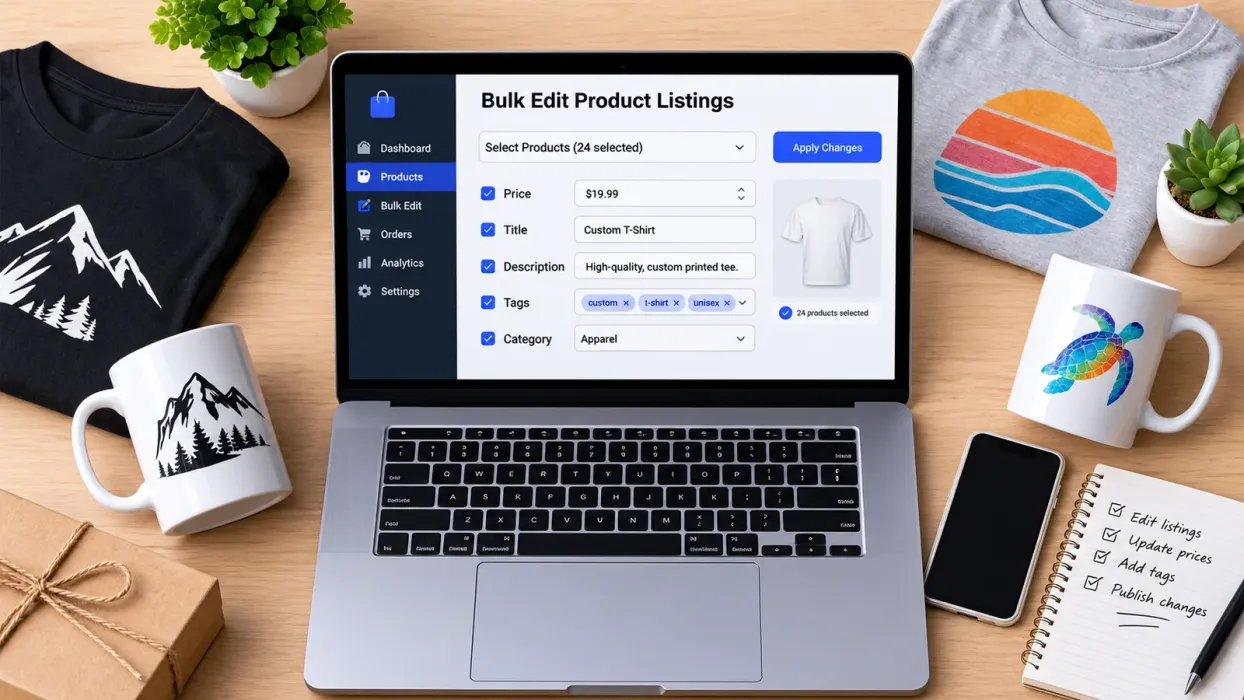
When you realize that a whole category is missing a keyword, you do not want to open each listing individually. With Bulk Edit in Listybox, you select the listings you want, choose the field to change (title, description, or tags), and apply an add, replace, or remove action. You review the changes before they go live, and you can still adjust any single listing afterward.
Build a Simple Routine
The most useful thing you can do is turn these steps into a routine you actually follow. A weekly rhythm keeps your views moving without constant effort.
Each week, check which listings received the most views and which received almost none.
Review the titles and tags of the weak listings and compare them with a stronger listing in the same category.
Replace the main photo on any listing where the thumbnail looks cluttered or dark.
Prepare the next batch of new listings and schedule them so they publish across the coming weeks.
Check your Etsy stats for the period, so you can see whether the changes are working.
Keep notes on each change you make. Over a few months, those notes show you which kinds of titles and photos bring the most traffic to your particular shop. That is more useful than any general advice, because it comes from your own catalog.
Check Costs and Shop Rules Before You Scale
As you publish more listings, costs add up. Before you commit to a large batch, check the current fees and rules yourself. Do not rely on old articles or a number you saw in a forum.
The most reliable place to check is the official Etsy fee page in your seller account and on Etsy’s own help pages. These show the listing fee, transaction fees, and any payment processing charges that apply to your shop and region. Look for taxes too, since they can vary by location. Platform rules can change, so read them again before a big launch.
⚠️ Fee structures and seller policies change over time. Confirm the current numbers and rules on Etsy’s official pages before you plan your pricing or your publishing budget.
Also review your shop policies, especially for returns and custom orders, because they affect how buyers feel about your listings. Clear, honest policies build trust, and trust supports repeat visits. If you want a deeper look at policy setup, see our guide on Etsy shop policies.
Where Listybox Fits Into This Workflow
Everything above can be done by hand, and some sellers prefer that. The difficulty is time. Repeating title checks, tag updates, and scheduled uploads across a growing shop becomes a job of its own, and it pulls you away from designing.
Listybox is one workspace where an Etsy seller can run the shop side of this work. You create products, write and publish listings, edit many listings at once, and schedule them, all from one place. Magic Wand can draft listing titles, tags, and descriptions based on the product and design, and you review and edit every line before publishing. Listybox keeps the final control with you.
For visuals, Listybox includes Listystyle for lifestyle images and Background Remover for cleaning up design files, so your photos stay consistent across a catalog. My Artworks gives you one place to store your designs, and Creation Wizard helps you combine designs with products so the variations are ready to review.
If you want to see how a workflow like this could fit your own shop, you can start Listybox and explore the tools at your own pace. The free plan is available to try, and no credit card is required to begin.
Keep Improving the Basics
Views rarely jump because of one change. They grow when you improve search relevance, make your photos clearer, and publish on a steady schedule, then measure what happens. Start with your ten most important listings, fix their titles, tags, and main photos, and track the results for a few weeks. Then apply what you learned to the rest of your catalog.
For more ideas on growing your traffic, browse our Etsy growth blog and read the guides that match the stage your shop is in right now.
Listybox
Listybox keeps your Etsy shop work in one place. Create products, publish listings, edit them in bulk and pass print-on-demand orders to production.
Frequently asked questions
Put this into practice in your shop.
Every step from design to live listing, on one platform. Start on the free plan.
Related posts


Want to go deeper? Read our in-depth Etsy guides · Browse 100 Etsy niche guides